
Photo Motion Pro | Bring Memories to Life
A soft four-second breath from one old photo
Photo Motion Pro | Bring Memories to Life
A soft four-second breath from one old photo
Showcase
Description
Turn an old photo into a 4–6-second memorial video: first clarify expectations and boundaries, then assess the photo, write only a “minimal motion script” (a gentle exhale, a blink, a slight lift at the corners of the mouth), create 2–3 versions to choose from, and finish with delivery and saving suggestions. Motion is intentionally restrained, prioritizing resemblance to the person over spectacle created by broad smiles, head turns, or speech.
Recommended by
Dancang
Why we love this skill
Gently animate an old photo with a breath, blink, or glance while preserving its original character. The process respects relationships, intended use, emotional boundaries, and the dignity of memorial images.
Best for
For individuals or families who want to turn cherished old photos into restrained memorial videos.
How to use this Skill
Provide your input
Upload an old photo and share your relationship to the person, desired motion level, and intended use.
Run the Skill
Based on the photo’s condition and intended setting, create subtle, restrained facial or breathing motion and provide a few versions for comparison.
Review your result
Receive a 4–6-second memorial video, a side-by-side comparison of the original and final images, plus playback and saving tips.
Related Skills
View all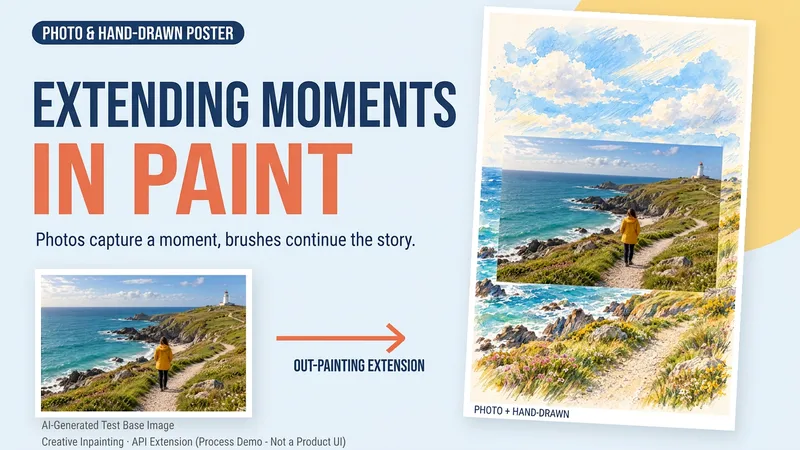 Image
ImageDraw That Day | Photo Poster
Some photos deserve another page. Upload a travel, walking, or everyday photo to create a keepsake poster where the photo meets hand-drawn scenery. The photo preserves that moment, while watercolor and colored pencil continue the scene beyond its edges. You can get: ① A keepsake poster: 2:3 portrait format by default, with a warm paper texture and no text. ② A grounded extension: starting from the sky, coast, road, or room in your photo, hand-drawn elements echo the original setting. ③ A note about photo preservation: when compositing is supported, the photo layer can be retained; with generative editing only, details may change, and this will be explained. ④ An optional short caption: use a sentence, location, or date you provide to preserve a little of how you felt at the time. Suitable for travel memories, everyday keepsakes, and social sharing. One image by default; it does not automatically create a full storybook. The scene beyond the photo is an artistic creation, not a recreation of the actual surroundings. Generation and compositing depend on the platform's current image tools and usage limits. We do not promise that the original photo will remain completely unchanged using a generative model alone. If the tools are unavailable, this will be stated clearly and a complete prompt will be provided.
 Image
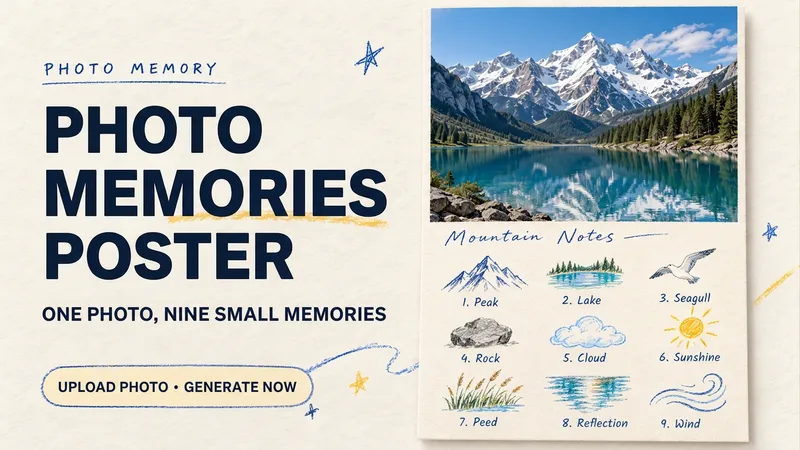
ImagePhoto Memory Poster
Some photos in your album deserve to be remembered with care. Upload an original photo of a trip, a coffee break, a pet, or an everyday moment to turn it into a textured memory poster with paper grain and drawn strokes: the top half preserves the real moment, while the bottom half illustrates the details worth remembering as nine small crayon-and-colored-pencil icons. Each photo is output separately in a 3:4 portrait layout, with no multi-photo collage. The top and bottom each take up half the page, with a loose nine-grid layout, short handwritten title, and small caption, creating the feel of a private visual diary. Colors adapt to the photo instead of using a fixed scenic template. Just upload a photo and optionally add a title. The Skill extracts memorable details, creates the image, and checks the subject, nine icons, and actual layout divisions. When an image tool with reference-image support is available, it can generate the image directly. Strict layout separation and fidelity to the original photo also depend on the editing and assembly capabilities of the runtime environment; if the requirements cannot be met, this will be explained. Suitable for travel keepsakes, pet collections, lifestyle journaling, and social sharing. The showcase images are demonstrations using locally created original AI scenes, not examples from real users; on YouMind, the Skill has been trialed with input guidance for missing photos, while complete image generation still awaits testing. Image-generation usage is subject to the current platform.
 Video
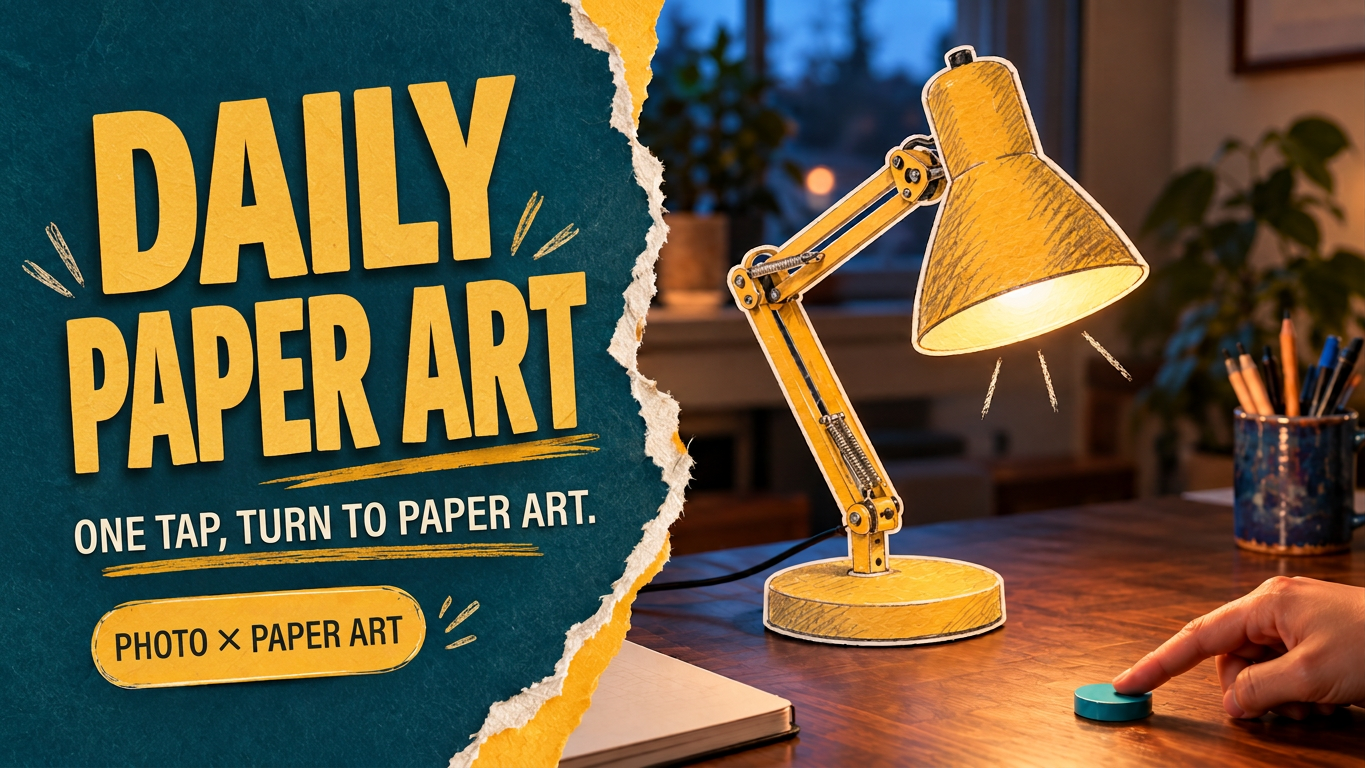
VideoEveryday Paper Magic
With a gentle tap, turn familiar objects into little paper magic. Upload a photo of an everyday scene or name the object you want to transform. Turn a desk lamp, toaster oven, or watering can into a tiny paper-art object with white paper edges, pencil hatching, and watercolor texture. Keep the realistic setting and hands intact so the transformation happens right where the object is. This Skill first creates separate keyframes for before and after the transformation, then plans a clear trigger, transformation process, and small post-transformation reaction. It also provides ready-to-use video storyboards and prompts. When compatible video tools are available, you can continue creating and reviewing the short clip. Try it like this: • After a finger touches the dial, turn a desk lamp into mustard-yellow colored-pencil paper cutout art. • Turn a breakfast toaster oven into a colored-paper installation, with a paper slice of toast gently popping up. • Turn a watering can by a rainy window into watercolor paper art, with two paper droplets falling. Supports photos, video references, and text-only concepts. You can specify the object, style, aspect ratio, and duration. By default, it creates a single-shot concept in 9:16 at 6 seconds. After generation, check the object’s outline, background, hand structure, and the sequence of “trigger first, transformation second.” Ideal for creative lifestyle shorts, localized material transformations, and experiments combining real scenes with 2D animation. The showcase image features an AI-generated realistic scene with paper-art editing, and the desk-lamp example already has an approximately 6-second video sample. Actual image and video generation capabilities and usage limits depend on the platform where it runs.
Information
- Version
- v2
- Last updated
- Runtime credits
- Usage-based
- Models
- Auto
- Use cases
- Images & designLifestyle & entertainment
- What you get
- ImageVideo
