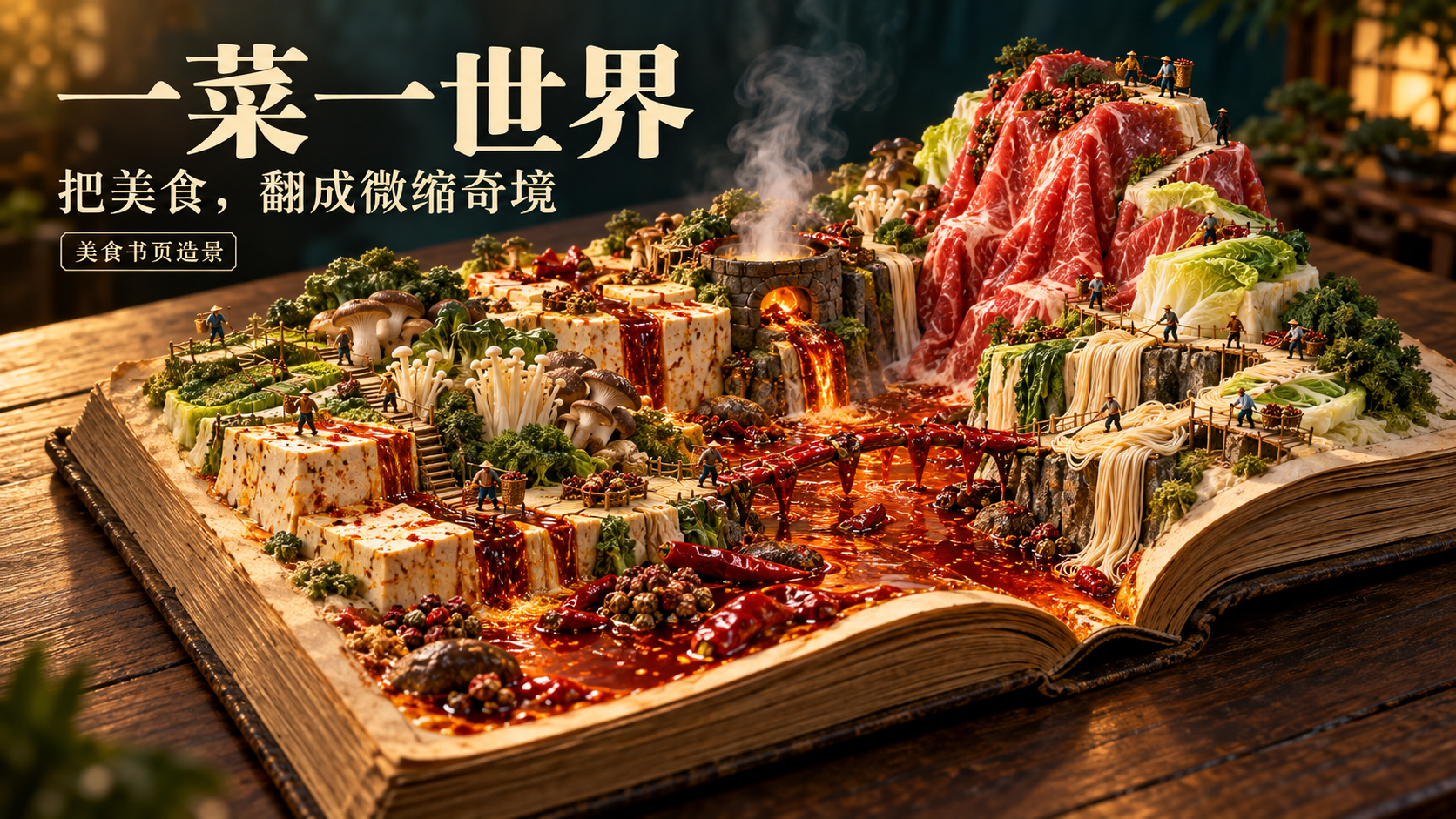
Dishworld Bookscape
Turn a dish into an explorable food world
Dishworld Bookscape
Turn a dish into an explorable food world
Showcase
Description
Turn a favorite dish into a small world you can explore. Enter a dish name, cuisine, or dessert theme and let the ingredients grow from an open old book: chili oil becomes a river, tofu becomes a cliff, shrimp dumplings become mountains, and matcha cake becomes layers of emerald rock. Miniature figures gather, carry, steam, boil, and sift ingredients across the pages, connecting the journey from ingredients to finished dish into one continuous landscape. Create a chili-oil canyon for Sichuan hot pot, cloud-steamed peaks for Cantonese dim sum, or layered green rock formations for matcha desserts—or switch to any food you like. The Skill rearranges the terrain, figure actions, camera, and lighting based on the ingredients’ shapes and cooking methods, so every dish does not turn into the same mountain of rice. By default, each generation produces one 16:9 landscape image with no text. You can modify the aspect ratio, colors, title, ingredients, and quantities. Generate separate images for different themes, then check the page transitions, ingredient recognizability, figure scale, and any extra plates. Suitable for food illustrations, creative covers, food and beverage visuals, and social media content. Delivery is a static image. Image generation requires support in the current environment and does not include editable 3D models or physical miniatures. 1,000 credits is the Skill installation price; actual image-generation usage follows the platform’s rules. The showcase assets are newly AI-created sample images for this theme, and full image generation on YouMind has not yet been tested.
Recommended by
Dancang
Why we love this skill
Transforms a dish into an explorable book-page miniature world, using ingredient landscapes and miniature figures to connect gathering, cooking, and the finished dish.
Best for
Content creators and marketers who need food illustrations, creative covers, or food and beverage visuals for social media.
How to use this Skill
Provide your input
Enter a dish, cuisine, or dessert theme. You can also specify the aspect ratio, colors, title, ingredients, quantities, and other requirements.
Run the Skill
Turn the food into a miniature landscape on an open old book, using ingredients as terrain and miniature figures to connect preparation, cooking, and finished-dish scenes.
Review your result
Generate a static food scene with an explorable feel, defaulting to a 16:9 landscape image with no text and a realistic miniature macro photography style.
Related Skills
View all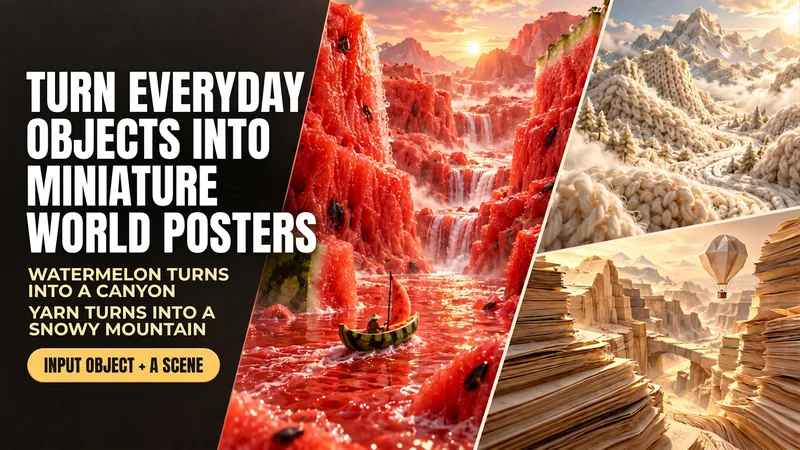 Image
ImageEveryday Items to Mini Worlds
Enter “boating through a watermelon canyon” to generate a realistic poster made of flesh-colored mountain ranges, a juice river, and a watermelon-rind boat. This Skill transforms everyday objects such as food, yarn, and paper into miniature worlds you can explore. Simply describe “what object+what scene,” and it uses the object's real textures to arrange the terrain, lighting, and composition, then generates the image directly. Here are some ways to use it: Boating through a watermelon canyon: the flesh becomes mountains, and the rind becomes a small boat. Camping on yarn-covered snowy mountains: knitted textures form the mountain ranges, with a small campsite set up on the slopes. Hiking through coffee dunes: coffee grounds form the dunes, and coffee beans become giant boulders. Traveling through a book-page canyon: layered pages form the cliffs, while a paper hot-air balloon passes through the valley. You can start by naming just one object, and the Skill will automatically pair it with a scene. You can also upload a reference image and carry over its colors and textures. People, props, titles, and aspect ratios can all be adjusted as needed. By default, each generation produces one 3:4 portrait, text-free poster, suitable for creative visuals, social media covers, themed posters, and brand-visual inspiration. After generation, it checks the materials, composition, and unwanted elements, then makes corrections as needed. An environment that supports image generation is required; actual usage is subject to the platform's rules. The displayed images are AI-generated examples.
 Image
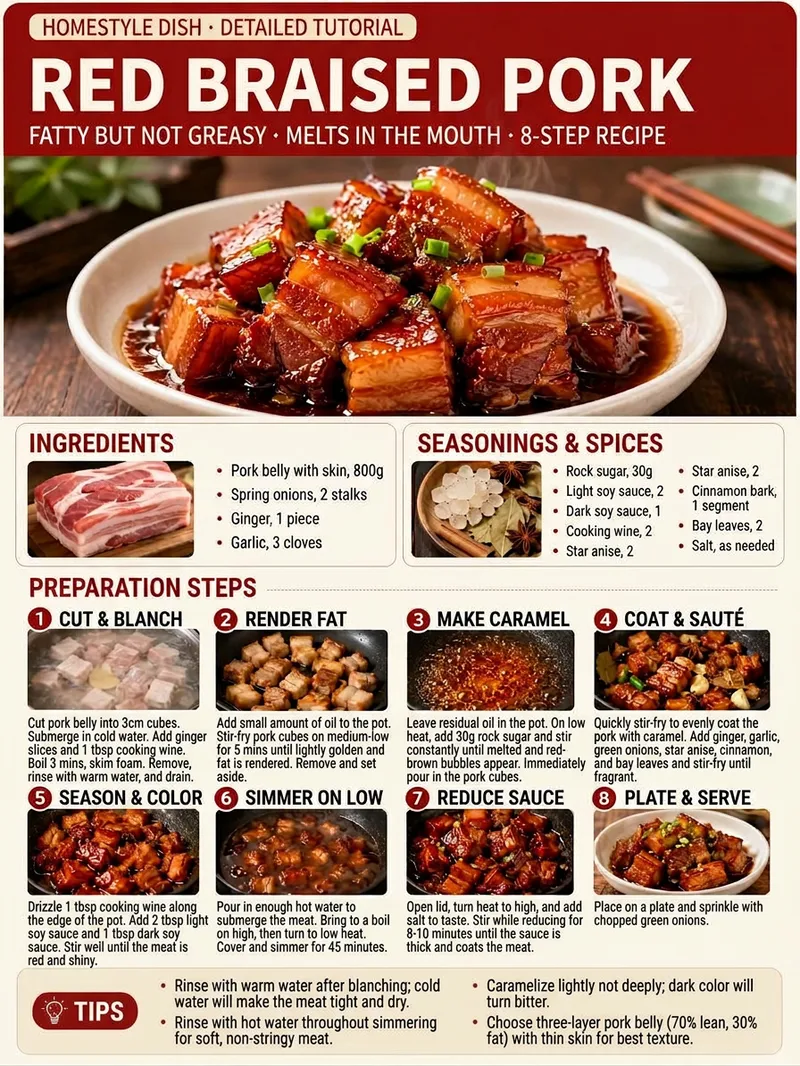
ImageRecipe Flow Infographic
Enter the name of a dish to get an easy-to-follow home-style Chinese cooking tutorial, along with a 3:4 portrait food process infographic designed for sharing on social platforms. Even if the dish name includes an alias, dialect term, typo, or requests such as less spicy, a specific number of servings, a quick version, or an air fryer version, the skill organizes it into a clear standard dish name and corresponding method. The skill organizes ingredients, seasonings, cooking steps, and practical tips to help prevent common mistakes based on the dish and your requirements. It adds actionable quantities, heat levels, cooking times, and visual cues for judging doneness, while ensuring that preparation, cooking, seasoning, and sauce reduction follow a logical order for easy reproduction by beginners. The recipe text is condensed and organized for infographic readability, highlighting key information without lengthy explanations. The final result is a photorealistic Chinese food tutorial graphic featuring the dish name and highlights, a finished-dish image, ingredient and seasoning sections, consecutively numbered step illustrations, and practical tips. With a clear layout and distinct priorities, it is suitable for posting on social platforms such as Xiaohongshu and convenient to save, browse, and follow while cooking.
 Image
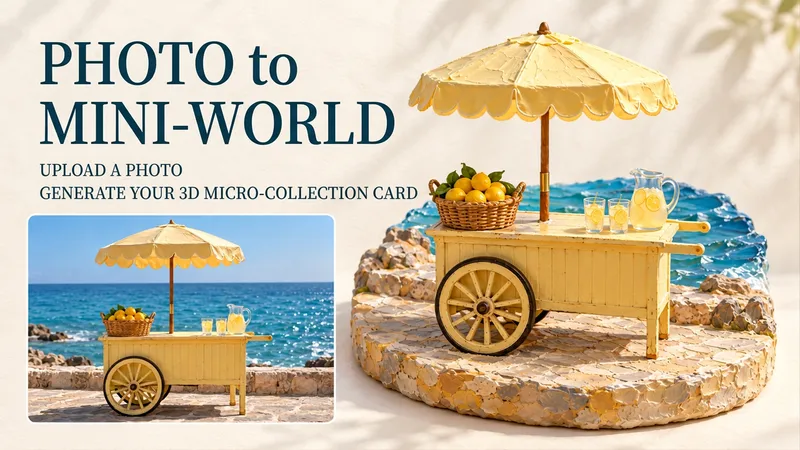
Image3D Miniature Keepsake Cards
Turn favorite street corners, beloved pets, and desserts too special to eat into exquisite miniature scenes. Upload a photo to transform its subject into a miniature scene with handcrafted textures, a dimensional base, and soft lighting, then arrange it alongside the photographic image as a collectible card. Create travel keepsakes, pet albums, or everyday collections—all starting with your own photos. Just upload one photo, and optionally add a note such as “keep the red umbrella,” “title it Summer by the Sea,” or “make it feel warmer.” Each photo produces one complete image by default in a 3:4 portrait layout. You can adjust the title, language, and mood. If you don't have a photo, you can also create an AI demo card by theme. Pick a photo from your album that you can't bear to delete and see what it looks like as a miniature world. Note: The output is an image, not a physical figurine or 3D model. Full-image generation may redraw details from the photo; to preserve the original photo exactly, use separate layout. The showcase images are newly created AI demos, and full image generation in YouMind has not yet been tested. The Skill is free to install; actual image-generation usage is subject to the platform's rules.
Information
- Version
- v2
- Last updated
- Runtime credits
- Usage-based
- Models
- Auto
- Use cases
- Images & designMarketing & growth
- What you get
- Image
- Visual styles
- 3DPhotorealistic
