Photo Fail Roll
Turn one photo into a hilariously real album
Photo Fail Roll
Turn one photo into a hilariously real album
Showcase
Description
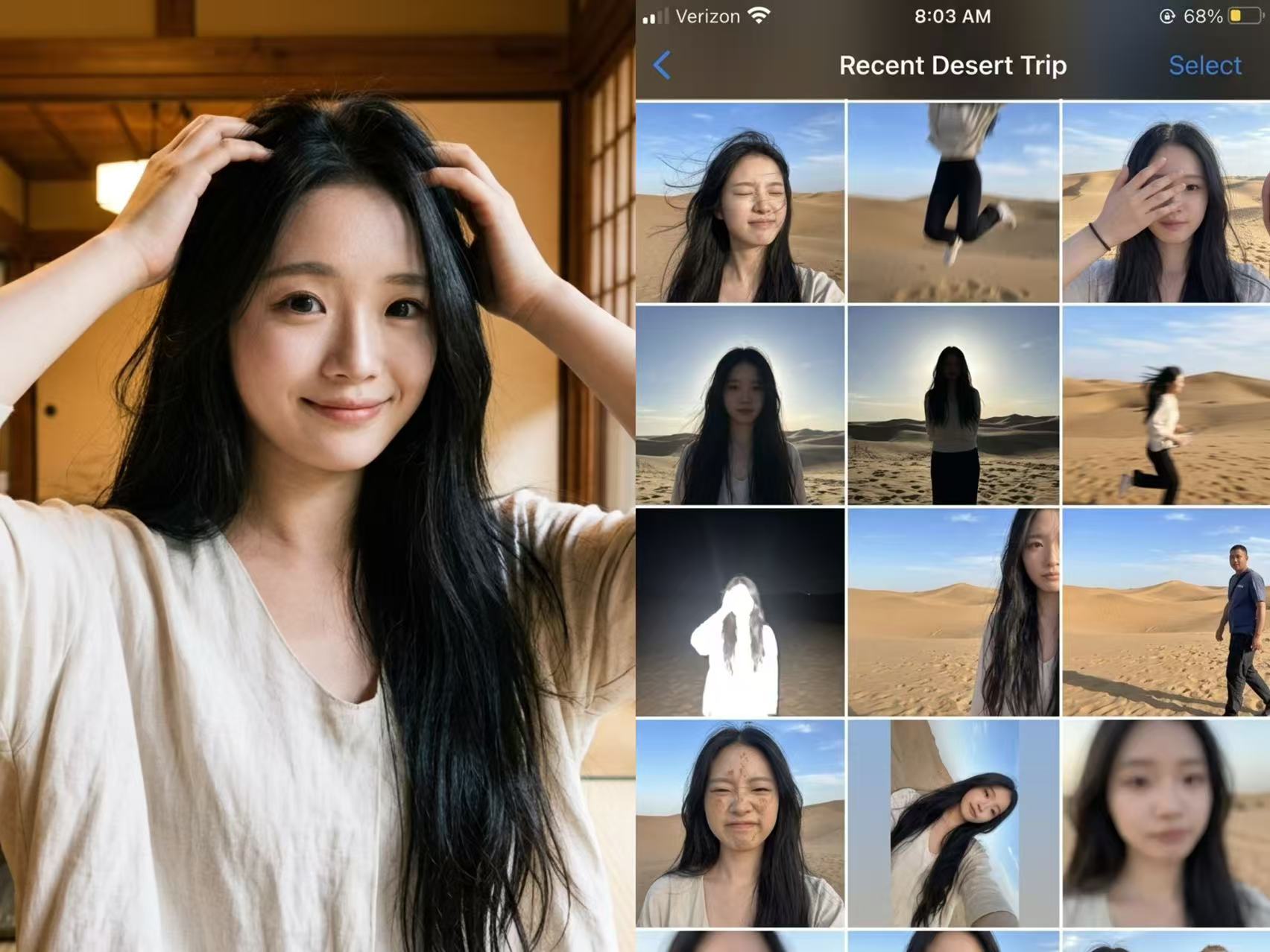
Not a polished nine-grid collage, but a collection of those throwaway shots on your phone that are too hard to delete yet too embarrassing to share. Upload one photo, enter the scene you want, and let AI “capture” an entire day—motion blur, harsh backlit shadows, awkward expressions, crooked framing, and all. The more realistic, the funnier, and the more believable. Best for: pranking friends, creating playful content, fake travel logs, social media prank posts, and AI photography memes
Recommended by
淡苍
Why we love this skill
Turns one portrait and one scene into 15 connected, candid-looking China-market iPhone camera-roll shots, filled with varied angles and hilarious mishaps—not polished perfection, but everyday snapshots you can't delete yet wouldn't post.
Related Skills
View all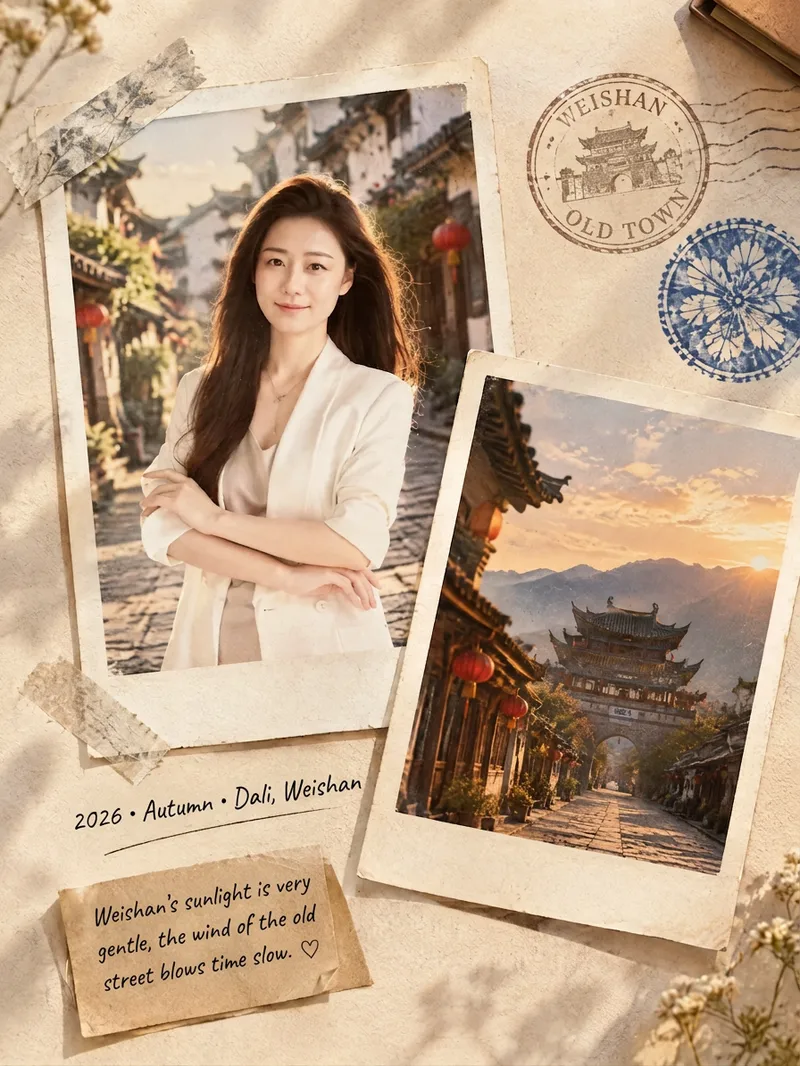 Image
ImageFilm Journal Log
Turn everyday snapshots, restaurant visits, travel records, or personal reflections into nostalgic film journal posters with a story to tell, along with heartfelt copy for Xiaohongshu and Moments. Whether the subject is a portrait, landscape, food, or still life, the design matches a fitting film color palette and lifestyle atmosphere based on the main subject, location, season, and mood. When you provide text only, it can also imagine a corresponding travel or slow-living scene from your description. Each finished piece centers on a 3:4 Polaroid collage, combining the white border of matte photo paper, handwritten dates and locations, washi tape, vintage stamps, sticky notes, and delicate paper textures. The result captures natural light and shadow, authentic grain, and the layered feel of a real-life flat lay—perfect for moments such as a café afternoon, a street market at night, a camping stroll, or a seaside road trip. When you upload a portrait, it will preserve the person’s recognizable facial features, expression, hairstyle, and clothing as much as possible. When you upload a scene photo, it will retain distinctive details such as the architecture, tableware, and original colors. You’ll receive a polished film journal visual poster, a concise design note, and social media copy with a title, body text, and hashtags. Make travel memories, restaurant discoveries, and everyday moments easier to share—and more worth keeping.
 Image
ImageSame-Scene Instant Photo
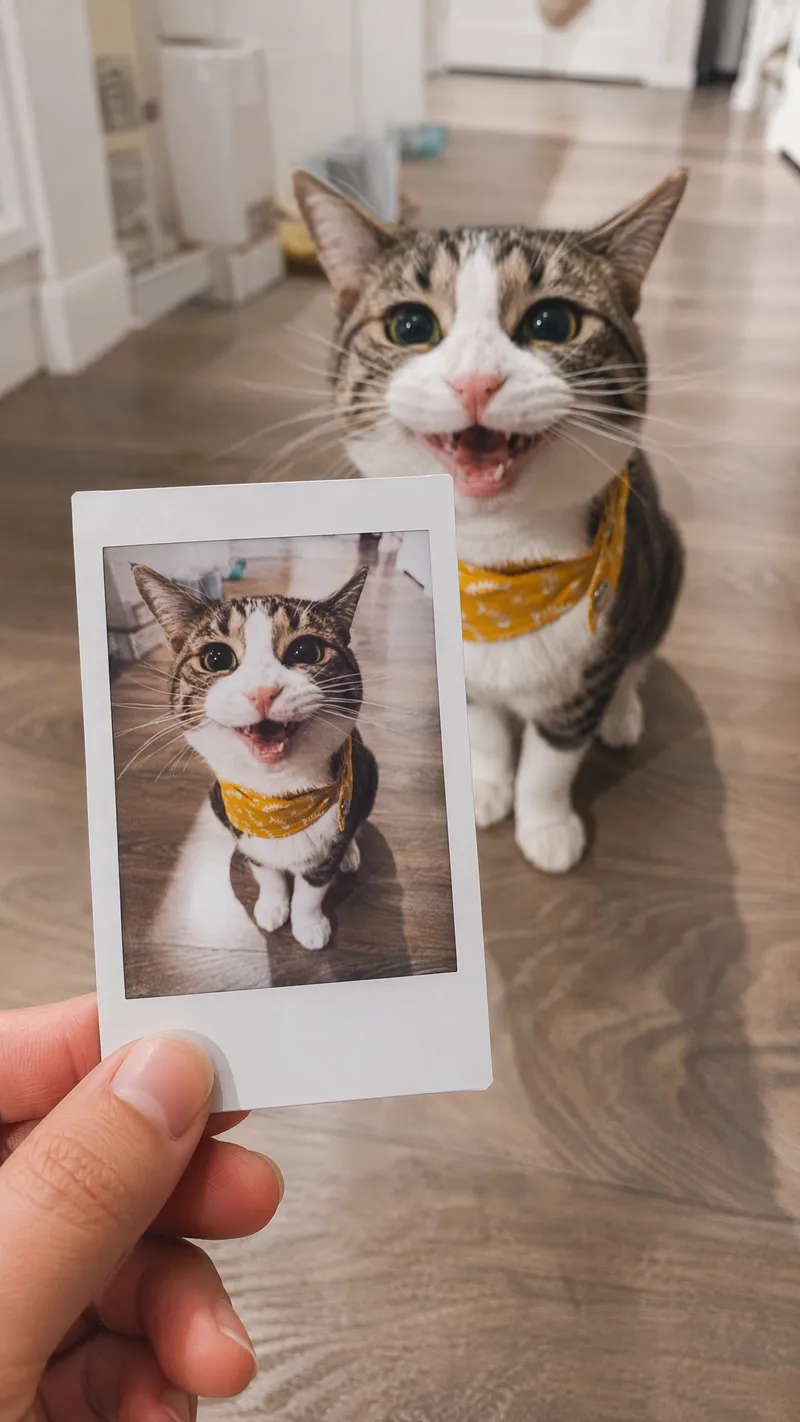
Turn an image or natural-language scene description into a realistic, natural-looking handheld instant photo: a hand holds a physical white-bordered instant print in the foreground, while the real scene from the same place and moment appears in the background, creating a coherent picture-within-picture effect. Whether the subject is a landscape, urban architecture, person, animal, car, product, or everyday object, the image preserves its key appearance and places it in a plausible real-world setting—not simply pasted into a frame. The results emphasize authentic photographic qualities, including natural perspective, paper texture, contact shadows, hand details, moderate depth of field, and the casual feel of a phone snapshot. Mountains, buildings, people, animals, and other subjects in the instant photo correspond to the background, allowing viewers to directly compare the image inside the print with the real scene outside it. Unnatural elements such as floating cards, digital collages, design lines, and excess text are avoided. The composition automatically adapts to landscape, portrait, or square formats based on the original image or your specified aspect ratio, while keeping the instant photo in your hand aligned with the final image. You can also use natural language to adjust the photo’s position, tilt, size, background clarity, lighting, and overall style. It’s suitable for travel photography, life documentation, and scene images with a convincing realistic illusion.
 Image
ImageReality Blend Artist Pro
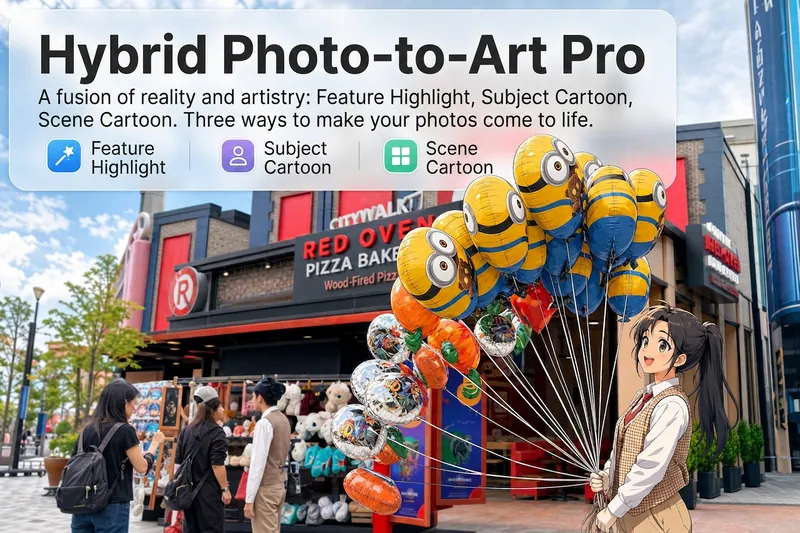
Upload a photo, and AI first reads it like a visual analyst across five dimensions: what the subject is, how it is composed, its color palette, where the visual focus lies, and what emotion it conveys. It then tells you where a hand-drawn treatment would have the most impact and how to make it look best. Four real-and-drawn blend modes, four ways to play: 🔹 Local Accents — Keep the overall image realistic while AI selects 2–3 local areas to replace with a hand-drawn style. Patterns on a sign, the coffee cup in someone’s hand, or a few flowers peeking out from a flower bed—just enough to give the photo a sense of life. Choose from 4 hand-drawn styles: pencil sketch / watercolor wash / sticker doodle / clay relief. 🔹 Subject Anime — Turn a person, animal, or object into an anime-style subject while keeping the background’s realistic photographic texture. Choose from 5 anime styles: action manga / American superhero comics / Ghibli-style / Korean webtoon / Chinese ink wash. It feels like an anime character has stepped into the real world. 🔹 Environment Anime — Reverse the approach: keep the subject realistic while transforming the surrounding environment into an anime style. The contrast of being in a real world surrounded by a 2D universe is instantly amplified. 🔹 Selective Color Light Trails — Convert the image to black-and-white grayscale while keeping selected objects in their original, highly saturated colors. Clean white detail outlines surround the colored objects, extending into flowing, curling, psychedelic agate-like color trails that naturally follow the scene’s direction. Retro collage × surreal art turns a single photo into a movie poster in an instant. Each mode × 2 blending methods: Gradient Feathering (a natural transition between real and illustrated, like ink spreading through paper) / Hand-Drawn Border (a white outline, like a sticker placed on the image). No blind image generation—you're in control at every step. AI analyzes first → recommends an approach → you confirm → then it generates, helping avoid wasted results. For portrait photos, faces and facial features are automatically avoided and are not replaced with hand-drawn elements. The number of local areas is limited to 2–3, with professional constraints on their position and size—the result is a finishing touch, not a collage. 4 modes · 16 styles · 2 blending methods = 32 real-and-drawn combinations. The same photo can take on completely different moods.
Information
- Version
- v4
- Last updated
- Runtime credits
- Usage-based
- Models
- Auto
