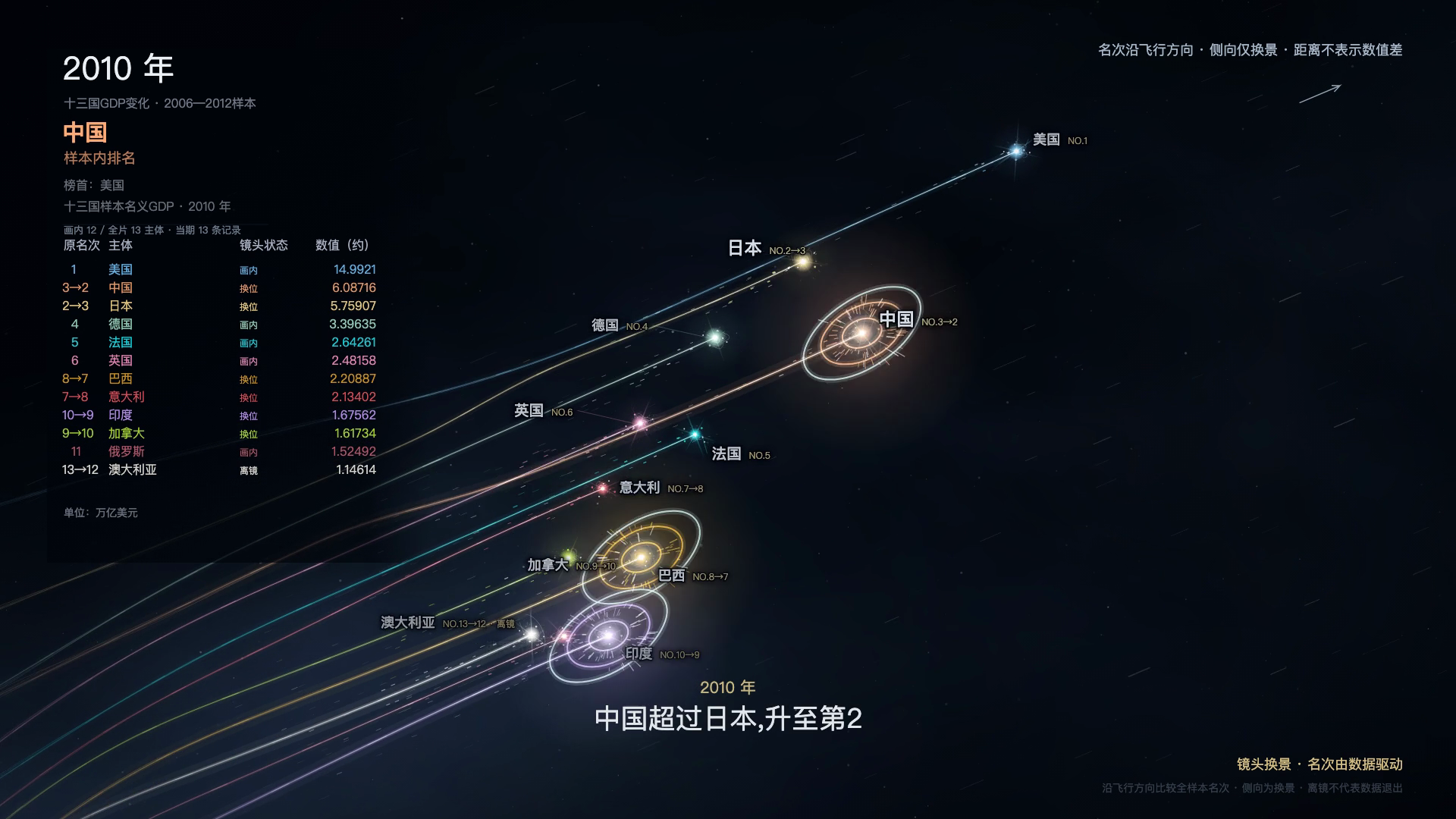
Star-Trail Data Video Generator
Turn spreadsheets into cinematic data race videos.
Star-Trail Data Video Generator
Turn spreadsheets into cinematic data race videos.
Showcase
Description
Transform ranking changes from your spreadsheets into video highlights. From national GDP shifts and store revenue competition to brand sales fluctuations, watch them unfold across stars, light trails, and camera movements. Upload a standard Excel or CSV file, tell it what metric you want to showcase, and let the skill handle the rest: - Bring data to life: Dynamic star cores, colorful light trails, and multi-layered cosmic backgrounds. - Impactful overtaking: Real position changes trigger expansion halos, light bursts, and sudden flares. - Rhythm-driven camera work: Automatic tracking, angle shifts, and staggered entrances and exits. - Fact-based accuracy: Automatically calculates rankings, preserves ties and missing data, ensuring every shift is backed by data. No need to prefill rankings, trajectories, or camera parameters. Duration adjusts automatically to your data up to a default 240 seconds, outputting a 1080p silent MP4.
Recommended by
Dancang
Why we love this skill
Turns ordinary Excel or CSV files into verifiable star trail racing videos with automatic table parsing, ranking calculations, and real overtaking effects triggered only when data order reverses, balancing cinematic visuals with strict data integrity.
Best for
Ideal for analysts, content creators, and presenters turning rankings or metric changes into verifiable data videos.
How to use this Skill
Provide your input
Upload an XLSX, CSV, or TSV file, and provide a brief statement of the topic, metric, unit, sort order, or time limit.
Run the Skill
The system organizes time, subjects, and values, calculates ranking changes and actual overtakes, and animates the data with stars, light trails, and camera transitions.
Review your result
Receive a 1080p silent MP4 data video showing rankings, ties, missing data, and actual overtakes over time, complete with data and verification results.
Related Skills
View all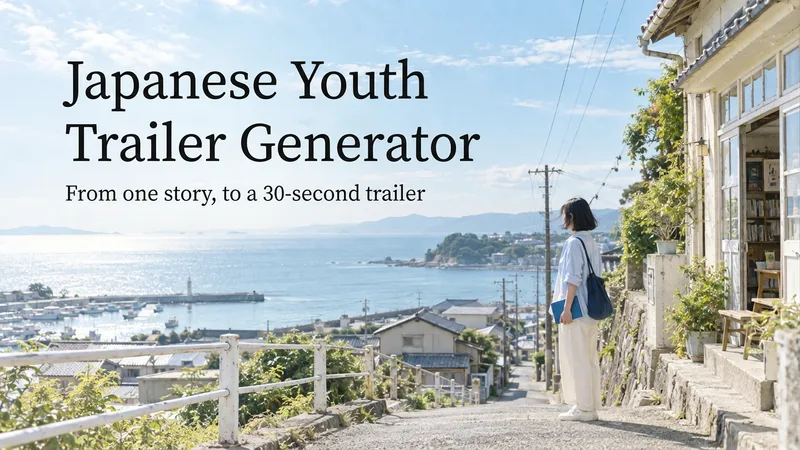 Video
VideoJapanese Youth Trailer Maker
How can you turn a story idea into a suspenseful Japanese youth trailer? This Skill breaks production into a repeatable workflow: define the style, write the script, choose scenes, establish characters, assemble the storyboard, generate video shot by shot, then organize editing and sound. Provide a story or reference image, and it first locks in the composition, lighting, colors, and details that must remain consistent. It then uses a four-panel empty-scene grid to select visuals and creates facial, half-body, and full-body references for each character, giving the people, clothing, props, and environment a consistent basis across shots. Before batch generation, sample images are used to calibrate light direction, skin tones, highlights, and character states. The default is 30 seconds, 16:9, and 8 shots; duration, aspect ratio, number of characters, and mood can all be adjusted. You can also create only the script, reference images, or storyboard instead of completing the entire film at once. Deliverables • Consistent visual rules and a suspenseful script • Scene, character, prop, and storyboard materials • Separate image and video prompts for each shot • A shot-by-shot timing, in/out point, editing, and sound table • Generated files and review records, based on the capabilities of the available tools When the appropriate media tools are available, the Skill continues with actual generation and review. When tools are unavailable, it delivers complete production materials and explains where the process stops. Image, video, and music generation costs are billed separately and depend on the runtime environment. The featured example, “The Day I Returned the Book,” consists of AI-original still images and storyboards; it is not yet a completed video.
 Video
VideoAll-in-One Showcase Video
Ways to monetize: 1. Build an account and earn through product sales and brand deals (fashion creators and product recommendation accounts can use it to produce daily outfit changes and review clips. One person can maintain a steady output, then earn commissions and brand partnerships as the content grows.) 2. Take on client work for merchants (clothing stores, small brands, small-appliance sellers, and consumer electronics merchants all need product showcase videos and short ads. Upload their products, deliver finished videos, and charge per video, package, or month.) 3. Create videos for your own products (store owners can use it to make showcase videos for every new product, saving on model, photography, and editing costs and putting more budget toward advertising.) 4. Produce at scale to help teams work more efficiently (agencies and MCNs can integrate it into their production workflow so the same team can create more content across more products and accounts.) Put anything on a person for a one-shot showcase. Upload a person’s photo, then upload anything you want to feature: clothing, shoes and bags, accessories, perfume, hats, phones, earbuds, small appliances, sports equipment, food, and drinks. It automatically generates premium person-centered showcase images and turns them into a coherent, beat-synced short video with music. If no person photo is provided, it automatically designs a model. The default is 15 seconds in 9:16, while duration, aspect ratio, and style can all be customized. Who it’s for: fashion creators, e-commerce sellers and store owners, product-promotion short-video creators, brand content teams, and anyone who wants to turn their favorite products into polished showcase videos.
 Video
Video(Trending) Portrait to 3D Map
Turn one portrait and a city or place into a vertical portrait-to-3D-map short video with a memorable visual hook. The skill first arranges the person into a 9:16 opening frame with a white background, while preserving facial features, clothing, pose, and identity as closely as possible. If you specify that the original background, composition, or reference style should be retained, it will follow those requirements. If the photo or place is missing, it will ask you to confirm first. The finished video uses a rotating camera move for a natural transition: the person starts on a white background, then transitions into a 3D city map with dimensional buildings, illuminated road networks, and landmarks, ending on a clear location interface. The video can show English landmark labels, the place name in Chinese, its English name, and country and city information—ideal for travel sharing, personal introductions, city check-ins, and short-video openings. Before generating the video, it shows the required credit cost and waits for confirmation. The default output is an approximately 6-second, 9:16 vertical video. After completion, it checks character consistency, transition smoothness, map depth, and text clarity. When needed, it holds the ending on a readable location interface and saves the editable final video as “Place · Portrait 3D Map Transition.”
Information
- Version
- v4
- Last updated
- Runtime credits
- Usage-based
- Models
- Auto
- Use cases
- Images & designPresentations & reporting
- What you get
- Video
- Visual styles
- CinematicFuturistic
