
Data Cleaning & Prep Expert
Clean ledgers, surveys, and media with logs
Data Cleaning & Prep Expert
Clean ledgers, surveys, and media with logs
Showcase
Description
Data cleaning and organization skill for structured tables and unstructured text, images, and audio. Use when you need to clean data, fix messy spreadsheets, remove duplicates, fill missing values, standardize formats, flatten multi-level headers or cross-tabulations, merge sheets, process survey exports, organize ledgers, run data quality health checks, resolve pivot table mismatches, fix zero sums or numbers stored as text, handle mixed full-width/half-width characters, fix GBK encoding errors, convert wide-to-long tables, split multi-select columns, handle merged cells, reconcile mismatched keys, unify field definitions, standardize tables, or write cleaning steps and formulas. Also covers unstructured scenarios such as cleaning chat logs or interview transcripts, deduplicating and desensitizing text, removing phone numbers and ID cards from materials, checking image libraries, finding duplicate photos, cleaning EXIF privacy and location data, organizing recordings, and auditing audio archives. Covers the full workflow of structural diagnosis, tidy reconstruction, cleaning decisions and execution, conservation verification, and audit trail delivery for Excel, CSV, and TSV files (delivering a clean sheet, backup, log, and exclusion details). For unstructured data, delivers health reports and decision lists, while text workflows execute deduplication and desensitization with dual conservation checks for row and character counts. Ideal for Chinese practical scenarios in government, industrial parks, enterprise ledgers, survey exports, business reports, chat or transcription corpora, and image/audio asset libraries. Not suitable for machine learning feature engineering (missing value imputation serves analysis rather than modeling), and does not perform audio transcription or noise reduction.
Related Skills
View all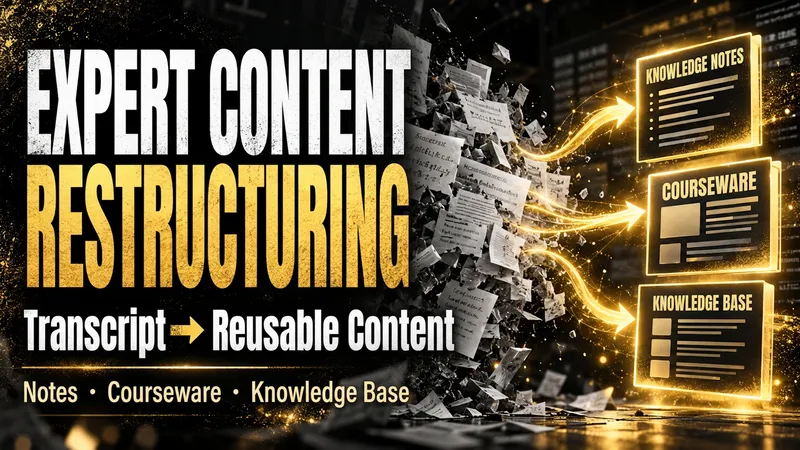
Content Reconstruction Expert
After an expert course, training session, interview, or meeting, what remains is often a long, messy transcript that is difficult to use again. The Expert Content Reconstructor fully restructures existing text into genuinely usable content deliverables. It does not produce a summary that keeps only the conclusions; it preserves definitions, explanations, examples, conditions, figures, limitations, steps, and conclusions, then reorganizes them into a clear knowledge hierarchy. You can use it to: - Turn transcripts of expert courses into reusable knowledge notes; - Turn training materials or speeches into course outlines, course content, and PPT page copy; - Turn interviews, articles, or meeting notes into structured articles, knowledge base entries, or team documents; - Organize multiple materials into searchable, traceable knowledge packages. You only need to provide the existing text and explain who will read it, how deeply it should be organized, and what output format you prefer. You will receive: - Complete knowledge notes, articles, course outlines, course content, or PPT page copy; - Clear heading levels, paragraphs, lists, and necessary terminology explanations; - Teaching notes that students can study directly, without retaining paraphrasing such as “the speaker says” or “the course will cover”; - Structured content that can be delivered directly to clients, teams, or a knowledge base; - Source logs, content ledgers, glossaries, quality reports, and retrieval chunks as needed; - No compression of useful content simply for brevity, and no added viewpoints, examples, or conclusions that are not present in the source material. Suitable for organizing existing written materials; Does not handle audio recognition or generate transcripts from audio.
 Research
Merchant Document Precheck
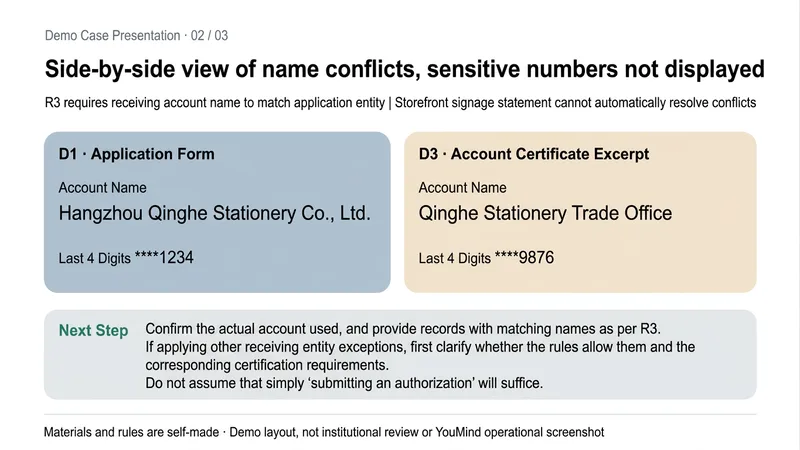
Why does the review keep coming back for more documents even after everything has been submitted? This Skill uses the review checklist and rules you provide to precheck merchant-submitted documents before submission, helping you organize omissions and conflicts in advance. You’ll receive: ① An itemized precheck: distinguishes satisfied, missing, conflicting, clearly not satisfied, and pending confirmation. ② A missing-items list: identifies the documents, fields, and explanations that need to be added. ③ A field conflict table: checks the entity, address, dates, and account against the applicable rules, with source locations noted. ④ A pre-submission action list: turns next steps into tasks you can check off. It follows the rules you provide and does not fill in platform requirements based on assumptions; if something is not found in the excerpts, it does not directly conclude that it was not submitted. Conflicting rule versions are flagged, and sensitive numbers are masked. Suitable for merchant operations, document organization, and pre-submission self-checks by small teams. The output is a copyable Markdown report. This is a precheck to help you prepare. It does not replace the final review by a platform, bank, tax authority, or regulator, and does not guarantee approval. Example materials are created for demonstration.
Research Review Assistant
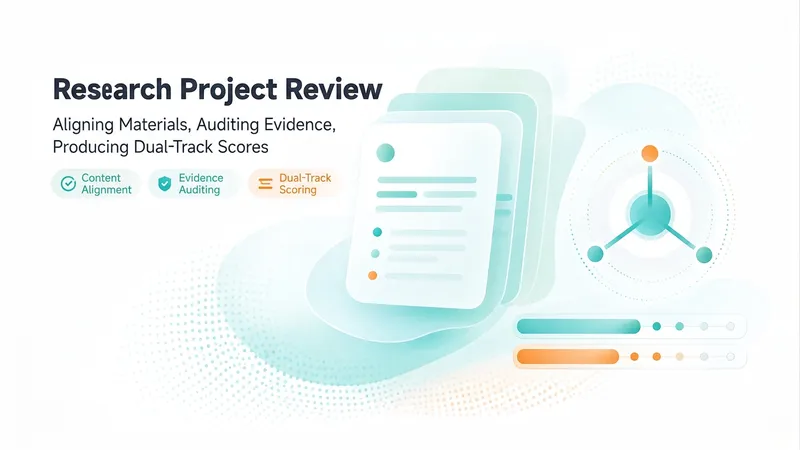
An expert assistant for university-level research project reviews. Provide the materials for N projects in a given category. Each project includes three types of files: a proposal, a form-check summary or interim review form, and supporting evidence. File names may be scrambled, mismatched, or changed, and files may be DOCX, XLSX, PDF, or image files. Supporting evidence may be bundled into one file or provided as multiple separate files. This Skill then completes the following steps: ① Content-anchor alignment—extracts the project or center name, principal investigator, affiliated school, and project period from within the documents; matches the three-part file set for each project; and flags items requiring review when file names do not match their contents. ② Evidence normalization—whether bundled or separate, breaks materials into “atomic evidence items” and creates a coded ledger for each item with one of four status labels: complete, needs verification, missing, or questionable. This avoids judging the strength of the evidence by file count. ③ Three-dimensional item-by-item audit—evaluates each piece of evidence for relevance, authenticity, and completeness, then reconciles it against the commitments in the proposal and the self-reported results in the interim review form. ④ Dual-track scoring and comparative ranking—uses the five weighted criteria in Appendix 2 as the reporting standard and the five dimensions of the interim review as a reference standard. The two systems remain independent and are not combined, and all projects are ranked and grouped into tiers. ⑤ Delivers a structured review draft with “score + review comments” that can be pasted directly into the official form, and can generate an interactive scoring webpage when needed. Huali’s current standards are used by default. Users can confirm or revise the criteria, weights, and reference materials before work begins, or upload replacements. There are two confirmation checkpoints: first for alignment and the evidence ledger, then for scoring and ranking. When materials cannot be identified, the user is prompted to confirm. For project completion reviews, two additional hard requirements apply: first, the correspondence between the proposal’s expected outcomes and the documented evidence must be verified. If the evidence does not include an expected outcome listed in the proposal, the project automatically fails. Second, template issues are distinguished between using the completely wrong template, which results in failure, and partial formatting inconsistencies, which result in only a small deduction.
Information
- Version
- v5
- Last updated
- Runtime credits
- Usage-based
- Models
- Auto
- Use cases
- Research & analysisBusiness & strategy
- What you get
- ReportDocumentData
