
Don't Send Yet
Cold email, LinkedIn, follow-ups & replies
Don't Send Yet
Cold email, LinkedIn, follow-ups & replies
Showcase
Description
After writing a cold email, first find out why the customer should keep reading. “Don't Send Yet” diagnoses your draft, rewrites your English subject line and body, plans follow-ups, and connects sending setup, LinkedIn, multichannel outreach, and customer replies. It supports drafting from scratch as well as checking the setup of existing campaigns and classifying replies. Provide your real product information, customer background, draft, or reply to receive the corresponding copy, plans, and operational suggestions. Prices, case studies, and customer observations without supporting evidence will be flagged. Writing and planning can begin immediately; sending, email setup, CRM, and calendar actions require the platform's existing tools and your authorization. Published by: leowang. Adapted from the MIT-licensed cold-email v2.2.0, with the required license notices included.
Recommended by
Dancang
Why we love this skill
A practical workflow connecting outreach writing, personalization research, follow-up timing, deliverability, and reply handling—with strong safeguards against fabrication, over-contacting, and false execution.
Best for
Sales and marketing professionals who plan, write, or optimize B2B cold outreach and handle prospect replies.
How to use this Skill
Provide your input
Provide product details, target customer information, your reason for reaching out, a draft or customer reply, your desired next step, and any relevant constraints.
Run the Skill
Choose a writing, editing, follow-up, channel planning, or reply-handling task. Suggestions are based on provided or verified facts and do not replace unauthorized sending or tool actions.
Review your result
Get ready-to-copy emails, LinkedIn messages, or reply drafts, along with follow-up plans, stop conditions, and necessary sending checks.
Related Skills
View all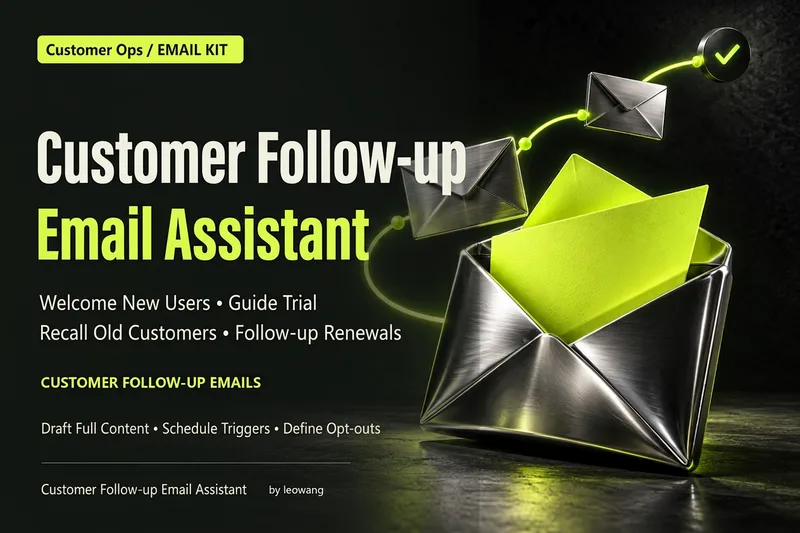 Write
WriteCustomer Follow-Up Emails
What should you email users when they sign up, start a trial, or have not returned for a while? Customer Follow-Up Emails designs welcome, nurture, onboarding, retention, billing, win-back, and promotional emails based on your product information, user stage, and goal. Each email includes a subject line, preview text, full body copy, primary action, and clear send, skip, and exit conditions. When users complete an action, skip irrelevant reminders. When they pay or restore payment, exit the relevant promotional or collection flow. Use only confirmed features, benefits, and policies; do not invent discounts, case studies, or data when they are unavailable. You can also rewrite individual emails, audit existing flows, and plan tests. For independent developers of products for international markets, small SaaS teams, and subscription content creators. Actual configuration and sending depend on your email platform and authorization; without an integration, this Skill delivers copy and a configuration table and does not promise conversion improvements. Published under the leowang brand, adapted from emails v2.1.4 under the MIT license with the copyright and license retained.
 Write
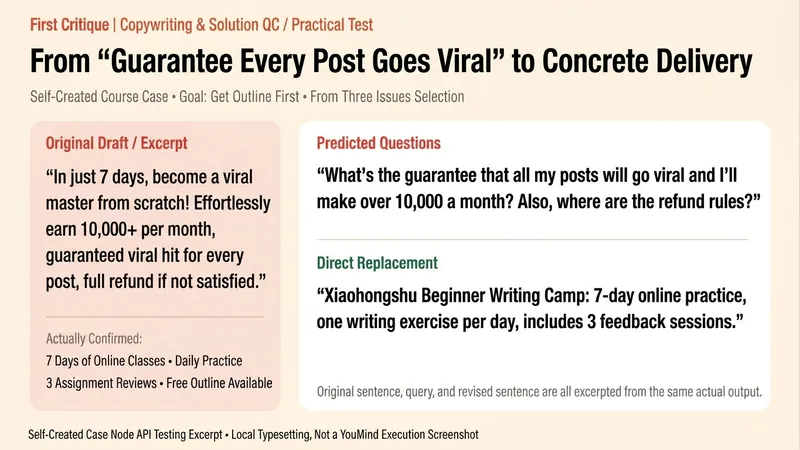
WriteRoast It First
Some things only seem off after you publish them—and by then, it’s too late. Paste in the copy, product description, or proposal you’re preparing to publish. “Roast It First” reviews it from the reader’s perspective and points out up to three places that are hardest to defend: promises that go too far, vague selling points, gaps in the logic, or unclear next steps. For each issue, you’ll get the original line, one question a reader might ask, and wording you can use as a direct replacement. It will also tell you: “If you only fix one thing, fix this.” The feedback can be blunt, but every judgment should have a basis. It focuses on problems in the draft, not the person who wrote it; if the original doesn’t have many issues, it won’t force three. Useful for pre-publication checks, polishing product descriptions, and finding gaps in general proposals. It does not guarantee traffic, sales, or actual reader reactions, and it does not replace fact-checking, professional compliance review, or pricing decisions that require complete business context.
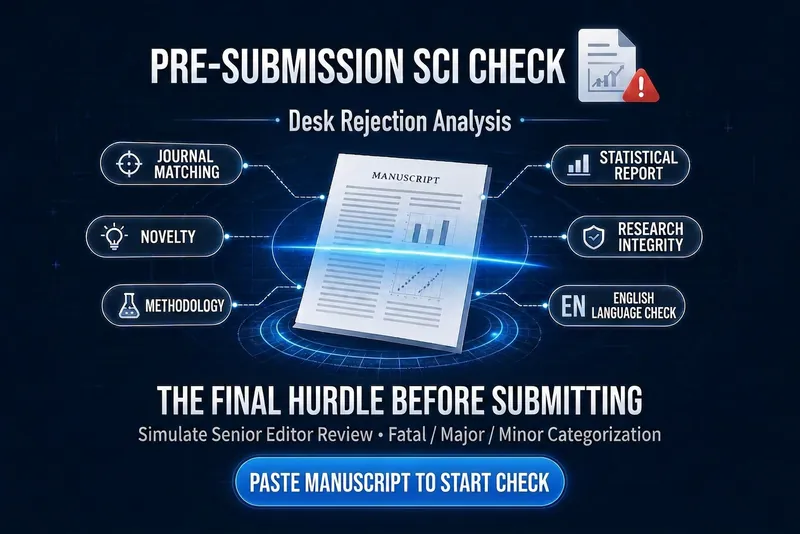
SCI Desk Reject Pre-check
You spend months writing a manuscript, submit it—and three days later receive a rejection letter with no review comments. The editor-in-chief didn't even send it out for peer review; it was a desk rejection. 「SCI Desk Reject Pre-check」offers the initial screening perspective of a seasoned handling editor, helping you ensure quality before submission. What does it check? 📌 Journal Fit — Whether the topic aligns with the target journal's scope 🔍 Novelty and Contribution — Can the editor-in-chief identify your core contribution in 30 seconds? ⚗️ Methodology and Reproducibility — Design flaws and description gaps that trigger red flags 📊 Statistics and Quantitative Reporting — Issues in data presentation, significance, sample size, etc. 🛡️ Research Integrity and Ethics — Ethics approval, conflicts of interest, plagiarism check, AI disclosure, data availability 📝 Structure and Readability — Broken logic chains, weak abstracts, buried key information 🌐 English Language Risk — Whether language quality might trigger a language-based desk rejection All issues are categorized as 'Fatal / Major / Minor', each with actionable revision suggestions. Suitable for any SCI discipline: physics, chemistry, materials, engineering, life sciences, computer science, environment, geosciences, and more. Send your manuscript (or abstract + methods section) and start the check.
Information
- Version
- v3
- Last updated
- Runtime credits
- Usage-based
- Models
- Auto
- Use cases
- Writing & contentMarketing & growthBusiness & strategy
- What you get
- DocumentSocial postPlan
