Portrait Director
Add natural poses, light, and stories.
Portrait Director
Add natural poses, light, and stories.
Showcase
Description
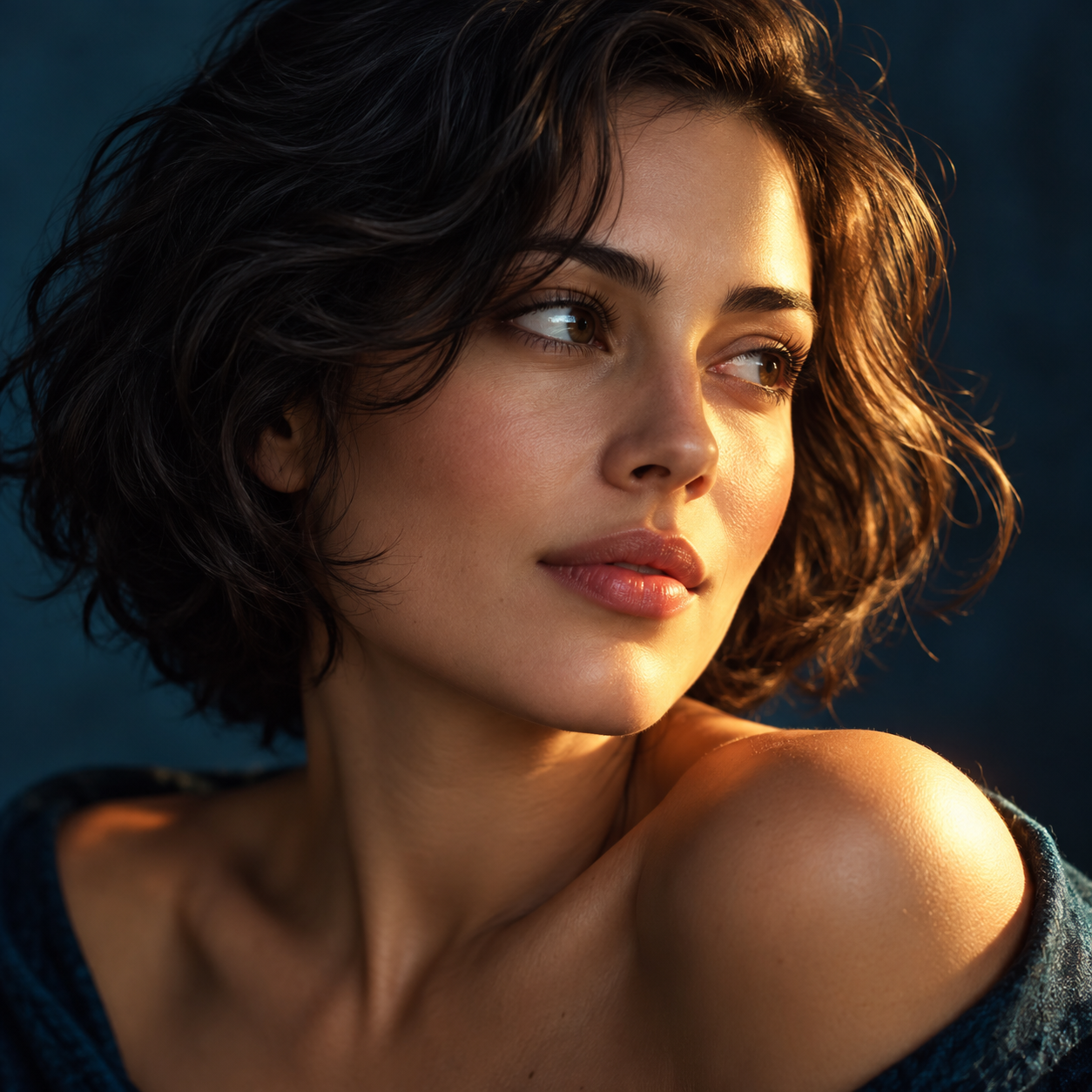
The same portrait can tell a completely different story with new lighting and a natural pose. Upload a portrait photo or describe a fictional character to create cinematic avatars, personal portraits, and magazine-style images. This Skill combines the subject's visible features to arrange poses, lighting, framing, clothing, and environments, ensuring natural hand gestures, grounded body posture, and realistic light sources. Three original scenes are ready to use: • Warm Pottery Window: Terracotta and warm wood tones, medium shot by a studio window. • Rainy Night Set: Warm light in a cinema porch, cool wet streets, and a story-driven gaze. • Golden Coastal Breeze: Sunset backlighting, sea breeze, and a relaxed full-body travel portrait. Professional headshots, solid-color studio backgrounds, black-and-white portraits, and custom themes are also supported. Uploaded photos retain original clothing and accessories by default; to change outfits, backgrounds, or poses, just specify your request. By default, it generates one 3:4 vertical text-free image per run. You can change aspect ratios, create series, or request Chinese, English, or bilingual prompts. Multiple images are generated separately. After generation, check character recognition, hands, feet, anchoring points, and lighting. Try saying: "Use this photo for the rainy night set, keep the hairstyle, and change to a dark coat." or "Create a mature woman with short curly hair walking naturally by the sea at sunset." Showcase materials are newly created fictional AI character samples, not real-person before-and-after comparisons. Requires an environment supporting image generation or reference image editing capabilities. Similarity depends on the photo and model capabilities. 3000 credits is the Skill installation price; actual generation usage is subject to platform rules. Full generation on YouMind has not been fully tested yet.
Recommended by
Dancang
Why we love this skill
Transforms character photos or text descriptions into truly photographic portrait concepts without relying on filters and buzzwords. It excels at making poses, hand placement, lighting, skin tones, and environmental storytelling cohesive while preserving realistic ages and character features.
Best for
Ideal for users looking to create avatars, personal portraits, professional headshots, or narrative-driven portraiture.
How to use this Skill
Provide your input
Upload a portrait photo or describe a fictional adult, and specify requirements for the scene, clothing, pose, or aspect ratio.
Run the Skill
Select a photography theme or request a custom direction to generate a portrait with natural poses, realistic lighting, and a layered environment.
Review your result
Receive a photographic portrait image. If you only need a plan, you can also get Chinese, English, or bilingual prompts.
Related Skills
View all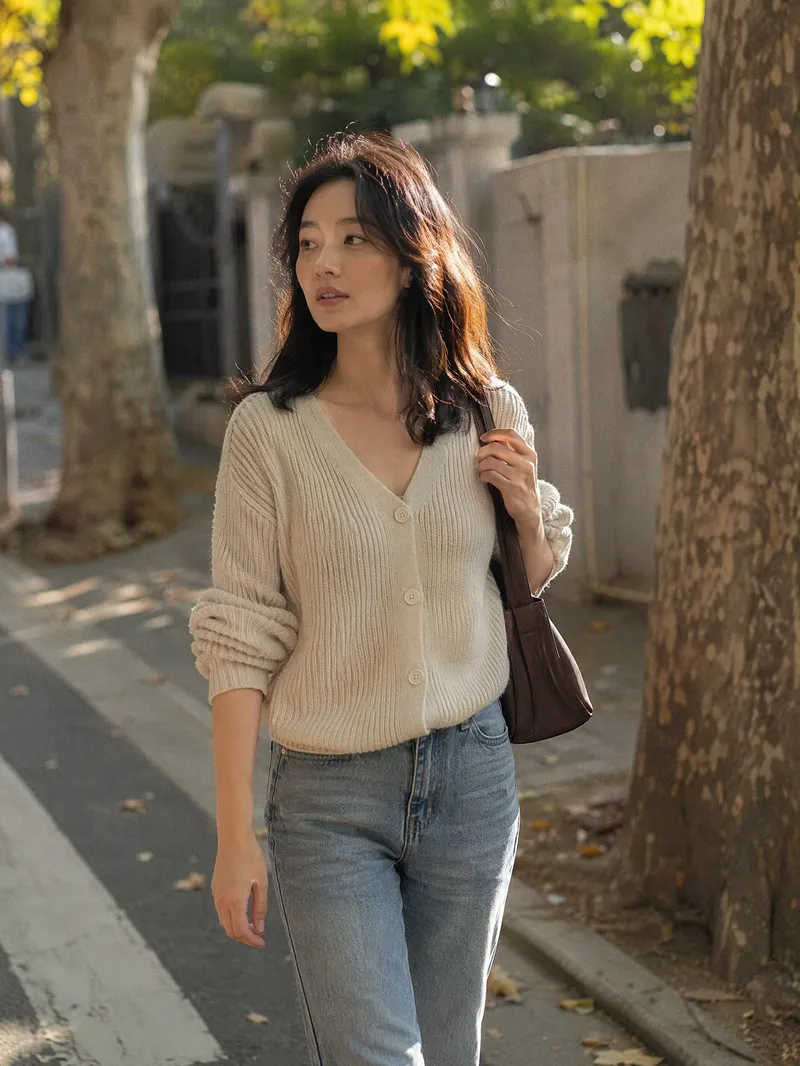 Image
ImageCandid Highlights Pro
Your photo deserves a naturally occurring highlight moment. Upload a clear portrait, and Candid Highlights designs a street photography scene around your expression, outfit, and pose—capturing moments like brushing back your hair, glancing sideways while walking, or just beginning to smile as an original portrait with a realistic photographic feel. • Identity reference: Preserves recognizable facial features and a natural sense of age from the uploaded photo. • Scene customization: Choose directions such as city streets, tree shadows, the seaside, post-rain settings, and night scenes. • Motion control: Choose low, medium, or high motion to balance a clear subject with a dynamic background. • Outfit options: Keep the original outfit by default or specify a change. • Dual use: Create a portrait only or a cover poster with an original short line. • Series creation: Make multi-scene sets featuring the same person and request local revisions as needed. The default is one 3:4 image; you can specify the aspect ratio and number of images. Suitable for social profile pictures, personal content covers, and portrait creation. AI generation may produce identity or limb inaccuracies. Results depend on the reference photo and account capabilities and still require manual review. Installation and redemption cost 3,366 points; runs and additional generations are charged separately under platform rules. This does not represent a real visit or on-site photo shoot.
 Image
ImageReal-Person Doodle Portrait
Blend your real-person photo into a room or scene drawn with bold hand-drawn lines, creating a creative portrait that places a real person alongside a doodle environment. The person retains realistic photographic texture, facial features, clothing, and lighting, while the environment uses monochrome marker sketches to outline furniture, walls, and spatial contours. The result creates a striking visual effect of a “real person floating in a line-art world,” making it suitable for profile pictures, social cards, and stylized portrait artwork. You can upload a headshot, half-body photo, or full-body photo, then describe the living room, bedroom, study, café, studio, balcony, or other scene you want, along with the person’s clothing, pose, and expression. If you only have a headshot, the image can complete the body and place it in the specified space. If the original photo already includes a real environment, you can also keep the person unchanged while converting the background furniture, floor, walls, or street scene into a simple doodle line drawing, while maintaining the original composition. Deep ocean blue, burgundy, charcoal black, and other line-art colors are supported, with suitable aspect ratios matched to indoor portraits, open outdoor scenes, sports, or spacious environments. The setting will not be filled with excessive detail. Instead, it selects a few key objects and preserves negative space, making the contrast between the real person and the hand-drawn room clearer and more thoughtfully designed.
 Image
ImageRembrandt Studio Portrait
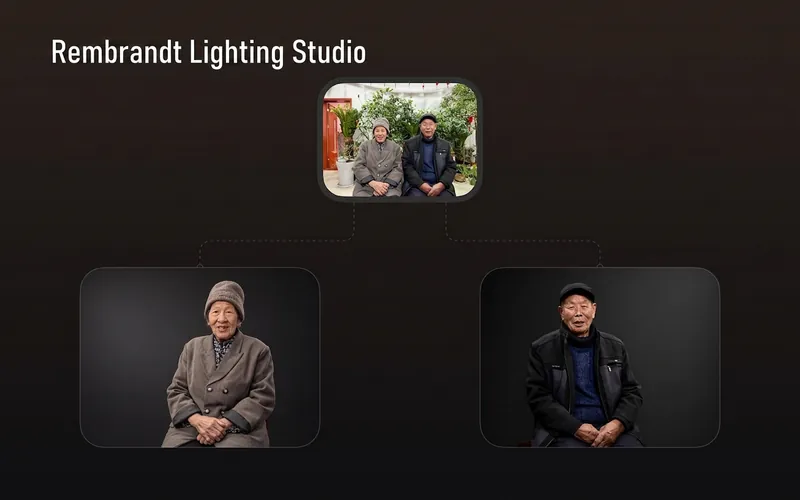
Transform ordinary photos of people or pets into Rembrandt-lit portraits with realistic studio lighting, strong chiaroscuro shaping, and a cinematic look. The skill automatically selects lighting suited to the original photo, based on a person’s frontal, profile, or three-quarter view, or on a pet’s facial and fur structure. It will not distort the nose shadow or facial features just to create a “Rembrandt triangle of light.” By default, people retain their identity, age, expression, skin tone, clothing, and accessories. Pets retain their breed, coat color, markings, ears, eyes, and body structure. Small adjustments to the camera angle, shoulder line, head direction, and composition are allowed to make an ordinary photo feel like a genuine new studio session, while avoiding a stiff, cutout, or memorial-portrait look. The original photo’s aspect ratio and orientation are preserved by default; a 1:1 headshot is not required. The skill also supports 1:1 headshots, 4:5 social portraits, 3:4 classic portraits, 2:3 print formats, 3:2 photographic landscapes, 4:3 general landscape images, and 16:9 cinematic covers. When the aspect ratio must change, it prioritizes cropping irrelevant background. If hair, ears, chin, hands, paws, or tail might be cut off, it extends the clean studio background instead. The background uses a clean, smooth, noise-free gradient from deep charcoal gray to inky black, aligned with the direction of the key light. Film grain, sensor noise, mottling, paper texture, smoke, glow, banding, and AI-generated compositing textures are explicitly prohibited. Suitable for: people portraits, pet portraits, profile photos, social media covers, editorial portraits, family photo upgrades, and cinematic studio transformations.
Information
- Version
- v4
- Last updated
- Runtime credits
- Usage-based
- Models
- Auto
- Use cases
- Images & design
- What you get
- ImagePrompt
- Visual styles
- EditorialPhotorealisticBlack and white
