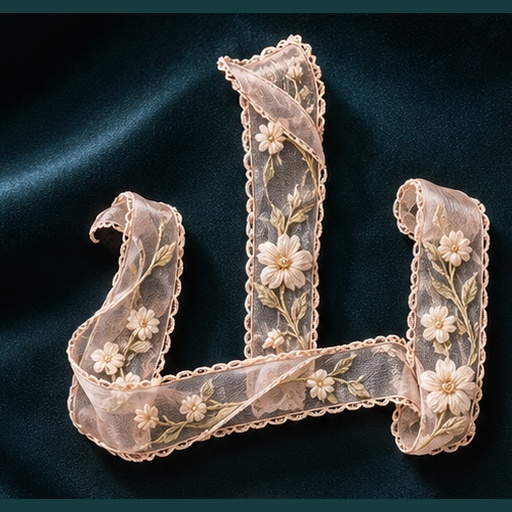
Artistic Typography Poster
32 style directions for textured text designs
Artistic Typography Poster
32 style directions for textured text designs
Showcase
Description
Enter a sentence, name, or English word, choose your preferred style, and generate an artistic typography image. The 32 directions are divided into 8 groups: soft handmade, delicate accessories, clear light and shadow, textured objects, paper sculpture, natural growth, sweet and playful, and graphic expression. From ribbons, jewelry, and yarn to ceramics, paper carving, petals, and editorial layout, glyph structures and compositions are designed individually rather than simply swapping colors. You can choose by number, describe the desired feel, upload a reference image, or let me recommend 2 to 3 styles based on your purpose. Customization is also supported beyond the 32 styles. By default, it generates one style and one 3:4 vertical image; proportions, colors, and backgrounds can be modified, and multiple comparisons for the same text can be created when explicitly requested. After generation, each character is checked along with material structure and thumbnail readability, accompanied by the complete prompt. Styles 01 through 06 each have a local sample image; 07 through 32 are newly added directions pending testing, meaning not all 32 styles are fully verified. The host platform must support image capabilities, and installation does not include runtime credits. The output is an image, not installable fonts, vector typefaces, or craft blueprints. Operation within YouMind has not yet been verified. Product and workflow design by leowang.
Recommended by
Dancang
Why we love this skill
This Chinese artistic typography skill integrates glyphs, materials, and composition across 32 distinct styles. It prioritizes Chinese legibility, correct character order, and tested status labeling, ensuring creative textures do not compromise usability.
Best for
Ideal for anyone who wants to turn titles, names, or short phrases into artistic visual posters.
How to use this Skill
Provide your input
Enter a sentence, name, or English word, choose one of the 32 styles, or describe the desired feel. You can also provide reference images, color schemes, backgrounds, and aspect ratios.
Run the Skill
The system generates an artistic typography poster based on the text structure and selected style, while checking character readability, material relationships, and visual layers.
Review your result
Receive an artistic typography image along with the complete generation prompts. It defaults to a 3:4 vertical format and a single main style unless multiple variations are requested.
Related Skills
View all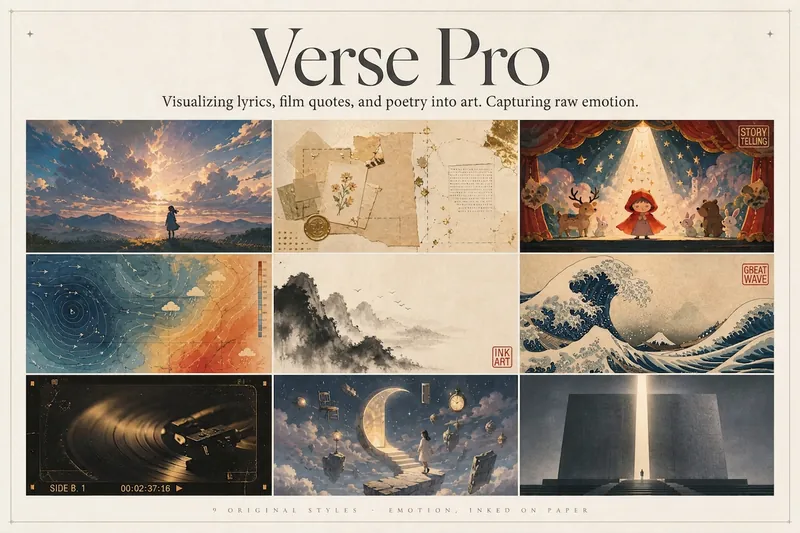 Image
ImageLyric Shadow · Poster Pro
Turn a favorite lyric, piece of film narration, poem, or quote into a vivid visual expression—transforming its emotion into a poster with resonance, a clear point of view, and a sophisticated editorial design sensibility. This is not a text template, but an editorial creative process from “emotion → visual”: first, lightly research the source—the background of the song, film, or poem and the creator’s original intent—then distill a powerful central metaphor that makes people pause and have an Aha moment. Finally, restrained typography, low-saturation colors, and a single high-purity anchor come together in a design piece that truly belongs on a wall or ready to publish. The visual metaphor always takes center stage. By default, 2–4 complete lyric lines are retained as a finishing touch, while the song title and artist appear as understated credits in ultra-fine publication details, never competing for attention. Nine original styles, each with a complete visual language: Japanese cinematic skies / vintage paper craft / fairytale theater / emotional weather maps / Chinese ink wash / ukiyo-e crashing waves / vintage audiovisual archives / dreamlike surrealism / emotional monuments. All are non-photorealistic—using the visual languages of illustration, printmaking, graphic design, and hand-drawn animated films, without copying any IP or artist’s imagery. Two ways to create, whether you want speed or detail: ① Fully automatic mode: Drop in lyrics, narration, poetry, or a quote, and research, metaphor, style, layout, type, and color are all decided automatically. Get the image directly with no choices to make. ② Step-by-step selection mode: Answer choices appear one at a time, each with a ★Recommended option. You can also upload a reference image to fine-tune the mood only. Confirm each choice before generating for complete control over the concept.
 Image
ImageBring Objects to Life
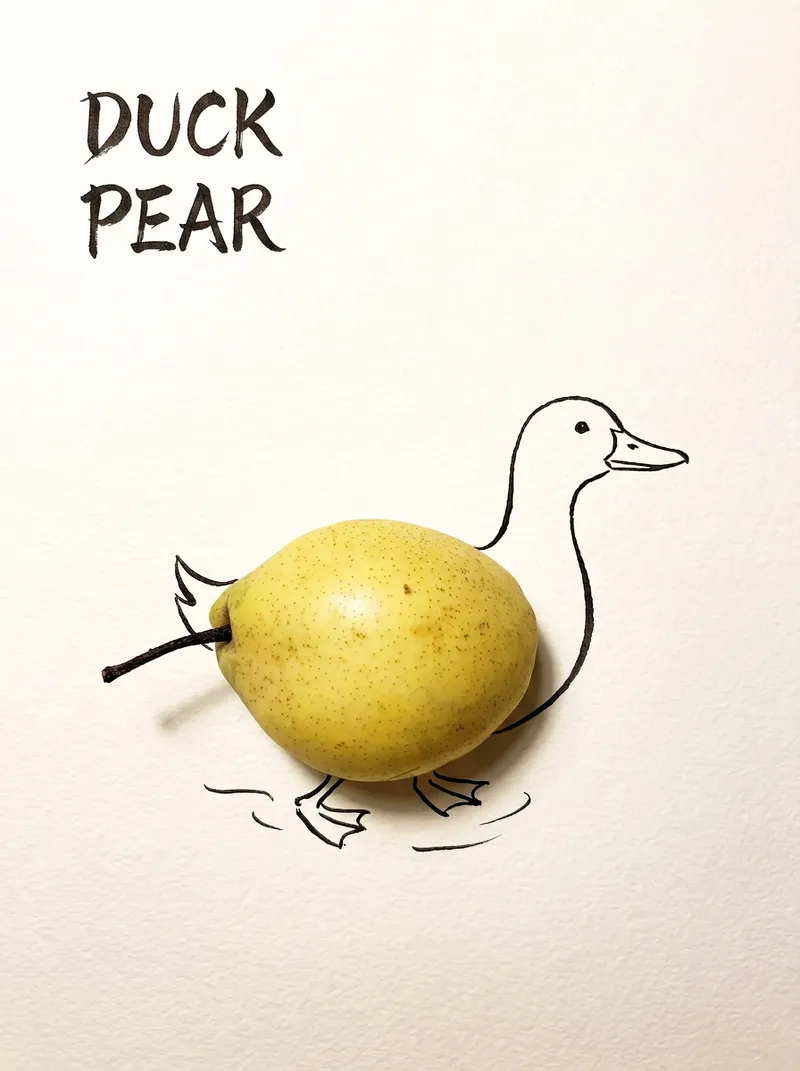
Best for: Xiaohongshu / Douyin creators Turn everyday objects into posters and create a consistent "bring-to-life series" with highly engaging content Food and lifestyle creators Turn ingredients into cover images that make your work more memorable Illustrators / designers Find inspiration quickly and test the "real object + line art" creative direction Teachers / parents Create materials for arts and crafts lessons, helping children make up stories with objects around them Businesses / brand operators Create creative hero images, holiday posters, and packaging inspiration for produce, fruit, and snacks Cultural creative brands, stationery shops, and coffee shops Design merchandise, postcards, stickers, and menu illustrations Everyday enthusiasts Photograph something nearby and share an "artwork" on social media Everything you photograph is hiding another character. "Bring Objects to Life" is a creative poster generator that combines real-object photography with minimalist line art. Just upload a photo of an object, and AI will automatically do three things: 🔍 Read the shape: Analyze the object's outline, curves, and texture to find what it most resembles ✏️ Add line art: Use dark ink pen lines to draw in a head, limbs, a human figure, ropes, and more, fitting the lines precisely to the object's edges 🖋 Turn the idea into a phrase: Create a 2–4-character Chinese pun title and arrange it in the empty space in an artistic typeface The finished image preserves the object's real colors and texture. The background is clean, warm-white watercolor paper, with at least 40% negative space. The result feels calm and refined: recognizable at a glance, then delightfully witty once you see the idea. The default format is a 3:4 vertical layout, suited to Xiaohongshu, Moments, and Douyin image posts. The aspect ratio, font, and title can all be customized.
Typography Logo Generator
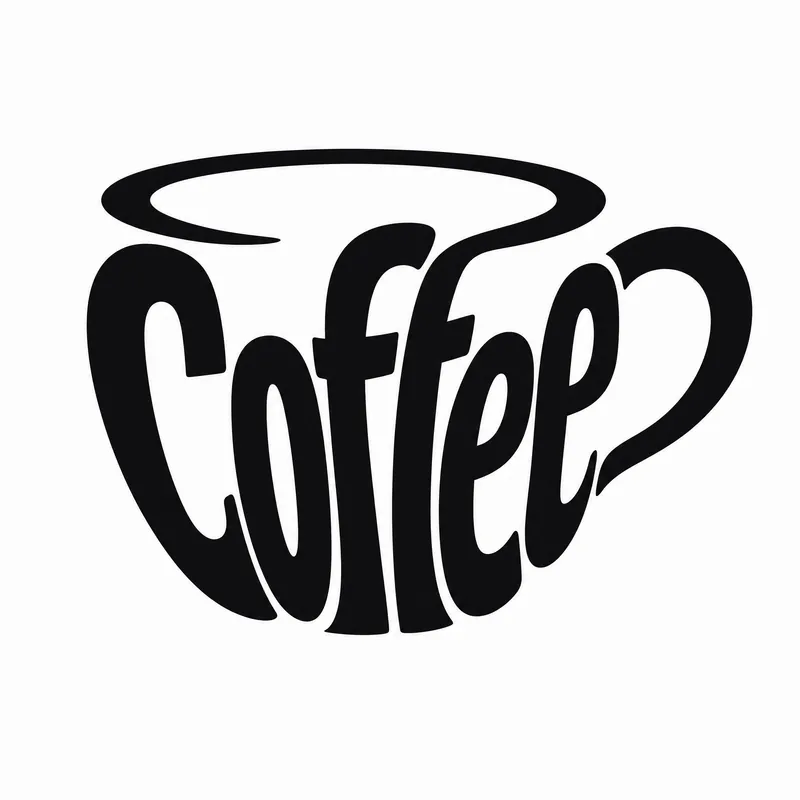
Want to create a unique visual identity for your brand or text? This typography logo generator cleverly integrates your text into creative graphics, producing minimalist logos that are both artistic and recognizable. Whether you need to transform a company name, product name, or any text into an eye-catching visual symbol, it has you covered. This tool offers three creative shaping methods: you can have the text elegantly fill the outline of a specific object, so the strokes of the characters themselves outline the shape; or have the text cleverly transform into components of a graphic, such as letters becoming wheels or support structures; or even shape an entire block of text directly into a concrete object with scene narrative, creating an illustrative logo with a story. Simply provide the text you want to design, and the skill will intelligently suggest the most suitable object shape and method. Of course, you can also specify exactly what shape you want the text to take or which method to use. In the end, you'll get a ready-to-use design prompt, and based on that prompt, a high-quality logo image will be generated, with a consistent style of pure black graphics, light gray-white background, flat design, ensuring high contrast and vector-level aesthetics. If you're not satisfied with the generated logo, you can always request changes to the object, method, or background, letting your creativity extend infinitely.
Information
- Version
- v2
- Last updated
- Runtime credits
- Usage-based
- Models
- Auto
- Use cases
- Images & designMarketing & growth
- What you get
- ImagePrompt
- Visual styles
- EditorialCollagePaper art
