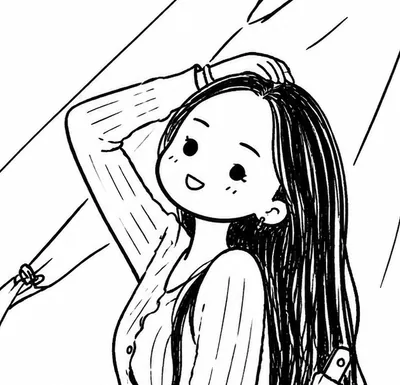
Black & White Doodle
Convert photos into minimalist B&W doodles
Black & White Doodle
Convert photos into minimalist B&W doodles
Showcase
Description
Instantly transform your photos into minimalist black-and-white hand-drawn doodles, re-outlined with naive, lively black brush lines.
Recommended by
nene@YouMind
Why we love this skill
Distills photos into clean, playful black-and-white doodles, preserving the subject and composition and reshaping the image with slightly wobbly hand-drawn lines and childlike shapes. Its uniqueness lies in presenting a friendly, natural, handcrafted illustration effect with minimal strokes.
Related Skills
View all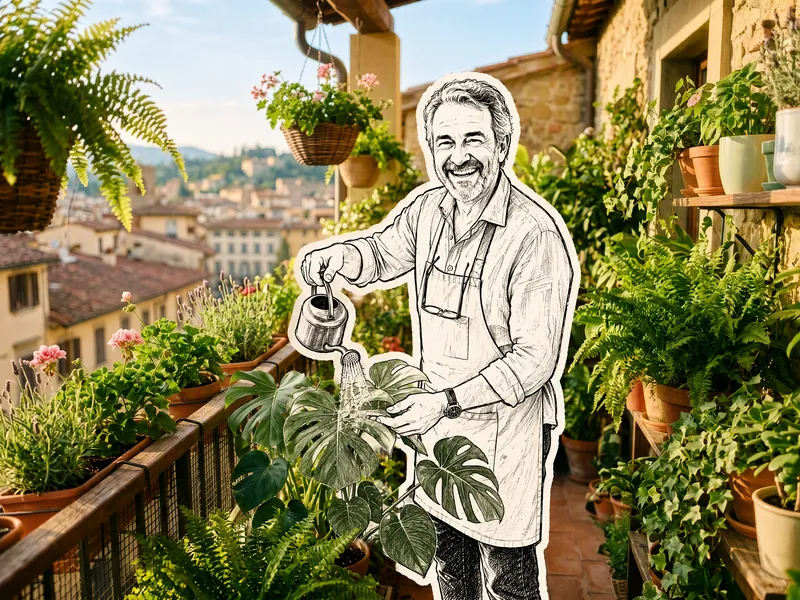 Image
ImageHand-Drawn Doodle Sticker
Upload a photo to transform its subject—a person or pet—into a black-and-white hand-drawn doodle sticker illustration: thick black ink outlines, an off-white fill, sparse crosshatching, subtle line variation, and imperfect hand-drawn strokes. A thick, irregular off-white sticker border is added around the subject's outline. The real environment is preserved in full—furniture, objects, background, lighting, shadows, reflections, materials, camera angle, depth of field, and composition remain exactly as in the original photo. The result is a clean, editorial black-and-white doodle sticker character that blends seamlessly into a completely unedited real-photo background. The style is fixed by default, with optional adjustments to line width, fill color, hatching density, and more.
 Image
ImageReal-Person Doodle Portrait
Blend your real-person photo into a room or scene drawn with bold hand-drawn lines, creating a creative portrait that places a real person alongside a doodle environment. The person retains realistic photographic texture, facial features, clothing, and lighting, while the environment uses monochrome marker sketches to outline furniture, walls, and spatial contours. The result creates a striking visual effect of a “real person floating in a line-art world,” making it suitable for profile pictures, social cards, and stylized portrait artwork. You can upload a headshot, half-body photo, or full-body photo, then describe the living room, bedroom, study, café, studio, balcony, or other scene you want, along with the person’s clothing, pose, and expression. If you only have a headshot, the image can complete the body and place it in the specified space. If the original photo already includes a real environment, you can also keep the person unchanged while converting the background furniture, floor, walls, or street scene into a simple doodle line drawing, while maintaining the original composition. Deep ocean blue, burgundy, charcoal black, and other line-art colors are supported, with suitable aspect ratios matched to indoor portraits, open outdoor scenes, sports, or spacious environments. The setting will not be filled with excessive detail. Instead, it selects a few key objects and preserves negative space, making the contrast between the real person and the hand-drawn room clearer and more thoughtfully designed.

Doodle Portrait Poster
Transform an uploaded portrait photo into a black-and-white, doodle-style hand-drawn poster. The image automatically analyzes the subject’s framing and pose, selects an accent color, renders the subject with a high-contrast mixed-media look, and adds hand-drawn doodles, inspirational handwritten lettering, and geometric accents around the subject. The final output is a 3:4 poster image. Customize the accent color, theme words, and aspect ratio.
Information
- Version
- v3
- Last updated
- Runtime credits
- Usage-based
- Models
- GPT Image 2
