AI Short Drama Pipeline
From script to final cut—be the director
AI Short Drama Pipeline
From script to final cut—be the director
Showcase
Description
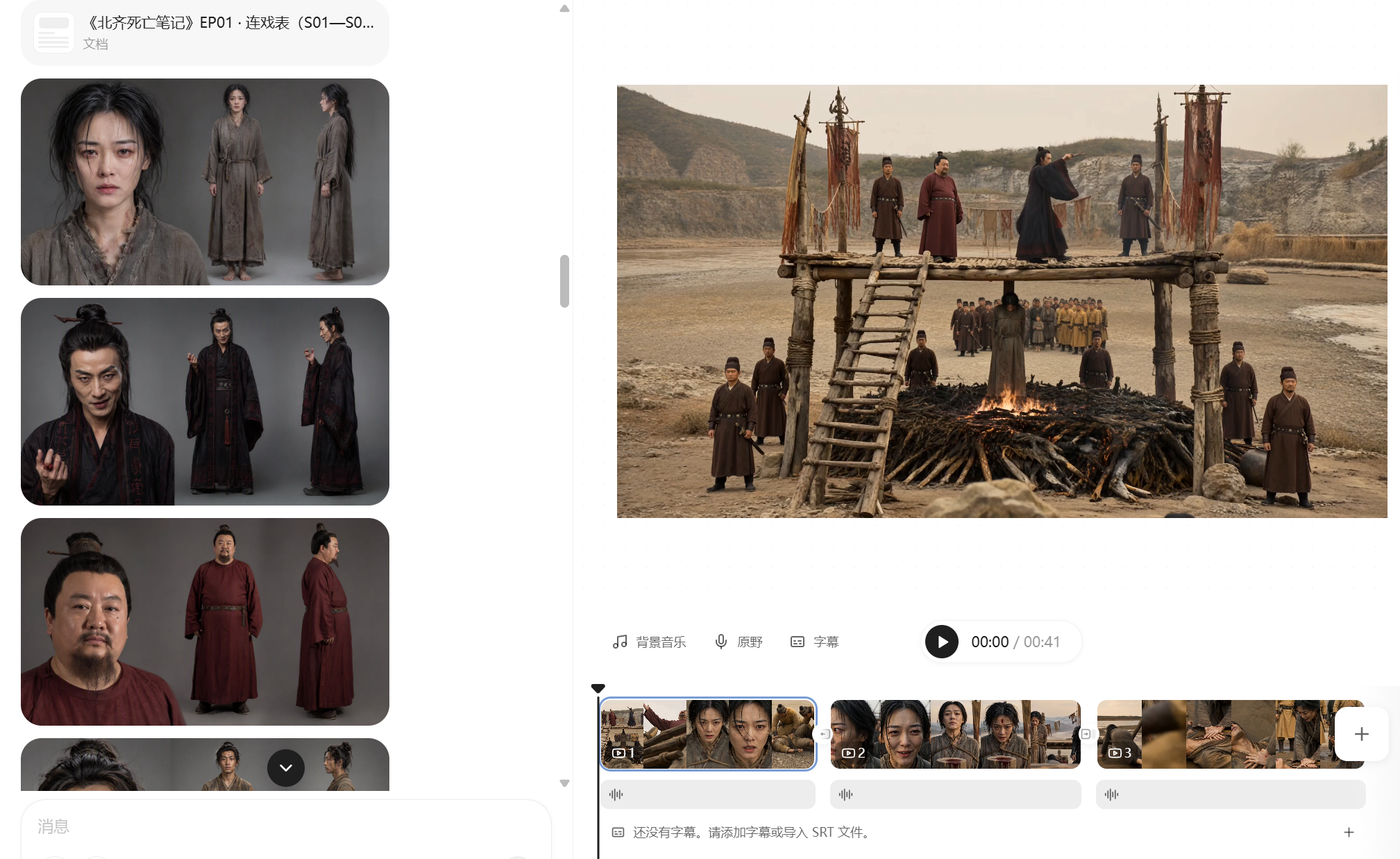
【What it does】Built around a “storyboard artist” workflow, it moves a short drama through six automated steps: 1. Project setup and requirements: Understands your script, asks only about things you cannot determine from it, and creates three sample images of the same scene in different visual styles so you can choose a direction at a glance; 2. Final script + two tables: Adds filming instructions without changing a single line of dialogue, then creates a “segment table” and a “continuity table” to lock down the details most likely to cause continuity errors; 3. Asset design: Creates a three-view sheet and a distinctive identifying feature for each character, along with settings and a dedicated voice style, to keep the cast consistent throughout the video; 4. Storyboard prompts: Specifies the camera position, duration, performance, ambient sound, and constraints for every segment. Text in the frame is rendered precisely using “first and last frames”; 5. Generation and selection: Generates candidates segment by segment, filters them against hard criteria first—does it look right, is it correct, did it break?—then selects based on performance; 6. Assembly and self-review: Combines everything into an editable video timeline and fixes flash frames, continuity errors, and fake-looking text during editing. It only interrupts you at the three points where your decision is needed: choosing the visual style, approving the assets, and reviewing the footage. 【Who it’s for】 · Independent creators and social media creators who want to complete the entire AI short-drama workflow alone; · Screenwriters and web novel authors with a script or novel who want to adapt it for the screen quickly; · Producers and directors on short-drama and micro-drama teams who want to greatly improve efficiency and reduce costs; · Advertising, e-commerce, and knowledge-commerce teams that need to produce narrative content in volume at low cost; · People who understand storytelling but have no idea how to write prompts or edit video. 【Ways to monetize】 · Platform revenue sharing: Short-drama and mid-length video incentive programs on Douyin, Kuaishou, WeChat Channels, and Bilibili; · Custom commissioned projects: Branded short dramas, product story ads, and corporate promotional videos; · Paid short dramas: Paid episode unlocks in mini programs and revenue sharing from novel promotions; · Account networks and managed operations: Launching multiple accounts at scale and producing dramas for clients; · Copyright and IP: Licensing and adapting scripts and finished videos. 【What makes it different】 It does not just “teach” you how to make short dramas—it does the work directly. You do not need to write prompts or edit the video; you keep only the director’s judgment: deciding whether the scene works. The methodology is built into every step, so it can adapt when you change the genre, visual style, or platform.
Recommended by
Dancang
Why we love this skill
Turns short-drama production into a trackable, approval-based pipeline, with continuity sheets and hard checks for character consistency, accurate text, and continuity errors.
Related Skills
View all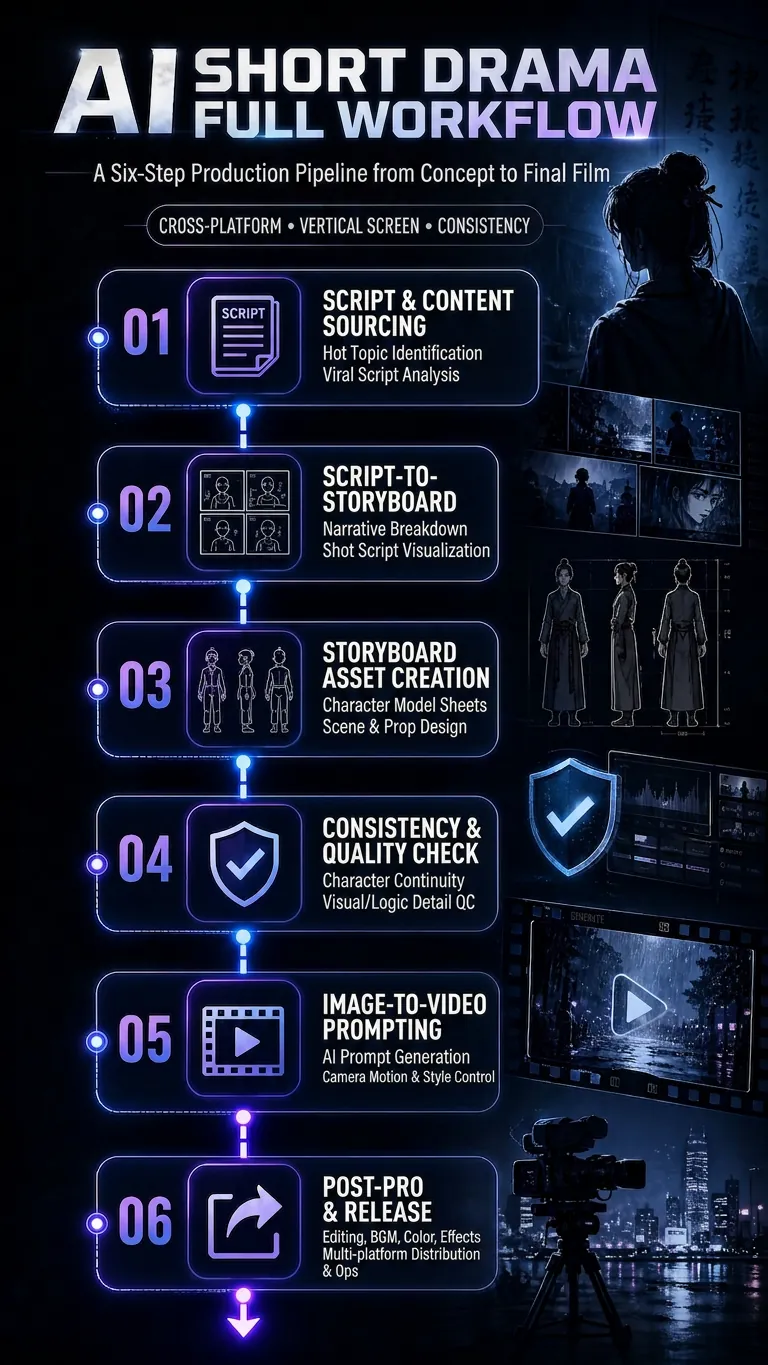
AI Short-Drama Workflow v5
Turn a concept, novel, or script into an executable AI video production plan, covering three formats: AI short drama, AI comic drama, and AI live-action drama. The Skill includes a complete six-step production pipeline: find scripts and hit copy → adapt the script into a shot list (including shot language and dialogue-duration adjustments) → design shot assets (character turnarounds, scene concept art with physical lighting, and material details) → consistency checks and pre-generation quality control (asset binding, cross-shot consistency, and P0/P1 blocking gates) → image-to-video prompts (Vidu/Jimeng/Doubao standard templates + Jimeng Seedance first/last-frame template) → final-cut production and publishing quality control. By default, the workflow uses no subtitles or background music, retaining only dialogue and necessary sound effects. Supports locked visual styles including realistic cinematic, 2D Chinese animation, and 3DCG Chinese animation. Designed for scaled production on vertical platforms such as Douyin, Kuaishou, WeChat Channels, and Xiaohongshu.
AI Video & Storyboard Prompts
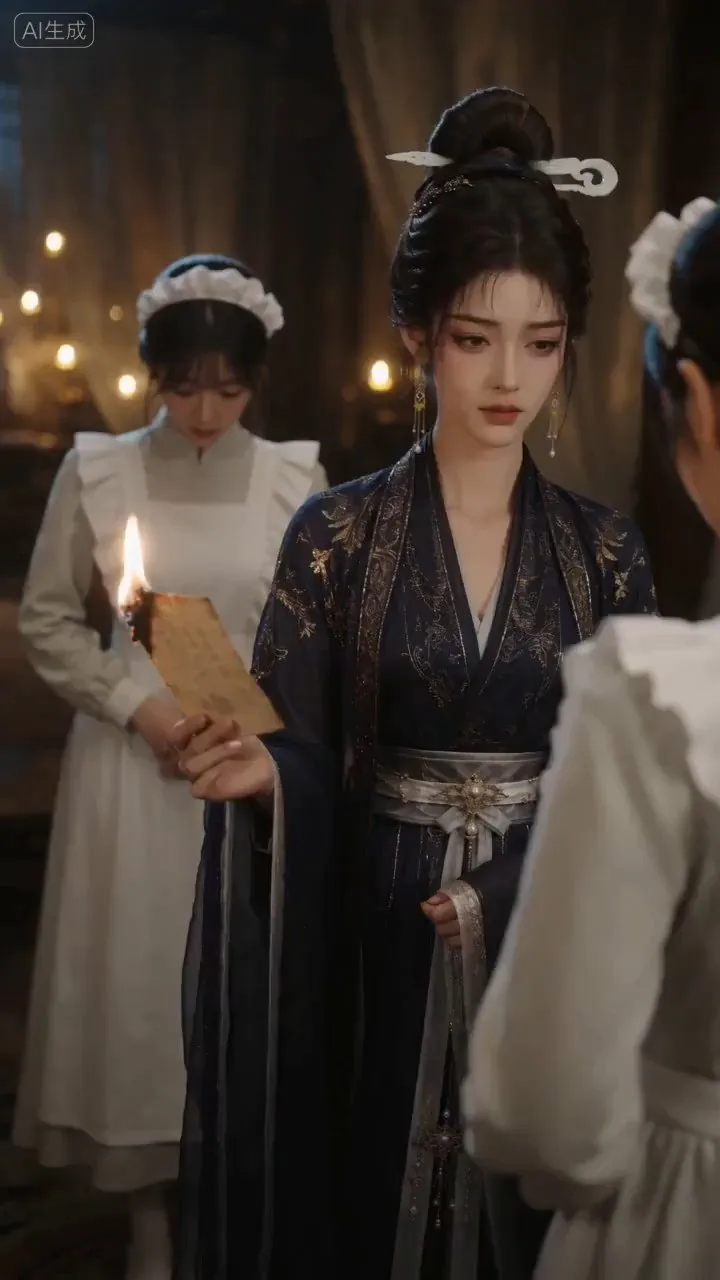
Turn storylines, character profiles, or existing video prompts into professional storyboards and ready-to-use shot prompts for AI video generation. Whether the scene involves contemporary life, historical drama, mystery, romance, or high-payoff drama, the skill focuses on character relationships, pacing, and emotional hooks. It clearly defines shot scale, camera position, perspective, camera movement, composition, lighting, ambient sound, and dialogue, giving every shot a clear visual focus and actionable movement. The skill pays close attention to character consistency and scene continuity. It helps lock in each character’s appearance, clothing logic, identity and status, and defining details, reducing generation issues such as facial changes, visual drift, spatial confusion, and unclear actions. A character’s gaze, expressions, breathing, hand movements, and physical reactions are also translated into visible performance changes, strengthening conflict, tension, twists, and emotional progression. You can start with a complete storyline or provide existing character assets, storyboards, or prompts for targeted optimization. When you already have an established character profile, it can be reused directly to avoid redesigning it. The complete sequence can then be organized into clips of 15 seconds or less for generation with mainstream AI video models, while preserving visual, audio, and duration details for easy copying, use, and further editing.
 Image
ImageUniversal Script Router
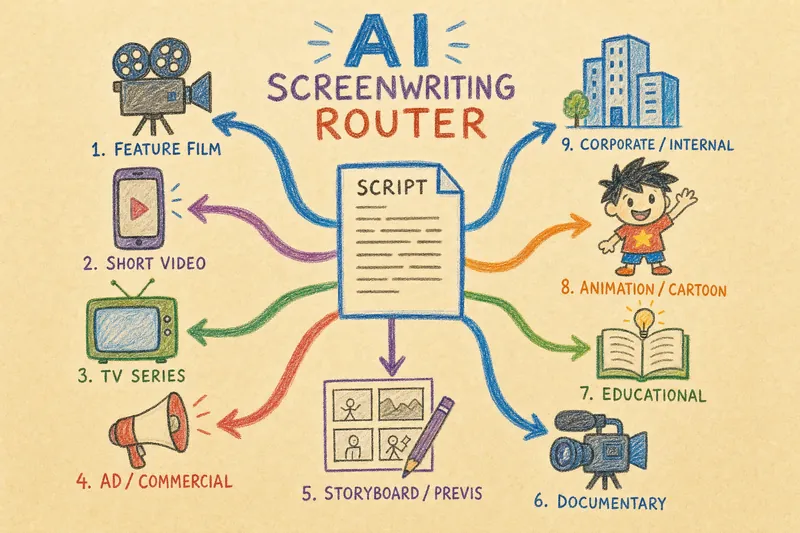
What is this? A one-stop video script generation tool that quickly turns your ideas into actionable shooting plans. Supported types? Film and TV scripts, short videos, commercials, storyboards, documentaries, educational videos, animations, interactive dramas, and corporate promotional videos — covering all 9 video types. How to use? - Tell me your needs: Describe the video you want to make - Smart recognition: Automatically identifies the type, asks up to 3 key questions to gather information - Generate script: Outputs a structured script (visuals, dialogue, sound effects, duration) - Production kit (optional): Shooting checklist, prop requirements, budget estimate, risk tips - Visual assets (optional): Storyboard keyframes, cover image, scene reference images Core features - Smart completion: Provides reasonable defaults when information is insufficient, clearly marked - Compliance check: Pauses and prompts for manual confirmation when involving advertising claims, product info, or real people - Standard format: Each type follows industry standards, ready to use Who is it for? Individual bloggers, advertising and marketing professionals, film/TV production teams, corporate communications departments, and independent creators.
Information
- Version
- v4
- Last updated
- Runtime credits
- Usage-based
- Models
- Auto
