Key Points | AI Memory
Key Points | AI Memory
Showcase
Description
In general conversations, the AI acts like an attentive listener in a meeting, identifying facts, preferences, goals, and implicit key points. It first displays structured candidate key points, then securely writes high-confidence, reusable information into memory, avoiding over-inference, misremembering, and hasty overwriting of old memories.
Related Skills
View all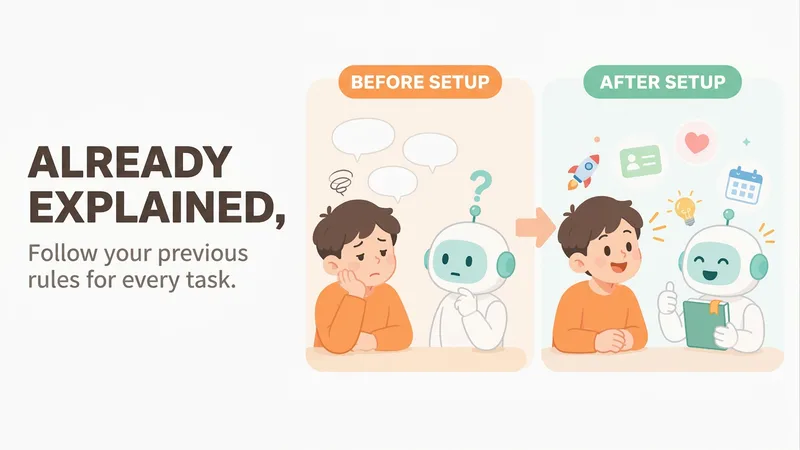
Mero — AI Memory Manager
【What problem does it solve?】 Do you have to explain the same things every time you ask AI to do something? “Keep the answer short.” “Don’t use that kind of canned phrasing.” “Write in my voice.” “Give me the conclusion first.” “I work in product—don’t explain the basics.” You may have said these dozens of times, but start a new conversation and AI forgets everything. 【What changes after setup】 You only need to say these things once. After that, AI follows your usual rules first: · Writing articles: It automatically uses your voice, and avoids words and formatting you’ve said you don’t want · Writing weekly reports or proposals: It knows what you do and what you’re currently working on, so you don’t need to explain the background first · Asking questions: Answers come in the length and style you want 【What you’ll get】 1. A project called “My Memory Bank,” organized into “Who you are / How to work with you / What you’re working on / Your preferences,” which you can open, edit, or delete at any time 2. A “memory notebook” stored in the project you’re using, which AI reads before every conversation 3. A prepared “Who I am” profile that you can paste into your YouMind personal settings so it applies to all projects; you can also send it directly to Doubao, ChatGPT, or other AI tools 4. Automatic weekly organization: duplicates are removed, outdated items are archived, and contradictions are brought to your attention 【How to use it】 You don’t need to learn any special steps—just mention things naturally in everyday chats: “Remember, do it this way from now on.” “Forget that.” “Change it to this.” “What do you remember about me?” It also automatically records new details you mention in passing, such as changing jobs, starting a new project, or having a deadline next week. 【Who it’s for】 People who often use AI to write or get things done and are tired of repeating the same instructions. No technical knowledge is required. 【How to get started】 The first time, tell it one or two things you often repeat to AI, such as “Use simpler language and give more examples,” or simply say “set me up.” 【Privacy】 Personal matters such as health, emotions, and finances are not remembered by default. Web clippings and other people’s articles are not treated as information about you. You can ask at any time what it remembered and why.
 Write
WritePersonal Memory System
💡 Core Value Explanation (30-second version) What is this? Personal Memory System is a smart tool that lets AI remember you persistently. No need to reintroduce yourself every conversation, no need to repeatedly explain work style and project background. Just 5 minutes to initialize, and AI will permanently remember who you are, your preferences, and your project status. What problems does it solve? Pain point 1: Repeated introductions wasting time ❌ Every new conversation: "I'm a product manager, working on an AI project, prefer concise style..." ✅ Set once, works forever—AI automatically remembers your full context Pain point 2: Fragmented context scattered everywhere ❌ Preferences in one conversation, projects in another Board, skill stack in yet another place ✅ 10-dimension structured storage, manage all personal context in one place Pain point 3: Recalibrating when switching scenarios ❌ Switch Boards and have to explain everything again, switch AI platforms and start from scratch ✅ Tiered export (L0-L3), migrate to any scenario in 2 minutes Pain point 4: Privacy concerns, afraid to share ❌ Not sure what info to give AI, worry about leaking privacy ✅ 4-level disclosure mechanism—you fully control the information boundary What value does it provide? Value 1: Save time ⏱️ Initial setup: 5-10 minutes Subsequent updates: 1-2 minutes Cross-scenario migration: 2 minutes Cumulative savings: 30+ minutes per week of repeated introductions Value 2: Improve quality 📈 AI fully understands your work style Output automatically matches your preferences Suggestions align with your skill level Result quality improves by 50%+ Value 3: Protect privacy 🔒 4-level disclosure: L0 public → L3 private Automatic anonymization: names, amounts, health info Local storage: full data control Privacy risk reduced by 80%+ Value 4: Continuous accumulation 📚 10-dimensional complete profile Version history traceable Cross-platform migratable Personal AI asset continuously appreciates Who is it for? ✅ Product managers: record work methodology, team structure, project status ✅ Independent developers: maintain skill stack archive, tech preferences ✅ Creators: save aesthetic principles, style rules ✅ Researchers: manage research background, knowledge system If you frequently collaborate with AI, you need this tool. 📸 4 Effect Demonstration Images Image 1: Intelligent extraction from chat history Function: Automatically analyze your chat history, extract key information Value: No manual entry needed, quickly build profile in 5 minutes Display: Chat history on left with highlighted keywords, automatically generated structured info cards on right Image 2: 10-dimension structured profile Function: Complete personal context model covering identity, rules, projects, skills, etc. Value: Manage all info in one place, no more scattered fragments Display: 10-dimension collapsible list, D2 Cognitive OS starred, progress indicator showing 3/10 complete Image 3: 4-level privacy protection Function: Tiered export, from public to private—you decide what to share Value: Different levels for different scenarios, full privacy control Display: L0-L3 card comparison, information density increasing left to right, with lock icons and token counts Image 4: Auto-sync MEMORY Function: PCA full profile ↔ MEMORY.md core summary auto-sync Value: Board Memory always up to date, no manual maintenance needed Display: Blue sync arrow between two documents, labeled "Auto Sync" and "Real-time Update"
AI Intelligence Unblock
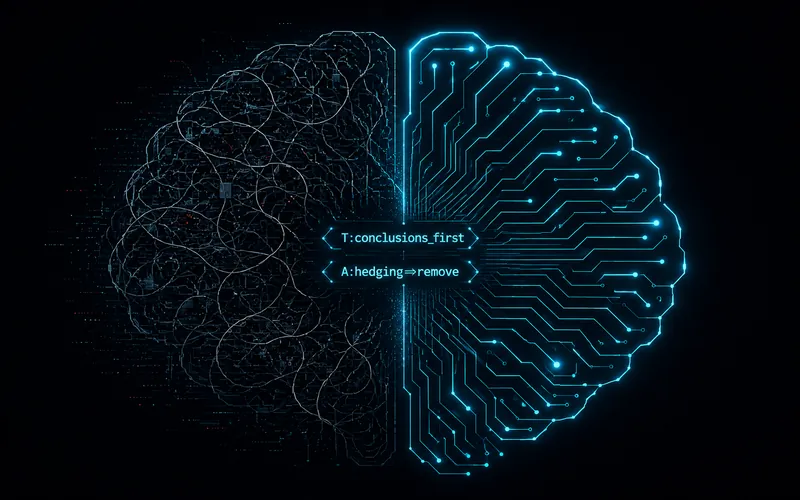
A single prompt that stops AI from rambling, pretending neutrality, or over-refusing. Paste it and it works immediately, applicable to all models. Detailed description: AI isn't unintelligent; it's been trained to be overly cautious. Ask a medical question, and it writes a 200-word disclaimer. Ask which is better, and it says 'each has pros and cons depending on needs.' Ask for code, and it gives three paragraphs of explanation first. This isn't a capability issue; it's a behavior issue. It can be corrected. What this Skill does: 8 structured behavioral rules covering output density, over-refusal, deep thinking, communication style, instruction adherence, intellectual honesty, and creative freedom. After installation, you'll find: Responses become shorter, information density increases. No longer repeats your questions. Ask for an opinion and get a direct opinion, no false neutrality. No more disclaimers on every sentence. Ask for code, get code; ask for a draft, get a draft.
Information
- Version
- v1
- Last updated
- Runtime credits
- Usage-based
- Models
- Auto
