Voxel Quest Photo
Turn photos into a voxel game world
Voxel Quest Photo
Turn photos into a voxel game world
Showcase
Description
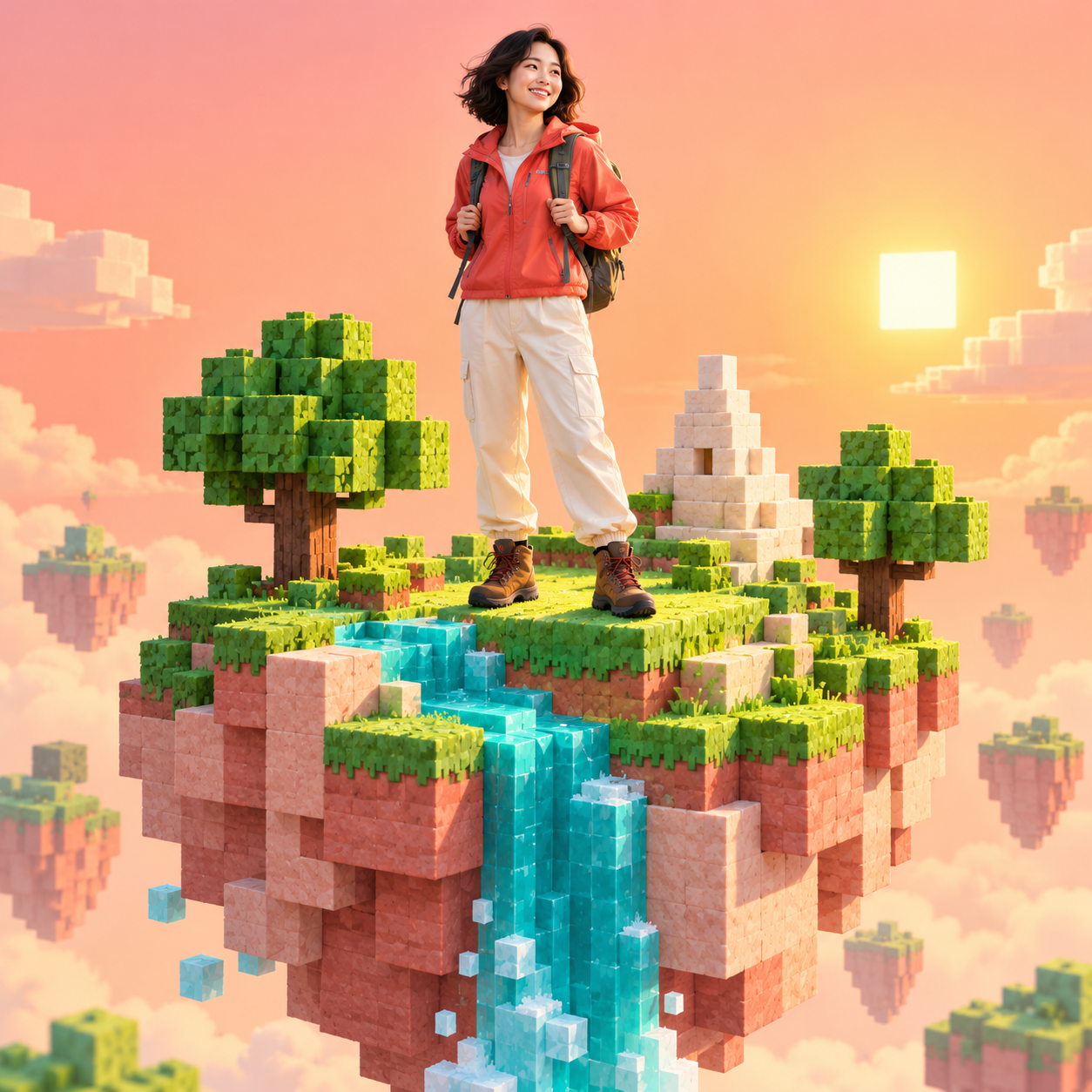
Upload a photo to place a real person into a voxel game screenshot. Choose from Sky Islands, Crystal Cavern, or Snow Base, and add an optional player name or HUD. Transform a familiar photo into a block-style adventure game screenshot: the subject remains realistic and distinct, while the Sky Islands, Crystal Cavern, or Snow Base are built from 3D blocks. The default output is 16:9 landscape, with 4:5 or 3:4 also available. You can specify a player name or a minimalist HUD, though images are text-free by default. Upload a photo and mention your desired scene to start creating a personal game world portrait or adventure character screenshot, or describe an original character. English: Upload a photo to place the real person in a voxel game screenshot. Choose Sky Islands, Crystal Cavern, or Snow Base, then optionally add a player tag or HUD. The default image is 16:9 landscape; choose 4:5 or 3:4 for a portrait layout. Images are text-free by default. Upload a photo and name a scene, or describe an original character to create one from scratch.
Recommended by
Dancang
Why we love this skill
Seamlessly integrates real people into voxel worlds like Sky Islands, Crystal Cavern, and Snow Base. It preserves facial features, clothing, and posture while rendering convincing volumetric lighting, perspective, and contact shadows for a complete game screenshot.
Best for
Great for turning personal photos or original characters into voxel game world adventure screenshots.
How to use this Skill
Provide your input
Upload a portrait photo or describe an original character; specify the Sky Islands, Crystal Cavern, or Snow Base, along with the aspect ratio and optional player tag or HUD.
Run the Skill
After selecting a scene, the person is naturally integrated into a voxel game world, defaulting to a 16:9 landscape composition without text.
Review your result
Receive an adventure screenshot where the person remains realistic and recognizable, set within a voxel game environment.
Related Skills
View all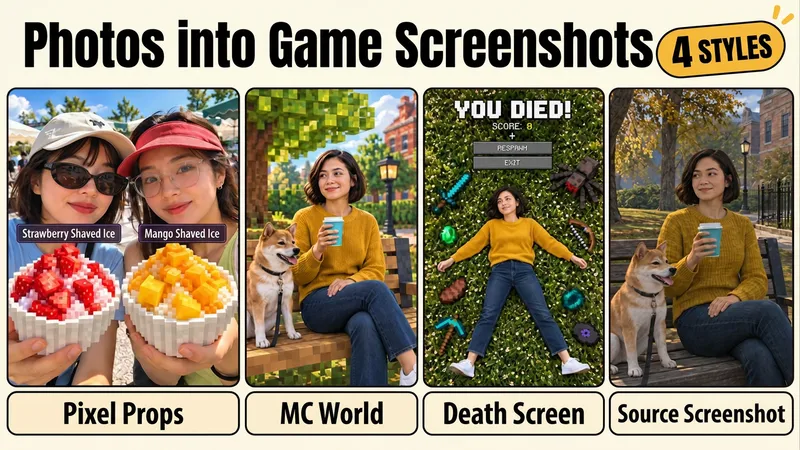 Image
ImagePhoto to Game Screenshot
It’s still you in the photo—but the shaved ice in your hand has become a game item. Turn familiar people and everyday scenes into creative photos that feel like “I entered the game.” Group photos with friends, food snapshots, and travel memories all get a fresh new twist. Choose one of four approaches: ① Real Person Holding an MC Item Turn the shaved ice, coffee, or burger in your hand into a dimensional pixel-block item, while preserving the photographic look of the person, hands, and background. Add Chinese item labels to make it look like the item just came out of a game inventory. ② Real Person Enters a Block World Keep the real person, while transforming the street, park, or building behind them into a Minecraft-style block scene. It’s still a familiar place, but it feels like stepping into another map. ③ YOU DIED! Game Meme Poster Using the person in the photo as a reference, recreate a top-down scene of them lying on their back in the grass, with scattered pixel gear and a death interface. Turn “I’m completely wiped out today” into a game-themed image. ④ Retro Game Screenshot Convert the person and scene together into the look of an early Source game screenshot, with the nostalgic feel of old textures and lighting. Even an ordinary street can feel like “I think I’ve been here in a game before.” How to use it Upload a photo, choose an approach, and say what to change and what to keep. For example: “Turn the shaved ice we’re holding into an MC item, while preserving both faces, our hands, and the background.” Each approach already organizes the edit scope, preservation requirements, and review and correction process for the finished image. Switch to a different photo and keep using it without having to compose a long list of style requirements from scratch each time.
 Image
ImageBlock Toy Portrait Generator
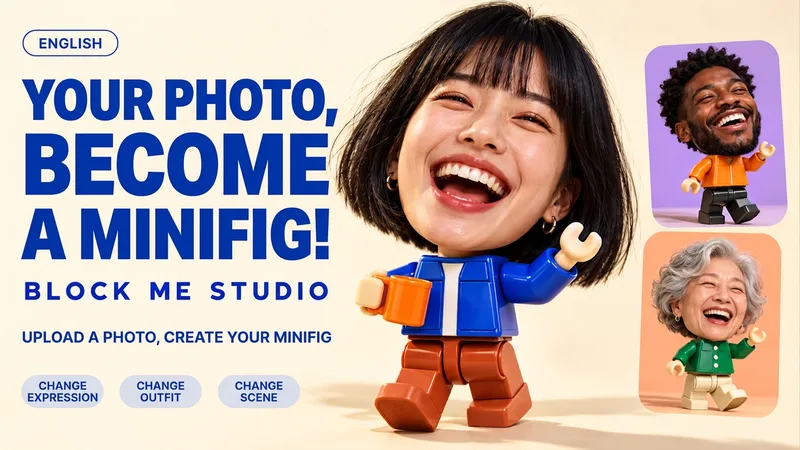
Upload a portrait to generate a fun photo featuring a realistic big head and a glossy block-toy body, complete with customizable expressions, outfits, tiny props, and backgrounds. Familiar faces meet miniature toy bodies under textured studio lighting. Create a coffee buddy, vinyl enthusiast, edgy maker, or your own original character. Perfect for unique avatars, social media posts, and friend gift cards. Supports 3:4, 1:1, and 16:9 in both Chinese and English. Turn a portrait into a playful big-head block-toy character. Keep the photographic face and hair, add a glossy miniature toy body, and customize the expression, outfit, tiny prop and scene. Create your coffee buddy, vinyl enthusiast, maker alter ego or a character of your own. Great for avatars, social posts and personal gift cards. Choose 3:4, 1:1 or 16:9. Start in Chinese or English: upload a photo and describe the look.
 Image
ImagePaper Portrait Studio
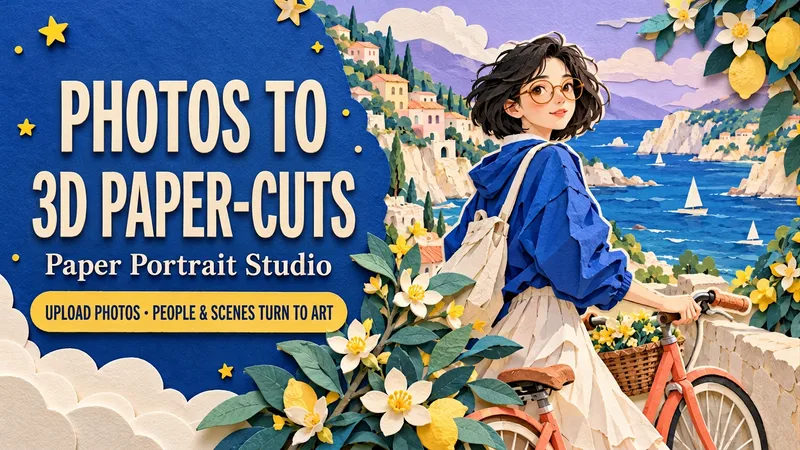
Upload a portrait, a couple photo or a pet photo. Transform both the subject and the setting into a dimensional cut-paper scene, with layered hair and clothes, crisp ivory edges, tactile cardstock and soft cast shadows. Choose Coastal Ride, Rainy Bookshop or Greenhouse Companion—or create your own setting. Keep recognizable hair, glasses, outfit colors and pet markings while customizing the action, palette, background and framing. Create solo portraits, shared memories or a paper garden for your pet. One text-free 3:4 portrait by default. Use English or Chinese, add a short title, or request matching separate language editions. Made for profile art, keepsake images, wallpapers and social posts. Try: “Use my photo for a seaside paper scene. Keep my short hair and glasses. Cobalt blue and coral, walking a bicycle. No text. Generate it.”
Information
- Version
- v3
- Last updated
- Runtime credits
- Usage-based
- Models
- Auto
- Use cases
- Images & designLifestyle & entertainment
- What you get
- Image
- Visual styles
- 3DPhotorealistic
