
Mini Visual Identity Studio
Build a cohesive visual direction
Mini Visual Identity Studio
Build a cohesive visual direction
Showcase
Description
This Skill helps you build a cohesive mini visual direction instead of relying on random colors and elements. You’ll get a brand personality, color palette, suggested fonts, an image, icon, and ornament style, a visual symbol concept, and a board showing practical applications on a card, post, and cover. It’s suitable for new projects, personal brands, stores, and services that need a clear visual foundation.
Related Skills
View all
Multi-Platform Content Studio
This Skill turns one idea into a complete content package tailored for multiple platforms, instead of repeating the same post everywhere. You get content for Instagram, LinkedIn, Pinterest, and YouTube, along with a series of short posts, a video script, an email, and a reuse and publishing plan. It’s suited to content creators, small businesses, retailers, marketers, and service providers. You can attach a product file, brand guidelines, or previous content to maintain consistent information and tone.
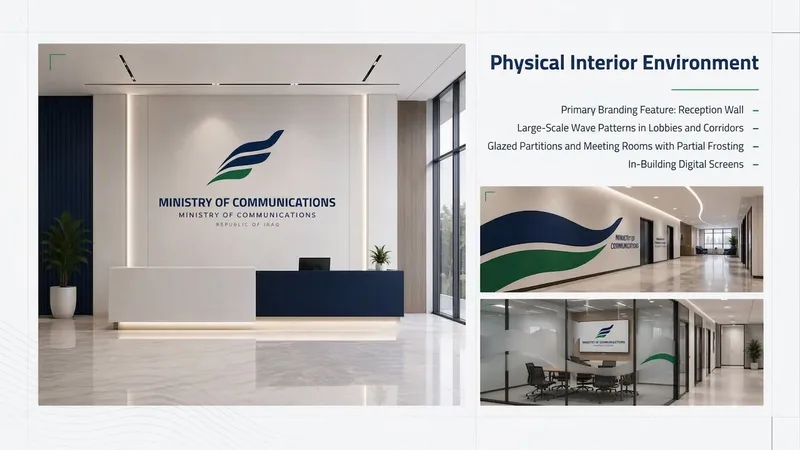
From Logo to Full Identity
Transforms a single logo image into a complete visual identity system and then a visually designed presentation: analyzing the logo, its symbolism, and colors; building the system (colors, fonts, visual language, icons, applications); then producing a final Slides deck while preserving the logo without redesigning it.

Quick Presentation Outline
This skill turns your topic into a structured presentation outline before full design. You get a title and central message, a slide sequence, concise bullet points, and a visual suggestion for each slide. It’s suitable for educational presentations, project presentations, reports, workshops, and marketing presentations.
Information
- Version
- v2
- Last updated
- Runtime credits
- Usage-based
- Models
- Claude Sonnet 5GPT Image 2
