
Travel Photo Poster Collage
Travel Photo Poster Collage
Showcase
Description
Turn your uploaded travel photos into single-image art posters or multi-photo collage posters, delivered as actual image files. Based on the photos and intended use, design the visual hierarchy, title typography, text-image overlap, and a cohesive color palette while preserving key features of people and buildings. Not intended for general travel guides, photography settings advice, or generic poster requests without photos.
Related Skills
View all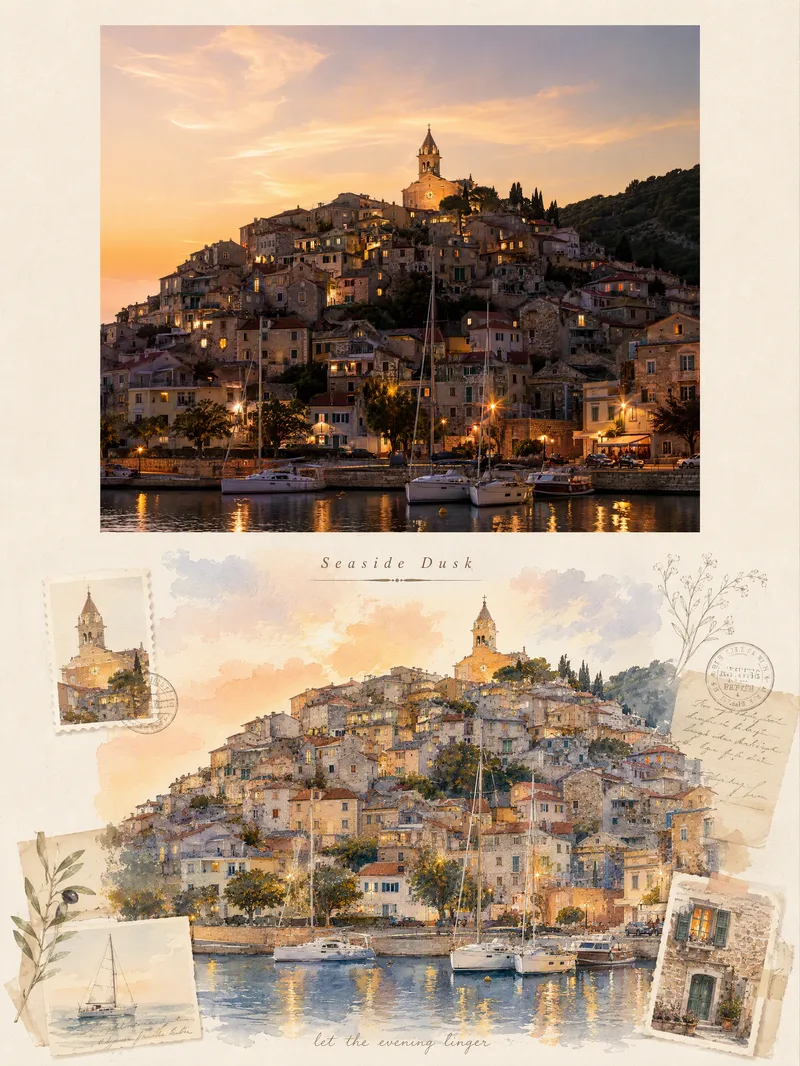 Image
ImageViral Travel Journal Poster
Turn a single travel photo into a 3:4 vertical romantic travel journal poster that combines a sense of memory with an illustrated aesthetic. The upper half preserves the original photo’s subject, composition, colors, lighting, and shadows, framed with a natural warm-white paper border. The lower half reimagines the scenery and spatial relationships from the original photo as a full-bleed horizontal gouache-and-watercolor collage, giving the same journey a more artistic second expression. The design extracts distinctive architectural, botanical, transportation, or scenic elements from the photo and combines them with hand-drawn stickers, landscape stamps, stationery, postmarks, and delicate botanical lines, layered with soft warm light, paper texture, and restrained decoration. Based on the scene, it automatically creates an elegant English serif title and short handwritten English text, making the poster feel like a carefully crafted travel journal page rather than a standard photo layout. It suits photos of seaside towns, city walks, natural landscapes, cafés, travel sunsets, and more. You can also guide the creation with a specific scene mood, color preference, or title copy. When no photo is provided, it can first generate a realistic travel photography base image from your scene description, then create the complete poster.
 Image
ImageGeometric Photo Collage
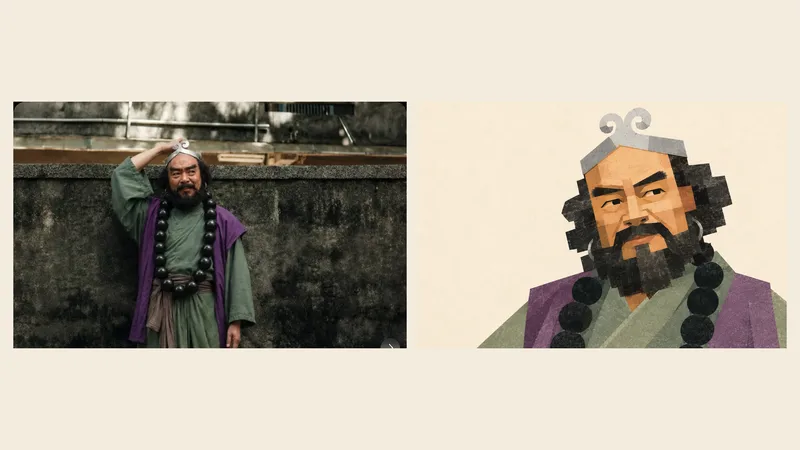
Turn photos of people, pets, buildings, or landscapes into geometric collage illustrations with asymmetrical forms, offset paper pieces, a grayscale palette, and fine printed grain. Provide a subject photo and optionally add a target style image. The photo determines the subject’s identity and recognizable features, while the reference guides the styling, composition, negative space, and paper layering. First create a standalone illustration, then optionally make a 3:4 comparison poster with the original photo on top and the illustration below. No text by default; multiple photos are rendered separately. The result can be refined based on actual comparisons, including facial proportions, hair and beard structure, building hierarchy, the negative space within bridges, and the paper texture. This helps avoid generic geometric cartoons and three-dimensional block effects. Version 1.1.0. Three sets of original photos and corresponding target images have been calibrated locally for reference; city details may still appear overly fragmented or too three-dimensional. Cross-subject performance and image generation on the YouMind platform still require practical testing, so exact reproduction is not guaranteed. Image generation capabilities, operating costs, and precise collage alignment depend on the environment used.
 Image
ImageTravel Photo Map Poster
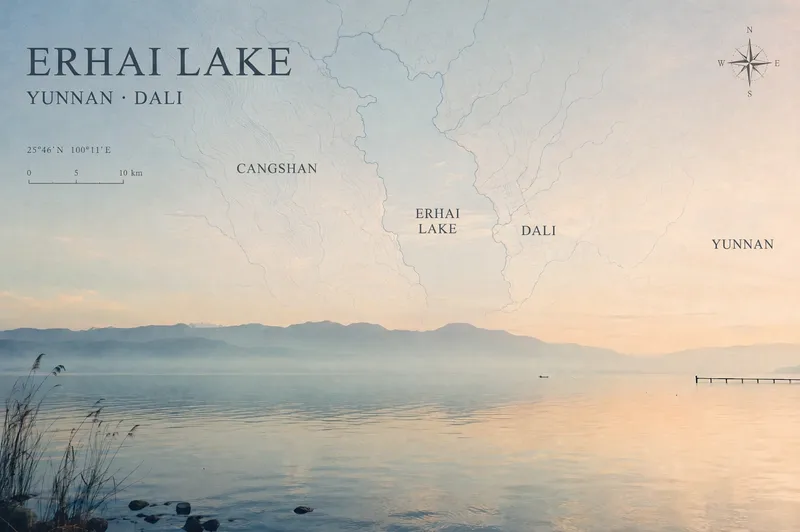
Turn a travel photo into a map poster with geographic information and an independent magazine sensibility, while preserving the original subject, colors, lighting, composition, and aspect ratio. Simply provide a photo and shooting location, and the poster will use real local terrain to select map elements such as coastlines, lake shorelines and waterways, urban streets and lanes, or mountain-ridge contours. These elements are layered into negative space such as the sky, sea, or walls to avoid covering the main subject. The poster includes a title, subtitle, and a small number of real place names in the local official language, along with a refined compass rose, scale bar, and a small red dot marking the approximate shooting area. When location information is unreliable, precise coordinates are not fabricated. The overall design uses low-saturation, light-colored linework, natural fade-outs, and a subtle paper-print texture for a restrained, clean Travel Map Poster / Travel Zine style. It is suitable for preserving travel memories, creating destination keepsake posters, or adding map-based storytelling to landscape, architectural, and urban photography. After generation, you can further fine-tune the map’s opacity, scale, title placement, and font style as needed.
Information
- Version
- v2
- Last updated
- Runtime credits
- Usage-based
- Models
- Auto
