
Public Sign English Assistant
Make public signs speak good English for APEC
Public Sign English Assistant
Make public signs speak good English for APEC
Showcase
Description
Based on multiple national standards including GB/T 30240 and GB/T 19682, it offers three major functions for English signs in public places: intelligent translation generation, quality inspection, and principle explanation. It covers 10 major fields such as transportation, tourism, healthcare, and education. It smartly identifies Chinglish errors, provides a five-dimension quality assessment, and offers step-by-step correction guidance. Whether you are a sign creator, reviewer, manager, or an ordinary citizen concerned about the city's international image, you can use it.
Related Skills
View all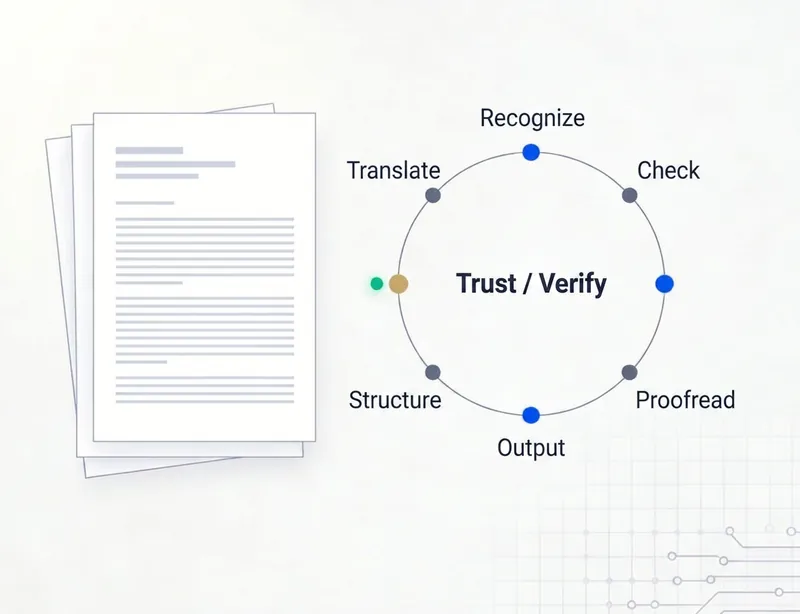
English Document Deep Dive
Intelligent adaptive translation and in-depth analysis for highly specialized English documents. Automatically identifies the document type and level of specialization, then selects an efficient basic mode or an advanced deep-analysis mode. Covers complete translation, authoritative web-based fact-checking, structured extraction, professional interpretation, and multiple rounds of final review and proofreading—aiming to stay 100% faithful to the original meaning, maintain consistent terminology, minimize errors and omissions, and meet professional standards. **Risk notice:** This tool uses AI for automated information processing and generation. Although it is governed by strict rules and review procedures, the risks of model misjudgment, missing information, and “hallucinations” cannot be completely eliminated. All outputs are provided for reference only. For high-risk decisions involving legal matters, compliance, investment and financing, medicine, or similar areas, always verify the output against the original text and have a qualified professional conduct the final review and confirmation.
 Write
WriteDoc Writer: Red Lines & Format
Solve the problem of 'revise endlessly but never pass review'. Strictly aligned with national standard GB/T 9704-2012, it uses a closed-loop three-step party discipline review (political red lines, writing style, format standards) to ensure official documents pass on the first attempt.
 Image
ImageInk City Poster Generator
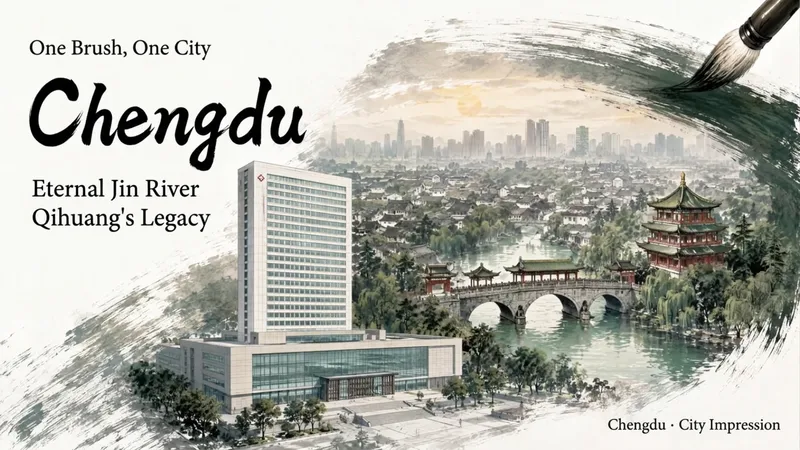
Enter a city name to create a miniature city poster with a strong sense of place and polished design, suitable for conference backdrops, city promotions, and event visuals. Traditional Chinese painting brushwork wraps realistic city scenes, organizing landmark buildings, waterways, neighborhoods, and skylines into three layers of depth: foreground landmarks, midground city, and distant outlines. Clear negative space is reserved for titles and brand copy, allowing the city image and text information to blend naturally. Create posters for conferences or city-related events. You can specify landmarks, a main title, subtitle, brand copy, and details such as the meeting name, date, time, and location. Choose a brush effect—ink brush, pen, pencil, or charcoal—and pair it with ink black, stone green, ochre, cobalt blue, cinnabar red, smoke gray, or a custom color. You can also adjust the presentation from expressive to balanced to realistic. Landscape, portrait, and square formats are supported. Meeting fields display only the information actually provided, with no placeholder content added. During generation, the city’s buildings are first checked for their names, locations, forms, and sources. The composition is then planned and the poster is generated. Delivery also includes an architectural reference table and itemized review results, with a focus on landmark attribution, building forms, spatial relationships, Chinese text, brushwork texture, layout spacing, and parameter consistency—helping you create a city visual more suitable for formal presentation.
Information
- Version
- v3
- Last updated
- Runtime credits
- Usage-based
- Models
- Auto
