【S.012】 Clone
Create a surreal inverted triptych
【S.012】 Clone
Create a surreal inverted triptych
Showcase
Description
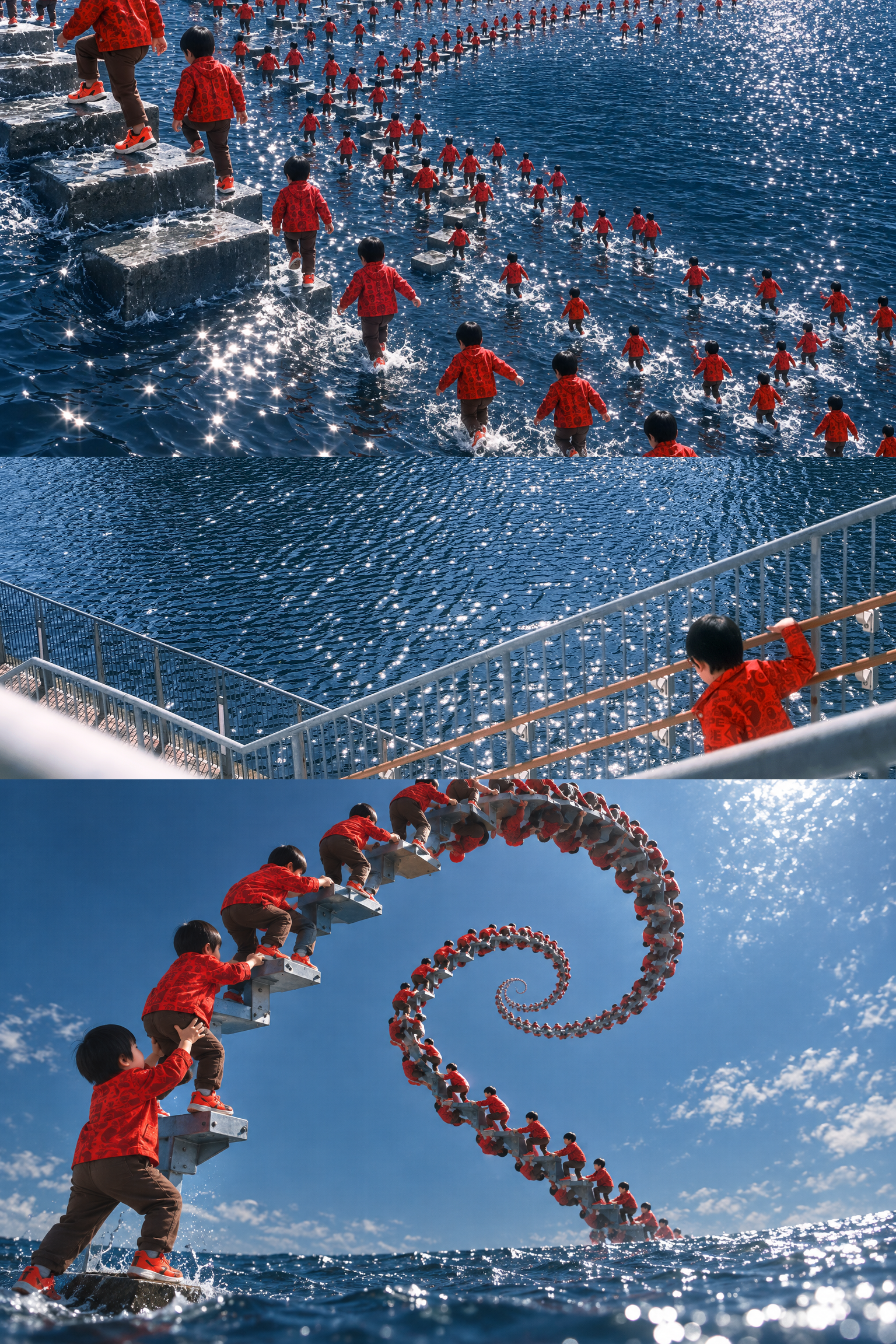
Transform one photo into a borderless vertical triptych. The center preserves an unchanged crop of the original image as clear evidence of the scene, while the upper and lower sections each select a different subject from the photo for cloning and inversion. The result is a surreal image grounded in the original environment. The upper panel can focus on a primary subject such as a person or animal. The lower panel works well with objects that have clear structures, such as boats, buildings, railings, or landmarks. Each generated area keeps one recognizable subject at a visible scale, while allowing smaller inverted figures to blend into the foreground, background, water, rocks, roads, or architectural boundaries. The original scene’s lighting, perspective, occlusion, materials, and depth of field are preserved. Ideal for photographic collages with separately duplicated and inverted people and objects, source-photo-driven surreal triptychs, and visual experiments that retain features such as landmarks, mountains, and skylines. The final output is a single vertical 2:3 image with no text, borders, watermarks, or decorative titles.
Recommended by
淡苍
Why we love this skill
Builds a twin-subject inverted scene from one photo while preserving the untouched original in the center for a striking contrast.
Best for
Creators who want to turn travel, portrait, or landmark photos into surreal photographic collages.
How to use this Skill
Provide your input
Provide a photo with recognizable people, animals, objects, or structural elements in the scene.
Run the Skill
Two distinct subjects from the photo are separately resized, multiplied, and inverted, while an unchanged crop of the original is preserved in the center.
Review your result
Generate a borderless vertical triptych: surreal cloned scenes blend into the original setting above and below, with the original image as evidence in the center. No text or watermark.
Related Skills
View all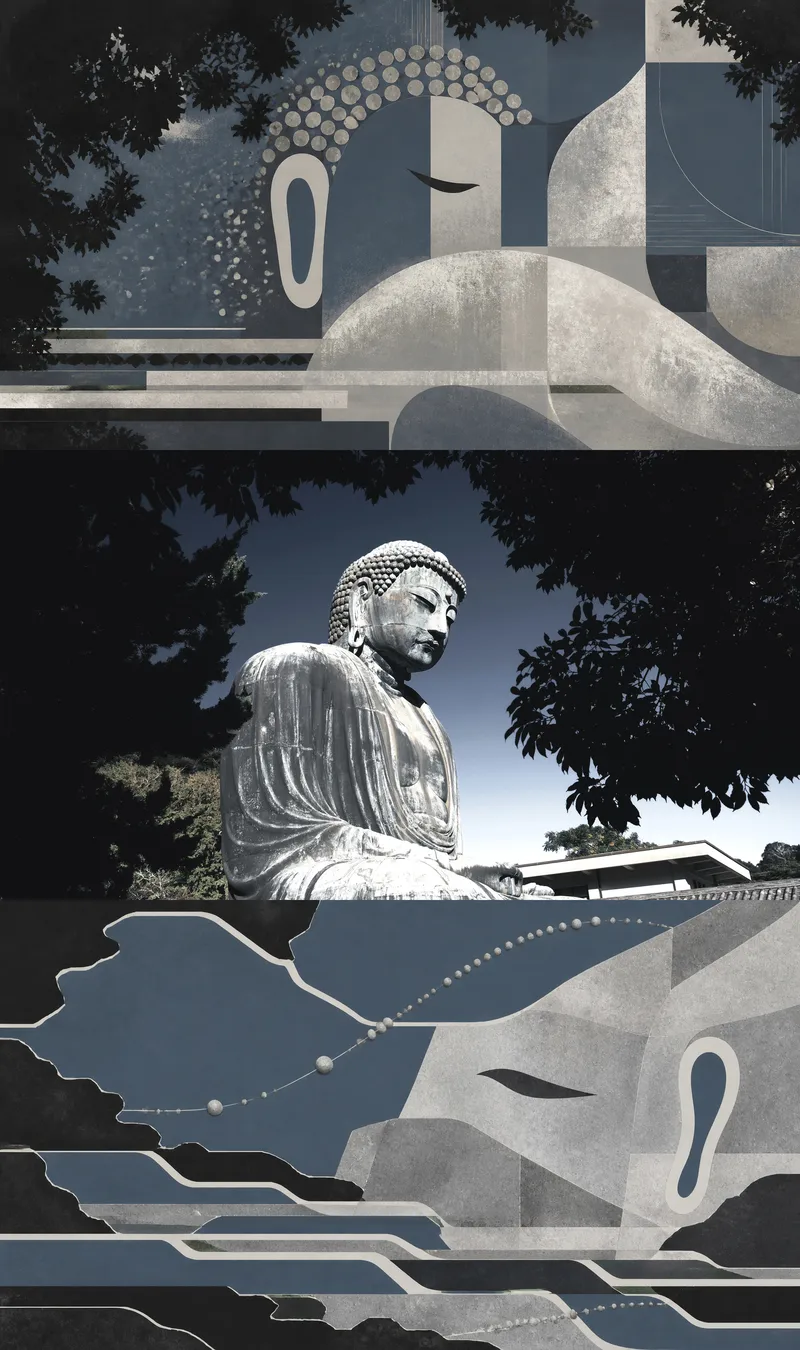 Image
Image【S.002】Threefold Memory
Turn one user-uploaded photo into a triptych with continuous visual logic: the top panel draws the subject or core space inward, distilling it into an abstract form that is stable, focused, and retains its identity; the middle panel preserves the actual original photo as irreplaceable photographic evidence; the bottom panel releases the photo’s colors, contours, materials, and spatial relationships outward, forming a dispersed, transformed, and more surreal new environment. The finished image reveals the difference between convergent and diffusive abstraction while allowing viewers to trace both back to the original photo. This Skill is suited to single photos of people, animals, objects, buildings, interiors, or natural scenes. The abstract results are based on the photo’s own subject relationships, compositional direction, color relationships, and visual rhythm rather than fixed patterns, generic filters, or unrelated decorative styles. It pays particular attention to the number, identity, orientation, and proportions of subjects, as well as important spatial relationships, ensuring that the middle panel remains the untouched original photo. You will receive a completed source-driven triptych, along with a brief summary of the key visual genes used for the two abstract panels above and below, making it easier to understand which clues the convergent and diffusive panels each extracted from the original photo.
 Image
Image【S.010】The Absurdist
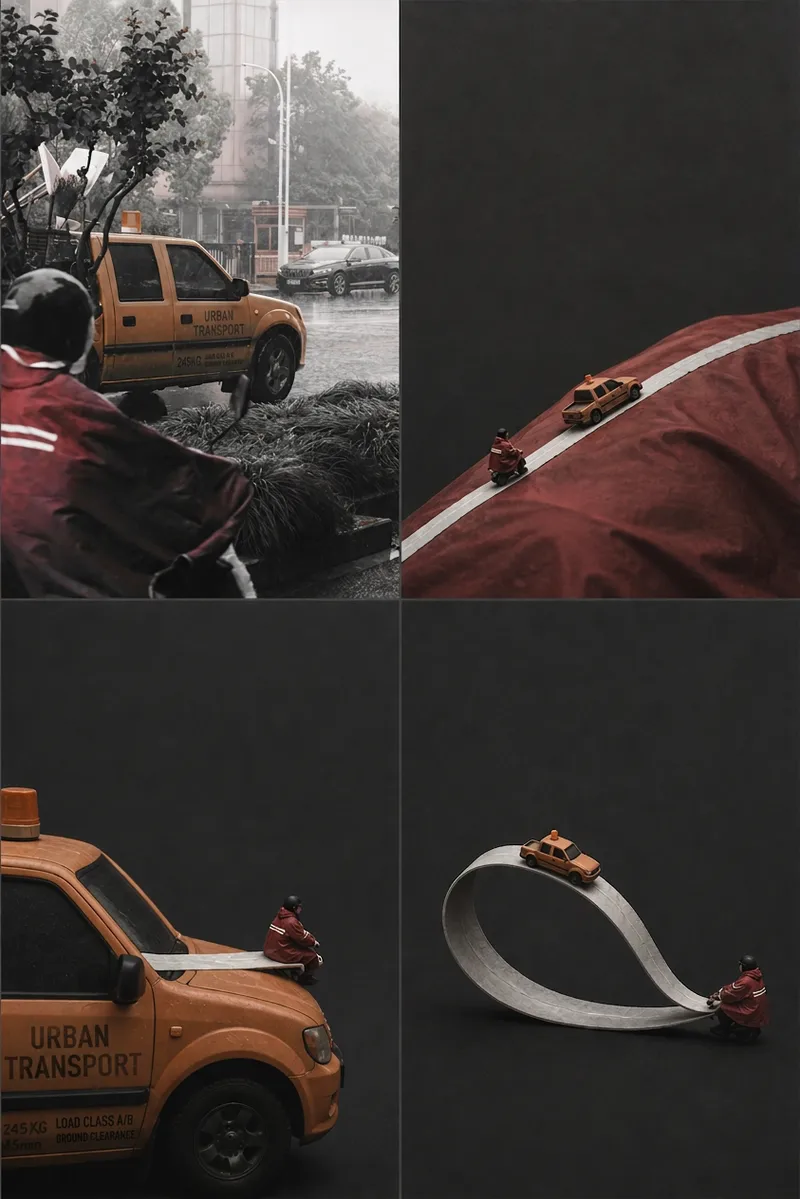
Turn one photo into a vertical absurd triptych with the original image as visual evidence: the top presents an absurd scene built on a mismatch of scale, the middle preserves the original photo with a horizontal crop, and the bottom makes the same absurd relationship return or form a causal loop. The final image consists of three equal-width horizontal 16:9 panels stacked vertically without gaps, creating a precise 16:27 composition with no borders, text, or watermark. The two generated panels develop new relationships only from the people, animals, objects, actions, quantities, colors, and lighting in the photo. They preserve important identifying features and recognizable contours, using ample negative space and a restrained live-action or puppet-theater aesthetic. The middle panel uses only pixels from the original photo, with orientation correction, proportional scaling, and conservative cropping applied only as needed. It is not redrawn, retouched, or filled in, ensuring that it remains a reliable record of the original image. Ideal for creating vertical absurd triptychs with the original photo in the middle, photo-derived art, and surreal posters with visual storytelling. It is not intended for ordinary filters, unrelated fantasy scenes, dense collages, or layouts that redraw the photographic evidence in the middle.
 Image
Image【S.009】Song Dynasty Painting
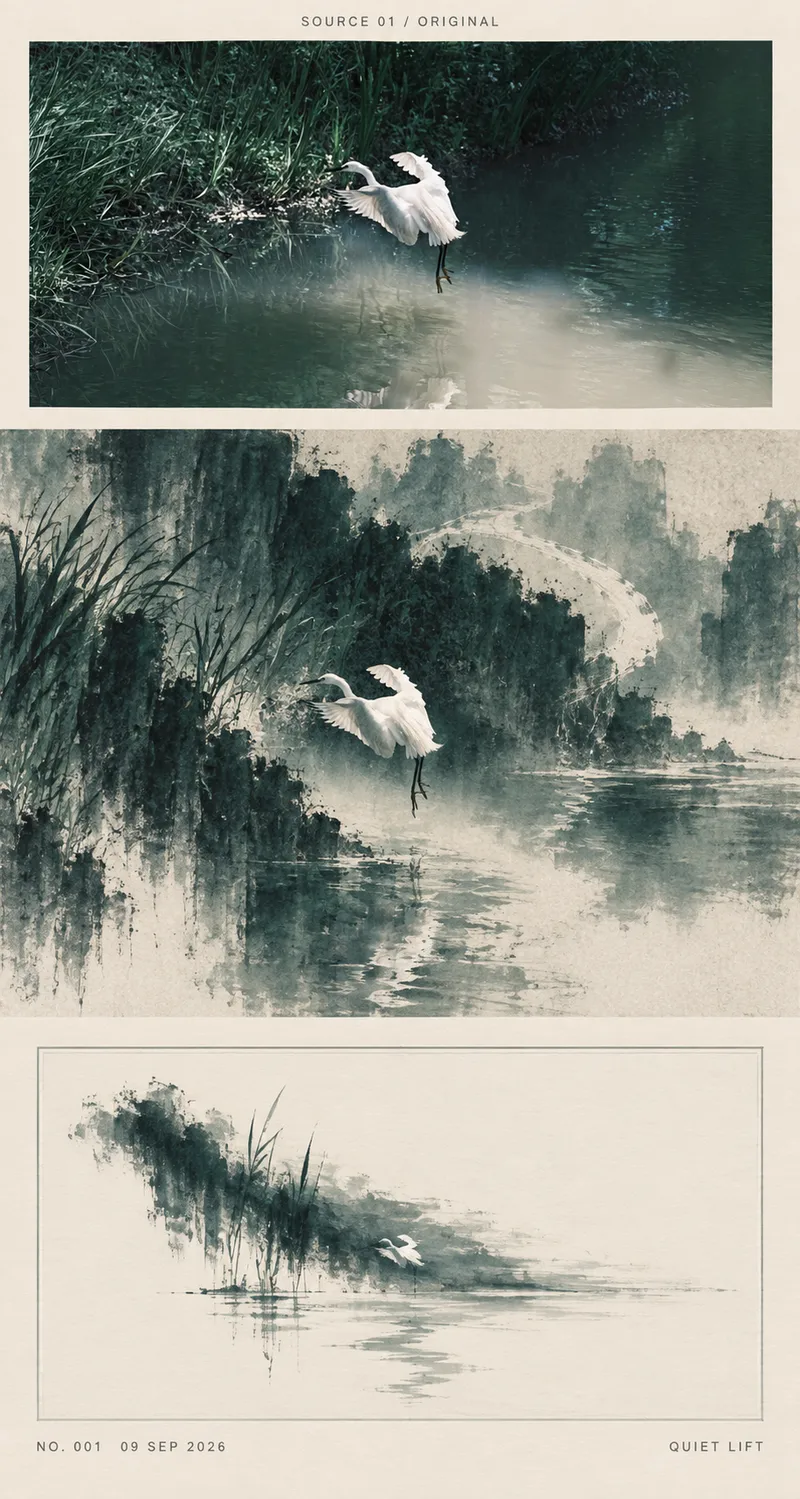
Turn a photo into a vertical editorial art poster, letting the same visual structure move through three increasingly quiet viewing states: “evidence, reconstruction, and afterglow.” The untouched original photo remains at the top as visual evidence of reality. In the middle, space is reorganized through the Northern Song landscape concepts of high distance, deep distance, and level distance, transforming the subject, direction, repeated forms, and negative space into a tactile, freehand surreal scene. At the bottom, the image is distilled further into a restrained structural afterimage, brought to a close with warm paper, a fine frame, and a few pale color echoes. The work preserves the key compositional relationships of the original photo while gradually reducing scale, layering, density, and narrative to create a continuous viewing experience from figurative to freehand to minimalist. It is suited to contemplative triptychs, photo reinterpretation in a Song painting context, exhibition posters combining photography and contemporary art, and vertical publications centered on negative space and visual storytelling. The result is one complete, unified tall poster—not an ordinary filter, photo redraw, or three side-by-side files.
Information
- Version
- v3
- Last updated
- Runtime credits
- Usage-based
- Models
- Auto
- Use cases
- Images & design
- What you get
- Image
- Visual styles
- CollagePhotorealisticSurrealist
