
Smart Expense Tracker
Track income and expenses, convert to RMB, and generate monthly ledgers
Smart Expense Tracker
Track income and expenses, convert to RMB, and generate monthly ledgers
Showcase
Description
Personal expense tracker (Excel). When you send a message or screenshot (payment record, bill, invoice, transfer, or receipt) and specify whether it is an expense or income, the Skill extracts the date, item, amount, and currency, converts everything into RMB, and records it in an Excel ledger (记账本.xlsx). You can continuously add entries, or ask to delete or modify specific records, and generate a monthly summary. Whenever you mention bookkeeping, recording a transaction, a ledger, bills, spending amounts, income, expenses, deleting a record, a monthly summary, a monthly report, or foreign currency conversion to RMB, this Skill will be used even if you do not explicitly say "track expense".
Related Skills
View all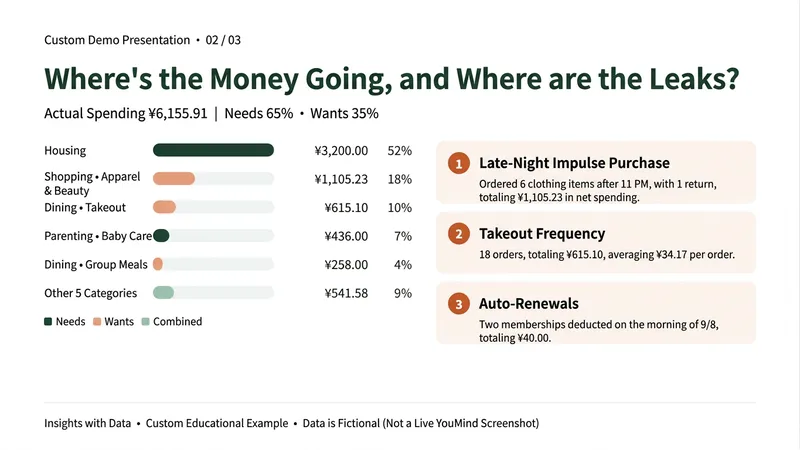 Research
One-Click Bill Checkup
By the end of the month, do you only know that your money is gone—but not where it went? Don’t want to track every expense, and tired of ads and subscriptions in budgeting apps? This Skill gives one month of transactions a checkup. Upload a bill exported from WeChat or Alipay (or paste the text) to get: ① Actual spending: Automatically excludes Huabei repayments, transfers into Yu’e Bao, and incomplete orders. Refunds offset the original purchase, so transfers of thousands of yuan aren’t mistaken for spending. ② Where your money goes: Ranked spending categories, including how much goes to needs versus wants. ③ Checkup findings: Money leaks such as frequent food delivery, late-night impulse orders, automatic renewals, and frequent small purchases—each backed by numbers. ④ A draft budget for next month: Identifies the three habits worth changing most, estimates potential savings, and breaks them into weekly amounts based on your savings goal. When it’s unclear whether an entry is a red envelope, transfer, or split bill, it asks you first instead of guessing. It won’t guess amounts that are unreadable in screenshots. Choose between a gentle or sharp-tongued tone. Suitable for office workers who want to save but can’t stick with expense tracking, parents managing household spending, and young people who want a clearer view of their spending habits. The examples shown use fictional teaching data. This Skill only analyzes personal spending; it does not recommend investments, funds, insurance, or loans. Bills are used only for this analysis, and you should remove names, card numbers, and other personal information before uploading.
 Write
WritePayment Collection Coach
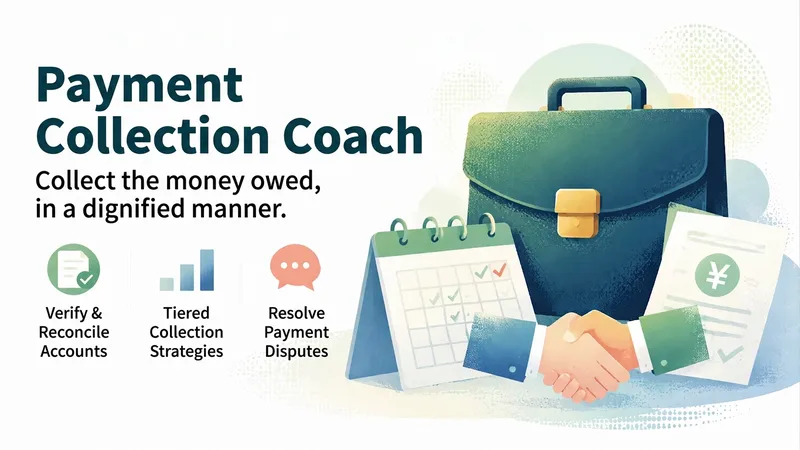
The work is done, but the payment hasn’t arrived—that’s a hurdle no one who takes on client work can avoid. The hardest part isn’t waiting; it’s not knowing how to bring it up. Push too gently and it feels like you’re begging. Push too hard and you worry about losing the client. They say, “Finance is processing it,” and you wait another two weeks. When payment finally comes through, part of the balance is withheld for “poor results.” This Skill helps you collect what you’re owed professionally. Share the details—who owes you, how much, when payment was promised, and how much you’ve already received. It will reconcile the account first, then give you the one message to send today. ✨ Core capabilities 1. Reconcile before requesting payment: Check the amount due, invoices issued, and payments received item by item. Classify the difference into five categories (invoice not issued / invoice issued but unpaid / payment terms not triggered / disputed deduction / inconsistent figures). Requesting payment before the account is clear means giving away your leverage. 2. Escalate in stages: L0 heads-up → L1 friendly → L2 firm → L3 serious → L4 formal. Set the level based on days overdue, then adjust it according to the importance of the relationship—so you know what to say at each stage. 3. Give you only the message to send today: One version each for WeChat, email, and a phone opening, with the tone and risks labeled, plus three likely responses from the other party. 4. Handle final-payment disputes: Separate approaches for clients withholding payment over “poor results,” saying “Finance is processing it,” going silent, or leaving the money stuck with an MCN. 5. Accounts receivable overview: See all unsettled jobs in one table, sorted by days overdue, with the most urgent at the top. 6. Preserve evidence and facts: When agreements were only verbal and there is no contract, learn how to clearly state the facts shown in your chat history (not legal advice). 🛡️ Three firm principles · Reconcile first, then request payment · No legal advice and no threatening language; the highest level is only “Handle this according to the contract.” · If the amount or name is missing, always ask—never use placeholders like “Dear Customer.” 📱 Who it’s for Creators whose payments are overdue, YouTubers, freelance designers, writers, photographers, indie developers, and small studio owners. 💡 How to use it Describe your situation; you can also use /对账 /催 /升级 /争议 /序列 /总览 /档案 for precise actions. The goal of requesting payment isn’t to win an argument—it’s to get your money back.
 Write
WriteScope & Add-On Quote Helper
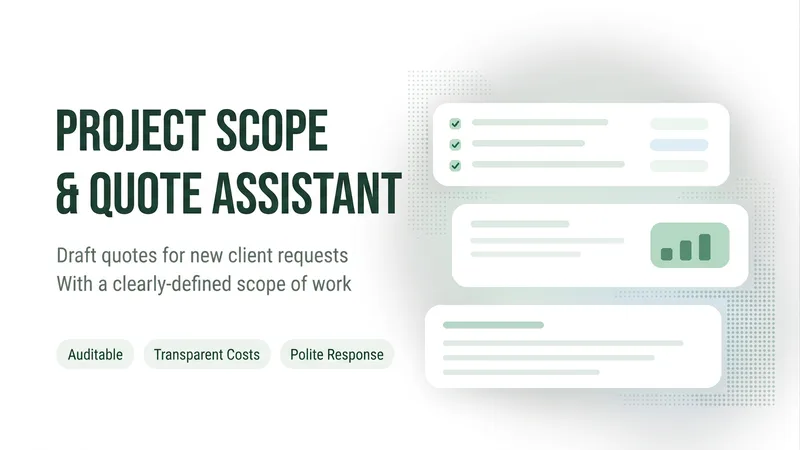
When a client says, “Could you add one more page?” or “Can you make one more change?”—what's included in the original quote, and what should be billed separately? This Skill helps freelance web professionals organize clients’ additional requests. Provide the accepted scope description, the client’s exact words this time, and your own rates and time estimates to get: ① Item-by-item scope comparison: Quotes the original text and distinguishes items within the original scope, well-supported add-ons, and items requiring confirmation. ② Open-question checklist: Identifies missing information that could affect fees, revision rounds, and delivery dates. ③ Add-on estimate draft: Lists hours and rates, keeps estimates as ranges, and notes items that have not yet been priced. ④ Customer reply draft: Clearly explains included items, proposed add-ons, fees, and scheduling conditions. It checks the remaining revision rounds and distinguishes defect fixes from new features. When the agreement is unclear, it marks the item for confirmation rather than guessing market rates or promising an unknown delivery date. Best for: independent website builders, small web studios, and project leads responsible for scope and pricing discussions. The output is copyable text and tables. Review it yourself before sending. Examples and rates shown are fictional teaching data. Amounts are based on the information provided by the user; this Skill does not provide legal rulings, send messages on your behalf, or guarantee payment.
Information
- Version
- v4
- Last updated
- Runtime credits
- Usage-based
- Models
- Auto
