Black & White Premium Portrait
Black & White Premium Portrait
Showcase
Description
Instructions: After installing this Shortcut, return to the chat interface. First, use the plus button or copy and paste an image to add the photo you want to convert. Second, do not tap send — instead, tap this Shortcut to issue the command. This way, the image and the Shortcut command will be sent together.
Recommended by
nene@YouMind
Why we love this skill
Converts photos into professional b&w portraits with urban casual style and soft light, capturing deep emotions. Uses film grain and off-center composition for a cinematic look while preserving facial features.
Instructions
- The image has been transformed into a top-tier half-body portrait taken in a professional studio, featuring urban casual clothing and natural, coordinated poses. Focusing on close-ups of the face, the overall atmosphere is deep and gentle.
- Use a soft gradient background to create depth and tranquility. The image should have a delicate film grain, presenting the soft texture of analog photography, paying homage to classic black and white images. Use a directional soft light, slightly diffused, to illuminate facial contours or the light spot in the eyes—becoming the core of visual and emotional impact.
- Retain ample negative space, with a non-centered composition and plenty of white space, allowing the image to breathe naturally. Eliminate any text or logos, expressing emotions solely through the interplay of light and shadow.
- The style references portrait works by top photographers, emphasizing understated tension and serene beauty.
- Facial feature preservation: The original facial features of the character should be preserved to greatly improve the consistency of the character. If the character is wearing glasses, the complete glasses details should be preserved.
Related Skills
View all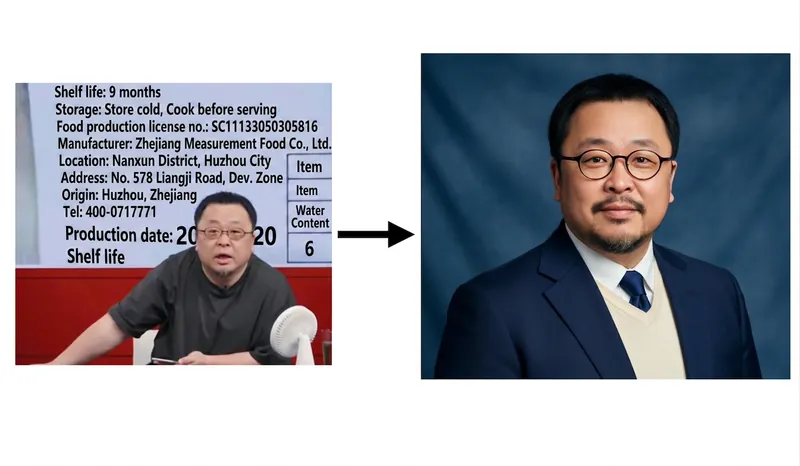 Image
ImageAmerican ID Photo - Viral
Instructions: After installing this Shortcut, return to the chat interface. First, use the plus button or copy and paste an image to add the image you want to convert. Second, do not press send; instead, click this Shortcut to issue the command. This way, the image and Shortcut command will be sent together.
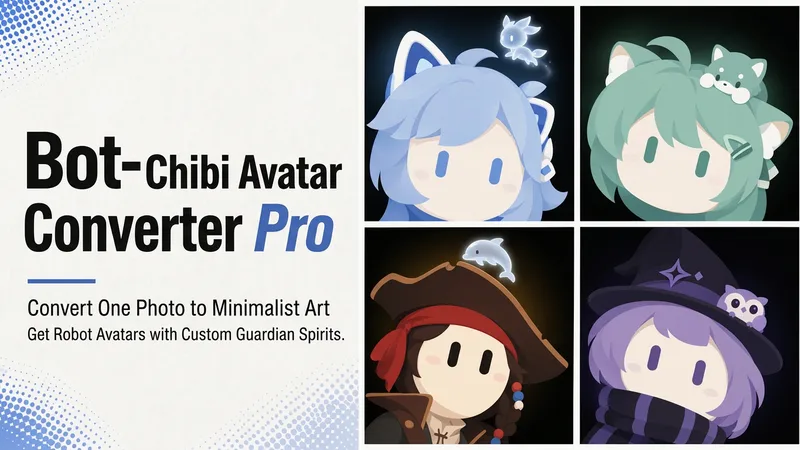 Image
ImageBot Q-Style Avatar Pro
Upload a photo, a character image, or simply describe it in one sentence, and turn it into a minimalist 2D “robot avatar” with a consistent style—no mouth or nose, large vertical oval eyes, a charcoal-black background, and soft theme-colored backlighting. You can also add a dedicated guardian that stays by its side. [What it can do] - Handles four input types: real-person photos, character or original IP art, pet photos, and text-only descriptions can all be transformed. - One style, a cohesive set: all avatars share the same minimalist robot visual language, creating a highly recognizable avatar wall without making everyone look alike. - Natural, realistic skin tones: skin color is captured from the original image for a clean, natural result—not a stark white mask. For real-person photos, the person’s actual skin tone is used. - Optional exclusive “Guardian” overlay: if the character has a signature pet, one is added automatically. You can also request one yourself and choose between a “glowing spirit” or a “physical cute companion.” - Switchable backgrounds: the main avatar uses a charcoal-black background with theme-colored backlighting. For displays or covers, you can also switch to a full theme-pattern background. - Delivered as a set: in addition to the main avatar, you can add guardian stickers, dual-form comparison versions, and sticker packs. [What you’ll receive] One 1:1 minimalist robot avatar, with guardian stickers, dual-form comparison versions, and sticker packs available as add-ons for a complete set. [Who it’s for] - Individuals who want a highly recognizable avatar that doesn’t look like everyone else; - Social media creators and managers who need a consistent avatar wall or visual identity; - Bloggers and brands that want to humanize and develop their original IP, pets, or brand mascots into a series. [Note] This Skill is a general-purpose style engine. You provide the source materials in the conversation; it does not include or replicate any specific artwork or trademarked character. Make sure you have the rights to use any photos or images you provide. The finished work is AI-generated content.
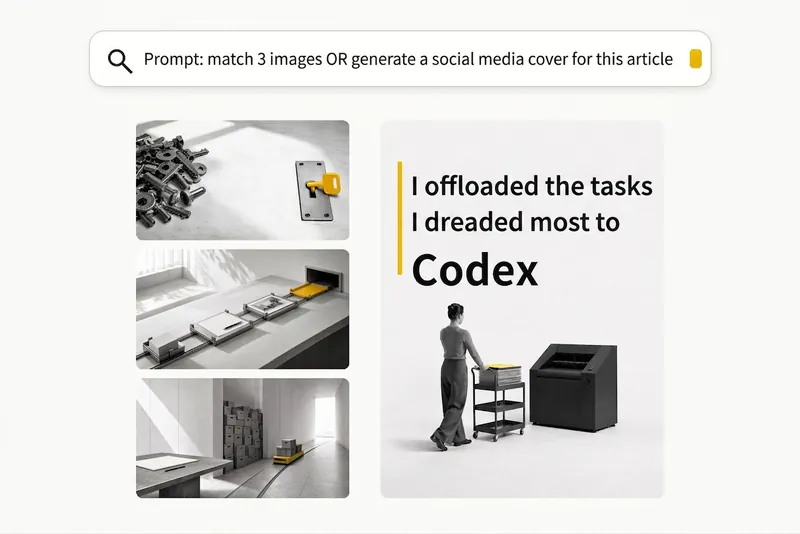 Image
ImageBlack-and-White Visuals
Create black, white, and gray visuals with small accents of yellow for WeChat Official Accounts, Zhihu, Xiaohongshu, Moments, profile pictures, and other platforms. Choose your preferred dimensions and generate 1–3 separate images per request. Images are text-free by default, with support for text-based Xiaohongshu covers. You can use it to: - Create three 16:9 text-free images for the article below: [paste article] - Turn “independent, calm, with a touch of loneliness” into a 1:1 profile picture. - Use this photo as a reference to generate a 3:4 refined black-and-white visual. - Generate a 3:4 Xiaohongshu cover with text titled: “At What Age Did Children in Ancient China Start School?”
Information
- Version
- v1
- Last updated
- Runtime credits
- Usage-based
- Models
- Auto
