Learning Path Planner
Learning Path Planner
Showcase
Description
Based on your learning goals, current level, available time, and preferences, this Skill uses deep search to find real learning resources and create a personalized, step-by-step learning path. It outputs a Kami-style interactive learning website with progress tracking, milestone checks, and direct links to resources.
Why we love this skill
This skill precisely captures user learning needs through a questionnaire format and can generate highly customized interactive learning websites. Its Kami design style and progress tracking features are particularly outstanding.
Instructions
## Step 1: Needs Gathering (Questionnaire-based, no typing required)
User learning profiles are collected through two rounds of askUserQuestion.
### Round 1 (Core Information)
Use askUserQuestion to ask questions in the following three dimensions simultaneously:
1. **Types of Learning Objectives**
- header: "Target"
- Options: Exam preparation / Skills enhancement / Career change / Interest exploration
2. **Current Level**
- header: "Horizontal"
- Options: Zero experience / Beginner (understand the concepts) / Some experience (can complete simple tasks) / Advanced (requires breaking through bottlenecks)
3. **Daily available time**
- header: "Time"
- Options: Under 30 minutes / 1-2 hours / 2-4 hours / Over 4 hours
### Second Round (Supplementary Information)
Use askUserQuestion to ask questions in the following three dimensions simultaneously:
1. **Specific learning direction** (allows users to input freely)
- Guide users to input specific areas of interest in the question, such as: Python programming, IELTS 7, CPA exam, UI design, etc.
- header: "Direction"
- Options: Provides several popular examples to choose from, while also allowing users to enter custom content.
2. **Expected Completion Period**
- header: "Period"
- Options: 1-month sprint / 3-month steady progress / 6-month in-depth development / 1 year+ long-term
3. **Learning Preferences** (Multiple selections possible)
- header: "Preferences"
- multiSelect: true
- Options: Video courses / Book reading / Practical projects / Community interaction
Once the data collection is complete, all information will be organized into a structured "learner profile" for use in subsequent steps.
## Step 2: In-depth resource search and path planning
### 2.1 Resource Search
Based on the user's learning direction and preferences, perform 2-3 searches using Google Search:
1. **Search for the best learning roadmap in this field**
- Query: "[Learning Direction] Learning Roadmap 2024 2025" or "[Learning Direction] Recommended Learning Roadmap"
- Extraction: Stage division, core knowledge points, learning order
2. **Search for specific learning resources**
- Search for relevant resources based on user preferences:
- Video courses: Search for popular courses on Coursera/Udemy/Bilibili
- Books: Search for highly rated books on Douban/Amazon recommended reading lists
- Practical projects: Search GitHub/practical tutorials
- query: "[Learning Direction] best [Resource Type] beginner/intermediate/advanced"
3. **Search Milestone Standards**
- query: "[Learning Area] Skill Assessment Checklist" or "[Learning Area] Competency Assessment Standards"
- Extraction: What level should be achieved at each stage?
### 2.2 Path Planning
Based on search results and user profiles, plan the learning path:
**Phase-based principle:**
- Based on the user's expected learning timeline, break down the learning process into 3-5 stages.
- Each phase includes: phase name, estimated duration, core objectives, specific resources (3-5), and milestone checkpoints.
- Resources must be genuine resources found through the search (with name, platform, and link).
- Milestones must be verifiable descriptions of specific capabilities.
**Time allocation principles:**
- Calculate the total study hours for each stage based on daily available time.
- Provide suggested weekly schedules (weekdays vs. weekends)
- Reserve 10% buffer time
**Output format (internal data structure, passed to Step 3):**
```
Learner profile: {goals, direction, level, time, frequency, preferences}
Path planning: [
{
Phase Name
Phase number,
Estimated duration (weeks)
Core objective description,
Resource List: [{Name, Type (Video/Book/Project), Platform, Link, Estimated Study Hours}],
Milestone: {Description, Verification Method}
}
]
Weekly suggestions: {Weekday schedule, Weekend schedule, Total weekly study hours}
```
## Step 3: Generate a Kami-style interactive learning website
Use the generateWebpage tool to generate an interactive learning path website.
The instruction parameter contains the following complete specification plus the specific learning path data generated in Step 2:
### Design System Specifications (Kami Design System adapted for learning scenarios):
**Color Scheme:**
- Page background: #f5f4ed (warm beige Parchment)
- Card background: #FAF9F5 (Ivory)
- Accent color/brand color: #1B365D (Ink Blue)
- Text color: #141413 (Near Black)
- Subtext color: #4D4C48 (Charcoal)
- Note color: #87867F (Stone)
- Border color: #D6D5CE (warm gray border)
- Progress bar complete: #1B365D (brand color)
- Progress bar not completed: #E8E7E2
- Success/Completion Status: #2D5016 (Dark Olive Green)
- In progress: #1B365D (brand color)
- Not started: #87867F (Stone)
- Tag Background: #E4ECF5
- All grays must be warm-toned (R≈G>B), cool blue-grays are prohibited.
**Font System:**
- Load Noto Serif SC and Noto Sans SC via Google Fonts
- Title: font-family: 'Noto Serif SC', Charter, Georgia, serif; font-weight: 500
- Text: font-family: 'Noto Sans SC', 'PingFang SC', sans-serif; font-weight: 400
- Data/Emphasis on Numbers: font-family: Charter, Georgia, serif
- Disable font-weight: 700/bold
**typesetting:**
- Line spacing: Heading 1.2 / Body text 1.5
- Chinese letter-spacing: 0.3pt
- Page max-width: 800px, centered
- Responsive, mobile-friendly
**Visual Rules:**
- Shadow: ring shadow (0 0 0 1px rgba(0,0,0,0.05)) or whisper shadow (0 1px 3px rgba(0,0,0,0.04))
- Rounded corners: 8px (default) / 12px (large card)
- Separator: 0.5px solid #D6D5CE or 2.5px solid #1B365D (brand vertical line)
- Emphasis method: Blue ink text or vertical brand line on the left
### Page Structure Requirements:
**1. Top Hero Area:**
- Learning Objectives Heading (Serif 28px)
- Key information tags in one line: Target type | Estimated duration | Daily time
- Overall progress bar (with percentage numbers)
- Statistics card row: Total resources / Completed / Current stage
**2. Stage Card Area (Core):**
- One large card for each stage
- Card header: Stage number + Name + Status tag (✅ Completed / 🔄 In progress / ⬜ Not started) + Estimated duration
- Card content:
- Core objective description (1-2 sentences)
- Resource List: Each resource is listed on a separate line, including an icon (📚Book/🎬Video/💻Project/👥Community) + Name (clickable link) + Platform Tag + Checkbox
- Milestone area: Highlighted with brand vertical lines and special style to describe the achievement of standards.
- Cards can be folded/unfolded (default is to unfold for the current stage, fold for the stage that has been completed).
**3. Weekly Learning Suggestion Area:**
- Concise time allocation suggestions
- Weekday vs. Weekend Schedule
**4. Bottom:**
- A small line of text: Powered by Learning Path Planning Master · Designed with Kami Design System
### Interactive Functionality Requirements (Pure Front-End JavaScript + localStorage):
1. **Checkbox state toggling**:
- Click the checkbox before the resource to toggle the completion status.
- Save the status to localStorage (key uses learning direction + resource name hash)
- Completed resources will display strikethrough + reduced transparency.
2. **Automatic progress calculation:**
- Overall progress = (Number of selected resources / Total number of resources) × 100%
- Stage progress = Number of stages selected / Total number of stages
- Progress bar animation transition (transition: width 0.3s ease)
3. **Automatic Update of Stage Status**:
- Select all resources within the phase → Status changes to ✅ Completed, automatically collapsed.
- If any item is checked during the phase → the status changes to 🔄In Progress.
- No checkmark → ⬜ Not started
4. **Fold/Unfold**:
- Clicking the card header will collapse/expand.
- With smooth animation
5. **Milestone Check Pop-up Window**:
- A milestone check prompt will pop up when all resources for a phase are completed.
- Display the milestone standards for this stage
Users can click "Achieved" to confirm or mark "Needs Further Consolidation" to indicate completion.
6. **Data Persistence**:
- All states are stored in localStorage
- Restore state after page refresh
- Provides a "Reset Progress" button (requires secondary confirmation).
### Content Fill:
Fill the above structure with the complete learning path data planned in Step 2. Ensure:
- Each resource's link is a real, accessible URL.
- Resource type icons are correctly matched
- The duration of each phase is consistent with the logic of the total cycle.
- Milestone descriptions are specific and verifiable.
### Technical Requirements:
- Pure HTML + CSS + JavaScript, single file
- No external dependencies (except Google Fonts)
- Mobile responsive
- Print-friendly
- Clean code with comments
Related Skills
View allLearning Plan Skill
Turn “I want to learn” into a systematic learning plan you can start today, with clear daily actions. Just provide your learning goal, current level, timeline, available study time, and learning preferences. The Skill will organize priorities around your real situation, identify strengths and gaps, and break your larger goal into verifiable milestones with clear criteria for measuring progress. The plan covers languages, programming, musical instruments, exams, fitness, and other skill-learning scenarios. It includes a prioritized knowledge framework, a phased roadmap, and daily execution templates tailored to weekday and weekend schedules. Each task specifies the learning content, practice method, time commitment, and completion standard. The plan also emphasizes combining input and output, helping you turn what you have “seen and heard” into skills you can actually use. It also organizes resources such as videos, audio, books, and tools according to your learning preferences, and verifies available links online. For challenges such as procrastination, losing motivation after a few days, perfectionism, lack of feedback, or unexpected interruptions, it provides safeguards to help you stay on track. The final deliverables include a Day 1 action checklist, a milestone review checklist, and a complete execution document. After you confirm the plan, it can also generate an offline-accessible HTML check-in tool for recording daily tasks, phase progress, milestones, and learning resources.
Your Personalized AI Learning Guide
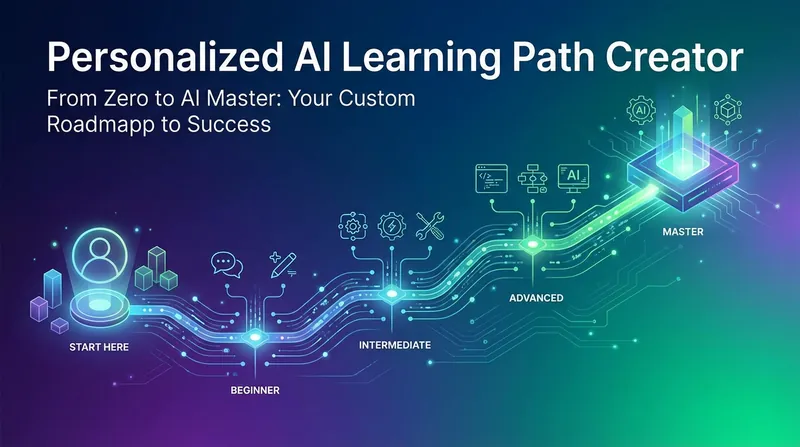
In the rapidly changing AI era, are you feeling lost about how to efficiently learn AI? "Your Personalized AI Learning Guide" can tailor a clear and actionable AI learning roadmap for you. It deeply understands your learning needs, technical background, and even potential anxieties, acting as a caring tech mentor to precisely navigate for you. Through intelligent conversation, this skill not only identifies whether you are a "goal-oriented" learner eager for systematic learning or a "direction-seeking" learner in need of guidance, but also gently guides you to clarify your learning direction and goals based on your specific situation. Then, it uses real-time web search and rigorous resource verification mechanisms to filter the latest and most authoritative learning materials from vast amounts of information, covering official documentation, high-quality tutorials, active open-source projects, etc., ensuring that the knowledge you acquire is both cutting-edge and reliable. Finally, you will receive a well-structured, actionable personalized learning plan. This plan breaks down learning goals into multiple specific stages, each with clear learning objectives, curated recommended resources, verifiable completion markers, and estimated time. More thoughtfully, the plan includes a "Micro-Action Starter" that guides you to immediately start a learning task "so small it's impossible to fail," and provides personalized mindset-building advice to help you overcome psychological barriers during the learning process. You can also choose to export this exclusive learning plan as a web page for viewing and sharing anytime, anywhere, giving you confidence and motivation on your AI learning journey.
 Research
AI Learning to Monetization
Create a personalized roadmap from AI learning to AI monetization, tailored to your skill level—from complete beginner to professional developer. The plan includes tiered learning paths (beginner, advanced, professional), hands-on projects, and monetization strategies, and generates a shareable visual webpage. Whether you want to learn AI tools, transition into the AI industry, boost your current workflow, or develop AI products for a side hustle or full-time career, you'll find the right learning path.
Information
- Version
- v3
- Last updated
- Runtime credits
- Usage-based
- Models
- Auto
