
Create Executive Presentation
From analysis to an executive Slides deck
Create Executive Presentation
From analysis to an executive Slides deck
Showcase
Description
Transforms an analytical document (report, calculation memo, study, or notes) into an executive Slides presentation for senior leadership: reads the material, defines the storyline, chooses the visual style, generates a 3-slide preview, and composes the final deck on the board.
Best for
Management teams, consultants, and analysts who need to turn complex information into presentations that support decision-making.
How to use this Skill
Provide your input
Provide an analytical document, such as a report, study, calculation memo, data sheet, or notes. You may also include the objective, audience, and a visual preference.
Run the Skill
The tool turns the content into an executive storyline, creates a visual preview for validation, and, after approval, composes the complete presentation.
Review your result
Receive an executive Slides deck and its corresponding storyline document, with a structured narrative, traceable data, and a consistent visual identity.
Related Skills
View all Slides
Presentation Architect PRO
Presentation Architect PRO turns any idea, document, business problem, research topic, or dataset into a complete, research-grounded presentation. It analyzes the objective, audience, and language; writes a short brief and states its assumptions; verifies material claims against trustworthy sources and cites them; selects the most suitable narrative framework (executive strategy, investor pitch, scientific research, sales, or educational); designs the deck slide by slide with an insight-driven headline, one key message, concise content, a recommended visual, design direction, speaker notes, and evidence; applies a premium visual system with an audience-appropriate theme; handles data visualization honestly; and self-audits across ten quality dimensions. The finished, editable deck is generated natively in YouMind. Supports operating modes such as /pitch, /executive, /research, /finance, /teach, /sales, /redesign, /document, /compare, and /keynote.
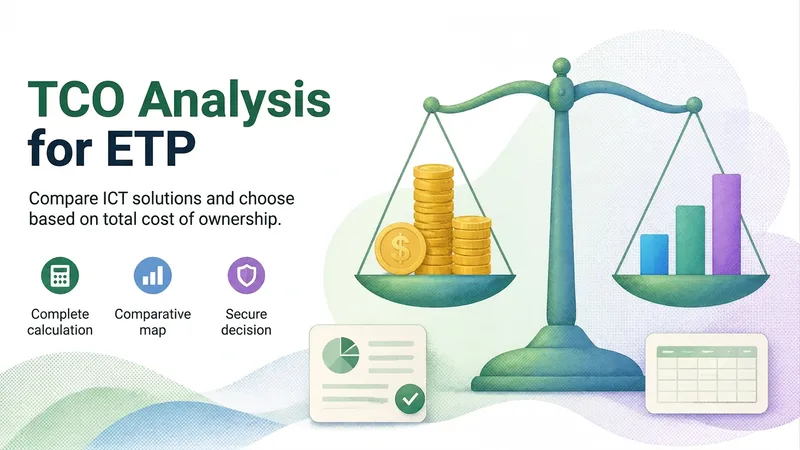
TCO Analysis for ETP (SGD/AGU)
Calculates the Total Cost of Ownership (TCO) of one or more ICT solutions in accordance with SGD and AGU requirements (Law No. 14,133/2021, IN SGD/ME No. 94/2022, IN SEGES/ME No. 65/2021, and IPPC-TIC/AGU), based on the provided attachments. Classifies costs as direct or indirect and fixed or variable; defines and documents the technique used to allocate indirect costs (simple allocation, stepped allocation, or activity-based costing—ABC), along with the corresponding cost driver; and organizes costs into the Acquisition/Contracting, Operation/Execution, Disposal/Transition, and Risks blocks. When indirect costs are not included in the attachments, estimates them parametrically based on the unit's size—using the estimated number of assets and users on a 1:3 scale (1 device for every 3 on-site employees)—and documents this as an assumption. Consults the latest ICTI from IPEA available on the research date to update values to the base date and project costs over the life cycle, using the Selic rate as the discount rate (NPV; and IRR/Payback when the cash flow allows). Delivers a report ready for items 11, 11.1, and 11.2 of the ETP, including cost classification, the allocation technique, and a clear, defensible executive decision table, as well as calculation records in tables/CSV using the SGD spreadsheet format.

Brand Builder
A Skill that creates complete brand branding: defines the brand essence, develops the logo concept, selects colors and typography, suggests practical applications, and generates an image prompt for mockups.
Information
- Version
- v3
- Last updated
- Runtime credits
- Usage-based
- Models
- Auto
- Use cases
- Presentations & reportingBusiness & strategy
- What you get
- DocumentSlides
- Visual styles
- MinimalistEditorialCorporate
