American Comic Art Generator
Turn text or photos into comic-style art
American Comic Art Generator
Turn text or photos into comic-style art
Showcase
Description
Transform written ideas, portrait photos, or ordinary images into illustrations with a distinctive American comic-book style. Create profile images, character posters, scene concept art, and comic-inspired visuals. From superhero action and character portraits to atmospheric city scenes, the skill preserves the subject’s defining features and visual focus while adding the energy of American comics. Choose a classic, modern, or cartoon American comic style, or provide a favorite comic artist or work as a visual reference. If you have no specific preference, the system selects a suitable comic sub-style based on the subject, action, and mood. The composition can be adapted for profile images, character illustrations, banners, or posters, with visual elements such as bold black linework, halftone textures, dramatic lighting, motion lines, and a comic-panel feel. For portrait photos, the skill aims to preserve facial features, recognizability, and the subject’s overall appearance. For ordinary images or illustrations, it redraws the core content in an American comic style while keeping the main subject intact. After generation, it also considers subject consistency, stylistic expression, and compositional balance, and provides the finished comic-style image along with a brief explanation of the style and composition.
Recommended by
Dancang
Why we love this skill
Transforms text, photos, or ordinary images into distinctive comic art while matching classic, modern, or cartoon styles and balancing likeness, composition, dynamic lighting, and professional visual impact.
Related Skills
View all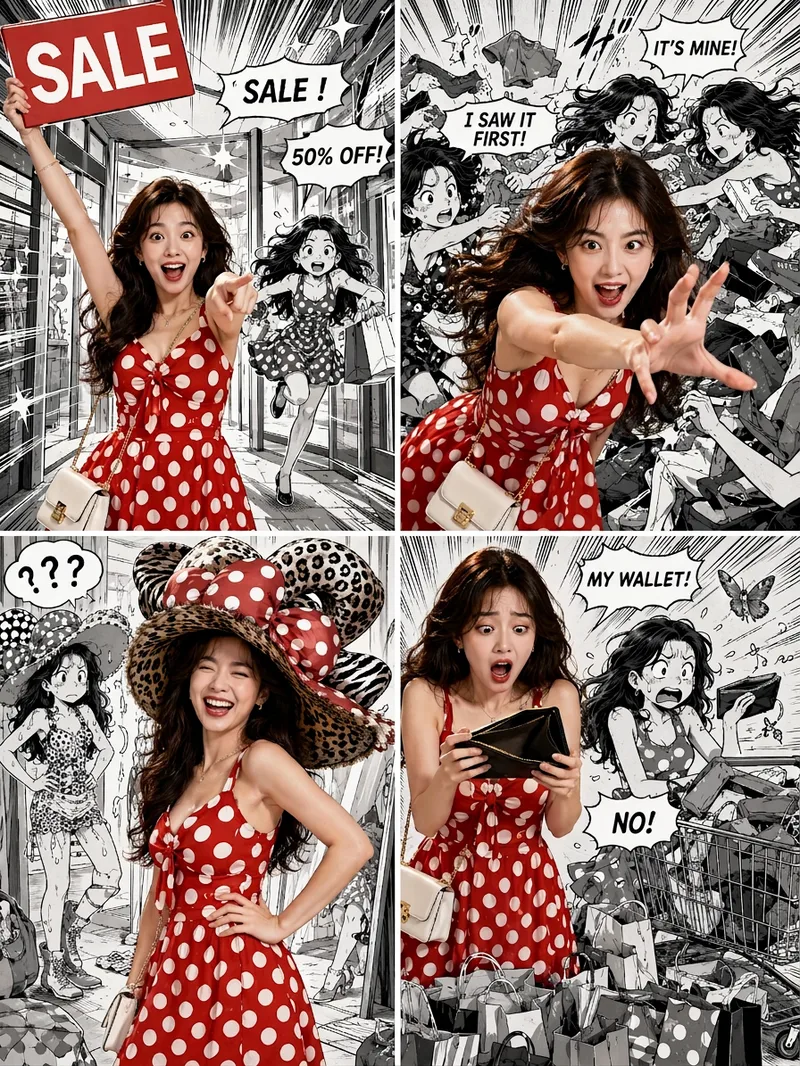 Image
ImageViral Comic Selfie
Turn a photo of a person into a story-driven four-panel pop comic: preserve the character’s facial features, hairstyle, skin tone, body type, and overall presence, with the same protagonist appearing across four connected scenes. The finished image uses a 3:4 portrait 2×2 collage layout, with each panel in a separate 3:4 frame and divided by thin white borders, creating a striking contrast between “realistic, colorful character × black-and-white comic storyboard backgrounds.” You can upload one or more photos and specify a theme, plot, four-panel beats, style, or text for speech bubbles and signs. The Skill organizes connected scenes from opening to climax, turning point, and ending, and aims to render the specified text accurately. If you upload only photos without additional instructions, it creates a fitting four-panel story based on the environment, lighting, occasion, and the person’s presence in the photos. Without a photo, it can also generate a consistent, realistic protagonist. The final deliverable is always one four-panel collage image rather than separate finished images, accompanied by a description of the theme and scene beats. You can continue refining the story theme, four-panel pacing, or text in the image, or recreate an enlarged version of a specific panel while preserving the character’s appearance.
 Image
ImageJapanese Ukiyo-e Woodblock Art
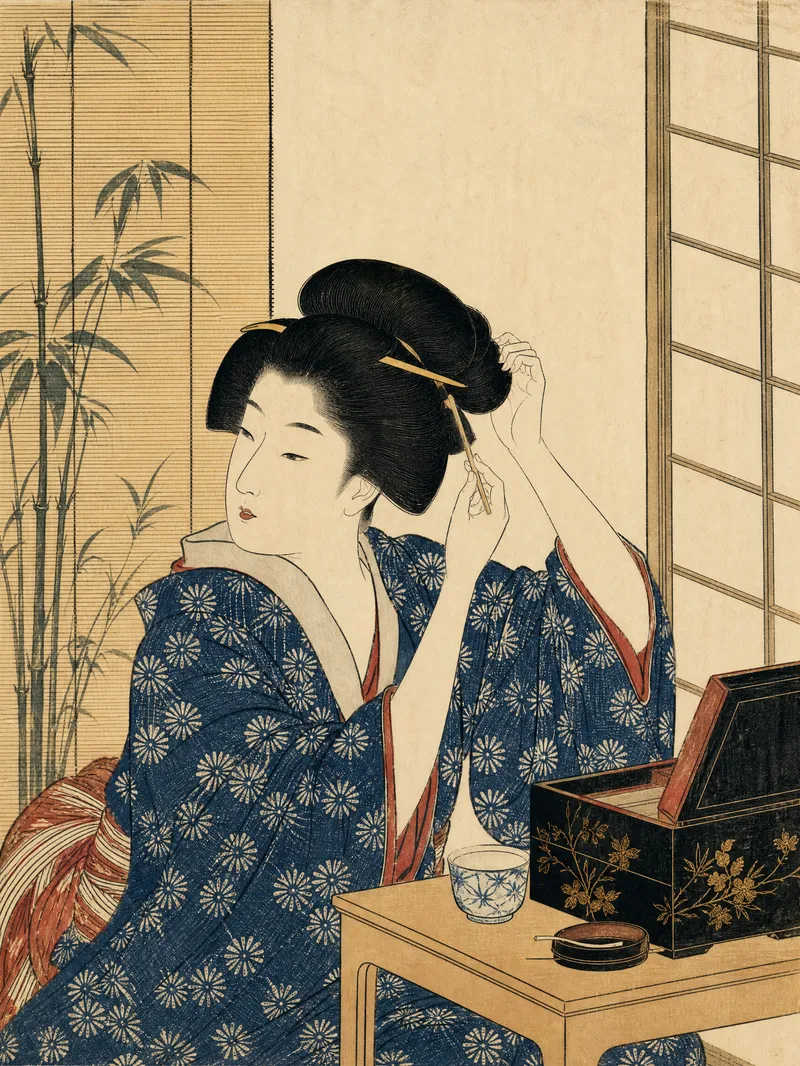
Turn text descriptions or photos into images with the traditional character of Japanese ukiyo-e woodblock prints. Preserve a person’s core identity, posture, and relationship to the setting while translating poetry, stories, and the mood of nature into clear visual narratives. Whether you’re creating a portrait, landscape, seasonal scene, or vertical image for social media, the composition will use an appropriate aspect ratio and visual focus. The artwork emphasizes asymmetrical composition, layered foreground, middle ground, and background, generous negative space, diagonal visual guidance, and expressive moments of movement and emotion. Natural atmosphere—such as rain, snow, mist, wind and waves, moonlight, mountains and water, pine and bamboo, and cherry blossoms—is highlighted without meaninglessly piling on symbols like samurai, Mount Fuji, or shrines. Photo inputs receive a moderate simplification of realistic lighting while preserving recognizable facial features, age, body type, clothing, and posture. The final image features clear, flowing black outlines, flat color blocks, restrained traditional tones such as indigo and ochre, and the texture of paper fibers, woodblock impressions, and hand-printed registration. It avoids photorealism, modern anime, 3D rendering, cyberpunk, and heavy oil-paint effects. Unless explicitly requested, no text, titles, captions, or watermarks will be added.
 Image
ImageReal-Person Doodle Portrait
Blend your real-person photo into a room or scene drawn with bold hand-drawn lines, creating a creative portrait that places a real person alongside a doodle environment. The person retains realistic photographic texture, facial features, clothing, and lighting, while the environment uses monochrome marker sketches to outline furniture, walls, and spatial contours. The result creates a striking visual effect of a “real person floating in a line-art world,” making it suitable for profile pictures, social cards, and stylized portrait artwork. You can upload a headshot, half-body photo, or full-body photo, then describe the living room, bedroom, study, café, studio, balcony, or other scene you want, along with the person’s clothing, pose, and expression. If you only have a headshot, the image can complete the body and place it in the specified space. If the original photo already includes a real environment, you can also keep the person unchanged while converting the background furniture, floor, walls, or street scene into a simple doodle line drawing, while maintaining the original composition. Deep ocean blue, burgundy, charcoal black, and other line-art colors are supported, with suitable aspect ratios matched to indoor portraits, open outdoor scenes, sports, or spacious environments. The setting will not be filled with excessive detail. Instead, it selects a few key objects and preserves negative space, making the contrast between the real person and the hand-drawn room clearer and more thoughtfully designed.
Information
- Version
- v4
- Last updated
- Runtime credits
- Usage-based
- Models
- Auto
