I'm going to show you exactly how to build a working AI trading bot from scratch.
Whether you trade stocks or crypto, by the time you're done reading, you'll have a fully functional trading bot that can execute real trades on your behalf.
It took my dev team and me weeks of research and testing to get this right, and by reading this article, it will literally take you 1/10th of the time it took us to build a proper bot.
At the very end of this guide, I've also attached a free PDF that condenses this entire article. You can plug it straight into Claude or Codex to start building your first bot.
Stick around until the end, and I'll share it with you directly.
Contents
- AI Trading Bots Explained
- Why Most Bots Lose Money (mistakes to avoid)
- Options For Deploying Bots
- Step 1: Set Up
- Step 2: Engineering a Strategy
- Step 3: Giving Your Bot Memory & Context
AI Trading Bots Explained
Before we dive into the step-by-step process for actually building a bot, you need to understand what a trading bot is actually meant to do.
A trading bot is meant to do only two things:
- Automate repetitive strategy
- Handle execution better than a human
Most traders lose because of execution, and that's why building a bot is so powerful.
Even for me in my own trading, many times I'd have the right setup, but minor things would prevent me from actually executing (for example, being away from my desk).
A bot is essentially meant to close that gap and simply execute based on parameters you've defined.
The other core piece is that a good bot learns over time. It should get smarter with every trade and, ideally, have reflection loops built in.
The basic loop
Every trading bot runs the same core loop:
Set parameters → Execute based on those parameters → Learn from the outcome → Repeat
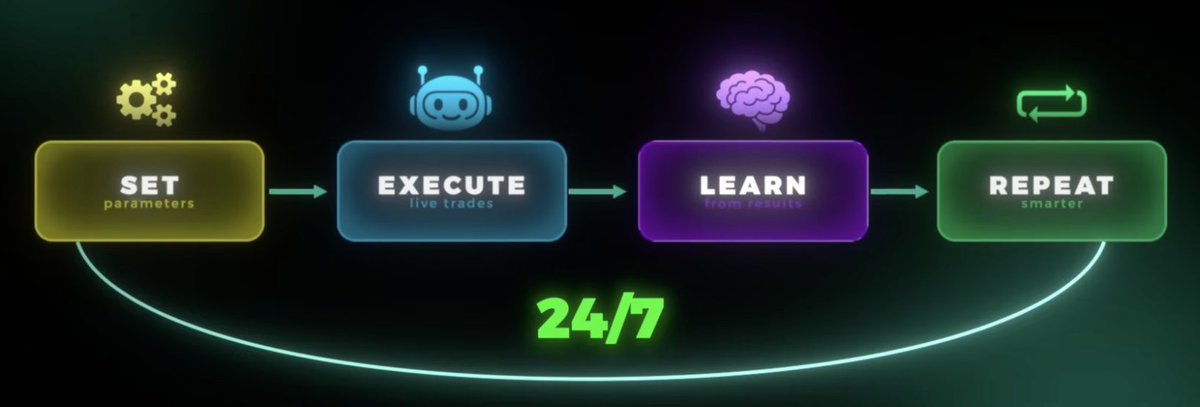
Trading bots loop
This isn't a full replacement for discretionary trading
I want to be clear about this upfront. A trading bot is a great attachment to your trading, but not a replacement for it.
You still need to bring the discretionary ideas and market edge so your bot knows exactly what it's following.
Building a trading bot is for those of you who already have a strategy but need help with execution.
If you're struggling to find a profitable trading strategy, read this:
https://x.com/milesdeutscher/status/2075615711150608468
In today's article, I'm more focused on actual execution.
Why Most Bots Lose Money (avoid these mistakes)
In my experience, trading bots fail in one of four ways:
- No memory system: Doesn't iterate on its past trades (wins/losses)
- No goals: No clear parameters
- Poor forecasting: Only trained on past price data, with no ability to adpat to future conditions
- No edge: The biggest reason. 99% of trading bots fail simply because they lack a market edge and are literally built to fail as a result.
If you avoid these four crucial mistakes, you'll be able to actually build a profitable trading bot.
Options For Deploying Bots
Now, let's cover your options for actually building and deploying a trading bot.
Each option has pros and cons, and which you choose really depends on your skill level, trading experience, and goals.
- Buying a Pre-Built Bot
This will mainly take the form of integrated bots on exchanges such as Binance and Blofin.
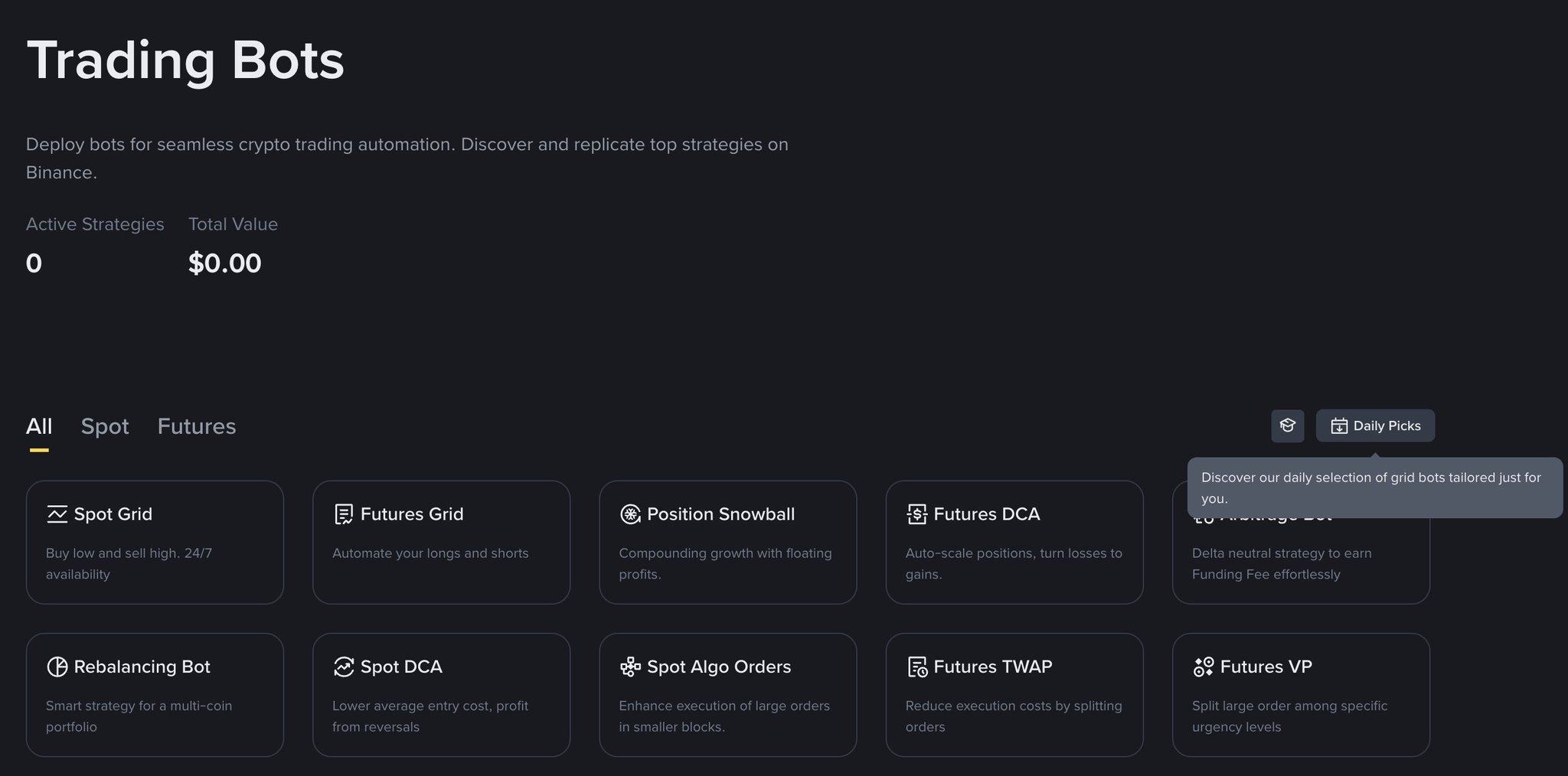
Binance pre-built bots
These bots come with full strategies and are quite easy to use as they're already integrated directly into exchanges.
Cons: Forces you to use an exchange you may not like, offers limited personalisation, & can incur hefty fees.
This option is probably ideal for those of you dipping your toes in the water or who want to test light trading automation solutions.
- No Code Platforms
These platforms allow you to bring your own custom agent and plug directly into an exchange's infrastructure.
Think platforms like Composer and Robinhood.
A good balance between ease of use and personalisation.
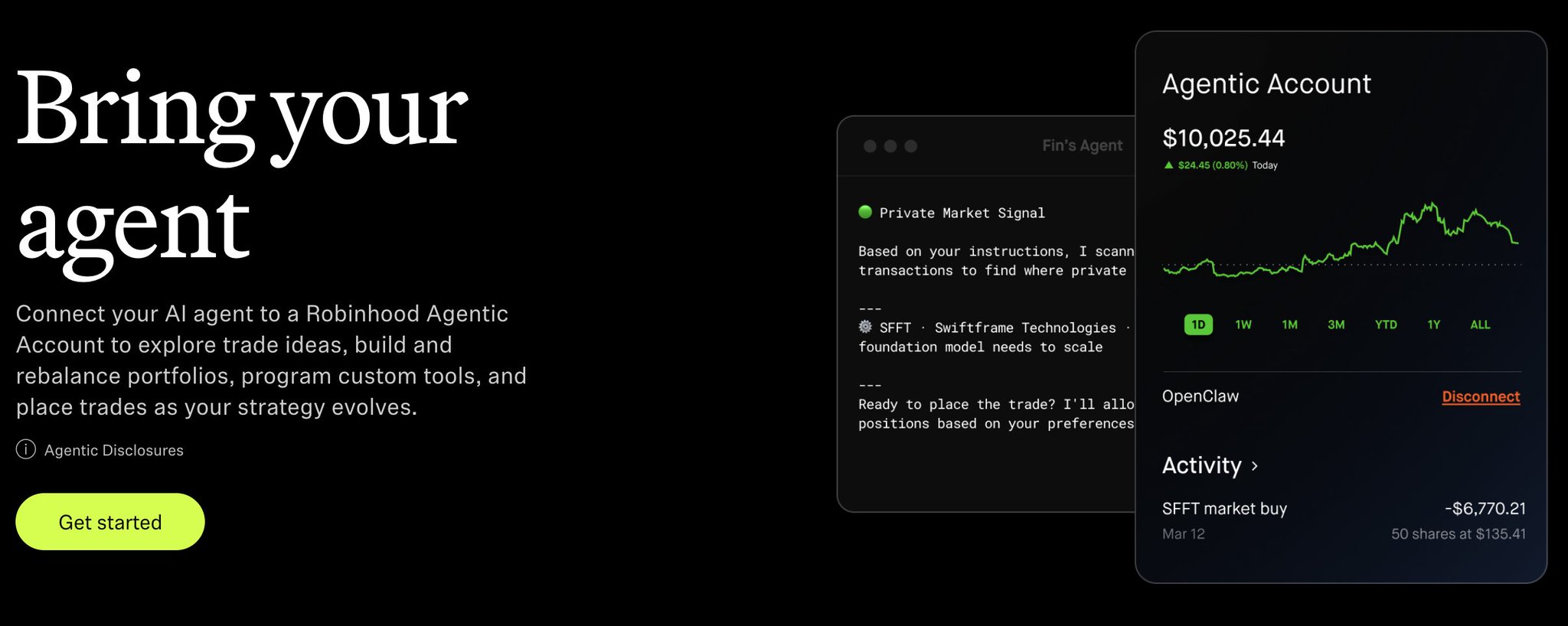
Robinhood agents
These bots are good for things like basic grid bots, DCA bots, and general portfolio management agents.
The cons here are that you'll likely hit your ceiling quickly in terms of running a fully autonomous bot, and if you're someone who wants full automation, you need to look at option three.
- Building Your Own Bot
Your last option is to build your own bot.
This might sound intimidating, but it's actually quite simple, and I'll run you through my entire framework here (3 steps):
Step 1: Set Up
Whether you're trading stocks or crypto, the general architecture of a trading bot will be the same:
- The brain: This is what actually strategises your trading.
For this, an LLM like Claude/Codex is best.
- The hands: This is what actually executes your trades.
This is primarily done through an MCP connection.
For stocks, one of my personal favorite MCPs is the Alpaca connector.
Alpaca is completely free and has paper trading, which is great.
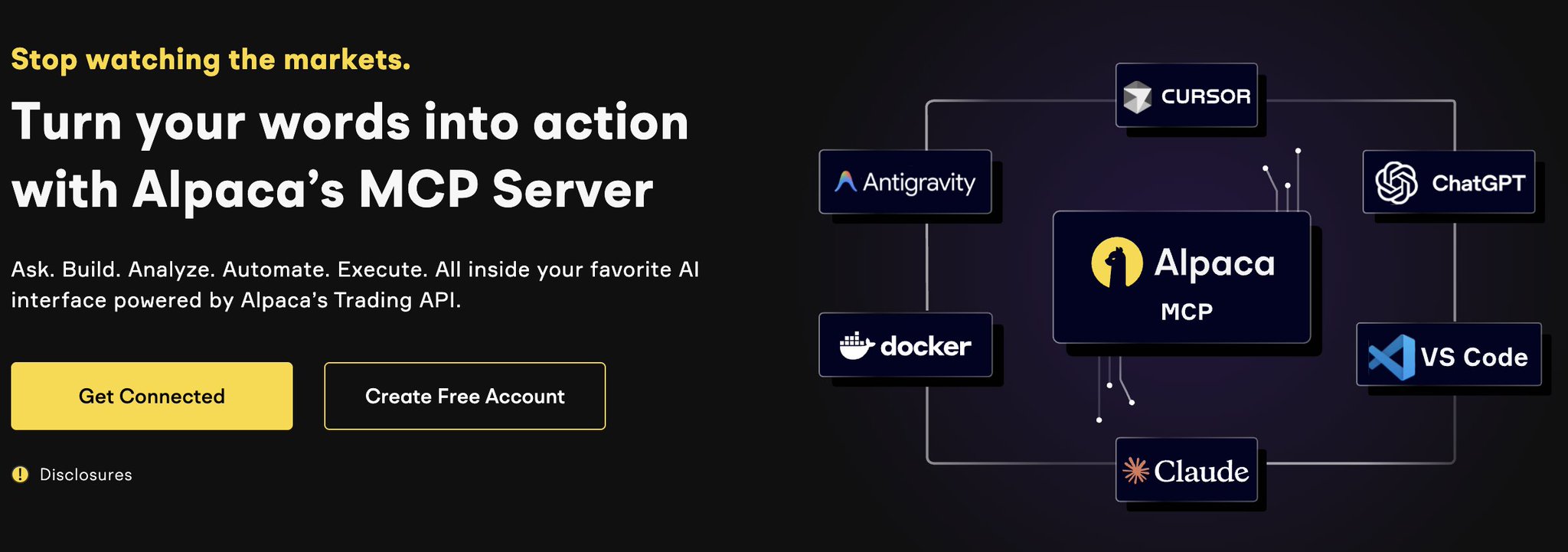
Alpaca MCP
To connect this MCP, it's a three-step process:
- Sign up for an Alpaca account
- Grab API key
- Plug API key into Claude
And for crypto, it's the exact same process.
Go to your exchange (Blofin, Binance, Bybit, etc), grab your API key, and plug it into Claude with a prompt like:
"I want to automate my trading with the Blofin MCP, connect my API key [insert key], and build a dashboard to manage my trading."
My trading bot dashboard
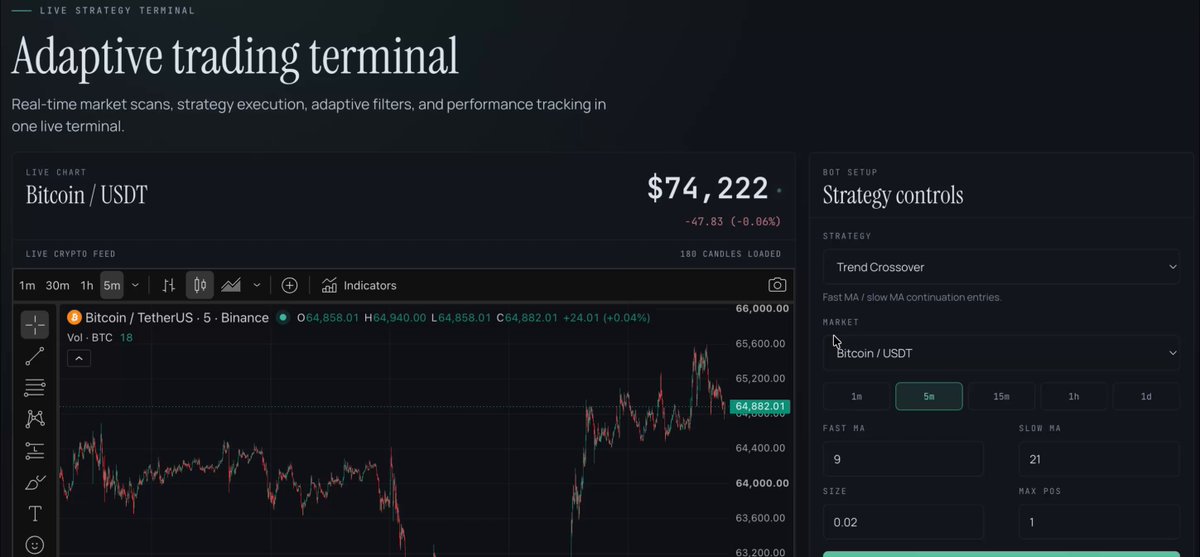
My trading terminal dashboard \real output\
Safety
Some notes on safety:
- Start with paper trading
- Create a subaccount on your exchange that doesn't have all your funds
- Protect your API key
Step 2: Engineering a Strategy
As we covered earlier, AI bots are only built for execution.
You need to clearly define your trading rules, entry/exit rules, ideal trading timeframes, and so on.
For this, I recommend opening a brand new Claude chat and just completely brain-dumping your strategy.
Prompt Claude:
"Create a markdown file of my entire trading strategy based on [brain dump]."
Then, take Claude's response and plug it into your dashboard setup from above.
The good news here is that you can connect the TradingView MCP to Claude and backtest profitable strategies in real time.
This prompt will directly connect Claude + TradingView MCP:
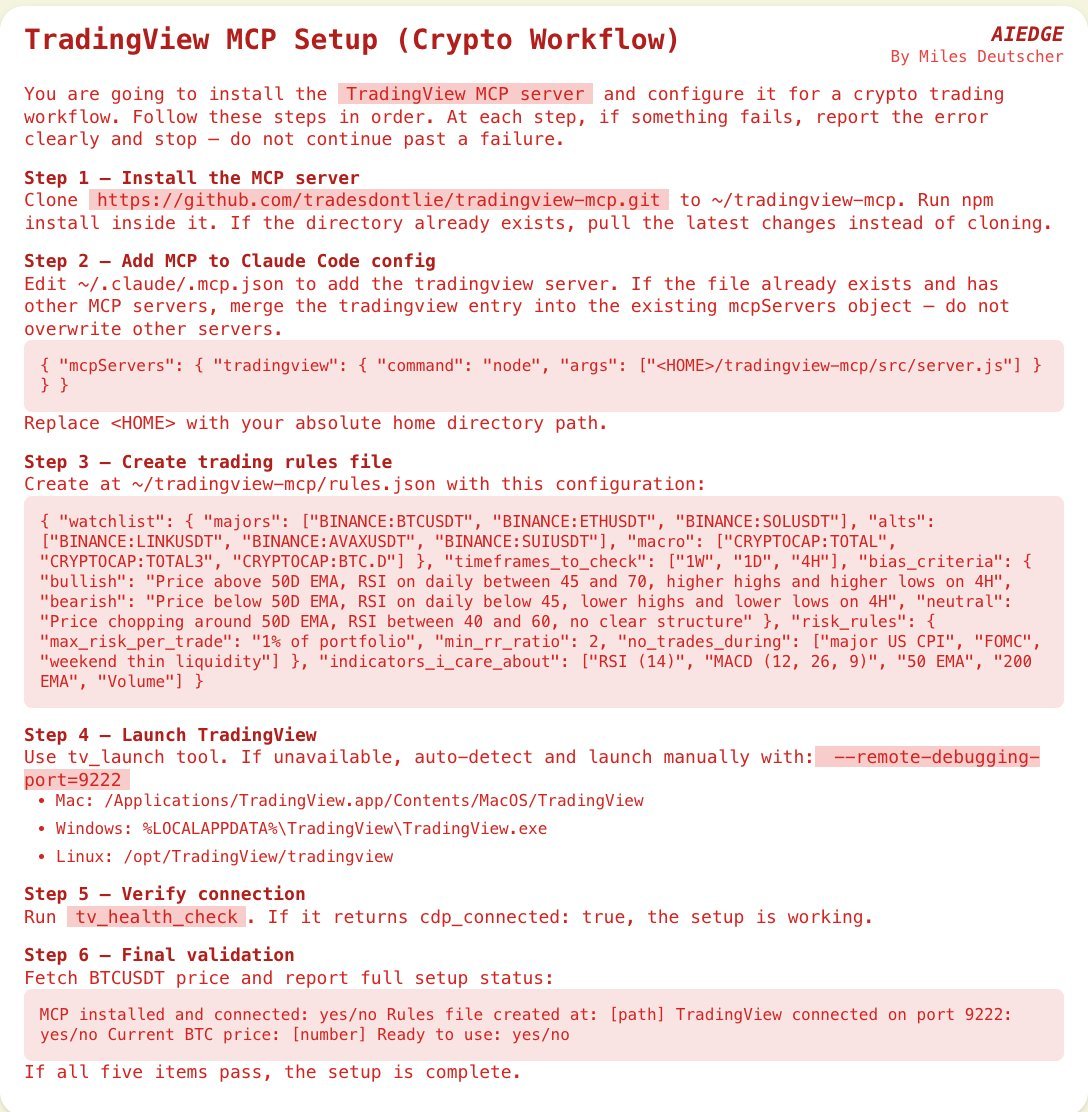
Claude + TradingView prompt
I recommend creating a new Claude project and using the TradingView MCP to ask Claude questions, go back and forth, dive deep into price data, and really spend time engineering a good strategy.
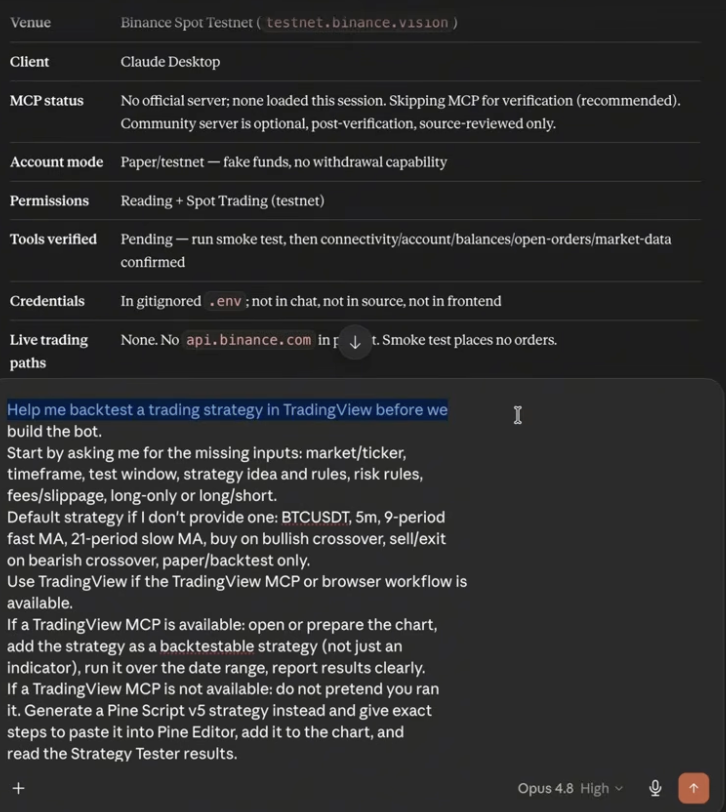
Backtesting with TradingView + Claude \example\
Step 3: Giving Your Bot Memory & Context
This is the most important step.
Without a proper memory and context system, your bot will simply execute the strategy you outline, but it won't actually critically reflect on what's working and what's not.
To give your bot proper memory, you want to create a two-file system on your local desktop:
- Trade Ledger
This is a running log of all your trading data.
Prompt Claude:
"Create a markdown file on my desktop that logs every single trade, including the price data, time of entry, entry & exit, and any other important data. The goal is to use this data to improve our trading strategy over time."
- Learning file
This is a file that tells Claude to reflect on the executed trades.
Prompt Claude:
"Create a second markdown file where you actively reflect on the data provided in the trade ledger and proactively suggest improvements to the trading strategy."
Cloud Memory
For those of you looking for a more advanced memory system, you can consider setting up a cloud memory system on something like Supabase or Supermemory and connecting it directly to Claude.
This allows your memory to be stored as a complete database rather than just local files (though local files work perfectly fine, too).
Supabase
I specifically recommend cloud memory if you're a high-frequency trader or make many trades, as it can handle large amounts of data better than local storage.
Some final advice
I've mentioned it above, but I highly recommend paper trading first and giving yourself at least a week to set everything up properly.
Test some strategies, set up a memory system, iterate, etc.
There is no need to rush your bot build. In fact, it's best to spend more time on strategy and getting things right, since AI has made the actual building component very simple.
Closing
I hope you've found this article helpful.
If you did, be sure to follow me here @milesdeutscher - I regularly share content about how I'm using AI in the markets.
As promised, I built a 17+ page PDF that covers everything discussed here.
It includes starter prompts, builder tips, & the full framework.
Grab it for free here:
https://milesdeutscher.com.au/ytxrbu
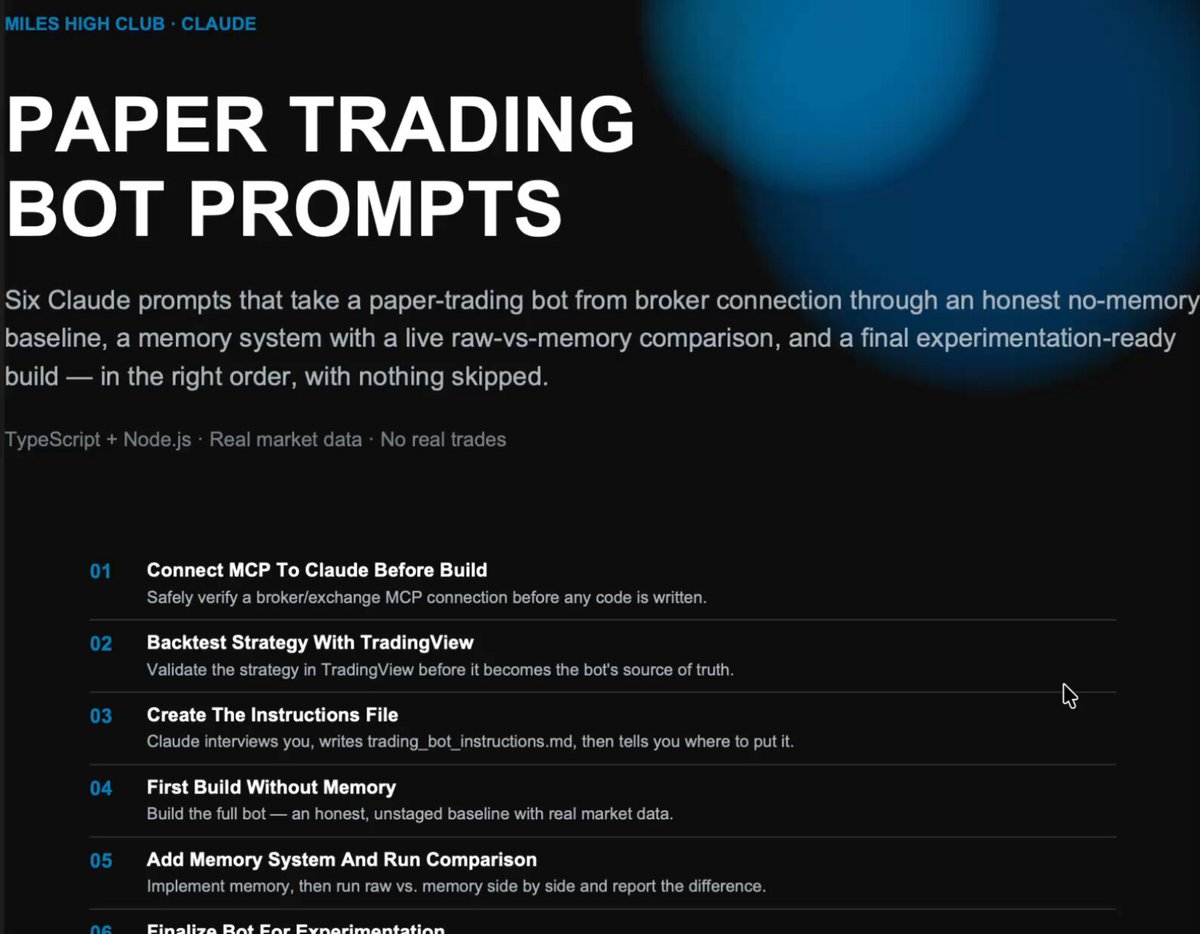
Free PDF Guide
Lastly, for deeper AI insights and content, follow me over on @aiedge_.
Thank you for making it this far.
-Miles