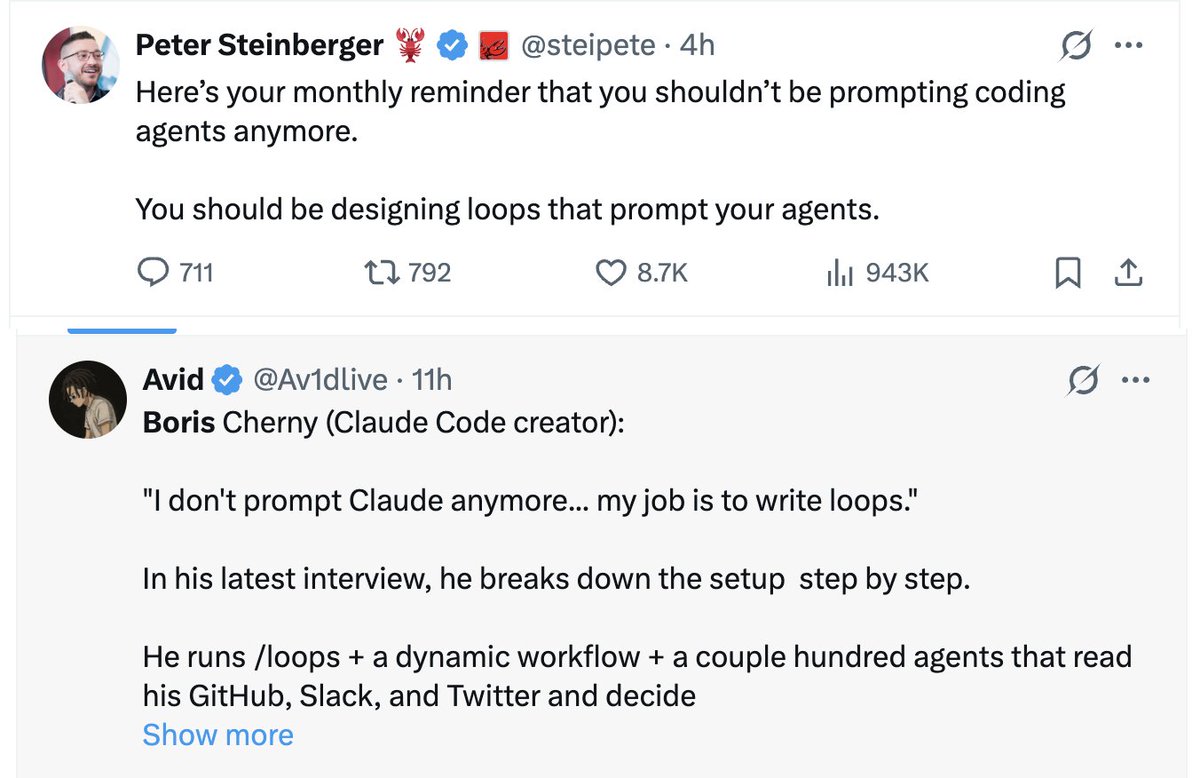
Two of the most senior AI engineers alive said the same thing last month.
Peter Steinberger, creator of OpenClaw, now at OpenAI:
"You shouldn't be prompting coding agents anymore. You should be designing loops that prompt your agents."
Boris Cherny, head of Claude Code at Anthropic:
"I don't prompt Claude anymore. I have loops running that prompt Claude and figure out what to do. My job is to write loops."
Most people read that and thought: what does that actually mean?
And more importantly: how do I build one?
This article tells you exactly how.
The way most people use AI is already outdated
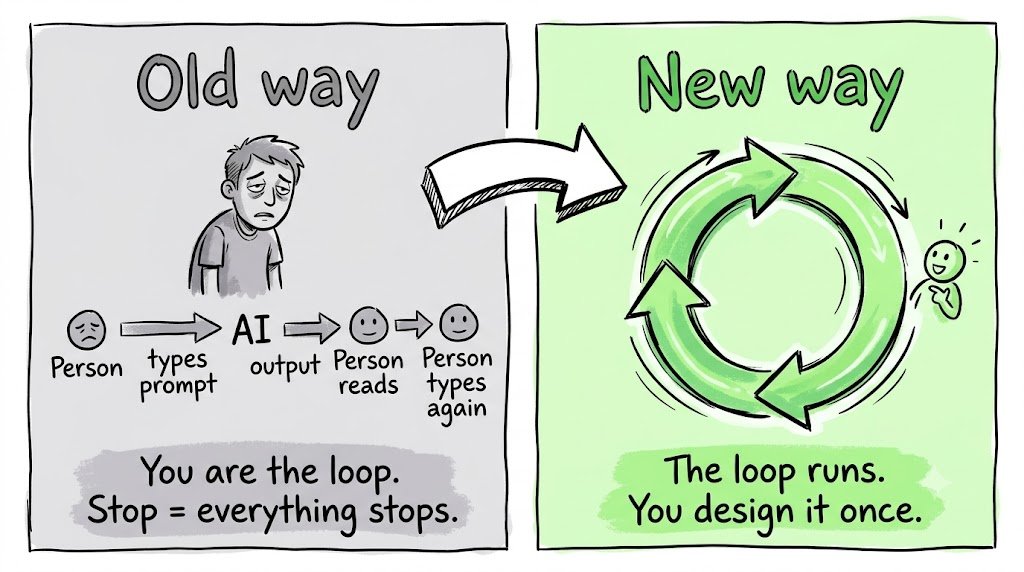
Write prompt. Wait. Read output. Fix it manually. Write another prompt.
You are the loop.
Every step runs through you. The AI waits. You decide. The AI waits again.
The moment you stop, everything stops.
The builders moving fastest in 2026 are not writing better prompts.
They are building systems that do the prompting for them.
The leverage point has moved.
From typing prompts → to designing loops.
What a loop actually is (Define this before we go further)
A prompt is a question.
You ask. The model answers once. Done.
A loop is a job.
The agent keeps working, checks its own progress, and keeps going until the task is actually finished.
Not until it generates an answer.
Until it reaches a verified outcome.
That repeat-until-done cycle is the loop.
And it is the engine inside every AI agent you have ever used.
Claude Code. Cursor. Codex.
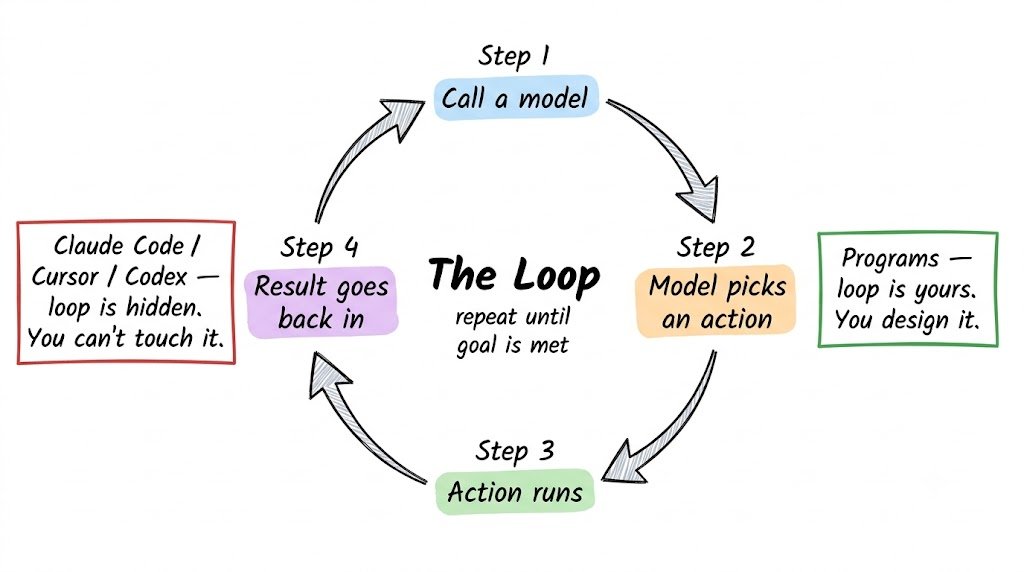
Underneath, they all work the same way:
→ The agent calls a model
→ The model picks an action
→ The action runs
→ The result goes back to the model
→ It repeats until the goal is met
The loop is what makes an agent an agent instead of a single reply.
In every one of those tools, the loop is fixed and hidden.
You do not get to open it. You do not get to change how it works. You get whatever the tool decided the loop should be.
That is about to change.
Program by Slate (Next stage of Loops)
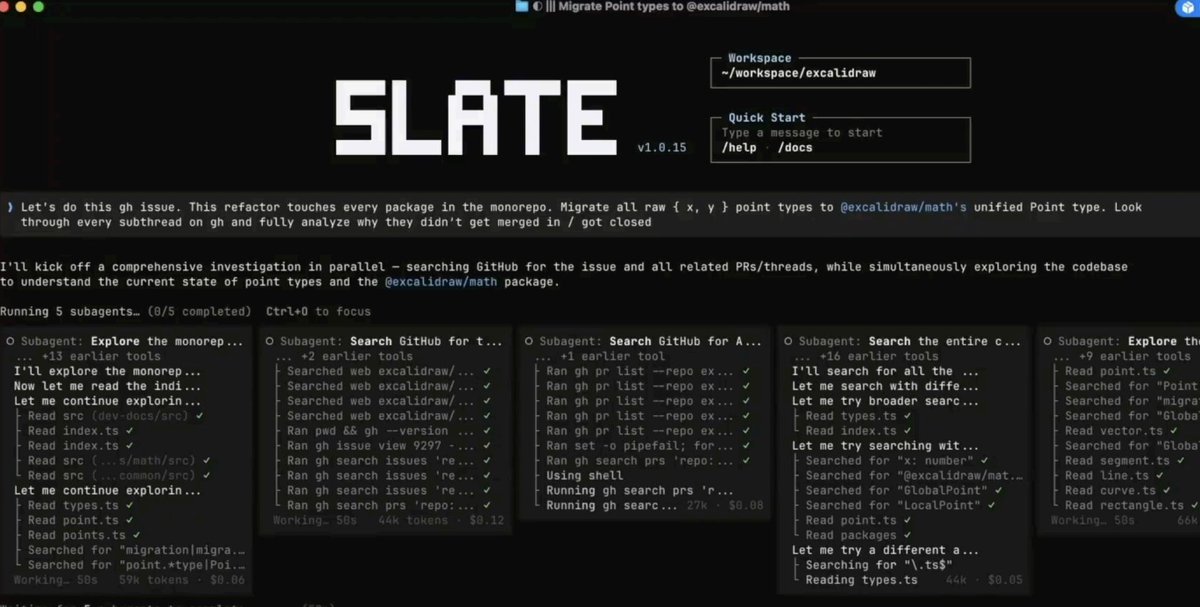
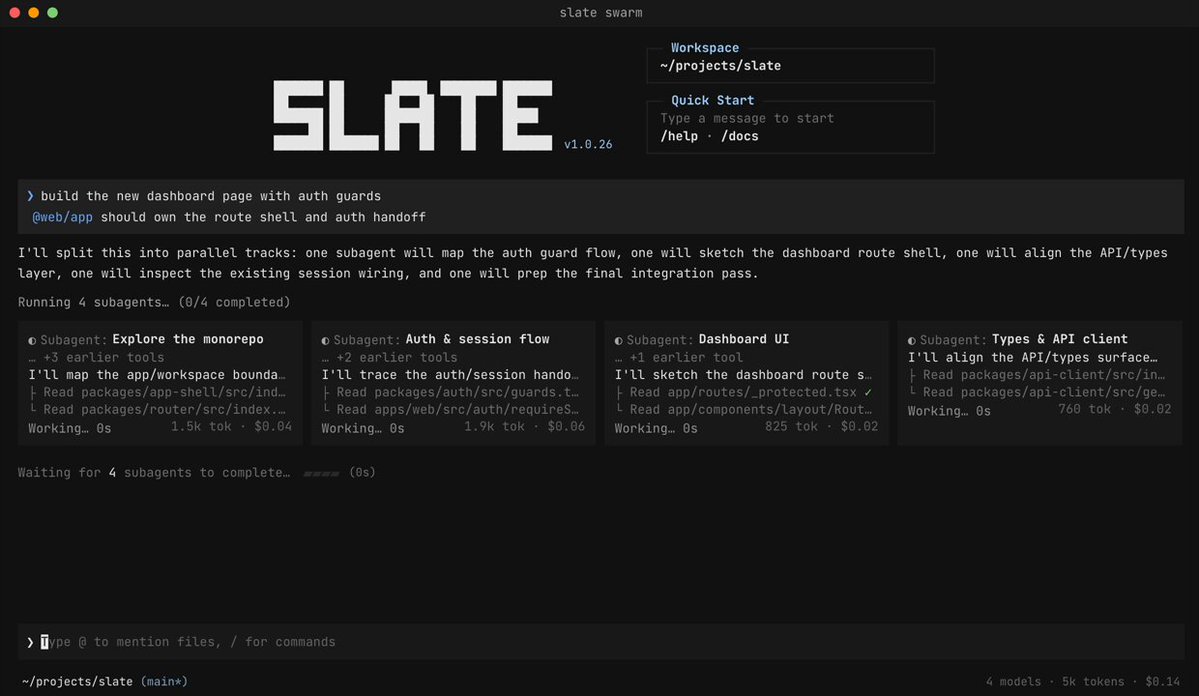
Slate is a CLI for running AI agents that actually fan out. Instead of one assistant working through a task step by step, Slate spins up independent threads that run in parallel.
Programs let you author your own agent workflows: pick any model per task, give the agent real software to use, and control the loop yourself rather than relying on a black-box “managed agent.”
A Program is that loop — except it is written in JavaScript and Slate runs it for you.
You decide:
→ What happens on each step
→ Which model handles which step
→ What the loop checks before it continues
→ When it stops
So a loop is the idea — keep working until done.
A Program is how you build one in Slate
If you can describe the steps, you can build the loop.
Think of it like Minecraft.
Minecraft doesn't give you a fixed path through the game.
It hands you blocks and says: go build whatever you can picture.
Programs work the same way.
Here are the blocks you can wire together:
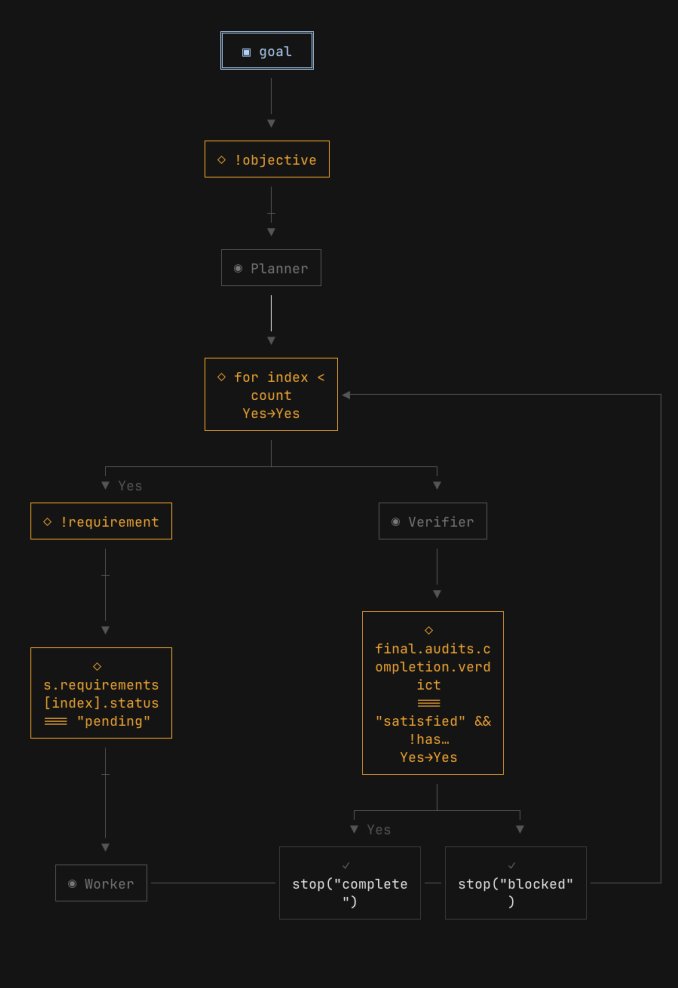
→ A goal input — define the objective and success rubric
→ A planner — researches and breaks the job into steps
→ Worker blocks — execute each step
→ Verifier blocks — check execution without bias
→ The loop itself — runs for each step, repeats until the goal is met
→ Model selection — cheap fast model for easy steps, frontier model for hard thinking
→ State — persistent memory across sessions
→ Stop conditions — how the program knows when to exit
Once a few blocks work together, Slate can self-diagnose the program and add more blocks.
The loop gets smarter over time.
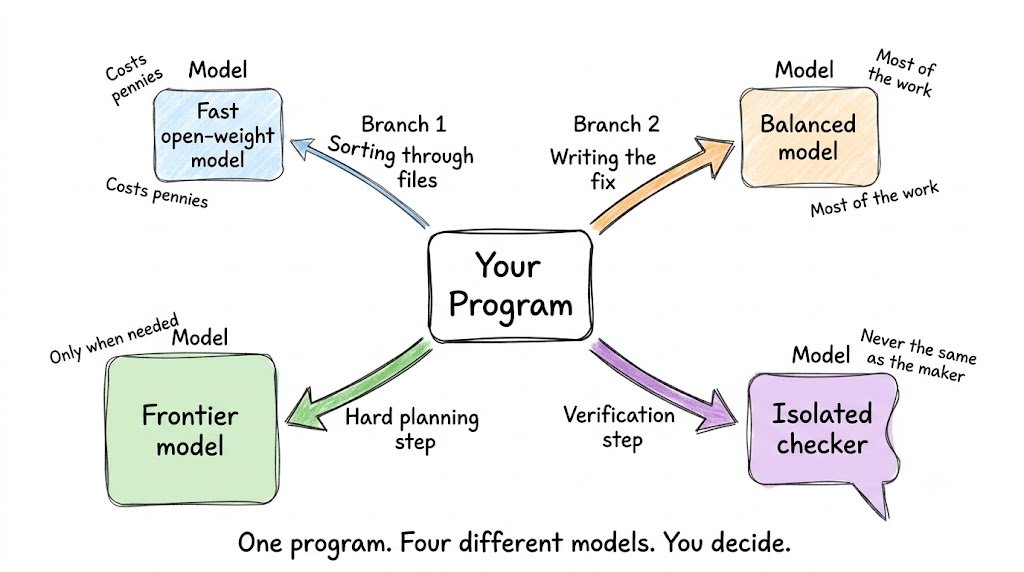
Why this matters: any model, any step
Inside a single Program, you can use any model on any step.
A cheap open-weight model for sorting through files.
A stronger frontier model for the hard reasoning.
Whatever fits the step.
This includes open-source models.
Most agent tools lock you to one model for everything.
Programs don't.
You are the engineer.
You decide what runs where.
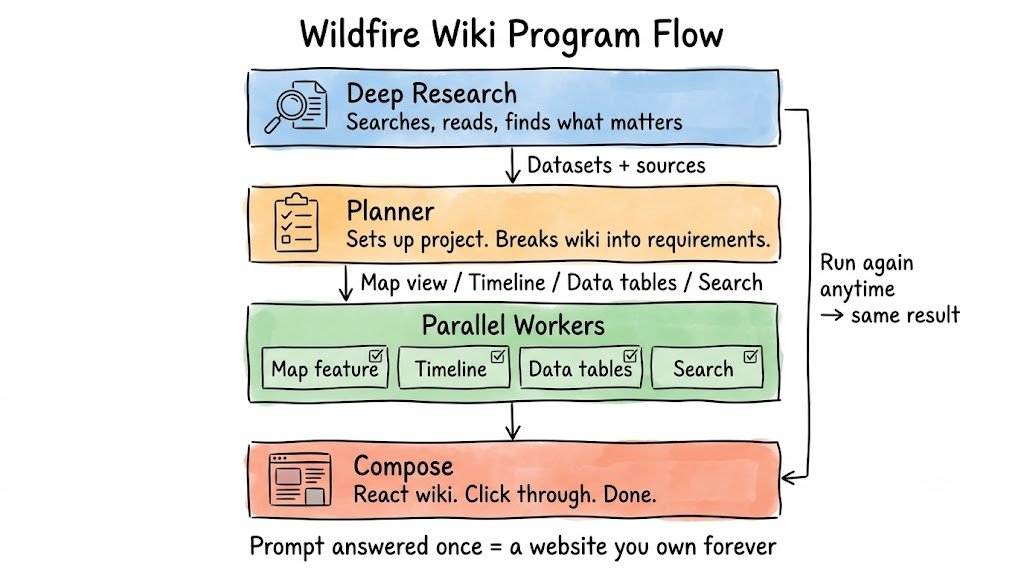
A real Program: the wildfire wiki
Here is what this looks like on an actual task.
Say you want to build an interactive wiki for wildfire data.
Normally you would lose a day or two wiring this together manually.
With Programs, you describe the steps. Slate builds and runs the loop.
Block 1 — Deep Research
Point the first block at the question.
It searches. Reads. Sharpens.
Comes back with the datasets, the sources, and what actually matters.
Block 2 — Planner
Hand the research to a planner block.
Tell it the order to work in:
→ First: figure out how to set up the project
→ Then: break the wiki into real requirements — map view, timeline, data tables, search
Block 3 — Parallel Workers
Run each requirement on its own.
Each one its own goal block working in parallel until that feature is done.
Block 4 — Compose
The blocks compose.
What started as a research question ends as a React wiki you can click through.
Generated from nothing but a repeatable loop you described.
When you need to refresh it: run the loop again.
No guessing about how it will behave.
Deep research went in. An interactive website came out.
You do not build Programs alone
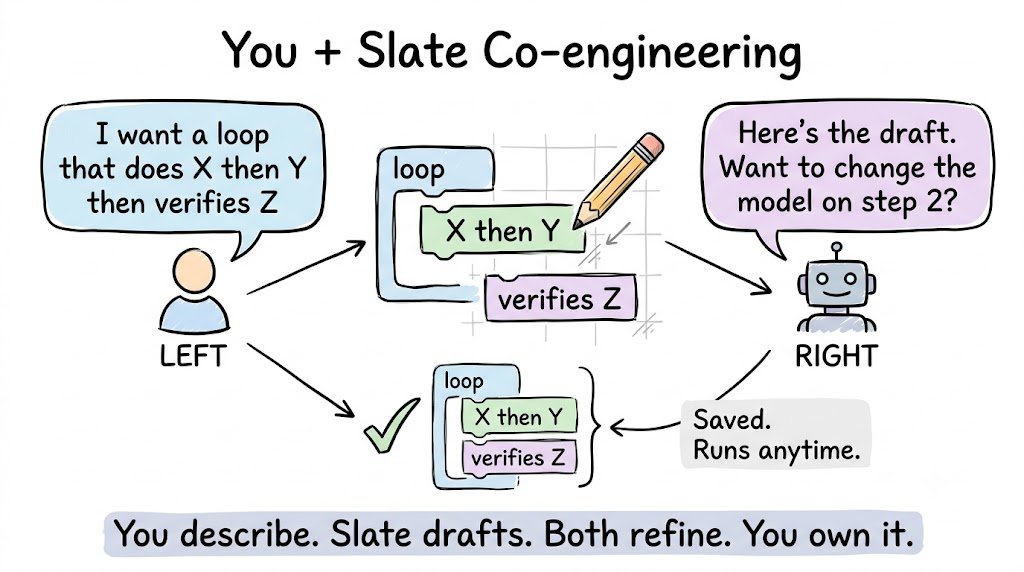
You do not start from a blank file.
You tell Slate what you want.
Slate drafts the loop with you, step by step.
It saves the loop so you can run it again.
It runs it for you.
Slate is your co-engineer for building loops.
This is different from every other tool.
Other tools: here is a fixed agent. Use it inside our system.
Slate: here are the blocks. Tell me what you want to build. I'll wire it with you.
Think creative mode.
You are the engineer setting the vision.
Slate is the co-engineer who knows the shape of these things and places the blocks.
Because Programs are JavaScript, they can do real work
This is the part that changes what's possible.
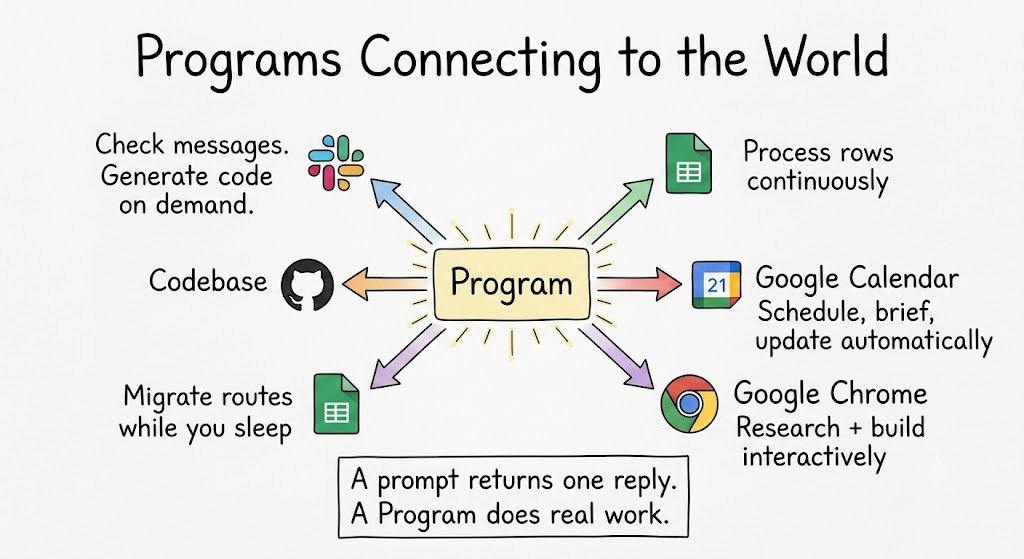
A prompt can answer a question.
A Program can interact with the world.
Point a Program at Slack and it can check every few minutes for a new message, then generate code on demand.
Point it at your codebase and it runs migrations while you sleep.
Point it at a spreadsheet and it processes rows continuously.
You could build your own version of Claude Tag.
You could build a software factory.
You could build an organization.
The loop holds state and keeps going.
It does real work instead of returning one reply.
Install Slate in one line

Start it in your project:

Tell Slate what program you want to build.
It drafts the loop with you.
Recap
A prompt answers once and stops.
A loop is a job — the agent keeps working until it is actually done.
Every AI agent you have ever used — Claude Code, Cursor, Codex — is a loop underneath.
In those tools, the loop is fixed. You cannot open it.
A Program is that loop, except it is written in JavaScript and Slate runs it for you.
You decide the steps. You pick the model for each step. You set the stop condition.
Any model. Any task. Any integration.
Because the loop is just code, it can hold state, keep going, and interact with anything — your codebase, an inbox, a spreadsheet, a game.
You do not build it alone.
Slate is your co-engineer.
If this was useful:
→ Repost to share it with every developer you know
→ Follow @sairahul1 for more systems like this
→ Follow @wearerandomlabs — they built this
Subscribe to theaibuilders.co for more such interesting articles
Try Programs by Slate: randomlabs.ai
npm i -g