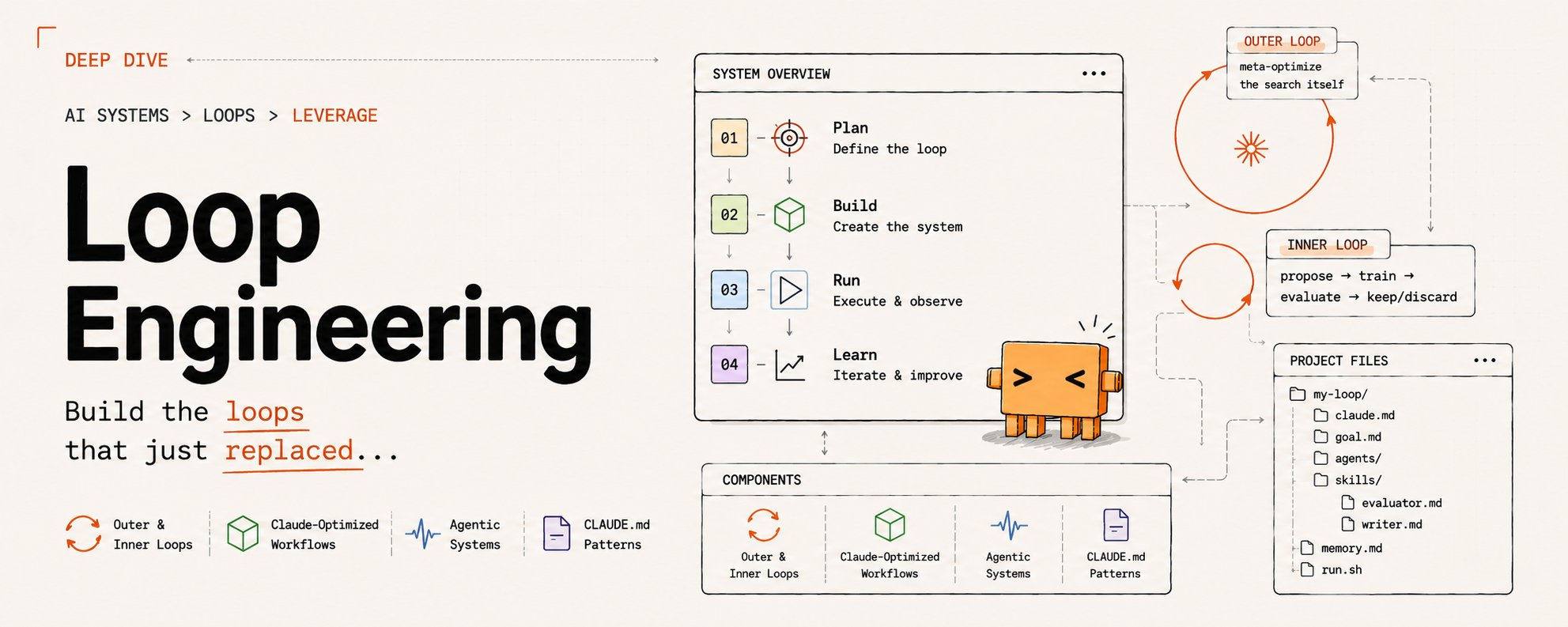
SUMMARY: Over the weekend I used OpenClaw and Codex to build and deploy a Power Apps Code App for a client. The app pulls together work across Operations, Finance, Supply Chain and Logistics, Marketing, Health and Safety, Field Technicians, Project Management, the Technical Team, and leadership.
This is a breakdown of how I used agents, prompts, GitHub issues, Power Platform, and Dataverse to get there.
A few years ago, I wrote about the Microsoft Power Platform in layman's terms, and the simplest explanation still holds true: it lets you build real business apps around the way people actually work. That sounds obvious, but it is not how most internal business software starts.
Most of the time, the real process lives in five places at once. A spreadsheet here, a database there, some notes from a meeting, a few files buried in Teams or SharePoint, a finance system, a field workflow, and a person who "just knows" how it all fits together.
This client had plenty of that. They also had a real need for one internal operating surface. Not a marketing site, and not another place to dump links. A working Power Apps Code App where the company could see status, move work forward, find approved resources, and keep cross-functional work from falling through the cracks.
So, how did I build it over a weekend? By not starting with code.
OpenClaw Was the Context Layer
The first step was OpenClaw.
OpenClaw is my day-to-day orchestrator, so it already had months of useful context: spreadsheets, workflow notes, meeting and call transcripts, project history, source-system notes, rough process maps, and the small decisions that usually disappear by the time someone opens VS Code.
Those months and months of context mattered more than any single prompt.
I used OpenClaw to build the first version of the data schema as JSON and the entity relationship diagram in Mermaid. I also used it to separate the major business areas and workflows so the app was not just a collection of pages.
That part is easy to underrate.
With a business app, the screen is rarely the hard part. The hard part is agreeing on what the work actually is, where the data should live, who owns it, who can see it, and what "done" means when multiple departments touch the same process. OpenClaw helped carry that messy context forward.
OpenClaw brings clarity to chaos.
Codex Was the Delivery Layer
Once the shape of the app was clear, I moved into Codex with GPT-5.5 on Extra High. The first Codex task was not coding either. It was design standards.
I gave Codex a site whose look and feel I liked, along with the client's design-language documents from their marketing team. I did not want it copying someone else's product, logos, screenshots, or template assets. I wanted the useful parts translated into rules: density, navigation, shell behavior, typography, colors, tables, cards, light mode, dark mode, and responsive behavior.
That became a design-standards Markdown file.
I also had Codex use the Frontend Design plugin I brought over from Claude Code. That helped keep the design direction from sliding into the usual generic admin dashboard look. You know the one. Big cards, vague gradients, no real density, and somehow everything looks like it was made for a fictional SaaS company that sells dashboards to other dashboards.
This app needed to feel like an operations tool.
After that, I added the Power Platform and Dataverse MCPs, CLIs, and Power Platform skills. This mattered because Power Apps Code Apps are not just generic React apps. They have Power Apps host behavior, generated connector models and services, Dataverse constraints, environment targeting, authentication assumptions, and deployment rules.
If the agent does not know those constraints early, it will happily plan something that looks good locally and falls apart when it touches the platform.
The /plan Pass
Then I used /plan. This was probably the highest-leverage part of the weekend.
I had Codex read the repo, the reference exports, the schema JSON, the Mermaid ERD, the design standard, and the Microsoft Learn docs for Power Apps Code Apps. The goal was not to start implementation. The goal was to produce the Project Requirements Document (PRD) I would actually trust.
That PRD covered:
- product scope
- source-of-truth rules
- folder layout
- route structure
- app shell behavior
- business-unit navigation
- Dataverse ownership
- access control
- audit and revision history
- archive behavior
- delivery sequencing
- v1 boundaries
- roadmap boundaries
- verification gates
Yes, that sounds like a lot. It should. This was a business system for paying customers, not a weekend Dribbble shot.
The Grilling Pass
After the PRD pass, I used @mattpocockuk's grill-with-docs skill to beat up the plan. It asked the annoying questions that save you later. Some examples:
- Are we rebuilding from reference artifacts or migrating old source?
- What is the real source of truth for each workflow?
- What happens when the PRD, schema JSON, and ERD drift?
- Which routes are v1, and which should stay as placeholders?
- Where does Dataverse security enforce access, and where is the UI only helping the user?
- What requires explicit Power Platform approval?
- Which pieces are real now, and which ones are roadmap?
- And on and on...
That pass tightened the PRD before implementation started, which is exactly when you want to find the holes.
As with all of my planning, the goal of the PRD is to generate all of the GitHub issues required to build the initial first pass of the app, with the full context for each feature living within the issue. This is so I can use /goal more effeciently, or hand off some of the workload to others. I follow this very same process for nearly everything I do, even for non-technical and non-coding projects.
PRD, ALL THE THINGS! No, seriously.
Prompts Belong in Files
One of the most useful habits in this project was saving prompts as Markdown files. Not "good prompt in chat, hope I remember it later." Actual files.
For example:
1With all of the context you have within the working directory,2provide me with the /plan prompt for this app, and save it as3a markdown file.
Then:
1Analyze the PRD, and provide me with a /goal prompt to generate2the required GitHub issues with full context, to deliver the app.3Save the prompt to a markdown file.
That gave me a planning prompt, an issue-generation prompt, and an implementation prompt that lived in the repo.
This seems like a small thing, but it changes the workflow. The prompt becomes reviewable. It can be reused. It can be handed to another agent. It can be improved. Most importantly, the project does not depend on a chat thread that only one person understands.
Knowing exactly how I built the app will help my teammates and their agents understand how to support and improve upon it.
The PRD Became the Backlog
Once the PRD was ready, I had Codex generate the GitHub issues from it.
Each issue included the context needed to build that slice: workflow intent, relevant routes, likely files, Dataverse tables, dependencies, acceptance criteria, non-goals, verification steps, and notes about what not to touch.
That is where this process really started to pay off.
The issue became the handoff unit. I could use /goal efficiently, or another person or agent could take a single issue and understand the work without digging through a weekend of chat history.
Then I had Codex write the implementation /goal prompt.
That prompt told Codex to pull current repo and tracker state, pick the next unblocked issue, create a branch, make the smallest useful PR, run the named checks, open the PR, fix failures, merge when ready, sync main, and move on.
It also set the guardrails:
- no production writes without approval
- no Dataverse mutation without target confirmation
- no role, team, or group mapping changes without approval
- no secrets or private business data in fixtures, screenshots, logs, docs, or PR text
- no broad abstractions just because they might be useful someday
That last one matters. Agents love building for imaginary futures if you let them. I do not.
The Build
Implementation started with the shared shell: route foundation, business-unit switching, desktop sidebar, mobile navigation, search, alerts, help, theme switching, offline indicator, and access-filtered navigation.
Then came the data foundation: Dataverse schema metadata, generated Code Apps models and services, and a schema validator to keep the PRD, JSON schema, and Mermaid ERD aligned.
The final Dataverse contract ended up at 89 tables, 1,148 columns, and 156 relationships! And I didn't create a single one of them, Codex did with the Dataverse MCP and Power Platform CLI. This is a game changer.
From there, Codex worked through the app in PR-sized slices: Marketing request intake and workboard, home content, governed resources, alerts, Health and Safety, personalization and drafts, admin and support surfaces, Operations status, chemical pricing, Finance ingestion, billing readiness, vendor bill matching, profitability snapshots, inventory and margin controls, Finance reporting, Technical Team project views, lab sample lifecycle, ICP-to-SAT evidence, Water workflows, shared energy-service surfaces, authorized global search, and release readiness.
For verification, I used the check that matched the work: schema validator for schema changes, lint and build for app changes, Playwright for route and behavior checks, screenshots for UI work, and deployment notes for the Power Platform side.
By the end of the second day, the app was implemented, merged, and deployed.
One access-validation item stayed open because it needs representative-user validation in the production environment. That is not a failure. That is exactly the kind of thing that should be tracked instead of waved away in a victory lap.
Why This Worked
The split was simple.
OpenClaw carried the business context, using months of hard work between my team and the client team to better understand their business.
Codex turned that context into files, issues, PRs, checks, and deployment notes.
Could I have gotten a first screen faster by skipping the PRD, skipping the issue generation, and just asking for code? Absolutely.
Would I trust that for a real client system used across multiple departments? No chance.
The app matters, but the paper trail matters too. Anyone can now look at the repo and see what was decided, what shipped, what was verified, and what still needs attention.
That is what I want from agentic development. I built this for my client. They own it, and it was my job to be a good steward of their time and investment over the past 6+ months of working with us.
Not magic. Not vibes. Just better leverage, better context retention, and fewer dropped details while building real software.
If my team at @DigitalMeld and I can do this, you can do this. Your process and planning is far more important than the model you choose. Start small, think big.