"I had AI summarize it, but I feel like nothing stuck in my head."
"ChatGPT sometimes lies with a straight face, so I'm worried about using it for learning."
For those who have felt this way: this article provides five copy-paste prompts to turn NotebookLM into a "tutor who asks questions, argues back, and even tests you." This is the template for graduating from just reading summaries.
Many people use this tool as a "summarization machine." They throw in materials, look at the key points that come out, and that's it. But that is just the beginning.
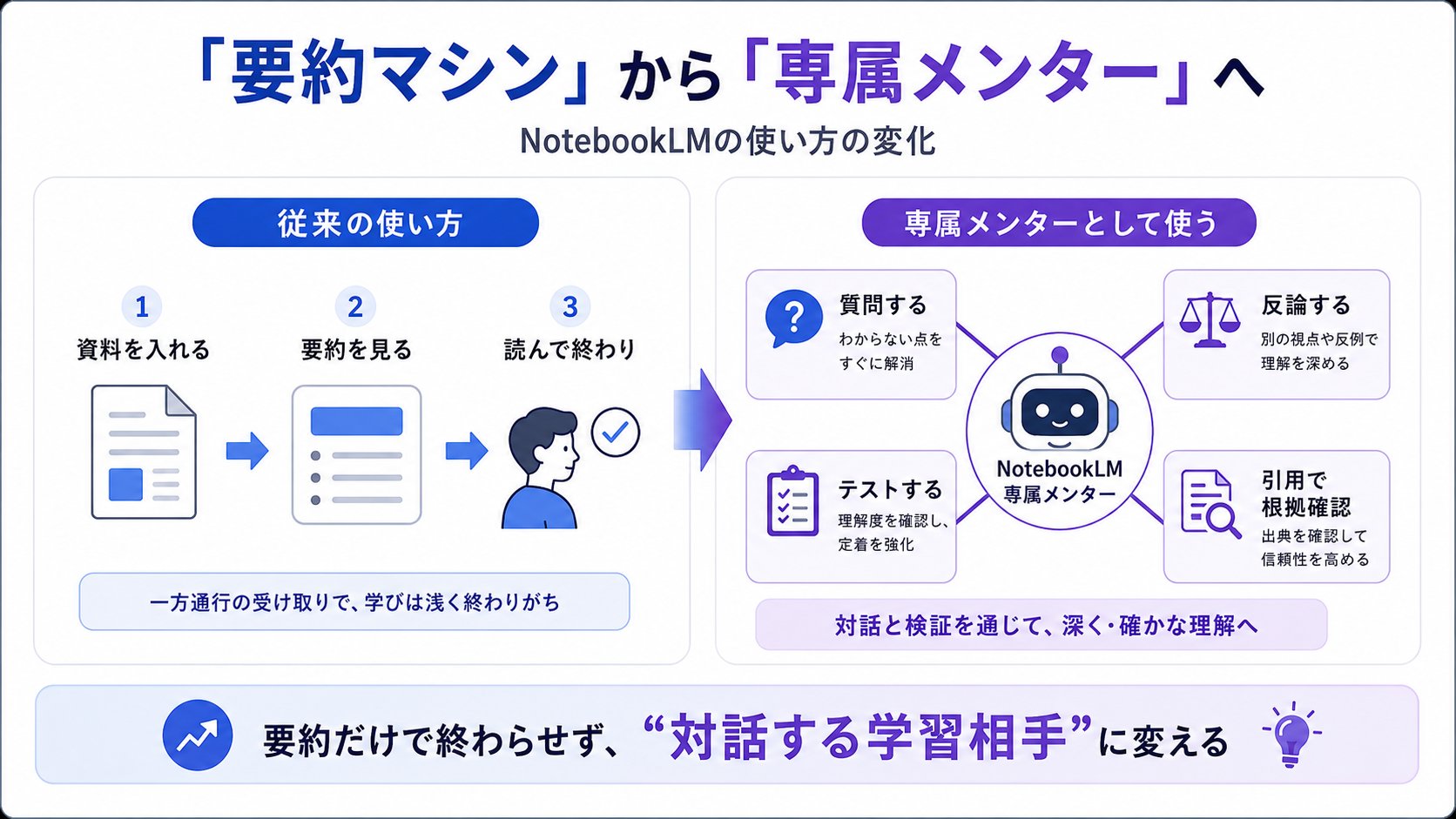
The real value lies in making it an "interactive learning partner" that changes its form according to your level of understanding, based solely on the sources you upload (PDFs, YouTube, web articles, etc.). Moreover, every sentence of the response is linked to the source as a citation (Official NotebookLM). Therefore, the "plausible-sounding fabrications not found in the materials" common in general AI chats are less likely to occur. It structurally addresses the scariest part of using AI for learning and research.
My name is tatsuki (@nobel_824). I support AI utilization for small and medium-sized enterprises, helping with the business implementation of Claude / Codex while running Claude Code myself all day. Usually, I'm on the side of refining AI as a "work tool," but NotebookLM is a tool I personally use every week for learning and reading materials.
1. Forcing "Structural Understanding": Multi-Layered Terminology Explanation Prompt
The most time-consuming part of learning is the barrier of technical terms. If you just ask "tell me about this," NotebookLM might just cut and paste text from the source effectively, making you feel like you understand without actually acquiring the knowledge.
Therefore, specifying the layers of understanding is effective. This is a template to have the same term explained at three different levels of abstraction.
Regarding the "[Technical Term]" appearing in this material, please explain it at the following three levels: 1. An analogy to something familiar that even an elementary school student can understand intuitively. 2. A specific use case that can be used in practice starting tomorrow. 3. The positioning of how this concept connects to "[Related Term]."
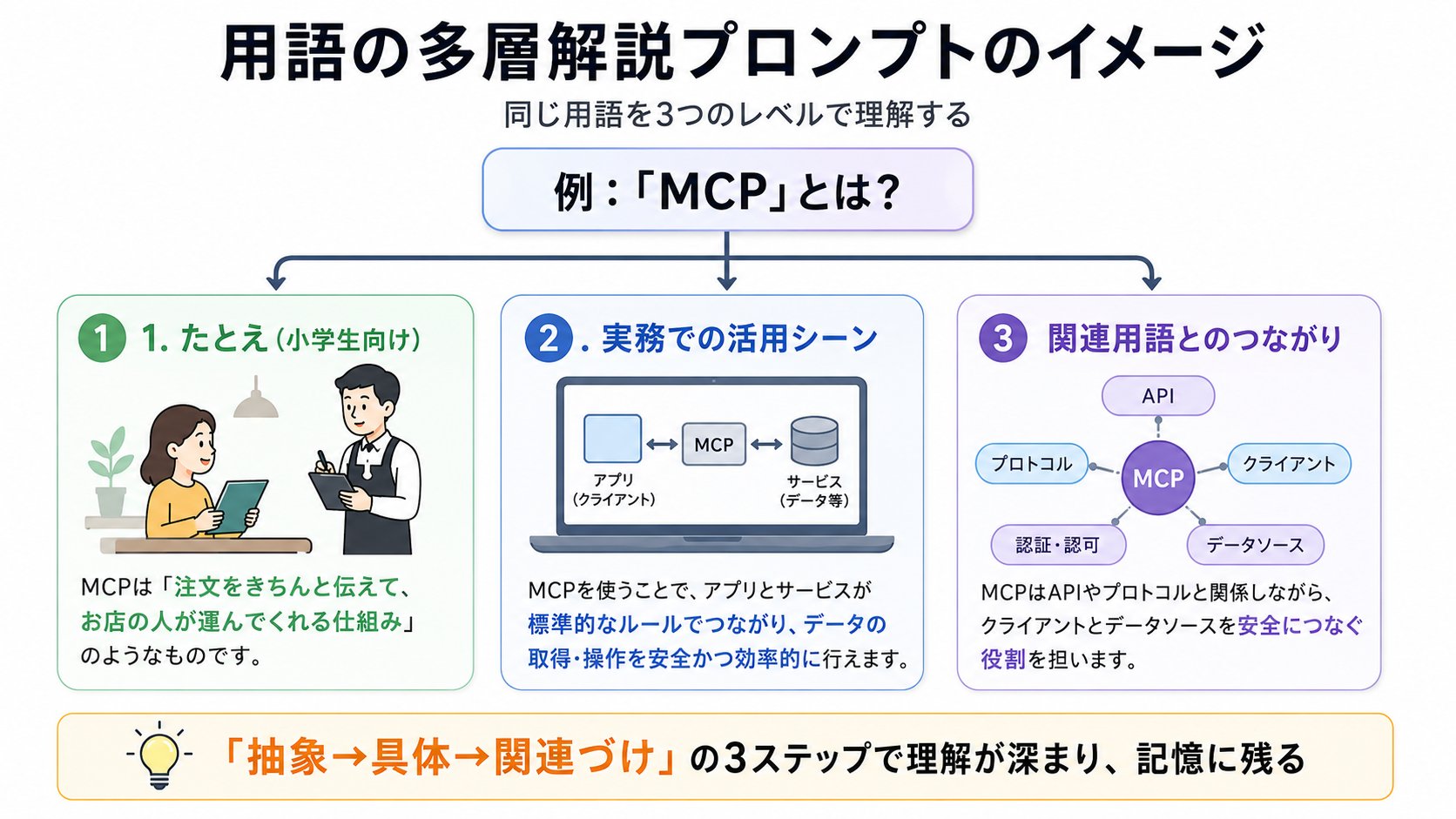
Just put the word you're stuck on into "[Technical Term]." For example, throw in terms like "MCP" or "Cache" that didn't click even after looking them up.
Why does it work? While NotebookLM is good at providing answers based on sources, this instruction makes it break down the information in the materials and "reassemble" it. Especially when making it create analogies, abstract concepts connect with your existing knowledge, changing how they stay in your memory.
As a note of caution, analogies are ultimately reconstructions by the AI. It may occasionally add metaphors not in the original material, so it's safer to verify "if this understanding is correct" using the second explanation onwards or the source text itself.
Today's 1 Action: Choose the "most difficult term" in the material you are currently reading and try throwing it into the prompt above.
2. Switching to "Active Learning": Reverse Questioning Mentor Prompt
Knowledge just passes through if you only read. What determines retention is being on the side that recalls information—in other words, output. Have NotebookLM become a "mentor" who tests you.
I want to firmly acquire the content of this material. Based on our interactions so far and the content of the material, please provide 3 "descriptive questions" to measure my level of understanding. Once I answer, please grade them against the source and supplement any missing perspectives.
The trick is to make it descriptive, asking "why it happens" rather than a simple Yes/No confirmation. Being forced to explain in your own words, rather than just filling in blanks, exposes the ambiguity of parts you thought you understood.
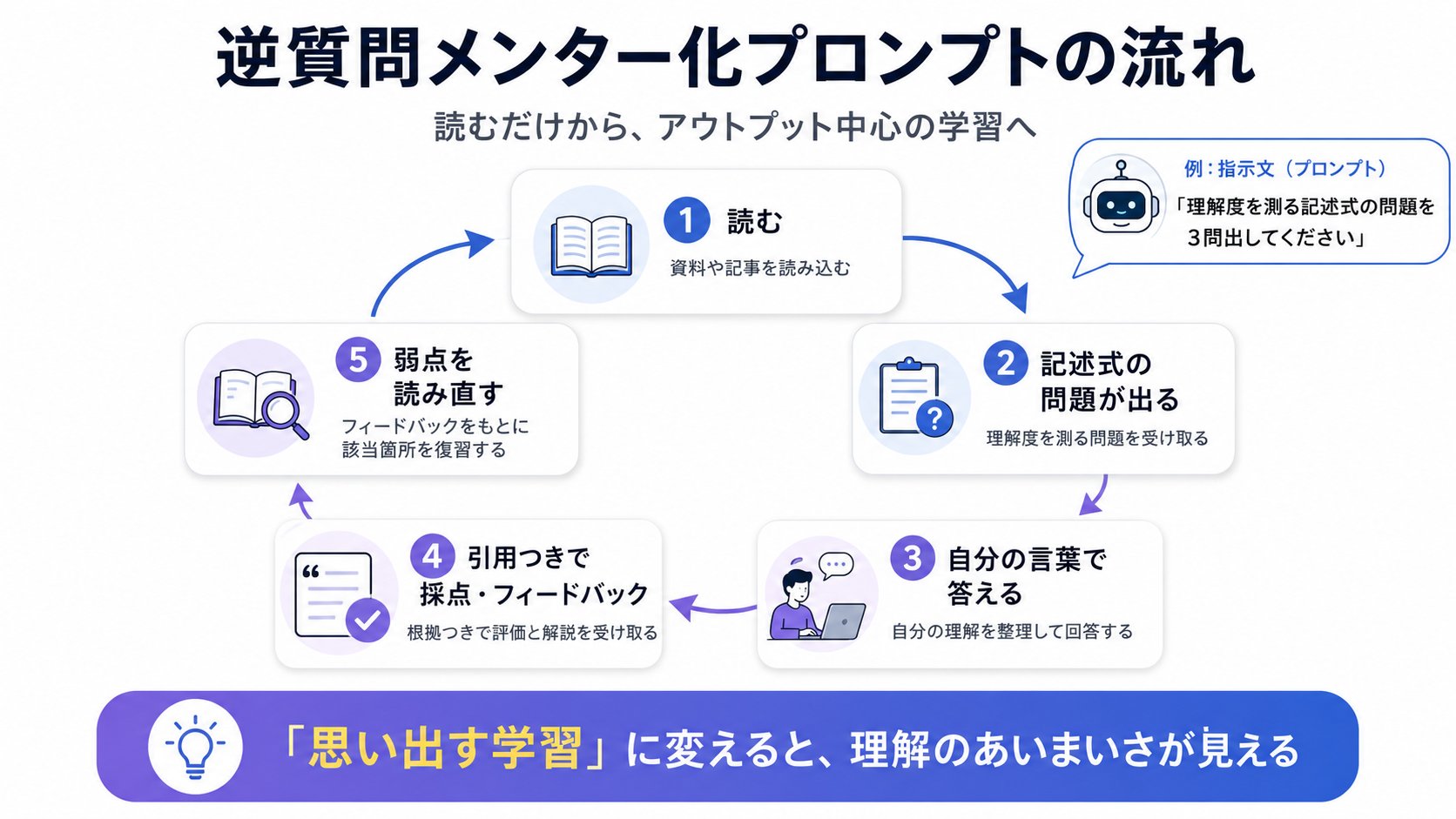
This is where NotebookLM's strength shines. Since the relevant parts of the source used as the basis for grading are shown as citations, you know exactly "where to re-read" when you make a mistake. In general chats, it's easy for review to become blurred because you can't track "where it was written," but in NotebookLM, the place to check the answer remains within the materials.
Today's 1 Action: After finishing a document, try having it generate 3 questions with this prompt and answer them yourself before asking for a summary.
3. Exposing "Blind Spots": Critical Thinking Prompt
The biggest trap of self-study is leaning toward a single perspective. By having NotebookLM intentionally take the opposite side, you can review information objectively.
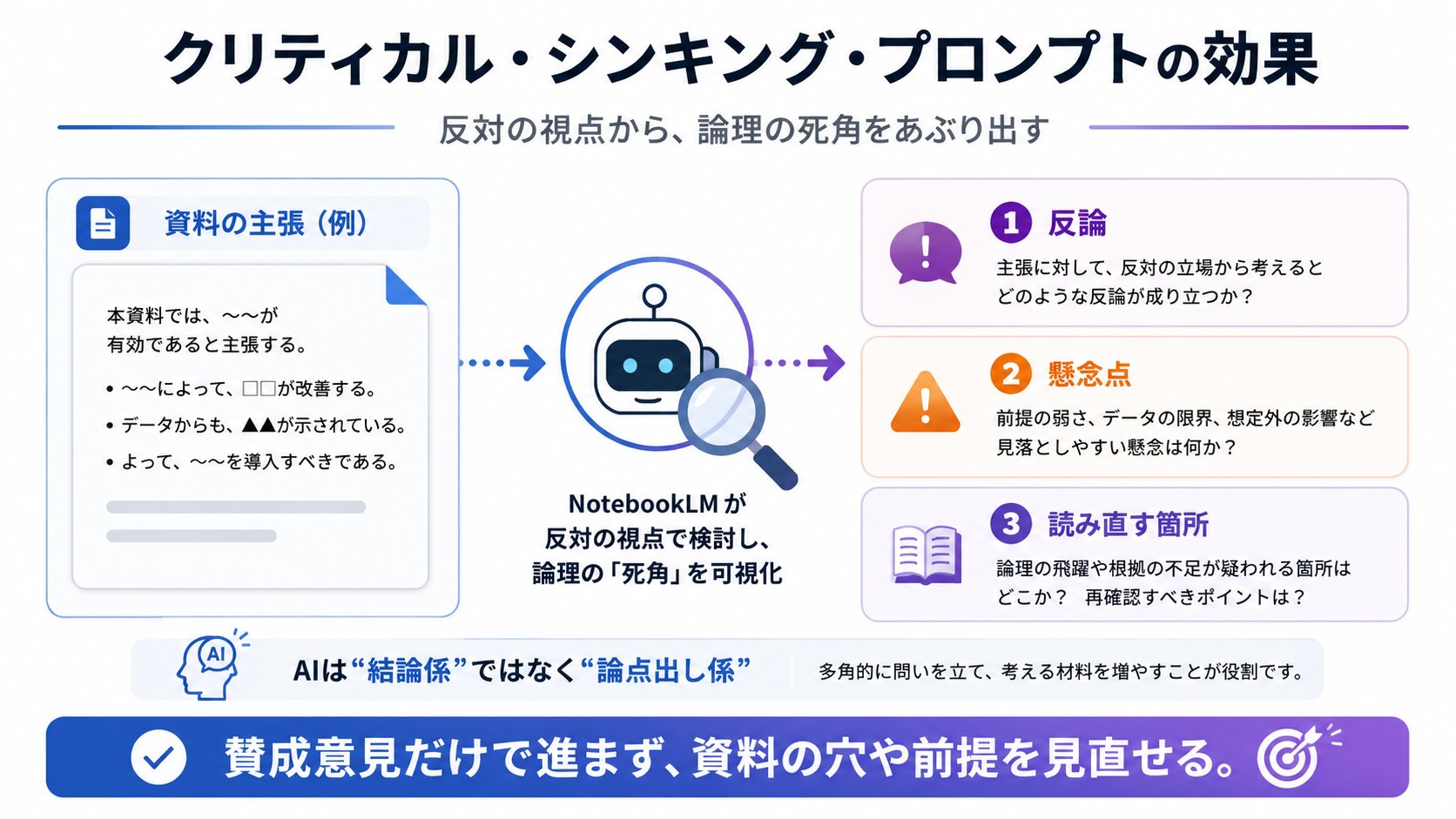
Please list 3 "counter-arguments" or "concerns" that are logically valid against the claims in this material. Also, tell me which parts of the source I should focus on re-reading to verify those concerns.
This is effective not only for learning but also for business decision-making. Just by loading a proposal or market research report and throwing this prompt, it will point out "logical holes" that are hard to notice yourself, rooted in the materials. It serves as insurance against the common self-study and internal document pitfall of feeling relieved just by gathering supporting opinions.
To add one point, counter-arguments are also AI reconstructions, so it's wrong to take the emerging concerns at face value. Have it also output "where in my source I can read to judge this concern," and make the final judgment yourself. Think of using AI as a point-generator rather than a conclusion-maker.
Today's 1 Action: Put in a report or proposal you read recently, have it generate 3 counter-arguments, and note the concern that hit home the most.
4. Setting Up "Learning by Ear": Customizing Audio Overview
A highlight of NotebookLM is the "Audio Overview" (a feature where AI talks like a podcast based on the materials; in the standard Deep Dive format, two AIs converse). However, if you just generate it as is, you tend to just listen passively.
This is where giving instructions before generation comes in. For Audio Overviews, you can specify "which topic to focus on" or "how to adjust the level of expertise for the listener" before creating it (Audio Overview Generation Official Help, Google Official Blog). You can tailor the audio to dive deep into just the one point you want to know from a thick document.
Please create an Audio Overview focusing on "[Topic you want to know]" from this material, using a simplified tone for a first-time learner.
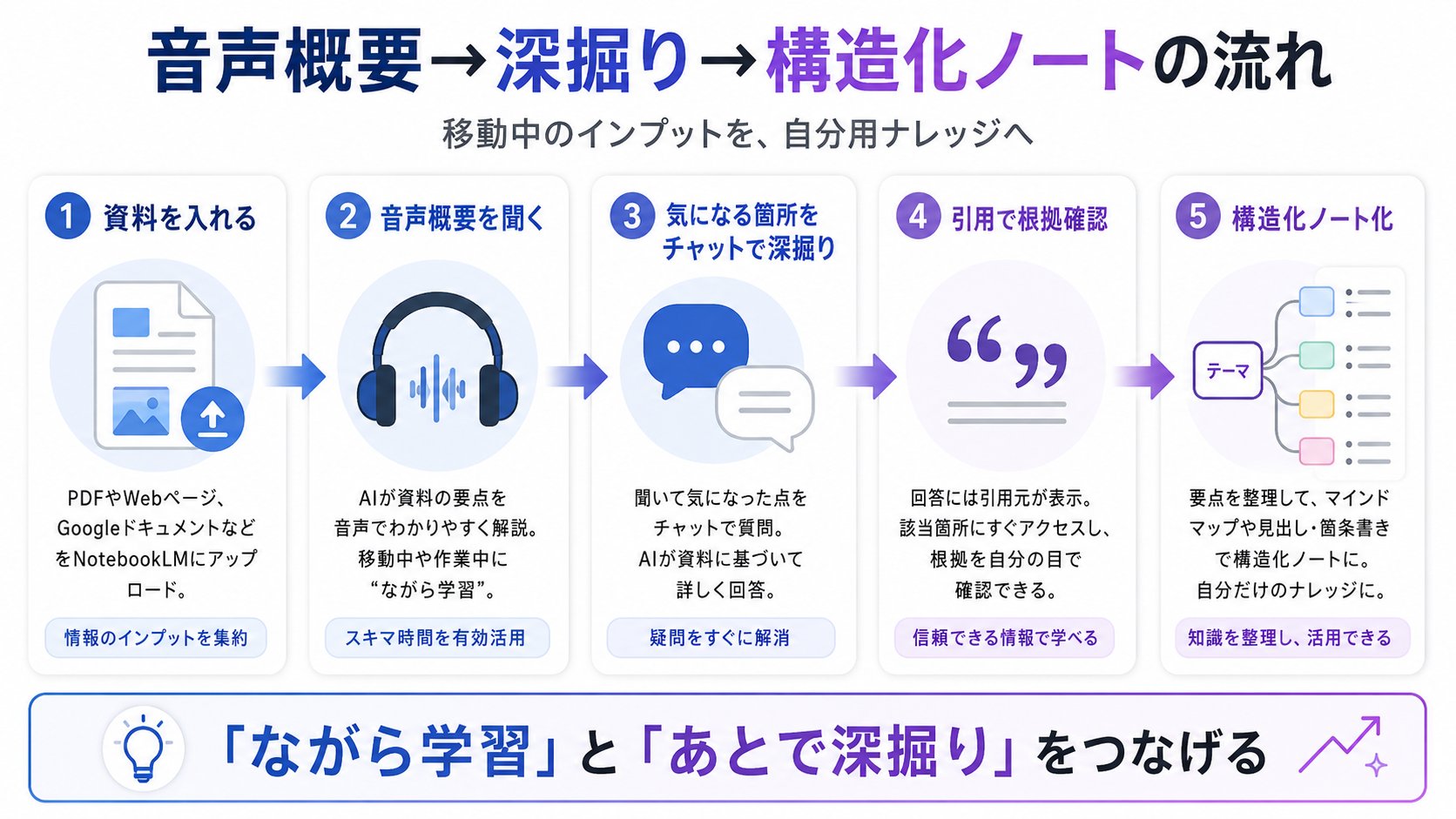
What I often do is listen to this audio while traveling and later pick up interesting parts via text chat. If you ask, "Show me the relevant part of the source for the XX mentioned in the audio earlier," you can return to the evidence with citations. Input during travel and deep-diving after returning to your desk become seamless.
Today's 1 Action: Before your commute or travel, decide on one "focused topic" from the material you're reading and create an Audio Overview with the prompt above.
5. Automatically Building "Output": Structured Note Creation Prompt
The finishing touch of learning is organizing information into a form you can use later. NotebookLM is good at "extracting" information, but the accuracy of prioritizing "what is important" increases if you provide a framework.
Please summarize the key points of this material by structuring them in the following format: - Conclusion (What): - Background (Why): Why is this necessary now? - Procedure (How): 3 specific steps - Metrics (Measure): How to measure success
Deciding on the frame beforehand shifts the output toward "memos usable in practice." And this organization doesn't need to end with text. NotebookLM has a workspace panel called "Studio," where you can create audio overviews, video overviews, mind maps (a feature showing the big picture by branching out the material), reports, and slides from the materials (Mind Map Official Help, Google Official Blog on Studio Upgrades).
In other words, after verbalizing the skeleton with the prompt above, opening a mind map with the same material allows you to compare "the structure you decided" with "the big picture drawn by the tool." Through this back-and-forth, a simple summary turns into your own personal knowledge base.
Today's 1 Action: Choose one material you've finished learning, have it summarized in the format above, and then open the mind map in Studio to compare them.
Stepping One Step Further for Intermediate Users
Here are some supplementary points that make a difference when using the five templates.
One is the distinction from general chats like ChatGPT or Claude. Because general chats answer from knowledge all over the world, they fill in things they don't know "plausibly." NotebookLM is the opposite; it answers only within the sources you provided and shows evidence with citations. Therefore, it's efficient to use general chats when you want to hear broad, latest general knowledge, and NotebookLM when you want to read hand-held materials accurately and verifiably.
Another is the limitation due to being source-restricted. NotebookLM does not answer things not included in the knowledge, and although citations are attached, if the original source itself is wrong, it will carry over that error. The accuracy of the output is determined by the quality of the materials you put in. Conversely, choosing and putting in reliable primary sources is the most effective tuning.
Finally, regarding operation: before putting in confidential materials, it's reassuring to check how data is handled in the plan you are using (Free / Paid / Enterprise, etc.). If you're handling internal documents, this is a part you shouldn't skip.
Summary: From a "Summarization Tool" to a "Partner Who Questions You"
If you use NotebookLM as a summarization machine, you'll just read and be done. But by changing the prompt templates, the same tool turns into a partner who asks questions, argues back, and even tests you.
- Overcome the barrier of technical terms with level-specific explanations
- Switch from just reading to output with reverse questioning prompts
- Eliminate logical blind spots with counter-argument prompts
- Turn travel time into learning time by customizing Audio Overviews
- Structure knowledge for yourself by specifying frames
You can try any of these just by putting in a PDF you're currently reading or a YouTube URL you intended to watch later, and copying the second "Reverse Questioning Prompt." Starting by measuring your current level of understanding should make the effects easy to see.
A Place to Learn Together and Participation Benefits
For those who have read this far and thought, "I want to actually try moving my hands."
I run a LINE Open Chat (you can participate anonymously) for learning and practicing AI utilization, Claude Code, and X operations together. By participating, you can receive the following 7 items for free:
- AI diagnoses your X account
- Profile improvement template to get followed
- 10 prompts for AI to critique your posts
- Claude Code initial setup checklist
- CLAUDE.md template collection
- Workflow for mass-producing X posts
- 30 selections for business efficiency
Please join from here.
If this article was helpful, I will repost all impressions given in quotes!