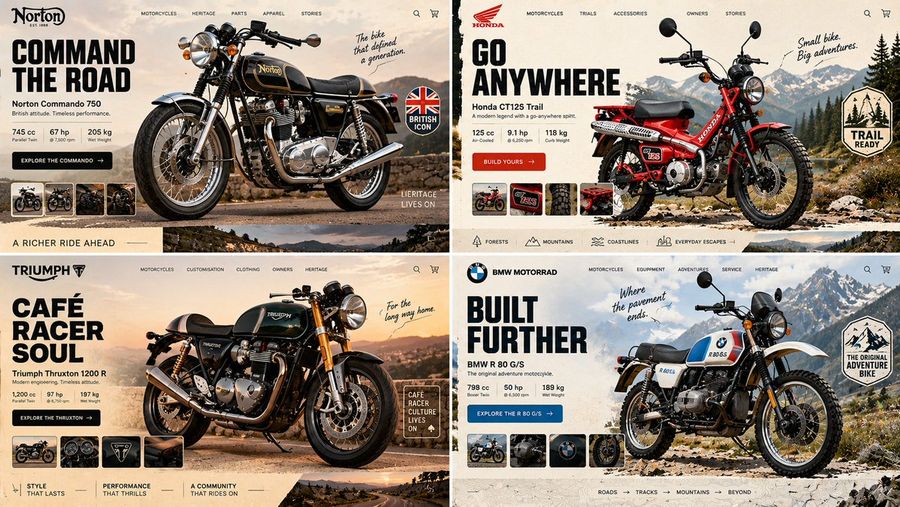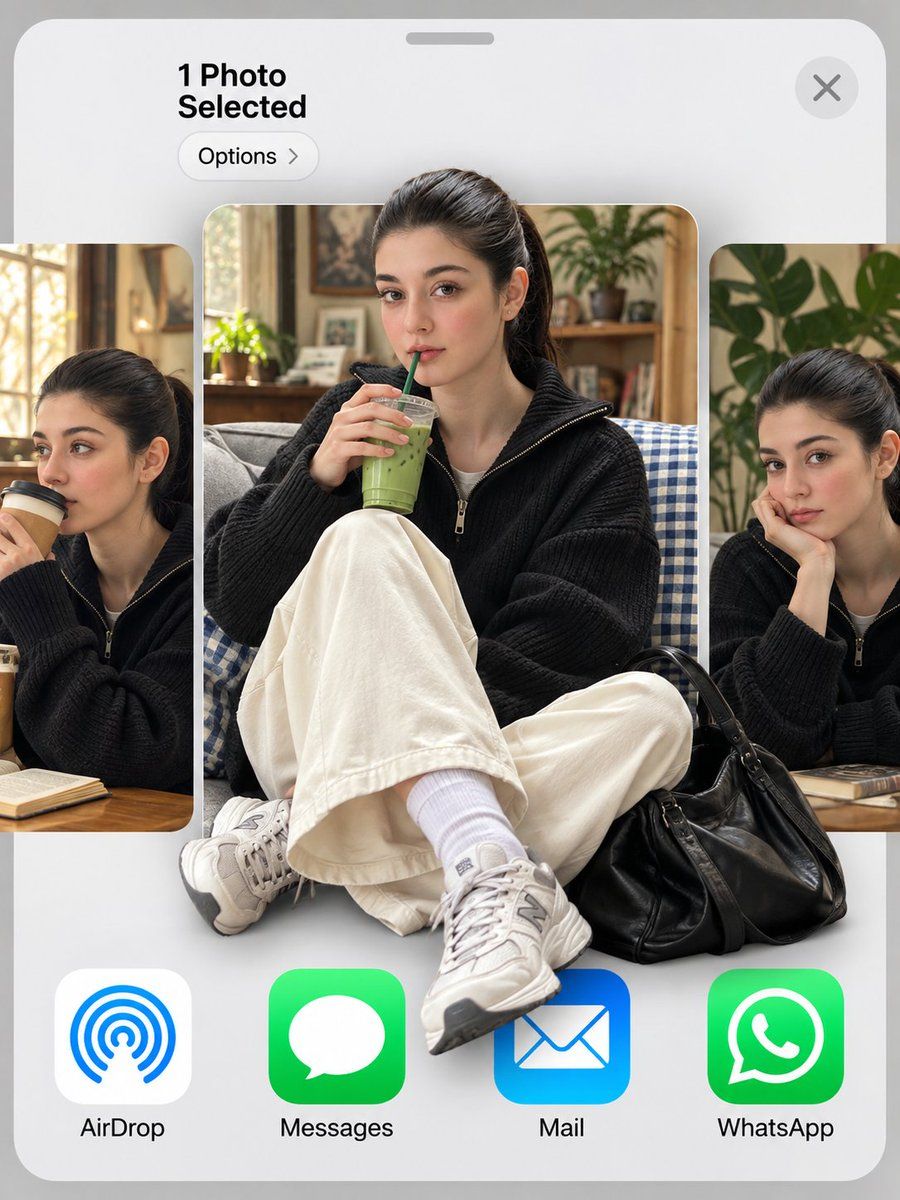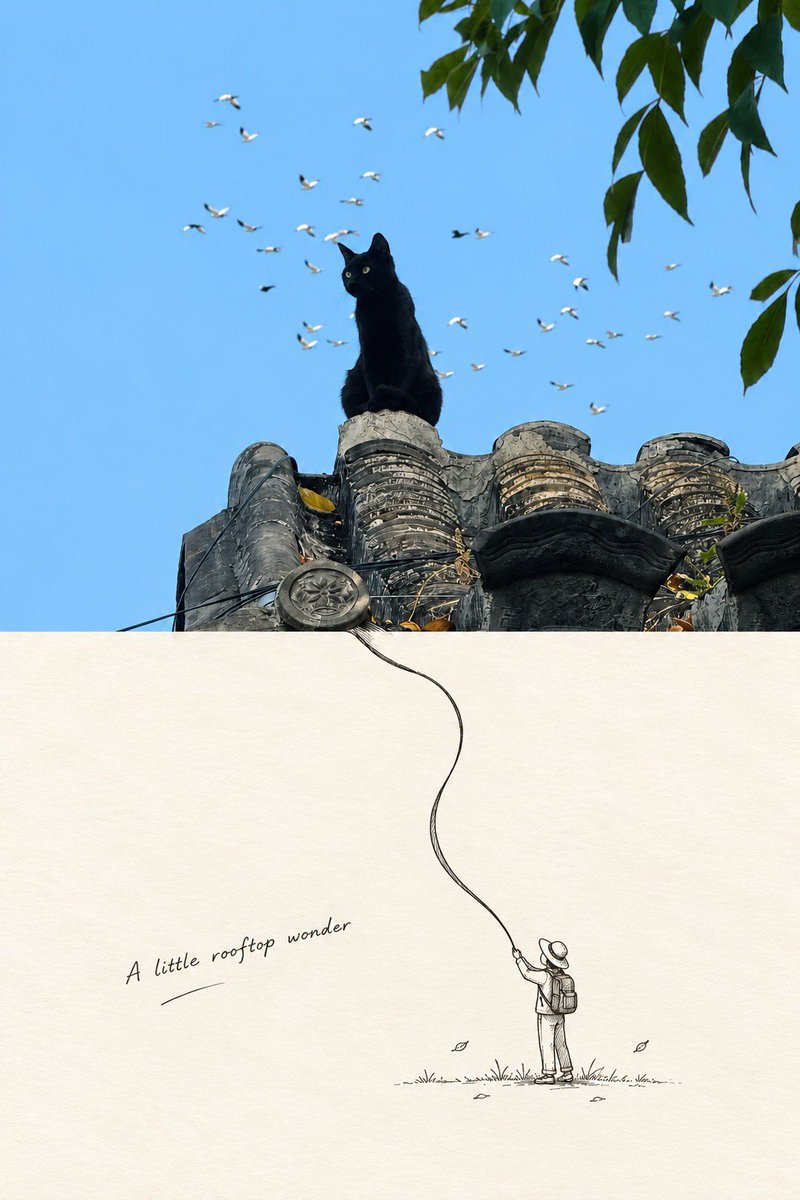
App / Web Design

Досліджуйте безкоштовні промпти App / Web Design зображення з бібліотеки AI промптів YouMind, згруповані за варіанти використання. Кожен промпт відібраний з реальних творчих робочих процесів і готовий до копіювання, адаптації та повторного використання.

Промпт у зображенняЗображення у промпт
GPT Image 2
Панель порівняння аніме-моделей
Переглянути повний промпт і скопіювати

Мета: Створити широкоекранний інтерфейс порівняння AI-зображень у темних тонах, що містить одну картку з вихідним запитом і три картки з результатами згенерованих зображень, на кшталт панелі порівняння моделей для аніме-арту. Полотно: Горизонтальна композиція у стилі скріншота 16:7 на майже чорному фоні з ледь помітною текстурою сітки з крапок і тонкими діагональними напрямними лініями. Використовуйте м'яке світіння, заокруглені панелі, тонкі сірі рамки та витончену темну естетику інтерфейсу. Макет: Розташуйте рівно 4 заокруглені прямокутні картки в один ряд зліва направо. Картка 1 — це вузька картка з текстовим запитом; картки 2, 3 та 4 — більші вертикальні картки із зображеннями. Залиште невеликі проміжки між картками. Кожна картка має крихітний заголовок угорі з маленькою іконкою та підписом у японському стилі. Додайте невелику іконку, схожу на золоту монету, біля верхнього правого кута області першої картки. Додайте маленькі круглі з'єднувачі або кнопки дій між картками, вирівняні вертикально по центру та нижньому краю. Кількість карток і вміст: Усього рівно 4 видимі картки: 1 текстова картка та 3 картки з результатами зображень. На кожній із 3 карток результатів зображено той самий об'єкт, відрендерений дещо по-різному: молода жінка в аніме-стилі з дуже довгим сріблясто-білим волоссям і чубчиком, що закриває очі, блідою шкірою, чорним укороченим топом без рукавів, чорними штанами та об'ємною вільною сірою курткою, піднятою або притриманою за плечима. Її поза впевнена, як у модному журналі, руки підняті за головою або куртка розгорнута. Палітра: приглушений сірий, білий, чорний та приглушений бежевий кольори. Текстова картка: Заголовок першої картки містить приблизно «テキスト #9». Всередині розмістіть щільний англійський запит дрібним білим шрифтом, що описує портрет аніме-персонажа великим планом: «Medium close-up to three-quarter body portrait, slightly high camera angle, camera positioned just above eye level, mild perspective compression, fashion editorial framing, character occupying most of the frame, clean warm-white studio background...». Продовжуйте компактним текстом у стилі запиту про сучасну японську аніме-ілюстрацію, тонкі лінії, витончені пропорції обличчя, сріблясто-біле волосся, чорний топ, об'ємну куртку, приглушені кольори, м'які тіні, віньєтку, презентацію у стилі преміального постера. Зробіть текст дрібним, але візуально розбірливим, не обов'язково повністю читабельним. Заголовки карток із зображеннями: Підпишіть три картки результатів заголовками в японському стилі: «画像生成ツール #33», «画像生成ツール #34» та «画像生成ツール #35». У нижній частині кожної картки із зображенням додайте ледь помітний статусний підпис японською мовою білого/сірого кольору, схожий на «認証されたプロンプト、@を使って参照や追加のコンテキストを加えられます». Деталі об'єкта: Персонаж має silver-white дуже довге волосся з густим чубчиком, що закриває очі, струнку атлетичну талію, бліду шкіру та меланхолійний вираз обличчя, переважно прихований волоссям. Вбрання складається рівно з 4 основних елементів: чорний укорочений топ з високим коміром без рукавів, об'ємна сіра куртка, чорні штани з низькою посадкою та темний ремінь. Відрендери зображення у стилі dark fantasy contemporary anime з чистими, але художніми деталями. Візуальний стиль: Темне фентезі-аніме, мода, приглушена монохромна палітра, м'яке студійне освітлення, редакційна композиція, легка віньєтка, високий контраст між білим волоссям і чорним одягом, чітка презентація скріншота інтерфейсу. Перше згенероване зображення має виглядати як класичне аніме, друге — дещо більш художнє та затінене, третє — чистіше та мінімалістичніше зі світлим блідим фоном. Обмеження: Покажіть рівно 4 картки та рівно 3 аніме-зображення результатів. Не додавайте зайвих персонажів, логотипів, водяних знаків, елементів браузера або стороннього інтерфейсу. Зберігайте загальний вигляд зображення як панелі порівняння, а не як окремої ілюстрації.

Згенерувати зображення
Автор: @brian gao
GPT Image 2
Ряд редизайну глянцевих AI-логотипів
Переглянути повний промпт і скопіювати

Створіть акуратну вітрину редизайну логотипів на широкому білому полотні, розмістивши рівно 5 глянцевих іконок додатків із заокругленими кутами, рівномірно розподілених в один горизонтальний ряд, відцентрованих по вертикалі з великими порожніми полями. Використовуйте сучасний стиль 3D-глассморфізму з м'якими тінями, ледь помітними відблисками, скошеними краями, високою насиченістю та плавним градієнтним освітленням. П'ять іконок зліва направо: 1) бірюзово-м'ятний заокруглений квадрат із білою емблемою переплетеного вузла, що нагадує логотип OpenAI, 2) персиково-оранжевий заокруглений квадрат із білою радіальною емблемою сонця або зірочки з багатьма загостреними променями, 3) блакитно-фіолетовий заокруглений квадрат із великою білою чотирикутною зіркою та однією маленькою іскрою біля верхнього правого кута, 4) чорний заокруглений квадрат із темно-синіми відблисками знизу, що містить білий геометричний знак, схожий на малу літеру «k», та одну маленьку яскраво-синю крапку біля верхнього правого кута, і 5) лавандово-фіолетовий заокруглений квадрат із білою контурною кутовою шестикутною зіркою або емблемою значка. Зберігайте композицію мінімалістичною, вишуканою та орієнтованою на дизайн продукту, без текстових підписів, водяних знаків та додаткових іконок. Загальний об'єкт — редизайн AI-логотипів додатків, зі стилем глянцеві 3D-іконки додатків у стилі глассморфізму із заокругленими кутами, на чисто білому фоні.

Згенерувати зображення
Автор: @EZ
GPT Image 2
Мінімалістичний типографічний постер у стилі Klein Blue
Переглянути повний промпт і скопіювати

Створіть мінімалістичний редакційний постер для головної сторінки на фоні паперу кольору слонової кістки з ледь помітними пилинками та текстурою сканованого паперу. Розмістіть один вертикальний прямокутний аркуш трохи вище центру широкого горизонтального полотна, залишаючи великі порожні поля. Аркуш має тонку нерівну чорну рамку з ефектом грубого друку, чотири маленькі сині мітки обрізу/реєстрації Klein Blue безпосередньо за межами прямокутника та одну маленьку синю круглу мітку реєстрації по центру верхньої межі. Всередині аркуша використайте строгу вузьку жирну типографіку у верхньому регістрі, як у друкованому документі: крихітний заголовок із широким міжлітерним інтервалом зверху A FILM & AI IMAGE PROMPT WORKBENCH, потім великий заголовок у п'ять щільних рядків чорного кольору SAY THE PICTURE IN YOUR HEAD., після чого останнє слово яскравим синім кольором Klein Blue CLEARLY.. Додайте крихітний підпис із широким міжлітерним інтервалом під заголовком THE PICTURE, PULLED INTO REGISTER.. У самому низу по центру полотна, далеко під постером, додайте тонку вертикальну чорну лінію та крихітний текст у верхньому регістрі SCROLL. Використовуйте лише три кольори: теплий паперово-білий, чорне чорнило та насичений синій Klein Blue. Усі кути мають бути гострими, без заокруглених елементів інтерфейсу, без тіней, без градієнтів, без ілюстрацій, без фотографій та без зайвого тексту.

Згенерувати зображення
Автор: @小小东
GPT Image 2
Портфоліо китайських плакатів для заходів
Переглянути повний промпт і скопіювати

Мета: Створити витончену дошку огляду портфоліо, що демонструє рівно 9 оригінальних китайських плакатів для заходів на тему візуальні дизайнерські роботи для культурних салонів, бізнес-форумів та технологічних виставок. Полотно: Вертикальна презентаційна сторінка 2:3, теплий кремовий фон, широкі поля, м'які тіні, редакційний макет у музейному стилі. У верхньому лівому куті розмістіть невеликий англійський текст “SELECTED WORKS / 2025”, великий китайський заголовок “视觉设计作品集” та менший підзаголовок “活动视觉 · 文化内容 · 商业论坛 · 科技展会”. У верхньому правому куті розмістіть невеликий англійський текст у стовпчик “09 POSTERS” та “ONE VIEW”. У нижньому центрі розмістіть крихітний підпис “PORTFOLIO OVERVIEW · ORIGINAL POSTER DESIGNS”. Макет: Розмістіть рівно 9 мініатюр плакатів у чистій сітці masonry із закругленими кутами та ледь помітними тінями. Кожен плакат має невелику пронумеровану мітку від 01 до 09. Використовуйте різні розміри плакатів: один високий білий плакат зліва вгорі, один бежевий портретний плакат по центру вгорі, один темний кінематографічний портретний плакат справа вгорі, один високий темний бізнес-плакат зліва посередині, один синьо-білий культурний плакат по центру посередині, один яскравий жовто-блакитний академічний плакат справа посередині, один широкий футуристичний плакат зліва внизу, один білий типографічний плакат по центру внизу та один широкий бежево-чорний плакат лекції справа внизу. Кількість та деталі плакатів: 1. Плакат 01: високий мінімалістичний білий плакат-запрошення з абстрактними шовковистими тисненими хвилями, великим вертикальним китайським заголовком “静·观·之·境”, датою “2025 06/21 SAT”, англійським словом “INVITATION”, витонченим розкладом заходу, елегантною монохромною типографікою. 2. Плакат 02: високий темно-синій плакат бізнес-форуму з трьома корпоративними спікерами у відтінках сірого, блакитними акцентними блоками, величезним китайським заголовком “未来商业新格局”, помітною блакитною цифрою “07”, датою “06.28”, іконками та деталями порядку денного, у сучасному конференційному стилі. 3. Плакат 03: широкий горизонтальний плакат про майбутні технології з блідо-блакитним градієнтним фоном, сяючими круговими світловими слідами, великим градієнтним англійським словом “FUTURE”, невеликим китайським текстом про бізнес/технології, чистою футуристичною виставковою естетикою. 4. Плакат 04: бежевий плакат культурного інтерв'ю із зображенням літнього чоловіка в окулярах, що читає книгу, м'якою діагональною тінню від сонячного світла, у спокійному стилі документальної фотографії, китайським заголовком “文化人物访谈”, лаконічним редакційним текстом. 5. Плакат 05: синьо-білий плакат із зображенням голови класичної статуї, обрізаної справа, неоновим жовтим контуром, жирним китайським цитатним текстом, іконкою лапок, підписом у стилі рукопису, невеликими інформаційними чіпами в стилі інтерфейсу та соціальними іконками внизу. 6. Плакат 06: білий плакат літературного салону, де домінує велика вертикальна чорна китайська типографіка “书卷对谈与气阅读”, чорно-біле фото двох людей, що розмовляють за столом, дата “06 22”, тонкі лінії сітки, QR-код, вишуканий макет книжкового клубу. 7. Плакат 07: темний кінематографічний розкішний плакат із сяючими горизонтальними світловими смугами, чорно-синім фоном, великим китайським заголовком “无尽序章” над ледь помітним курсивним англійським “Eternity”, датою “06.28 SAT. 19:30”, елегантною золотою та білою типографікою, зірковим сяйвом по центру. 8. Плакат 08: яскравий академічний плакат із жовтими та небесно-блакитними абстрактними круговими формами, величезним темно-синім китайським заголовком “青年学者跨学科分享会”, підзаголовком “开放·链接·共创未来”, датою “2025 06.21”, списком спікерів із кольоровими круглими іконками, QR-кодом справа внизу, у стилі енергійних інновацій. 9. Плакат 09: широкий бежево-темно-синій плакат культурної лекції із зображенням літнього чоловіка в окулярах справа, редакційним макетом книги/лекції, жовтим блоком заголовка “独立之书 与公共生活”, датою “6.15”, щільним дрібним текстом та архівним академічним настроєм. Візуальний стиль: Преміальне портфоліо китайського графічного дизайну, вплив швейцарської сітки, естетика висококласних плакатів для заходів, чітка типографіка, реалістичні макети плакатів, ледь помітна текстура паперу, збалансований негативний простір, м'які навколишні тіні, без видимого інтерфейсу браузера чи рамок пристроїв. Обмеження: Використовуйте рівно 9 окремих плакатів і зберігайте заголовок сторінки огляду та нумерацію видимими. Плакати повинні виглядати як готові професійні дизайни, а не як грубі ескізи. Зберігайте китайську типографіку як домінуючу візуальну мову, використовуючи невеликі англійські допоміжні написи. Уникайте водяних знаків, логотипів реальних брендів або додаткових плакатів.

Згенерувати зображення
Автор: @Emily
Nano Banana Pro
Redphase Survey Prompt Generator
Переглянути повний промпт і скопіювати

Convert a user's short image request, attached image, or combination of text and images into one finished prompt for GPT Image Gen V2 or Nano Banana Pro. Apply the Redphase Survey visual system defined below. Do not explain the system, show analysis, or add commentary. Return only the finished image prompt in the selected model's format. Use the model named by the user or supplied by the host application. If neither names one, use GPT Image Gen V2. For GPT Image Gen V2, return natural language prose only. For Nano Banana Pro, return one valid JSON object only. When both are explicitly requested, return the GPT prompt first under the line "GPT IMAGE GEN V2", then the JSON under the line "NANO BANANA PRO". Add no other text. Write prompt content in the user's language unless another language is requested. Keep Nano Banana Pro keys in English. Preserve exact in-image text in its required script. CORE LOGIC Every image contains two simultaneous records. The survey record describes what occupies the scene. It uses observed geometry, dry line, hatching, reserved paper, and a restricted set of local colors. The red phase describes what is active through the scene. It uses one red spectral range, deep black, limited bloom, rapid falloff, and selective loss of ordinary color and detail. The survey record answers: What is present? The red phase answers: What is acting, passing, gathering, or changing? Do not average the two records into red-tinted illustration. Give each record a separate job. Before writing the final prompt, silently determine: 1. The literal subject and setting. 2. The stable material structure that belongs to the survey record. 3. One active condition that belongs to the red phase. 4. The source of that condition. 5. The path or relation through which it travels. 6. The receiving subject, object, region, or surface. 7. The visible consequence. 8. Two or three transition sites where the records meet. Choose the active condition from the user's request. It may be physical, social, temporal, or perceptual. Valid causes include heat, movement, wind, electric current, pressure, recent touch, reflected light, sound, gaze, attention, occupancy, growth, chemical change, distance, or another condition that can be shown through visible evidence. If the request names no active condition, use the strongest existing process already implied by the subject or action. Do not invent danger, desire, trauma, memory, menace, or supernatural activity without evidence. Red is a measurement channel, not a mood label. Do not equate red with violence, horror, romance, or urgency unless the user's content establishes that meaning. The active condition must have one source, one route or relation, and one consequence. Do not scatter red accents without a causal structure. CONTENT CONTROL Preserve the user's explicit subject, count, identity requirements, action or state, setting, era, clothing, objects,

Згенерувати зображення
Автор: @Parssa Kyanzadeh
Nano Banana Pro
Macro Monitor Screen Texture
Переглянути повний промпт і скопіювати

Extreme macro photograph of the bottom-left corner of a computer monitor, shot at a slight angle from the right. The sheet tab bar of a spreadsheet fills the frame — three tabs legible and sharp, reading "Quotes", "Copy of Invoices", and "FINAL_dont_delete", with "FINAL_dont_delete" the active white tab. Visible pixel structure in the screen surface at this magnification, a fine layer of dust, one small fingerprint smudge on the glass. Very shallow depth of field so the tabs at the left edge blur out. Soft window light from the side raking across the screen surface. Natural colour, macro photography, no device bezel visible beyond the lower edge.

Згенерувати зображення
GPT Image 2
Felt GPT Image 2 Apple Design Banner
Переглянути повний промпт і скопіювати

Goal: Create a wide article hero banner in a soft handmade felt-and-fabric craft style, introducing GPT Image 2 × apple-design and six moving UI examples. Canvas: Horizontal 2:1 banner, warm cream fabric background, soft studio lighting, subtle shadows, tactile stitched materials, felt appliqué letters and plush objects. Layout: Left half is bold text typography; center shows two smartphone UI mockups with animation/comparison annotations; right side has a cute plush cat assistant character holding design-review props. Text content: Large stacked headline on the left reads exactly “GPT” in dark teal felt, “Image 2” in red felt, a small dark teal “×”, then “apple-design” in red felt. Under it, add a stitched divider line, then Japanese subheading text: 6つの動くUIを作ってみた. At the bottom left, add a dark teal rounded stitched label with cream text: Image Gen から実装・比較・修正まで. Central UI mockups: Show exactly 2 tall rounded smartphone cards. Each phone has a circular apple icon at the top, three stacked list rows below, and one bottom rounded button area. The list rows use exactly 3 icons: cherries, heart, and gear, each with gray placeholder text lines. The left phone looks slightly less refined and washed out; the right phone looks polished, brighter, and cleaner. Annotation elements: Between and around the phones, show exactly 4 comparison/measurement callouts: 1 top dashed pill showing alignment/spacing with a red measurement line, 1 central dashed box reading “44 px”, 1 bottom transformation callout with a red X leading by arrow to a green check, and 1 dashed outline around the polished right phone’s bottom button. Include exactly 2 red X badges and exactly 2 green check badges. Use cyan dashed guide lines connecting the callouts to the UI areas. Right character: Add a small beige felt plush cat mascot with stitched seams, red round glasses, large blue eyes, tiny whiskers, and a curled tail. It holds exactly 2 props: a black magnifying glass in one paw and a red magic wand topped with a raspberry-like pom-pom in the other. Character mood is cheerful, clever, and instructional. Visual style: Apple-inspired clean UI composition translated into soft felt craft, embroidered edges, raised fabric letters, rounded corners, cozy handmade texture, shallow depth of field, cream/red/dark teal palette with cyan annotation lines and gray UI placeholders. Constraints: Keep the banner uncluttered, readable, and centered. Preserve all visible Japanese text exactly as specified. Use no watermark, no photo-realistic metal or glass, and no extra UI cards beyond the 2 phones.

Згенерувати зображення
GPT Image 2
Lumen iOS Wellness App Mockup
Переглянути повний промпт і скопіювати

Goal: Create a polished iOS-style wellness app mockup for Lumen, a light-themed mood and breathing tracker, with soft Apple-inspired glassmorphism and Japanese UI text. Canvas: Vertical mobile screenshot, 9:16 aspect ratio, approximately 563 × 1008 px. Use an airy cream-white background with a misty watercolor landscape at the bottom and edges, subtle mountains, reeds, and a glowing winding light trail running vertically through the center in warm peach near the top and pale blue near the bottom. Layout: Place the app title at top left in a refined serif font, large black text reading “Lumen”, with the subtitle “今日の光” underneath in smaller dark gray Japanese text. Place one circular hamburger menu button at top right with three dark horizontal lines and a soft shadow. Main UI elements: Use exactly 5 floating rounded glass cards/buttons stacked vertically down the center: 1. Top small pill card: warm peach sun icon on the left, label “集中”, time “10:20”, and one small orange status dot on the right. 2. Middle selected pill card: larger white translucent pill with teal glow outline, teal circular wave/breath icon on the left, label “穏やか”, time “15:40”, and one small teal status dot on the right. Add a small downward notch centered at the bottom of this pill, visually connecting to the expanded card below. 3. Expanded mood entry card: large rounded white translucent panel. Top left has the same teal wave icon, title “穏やか”, and a circular close button with an “×” at top right. Show the time “15:40” in large text. Include one horizontal mood slider with exactly 3 visible parts: a sad face icon on the left, a teal-to-gray slider track with the knob slightly right of center, and a happy face icon on the right. Beneath it, include a rounded text input containing “深呼吸のあと、少し軽くなった” with a small pencil icon on the right. At the bottom, include a large teal gradient rounded button labeled “記録する”. 4. Lower small pill card: blue moon-and-star icon on the left, label “回復”, time “20:45”, and one small blue status dot on the right. 5. Bottom navigation / action bar: wide translucent rounded capsule near the bottom. It contains exactly 3 circular controls: left small circular button with a bar chart icon, center larger glowing golden circular button, and right small circular button with a heart outline. Under the center glowing button, show the label “気分を追加”. Visual style: Minimal premium iOS app design, translucent frosted glass surfaces, rounded corners, soft drop shadows, delicate glow, subtle depth, clean spacing, calm wellness atmosphere. Use warm peach, mint teal, pale blue, cream white, and charcoal typography. Icons should be simple line icons and feel native to iOS. Constraints: Keep all visible Japanese text exactly as specified. Do not add extra cards, extra text, logos, watermarks, device frame, or status bar. The mockup should look like a generated app UI concept rather than a screenshot of a real installed app.

Згенерувати зображення
GPT Image 2
Felt Craft Apple Design UI Banner
Переглянути повний промпт і скопіювати

Goal: Create a wide social media banner in a warm handmade felt-craft style about building an Apple-design UI, combining cute needle-felt objects with a translucent futuristic interface mockup. Canvas: 1200 × 628 px horizontal banner, soft cream fabric background, shallow depth of field, cozy lighting, tactile wool-felt texture throughout. Layout: Left half contains large Japanese headline text aligned left. Right half contains a cute felt cat mascot beside a glowing translucent mobile UI card. Bottom edge is decorated with small felt stationery and craft props. Text content: Use exactly 3 visible text lines on the left: first line apple-designで in dark teal, very large bold rounded sans-serif; second line UIを作ってみた with “UI” in bright red and the remaining characters in black, same bold style; third line 見た目より「挙動」が大事だった in smaller dark teal/black text, with the quoted word 「挙動」 emphasized in red. Main subject details: On the right, place 1 cream-colored needle-felt cat mascot standing on an oval felt base. The cat has red round glasses, large teal-and-cream eyes, tiny black nose and mouth, a curved tail, stitched edges, and holds 1 red pointer wand topped with 1 red pom-pom flower. Behind and slightly left of the cat, show 1 semi-transparent floating smartphone-style UI panel tilted slightly, with frosted glass layers and a pale cyan glow. The UI panel contains exactly 1 donut chart, 3 small colored circular status dots, 3 stacked list rows, and 3 circular menu icons resembling home, shopping cart, and utensils. Add 1 glowing cyan gesture hand/finger touching the top of the panel, 1 upward arrow above it, and 1 looping glowing motion trail sweeping downward and across the bottom to suggest interaction behavior. Bottom and corner props: Include exactly 6 decorative felt props: 1 spiral notebook corner at bottom left with beige cover and black spiral binding, 1 pair of red felt cherries with green stems on the notebook, 1 small stack of gold felt coins near the center-left bottom, 1 dark teal felt calculator with cream buttons plus 1 red button and 1 green button, 1 red felt cloud shape cropped in the top-left corner, and 1 dark teal leafy felt decoration with red berries cropped at bottom-right. Visual style: Photorealistic miniature felt diorama mixed with clean editorial typography and glowing UI effects; soft shadows, rounded forms, visible stitches, wool fibers, pastel colors, Apple-like minimalism without using any official Apple logo. Constraints: Keep the composition airy and readable, no extra text beyond the 3 specified lines, no watermark, no photo-real human hands, no hard plastic texture, and avoid cluttering the UI card with unreadable microtext.

Згенерувати зображення
Автор: @Mikkel Malmberg
GPT Image 2
Pixel Monster Music Sequencer UI
Переглянути повний промпт і скопіювати

Goal: Create a vertical pixel-art sci-fi music sequencer interface showing four cute monster audio tracks, like a retro game synth dashboard. Canvas: Tall portrait mobile screen, 720×1200 style, dark navy background with glowing rounded rectangular panels and crisp pixel-art edges. Use a limited neon palette with cyan, mint, red, purple, and yellow accents. Everything should look like high-resolution pixel art, with subtle scanline/dither texture and no photorealism. Layout: At the very top, create one wide rounded header bar. Inside it place exactly 6 discrete control/readout elements: 1 small alien/robot face icon on the left, 1 dotted equalizer readout beside it, 3 square transport buttons in the center showing stop, play, and record icons, and 1 dotted menu/grid indicator on the right. Main track area: Stack exactly 4 horizontal rounded track panels, each with a left track number and a vertical level meter, a monster character on the left, a circular dotted status control in the middle, and a large rotary knob on the right. Track 1: Label number “1”. Mint/teal theme. The creature is a sleepy squat round monster with small horns/spikes, closed eyes, lying down, with “Z Z” sleep marks above it. The middle control is a dotted circular ring with a small center dot. The right knob has a pale yellow arc and one mint indicator dot near the top. Track 2: Label number “2”. Red theme. The creature is a red one-eyed monster standing aggressively, mouth open with teeth, one arm raised and casting a crackling magical red orb above its hand. The middle control is a red dotted ring with a solid red center dot. The right knob has a red arc and one red indicator dot. Track 3: Label number “3”. Cyan theme. The creature is a blue dancing one-eyed monster wearing headphones, smiling with a toothy mouth, arms raised, with exactly 2 floating music notes near its head. The middle control is a cyan dotted circle containing a play triangle. The right knob has a cyan arc and one cyan indicator dot. Track 4: Label number “4”. Purple theme. The creature is a purple energetic monster with multiple ghosted afterimage duplicates behind it, big eyes, waving arms, small sparkle marks around it. The middle control is a purple dotted circle containing a play triangle. The right knob has a purple arc and one purple indicator dot plus a tiny triangular tick at the top. Bottom mixer section: Create one wide rounded bottom panel. On the left, include exactly 1 square album-art tile with a glowing mint border, showing a floating mossy cube planet or asteroid with small orbiting rocks and tiny stars. To the right of the album art, arrange exactly 5 square effect buttons in one row: 1 purple concentric-circle/radar icon, 1 cyan vertical waveform/spectrum icon, 1 green pixel burst icon, 1 yellow audio waveform icon, and 1 yellow ringed planet icon. Beneath those buttons, add exactly 2 horizontal audio meters: the left meter has a microphone icon followed by green-to-yellow vertical bars, and the right meter has a speaker icon followed by green-to-yellow vertical bars, separated by a thin vertical divider. Text content: Only include the visible track numbers “1”, “2”, “3”, and “4”; do not add readable labels or words besides the two “Z” sleep marks. Use abstract pixel icons rather than detailed typography. Style constraints: Retro 16-bit pixel-art UI, dark futuristic synth console, glowing outlines, rounded panels, clean symmetry, high contrast, playful monster characters, no watermark, no realistic 3D rendering. Make the main accent color palette customizable: mint cyan, hot red, purple, deep navy, retro monster music sequencer.

Згенерувати зображення
Автор: @Lentils
GPT Image 2
SenseNova U1 Pro Landing Page
Переглянути повний промпт і скопіювати

Goal: Create a clean landing-page screenshot for an AI image model announcement, styled like a polished corporate technology blog page. Canvas: Wide 16:9 webpage capture, approximately 1200×675 px, with lots of white space. Use a pale white and lavender background with subtle diagonal glossy light streaks in the top hero area. Layout: Top hero section occupies the upper third. Place a large dark navy serif headline at top left reading SenseNova U1 Pro. Under it, add a small gray sans-serif paragraph: Flagship image creation model that uses interleaved text-image chain of thought to create accurate, well-designed, production-ready visual assets, delivering global-leading overall performance. Leave the right side mostly empty with soft abstract light beams. Main section: Below a horizontal transition into a light gray-white content area, place a large sans-serif heading on the left reading Ultra-High-Resolution Output. Directly underneath, show one blue highlighted text strip like selected webpage text, reading Supports up to native 8K resolution and specialized aspect ratios for production-grade precision and detail. Feature image: Beneath the highlighted strip, insert a centered framed horizontal artwork preview with a thin beige border and cream background. The artwork is a traditional Chinese watercolor calendar titled in black calligraphy at the top center: 二十四节气. It contains exactly 24 tall vertical painted panels arranged left to right, each representing one Chinese solar term with delicate ink-and-watercolor landscapes, flowers, birds, fields, snow, and seasonal plants. Count and label the 24 panels at the bottom in Chinese, in this exact order: 1 立春, 2 雨水, 3 惊蛰, 4 春分, 5 清明, 6 谷雨, 7 立夏, 8 小满, 9 芒种, 10 夏至, 11 小暑, 12 大暑, 13 立秋, 14 处暑, 15 白露, 16 秋分, 17 寒露, 18 霜降, 19 立冬, 20 小雪, 21 大雪, 22 冬至, 23 小寒, 24 大寒. Add tiny date ranges under each label, but keep them small and secondary. Visual style: Minimal modern web design, high-end AI product branding, crisp typography, large serif hero title, clean sans-serif body text, subdued gray text, navy accents, soft luminous abstract background, realistic screenshot-like composition. Constraints: Preserve the exact visible text hierarchy and the 24-panel count. Do not add extra navigation bars, logos, buttons, people, browser chrome, watermarks, or unrelated interface elements.

Згенерувати зображення
Автор: @タツキ
GPT Image 2
ChatGPT Bonus Banner Screenshot
Переглянути повний промпт і скопіювати

Goal: Create a realistic vertical smartphone screenshot of a ChatGPT-style conversation showing a user asking for a promotional bonus banner and the AI returning the finished banner image. Canvas: 9:16 mobile screenshot, approximately 586 × 1024 px, white background, iPhone-like status bar at the top showing 7:17, 5G, and a low battery indicator. Minimal clean app UI with soft shadows and rounded controls. Layout: At the top left place a circular hamburger menu button. At the top right place a floating rounded pill with two icons: an edit/pencil icon and a three-dot menu. In the upper middle-right, show a cute anime-style boy avatar with curly dark brown hair, large sparkling eyes, rosy cheeks, and a black hoodie, resting his cheek on one hand. Below him place one large rounded light-gray chat bubble with Japanese prompt text. Beneath the bubble place one wide horizontal promotional banner image, scaled to fit the phone width. Under the banner add small app action icons, then a bottom input bar with a plus icon, placeholder text, microphone icon, and green voice button. Chat bubble text: Use Japanese text exactly as visible, with the first phrase in blue: 「画像を作成する」 followed by black text: 「公式LINE登録で今だけもらえる7大特典というバナーを横長で作成して。ジャンルは対面営業完全攻略。添付の写真はコンテンツホルダーなので必ず使用して。JSON形式でプロンプトを出力してから画像生成して」 Banner design: Create a high-conversion Japanese lead-magnet banner for official LINE registration. Use a luxury black, navy, and gold color scheme with bright highlights, diagonal metallic accents, and a premium sales-promotion feel. The banner headline should read 「今だけもらえる 7大特典」 with a very large gold “7” and bold white/gold typography. Include the topic subtitle 対面営業完全攻略. Include the same anime boy avatar on the right side of the banner. Banner sections: Show exactly 7 benefit cards in a row across the bottom, each with a small thumbnail image, a numbered label, and Japanese title text. The seven visible cards are: 1)営業の勝負所を完全攻略, 2)アプローチトーク, 3)提案力強化テンプレート, 4)クロージング実践トーク集, 5)営業力UPチェックリスト, 6)営業ロールプレイ実演動画, 7)トップ営業のセット. Add a green LINE-themed call-to-action strip along the bottom reading 「今すぐLINE登録して豪華 7大特典を受け取る!」 with a small green LINE icon. Visual style: The phone UI should look like a real screenshot, while the avatar and banner should be polished AI-generated digital art. Keep the chat interface spacious and uncluttered, with realistic rounded corners, subtle shadows, and crisp Japanese typography. Constraints: Use exactly one chat bubble, exactly one avatar above the bubble, exactly one banner image, exactly seven benefit cards in the banner, exactly two icons in the top-right floating pill, and exactly four controls in the bottom input bar. Do not add extra messages, watermarks, or unrelated text.

Згенерувати зображення
Nano Banana Pro
Emotional Handwritten Aesthetic Design
Переглянути повний промпт і скопіювати

I want to create an emotional design with handwritten characters. Beautiful and cute flowing characters drawn by a young woman. It has a scribbled diagonal accent but the cuteness wins out. Use only a white background as it will be used as a material. No decoration, the beauty of the characters stands out. The text is: please enter the text you want to express here

Згенерувати зображення
GPT Image 2
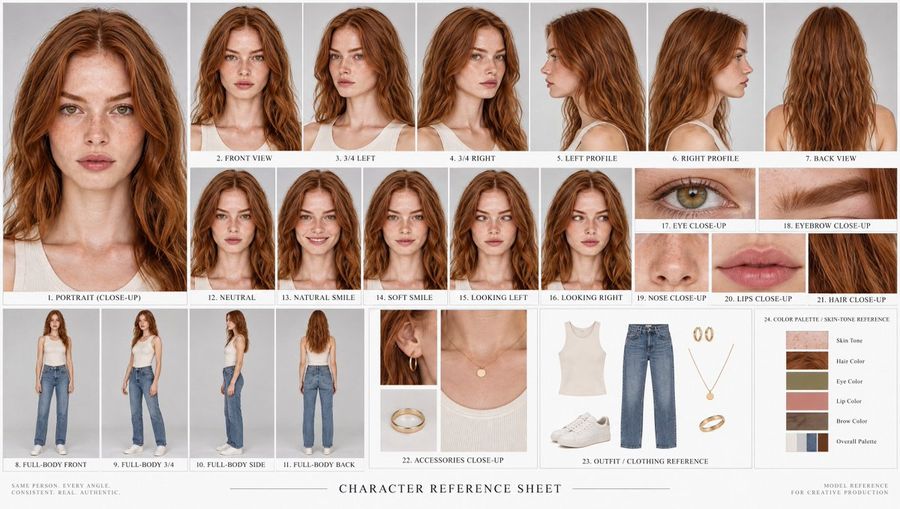
Photoreal Character Design Sheet
Переглянути повний промпт і скопіювати

Using REFERENCE_0 as the identity base, turn the portrait into a clean photorealistic character design sheet for main character. Preserve the woman’s facial identity, freckles, hair, yellow blouse, and realistic photo look, but expand her into full-body reference poses and production details. Canvas and style: Wide horizontal character sheet on an off-white studio background, minimal editorial layout, thin divider lines, small uppercase technical labels, realistic lighting, high-resolution photoreal consistency across every panel. Top header: Add the title “CHARACTER DESIGN SHEET — MAIN CHARACTER” and a small metadata line: “NAME: — | AGE: 28 | ROLE: FIELD RESEARCHER | STYLE: REALISTIC / PHOTOREAL”. Main body layout: Create exactly 3 character view panels across the top: 1) front view, full body, neutral stance; 2) right-side profile view; 3) back view, full body. For the newly visible full-body styling, add olive/khaki slim pants and brown leather lace-up boots while keeping the blouse consistent with the reference. Expression section: Add a centered section titled “FACIAL EXPRESSIONS” with subtitle “CLOSE-UP HEADSHOTS”. Include exactly 3 close-up expression panels labeled: “FOCUSED”, “SKEPTICAL”, and “RELIEVED”. Keep the same character identity in all three. Gear and detail section: Add a lower section titled “GEAR & DETAIL REFERENCES”. Include exactly 4 detail panels labeled: 1) “EARRING DETAIL” showing a small gold hoop earring, 2) “WRIST — LEATHER WATCH” showing a brown leather wristwatch, 3) “BLOUSE FABRIC DETAIL” showing the yellow blouse texture and button, 4) “BOOTS & PANTS DETAIL” showing the brown boot and olive pant cuff. Character notes: Add a compact notes box on the lower right titled “CHARACTER NOTES” with short bullet points summarizing hair, eyes, skin, outfit, bottoms, footwear, accessories, and personality. Use the personality line: Calm, observant, field researcher. Constraints: Keep all views and headshots visually consistent with REFERENCE_0, avoid changing the face into a different person, do not add extra panels beyond the 3 views, 3 expressions, 4 detail references, and 1 notes box, and keep all text clean and legible.

Згенерувати зображення
Автор: @Laraib Fatima‎
GPT Image 2
Minimalist Vector Doodle Illustration
Переглянути повний промпт і скопіювати

Treat the uploaded image as composition and color reference only. Recreate it as an original minimalist vector doodle illustration. Use thick monoline cobalt-blue outlines with intentionally uneven hand-drawn strokes. Fill every object with completely flat solid colors sampled from the reference. No gradients, no realistic shading, no marker texture, no pencil texture, no cross-hatching, no painterly effects, no photorealism. Simplify facial features into cartoon shapes with round eyes, tiny nose, simple mouth, and minimal details while keeping the pose instantly recognizable. Use a clean off-white paper background with lots of negative space. The overall style should match a modern editorial doodle illustration, similar to hand-drawn vector artwork created with Procreate or Adobe Fresco, playful, bold, flat, minimal, and graphic Do not create a marker sketch. Do not create a realistic illustration. Create a flat vector doodle with bold blue outlines exactly in the same visual language as the reference.

Згенерувати зображення
Автор: @H A J R A
GPT Image 2
Luxury Fashion Magazine Editorial Layout
Переглянути повний промпт і скопіювати

An open luxury fashion magazine rests on a premium marble table, featuring an elegant editorial layout rather than an ordinary photo. The left page showcases a stunning full-page hero portrait [image1], while the right page displays three beautifully arranged supporting images, with refined editorial typography, generous white space, premium print texture, subtle paper curl, realistic page fold, and glossy magazine reflections. Warm sunlight falls across the pages, creating rich shadows and luxurious highlights. Inspired by Vogue Italia, Harper's Bazaar, and Dior campaign photography. Surreal fashion editorial, cinematic lighting, photorealistic masterpiece, 4K.

Згенерувати зображення
Автор: @ar
GPT Image 2
Minimal Queue Illustration
Переглянути повний промпт і скопіювати

Create a minimalist flat vector illustration of four people standing in a line as if waiting in a queue, all shown in left-facing side profile on a warm off-white background. Use a simple editorial style with thick dark charcoal outlines, flat muted colors, and very little facial detail. The scene contains exactly 4 discrete human figures from left to right: 1) a young man in a black jacket and black pants wearing a rounded black backpack, standing upright with arms down; 2) a young woman with dark hair in a ponytail, wearing a muted blue long-sleeve top, slim black pants, black shoes, and a black crossbody shoulder bag; 3) a young man in a black outfit with a black backpack, holding a smartphone in one hand at chest height while looking slightly downward; 4) a young woman with shoulder-length dark hair wearing a muted blue top, long black skirt, black shoes, and carrying a white tote bag over one shoulder. Keep the figures evenly spaced, cropped slightly at the far right edge for the fourth person, with no text, no scenery, no shadows, and no extra objects beyond the 4 bags and 1 smartphone. Use a restrained palette of muted blue, black, charcoal gray, white, and cream, with clean hand-drawn linework and a calm modern urban mood.

Згенерувати зображення
Завантаження додаткових промптів

FAQ

Звідки беруться промпти YouMind?
YouMind відбирає високоякісні приклади AI промптів зі спільнот творців та публічних творчих робочих процесів. Бібліотека зосереджена на промптах, які корисно вивчати, повторно використовувати та адаптувати.
Як організовані категорії промптів для зображень?
Промпти для зображень згруповані за варіантами використання, стилями та темами. Варіанти використання описують завдання, яке потрібно виконати, стилі описують візуальне оформлення, а теми описують те, про що переважно йдеться на зображенні.
Як промпти розподіляються за категоріями?
YouMind використовує ШІ для аналізу кожного промпту зображення, його назви, метаданих та результату генерації (якщо він доступний), а потім призначає найбільш відповідні категорії. Редактори можуть уточнювати категорії в міру розвитку таксономії.
Що таке YouMind?
YouMind — це робочий простір зі штучним інтелектом для перетворення досліджень, ідей та творчих референсів на корисні результати. Бібліотека промптів є однією з публічних частин цього робочого процесу, створеною для того, щоб допомогти творцям швидше вчитися на якісних прикладах.