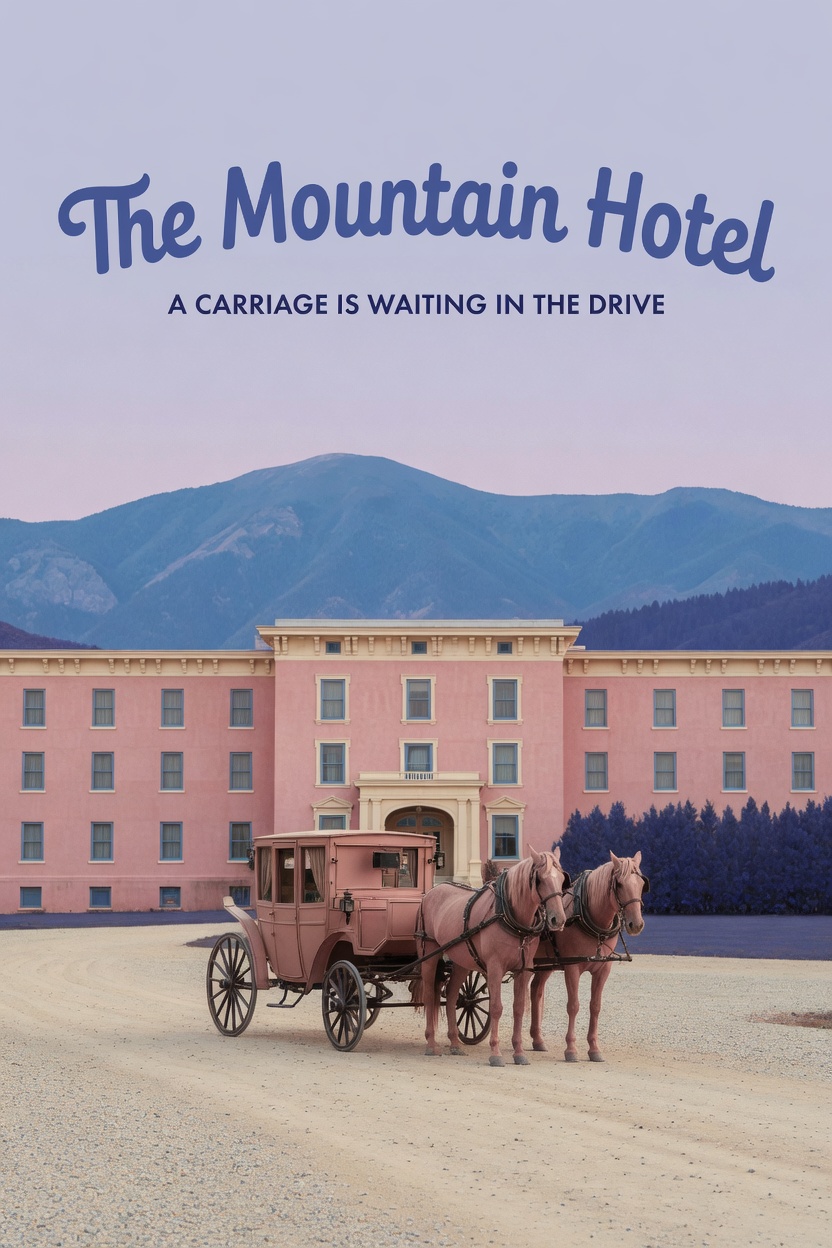
Wes Anderson–Style Poster
Turn themes or photos into retro cinematic scenes
Showcase
Description
Turn a one-sentence theme or reference photo into a movie poster or scene with Wes Anderson–style order and theatrical atmosphere. People, animals, buildings, and props are arranged into clear little worlds through frontal or symmetrical framing, retro production design, carefully designed spatial relationships, and a restrained sense of anticipation, humor, or detachment. The style is expressed through the structure of the image—not just layered filters and retro adjectives. Posters default to a 2:3 portrait format with an English main title and subtitle. When you need a text-free film still or movie scene, the canvas can be adjusted to a suitable aspect ratio. Titles are treated as part of the overall composition, with attention to typography, reading flow, scale, rhythm, and negative space. The palette, film tones, lighting, and material textures work together in service of the theme while preserving important content from the photo, including people’s identities, key structures, the number of people, poses, and recognizable markings. You will receive the finished image and the actual image prompt used. If you only need a prompt, photo-editing suggestions, or a visual review, you can specify that directly. Suitable for creating retro movie posters, character scene portraits, architectural and prop displays, nature-themed images, and stylized work based on source images.
Recommended by
Shuting@YouMind
Why we love this skill
It directs the entire poster—from camera angle and set design to color, mood, and title typography—instead of merely applying a retro filter.
Best for
Creating retro movie posters, character and architectural scenes, and stylized visuals based on reference photos.
How to use this Skill
Provide your input
Provide a one-sentence theme or a reference photo. You can also specify a poster or text-free scene, aspect ratio, language, title, and people or structures to preserve.
Run the Skill
Arrange the theme or photo into a cinematic image with symmetry, retro production design, a cohesive palette, and restrained dramatic tension, incorporating title design as requested.
Review your result
Receive a retro movie poster or text-free scene image with the actual image prompt used. You can also request only the prompt, editing suggestions, or a visual review.
Related Skills
View all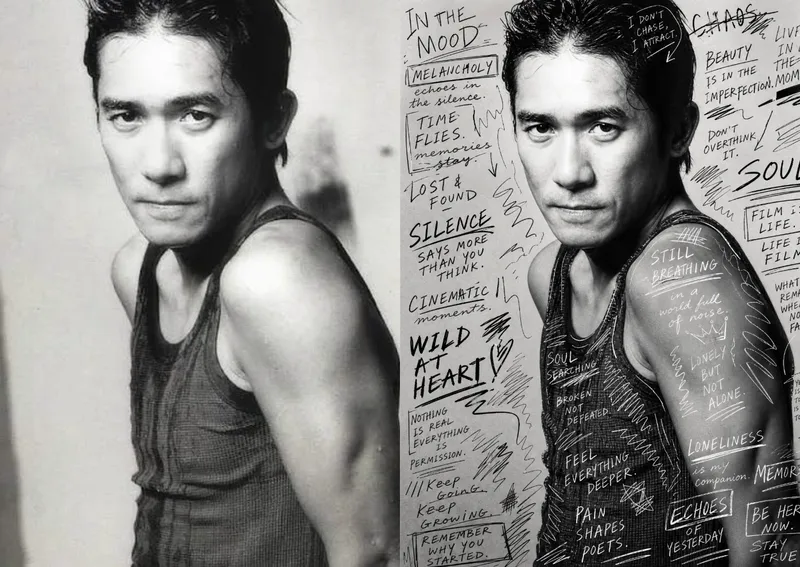 Image
ImageHand-Drawn Photo Posters
Turn an ordinary photo into a vertical art poster with an authentic hand-drawn feel. Upload a photo and describe the lettering, doodles, or theme you want to add. You’ll get handwritten copy, free-flowing lines, and stylized icons drawn directly onto the original image, preserving the photo’s subject and atmosphere while adding a natural, spontaneous creative touch. Based on the photo’s composition, subject, and overall mood, it plans a suitable 3:4 portrait layout, balances the original image with areas of negative space, and designs hand-drawn elements and lettering styles to match each placement. The results emphasize authentic physical pen strokes: lines have natural curves and texture, avoiding printed fonts, computer-generated text effects, and a digital painting look. Handwritten content defaults to English but can be changed to Chinese as needed. Along with the finished image, you’ll receive a complete, reproducible image-generation prompt and a brief creative explanation—ideal for social media visuals, personal photo posters, travel keepsakes, and artistic photos with a handcrafted feel.
 Image
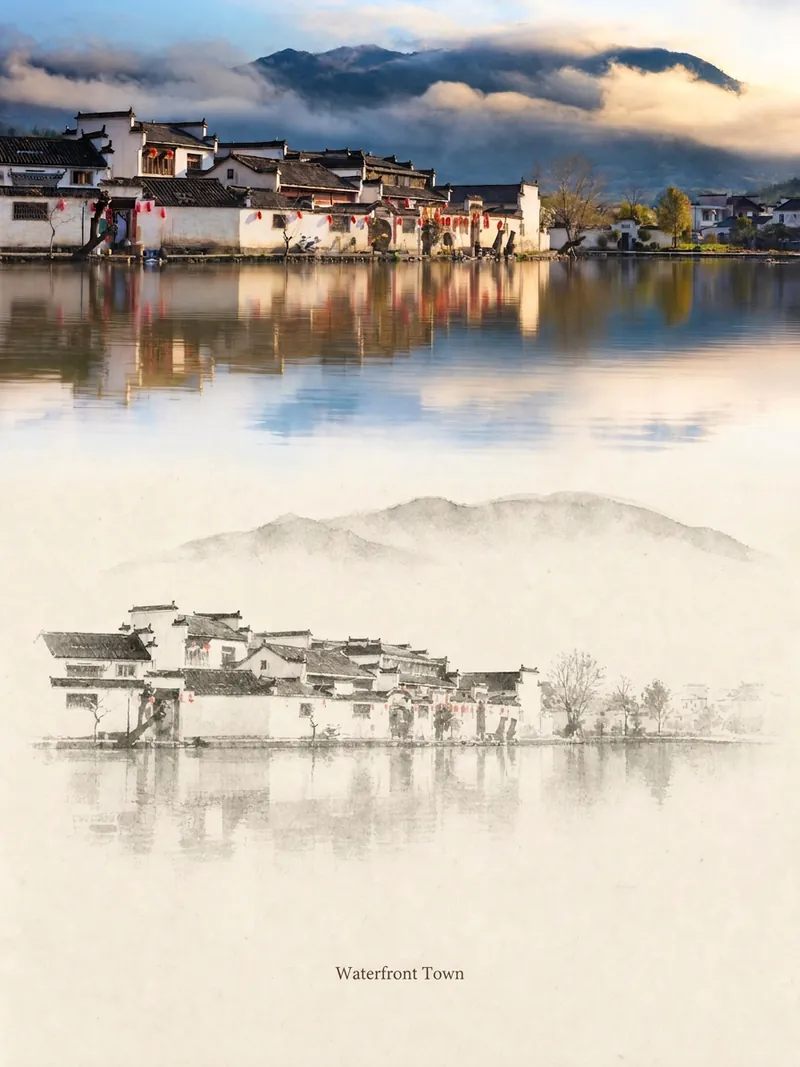
ImageRelic Art
Transform a real photo into a vertical "relic art" poster that blends documentary value with artistic expression: the upper part keeps the original photograph untouched, while the lower part uses warm paper or restrained light and shadow to compress a memory-derived graphic from the image. It's not a typical illustration or decorative poster; instead, it uses sparse ink blocks, softened edges, white-space cuts, and sparse lines to distill architectural, urban, water, road, human-scale, horizon, and light-shadow relationships, so the subject remains recognizable even in thumbnails. The overall feel is quiet, restrained, and like a modern print. Colors are taken from the source photo, primarily deep blue, ink black, gray-green, stone, or low-saturation warm tones, with a small warm accent added when fitting. The title is kept very small, poetic, and similar to an exhibition label, never overwhelming. This is suitable for minimalist art posters, photographic relic series, architectural and urban image posters, abstract editorial photography, gallery-style photo covers, and visual series for mobile platforms like Douyin. The final output preserves the authentic content of the original photo while adding a consistent "memory imprint" below, giving each photo its own mood and an expandable visual identity.
 Image
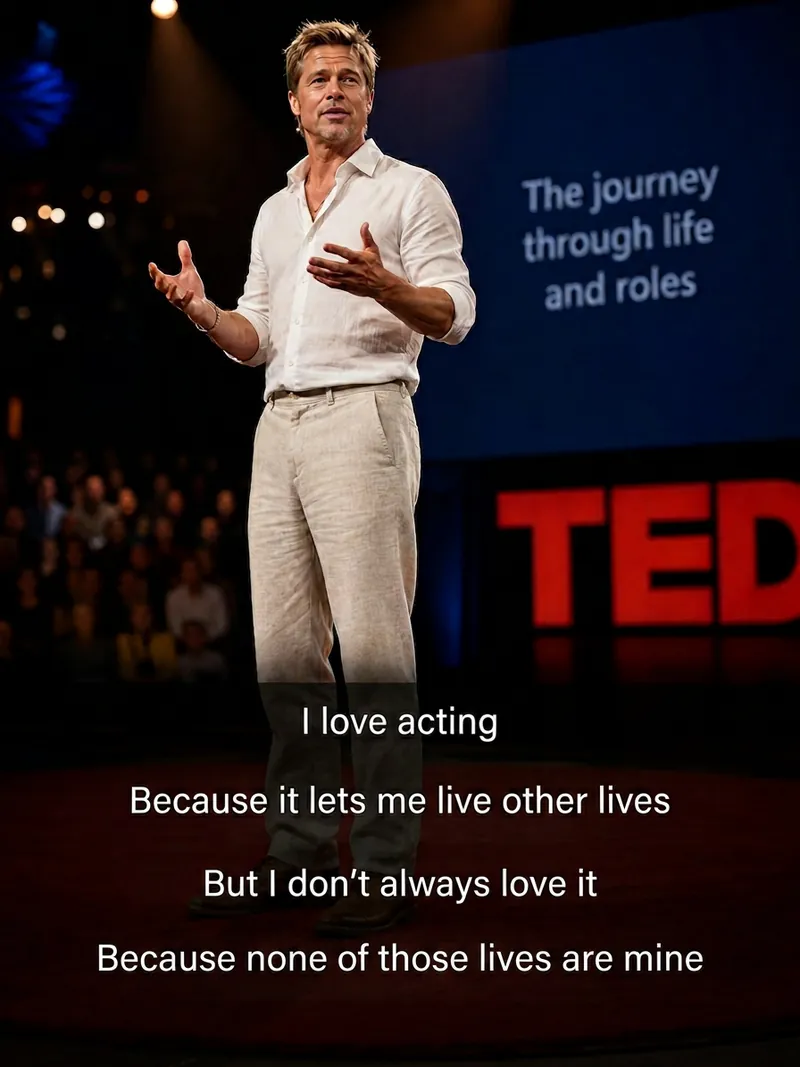
ImageCinematic Quote Portraits
Turn a portrait photo and a quote into a vertical quote poster with a cinematic narrative feel. Facial features, hairstyle, and identity are kept as consistent as possible with the reference photo, while the quote’s emotion shapes scenes such as an interview, an intimate conversation at home, a courtroom statement, a seaside monologue, a rainy nighttime street, or a retro Hong Kong-inspired setting. Ideal for character quote graphics, mood posters, and social media content. Choose a preset template or customize the scene, clothing, pose, and atmosphere. The Skill also supports speaking mouth shapes, Chinese-English bilingual text, classic typography, subtitle styles, minimalist designs, and Hong Kong-inspired color tones, with output in 3:4, 9:16, or 1:1 formats. Longer quotes are condensed and line-broken for poster presentation, keeping the text concentrated near the bottom of the image so it does not cover the subject’s face and remains clear and readable. The final deliverable is an AI-generated cinematic quote poster, accompanied by the selected scene, text style, and aspect ratio. Because the text is rendered directly by AI, complex or lengthy quotes may occasionally contain incorrect characters. If the text is inaccurate, shorten the quote or request a new generation.
Information
- Version
- v4
- Last updated
- Runtime credits
- Usage-based
- Models
- Auto
- Use cases
- Images & design
- What you get
- ImagePrompt
- Visual styles
- CinematicRetro
