Product Concept Forge
Discover Original Products from Unexpected Inputs
Product Concept Forge
Discover Original Products from Unexpected Inputs
Showcase
Description
Product Concept Forge turns scattered ideas, observations, visuals, problems, existing products, and unfinished thoughts into original product concepts. You do not need a finished idea. Bring random words, a complaint, a visual spark, an existing product, or even a rough “what if?” thought. The system does not generate generic idea lists. It extracts meanings and mechanisms, combines them into new product behaviours, and develops a small number of meaningful concept branches. You can choose, merge, reject, simplify, revisit, or mutate these branches. You can also add your own unfinished idea at any point. Even a small association can become a valuable mutation, and the system preserves whether each major idea came from you, AI, research, or an earlier branch. Promising concepts are tested for originality, logic, new user behaviour, feasibility, and weak assumptions. Product Concept Forge can explore software, AI tools, printables, templates, physical products, services, workflows, and hybrid concepts without forcing ideas into a predetermined format. When a concept matures, it can produce a Concept Card, Concept DNA, validation path, and—when justified—a coherent product family. The goal is not to generate more products. It is to discover product concepts that do not yet feel obvious.
Recommended by
淡苍
Why we love this skill
Featured for turning scattered observations, visuals, complaints, and unfinished ideas into genuinely differentiated product logic. It goes beyond brainstorming by extracting transferable mechanisms, challenging commodity concepts, preserving creative lineage, and guiding promising directions toward coherent products and testable next steps.
Related Skills
View all
NeedSignal Product Scout
NeedSignal Product Scout turns real user problems, workarounds, unmet requests, product reviews, links, and observations into evidence-backed product opportunities. Instead of producing generic idea lists, it expands each signal across independent sources, identifies the underlying need, checks current solutions and competitors, and separates verified evidence from inference and hypotheses. You receive 3–5 focused opportunity cards with their evidence trail, user, solution gap, differentiation, risks, and next validation step. Choose one to develop into a practical product plan, prototype path, user-test plan, and two professional reports. Optional visualisation begins with complete image prompts first. You decide whether to generate visuals, revise the prompts, or take the prompt package to another image tool.
 Image
ImageTactile Ephemera Studio
Transform a rough idea into a premium, art-directed mixed-media image concept. Tactile Ephemera Studio helps you shape a clear visual story before writing prompts. It asks only the questions that matter—your intended format, mood, density, key objects, and preferred image platform—then turns your answers into a cohesive 2.5D paper-and-material collage direction. Receive a complete prompt pack with: A concise creative direction and material plan One detailed, production-ready master prompt Prompt versions tailored for ChatGPT Images, Midjourney, Flux, Ideogram, or your chosen platform Purposeful “Quieter / Curated” and “Denser / Collectible” variations when useful Clear format, ratio, and usage notes Each result is built around tactile paper layers, deckled edges, vellum, ribbons, botanical fragments, antique details, and a controlled visual hierarchy—never generic clutter, glossy 3D, photorealistic tabletop scenes, or accidental AI text. Once you choose a direction, the skill can also create the final image for you.
 Image
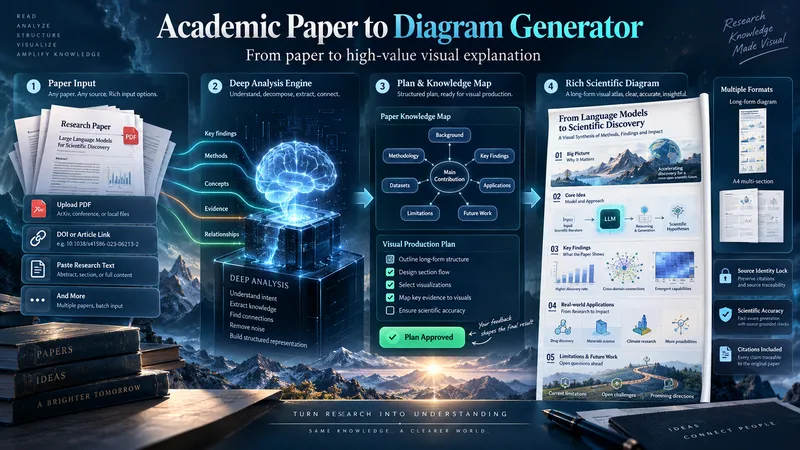
ImageAcademic Paper to Diagram Generator
Transform academic papers into detailed, scientifically faithful visual diagrams. The skill deeply analyzes the paper, identifies its most valuable concepts, mechanisms, methods, findings, and relationships, then builds a visual plan with you before generation. Instead of forcing every paper into a small infographic, it can create long vertical diagrams, wide technical maps, multi-section visual explainers, or A4-ready 2–3 part layouts when needed. The visual style is adapted to the subject, with room for AI-driven creativity, scientific illustration, data integration, annotations, and topic-specific visual storytelling. You can start with a PDF, URL, DOI, pasted text, or a request to find a suitable paper. The diagram language is user-approved, the source identity is locked for accuracy, and the final image is generated only after you review the visual plan and production prompt.
Information
- Version
- v7
- Last updated
- Runtime credits
- Usage-based
- Models
- Auto
