
Motion Graphic Ad Director
Upload the static poster along the USP of the product
Motion Graphic Ad Director
Upload the static poster along the USP of the product
Showcase
Description
Turns a product, brand, and funnel goal into a production-ready Meta motion-graphic ad package — art-direction spec, Style DNA, shot-by-shot storyboard with camera/VFX/easing notes, and generation prompts — then pauses for permission before rendering.
Recommended by
淡苍
Why we love this skill
Featured for turning product briefs or static posters into performance-ready motion concepts with locked Style DNA, cinematic storyboards, generation-ready prompts, and rigorous QA. Its dual-mode workflow preserves brand fidelity while adding scroll-stopping movement and a deliberate approval gate before rendering.
Best for
Marketers, brand teams, and creatives developing Meta motion-graphic ads from a product brief or static poster.
How to use this Skill
Provide your input
Provide a product or brand, funnel goal, USP or required copy, assets and brand guidance; optionally upload a poster or references.
Run the Skill
The Skill turns your brief into an art-direction and motion plan, then prepares a storyboard and generation prompts. It pauses for approval before any video rendering.
Review your result
Receive a production-ready ad package with locked visual direction, beat sheet, storyboard, prompt set and assembly notes.
Related Skills
View all Video
VideoUGC Ad Video Prompt
Turns a product and a creator into a ready-to-paste short-form UGC video ad prompt. It engineers a strong pattern-interrupt hook for the opening seconds, builds a multi-angle shot list with punchy camera play instead of one static shot, and writes natural, human-sounding voice direction — no flat, robotic delivery. The result is a single prompt block you can drop straight into a video generator.
 Video
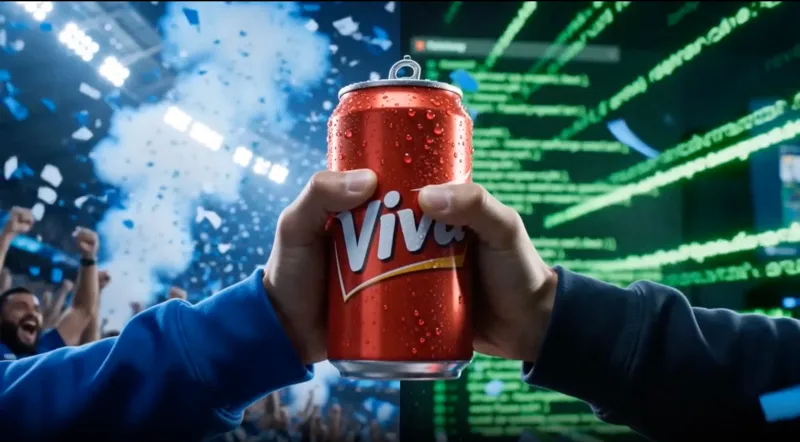
VideoMy Peak Moment - FIFA Theme Ad Master
Turn any product, brand, or personal story into a 15s FIFA dual-narrative short film. Outputs a storyboard first for approval, then generates the final video.
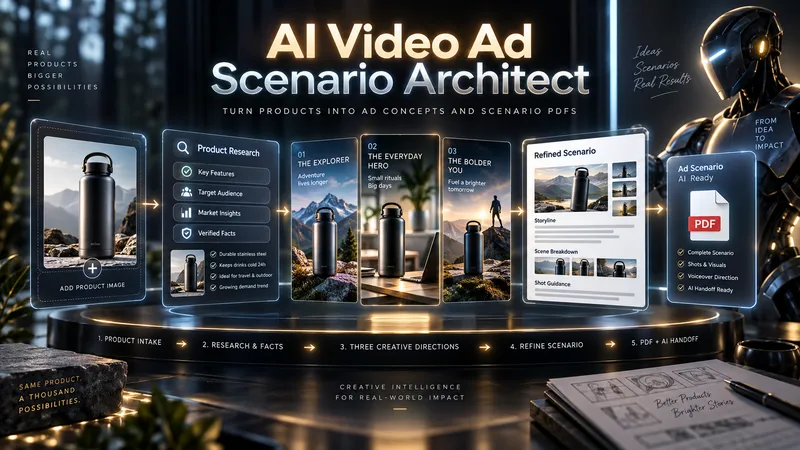
AI Video Ad Scenario Architect
Upload a product image or provide a product/model name. AI Video Ad Scenario Architect researches the product, identifies verified features, and turns them into creative advertising opportunities. The Skill first builds the Product Creative DNA, then uses the Creative Diversity Engine to generate 3 genuinely different ad directions. You can choose one, combine ideas, or introduce your own concept. If you want more control, Collaborative Mode lets you refine the selected direction together with the AI. For identifiable products already on the market, the Skill researches the web, prioritizes official sources, resolves conflicting information, and prevents unsupported technical claims from entering the script. When you upload a product image, Product Identity Lock preserves key visual details such as color, silhouette, logo placement, and distinctive product features for later production stages. After your chosen direction is approved, it is developed into a complete video ad scenario with scene timing, dialogue, visual direction, product visibility, sound design, payoff, and an optional CTA. The final deliverable is a structured PDF. It is not just a readable script: it also includes Verified Sources, Product Identity Lock, Production Context, and a Universal AI Continuation Prompt. You can give the PDF to another capable AI assistant and continue with image generation, image-to-image, image-to-video, voice, sound, and editing planning. You can also pass the same PDF into an optional AI Video Ad Production Workflow for a more advanced production pipeline.
Information
- Version
- v4
- Last updated
- Runtime credits
- Usage-based
- Models
- Auto
- Use cases
- Images & designVideo & audioMarketing & growth
- What you get
- DocumentPromptPlan
