
AI Video Production Workflow
Build with a proven, credit-saving workflow
AI Video Production Workflow
Build with a proven, credit-saving workflow
Showcase
Description
AI video production pipeline: Project assessment and budget tiers → Pre-production completion → Dynamic storyboards and asset lock-in → Keyframe image generation and image-to-video → Post-production compositing and final upscaling. Step-by-step control, two-stage review, and credit-efficient finished videos; generate within YouMind or export a resource package for production on other platforms; all characters, scenes, and audio use the user's own content, organized into reusable, locked prompt assets and archived in three folder categories: script, art, and sound.
Recommended by
淡苍
Why we love this skill
Turns AI video production into a reviewable, reversible pipeline. Built from real project experience, it uses low-cost rough cuts and shot checks to prevent rework, match resolution to budget, lock assets, and track each shot—especially useful for saving credits.
Related Skills
View all
AI Hot Topic Video Pipeline
🔥 End-to-end production pipeline for short AI news videos: first, research recent hot topics and present selectable content ideas. The workflow must wait for the user to explicitly confirm a topic before continuing to generate a 1-minute script, keyframe images, video clips, titles, hashtags, and editing guidelines. Supports content production about cutting-edge AI news, tech trends, and industry developments for WeChat Channels and Douyin.
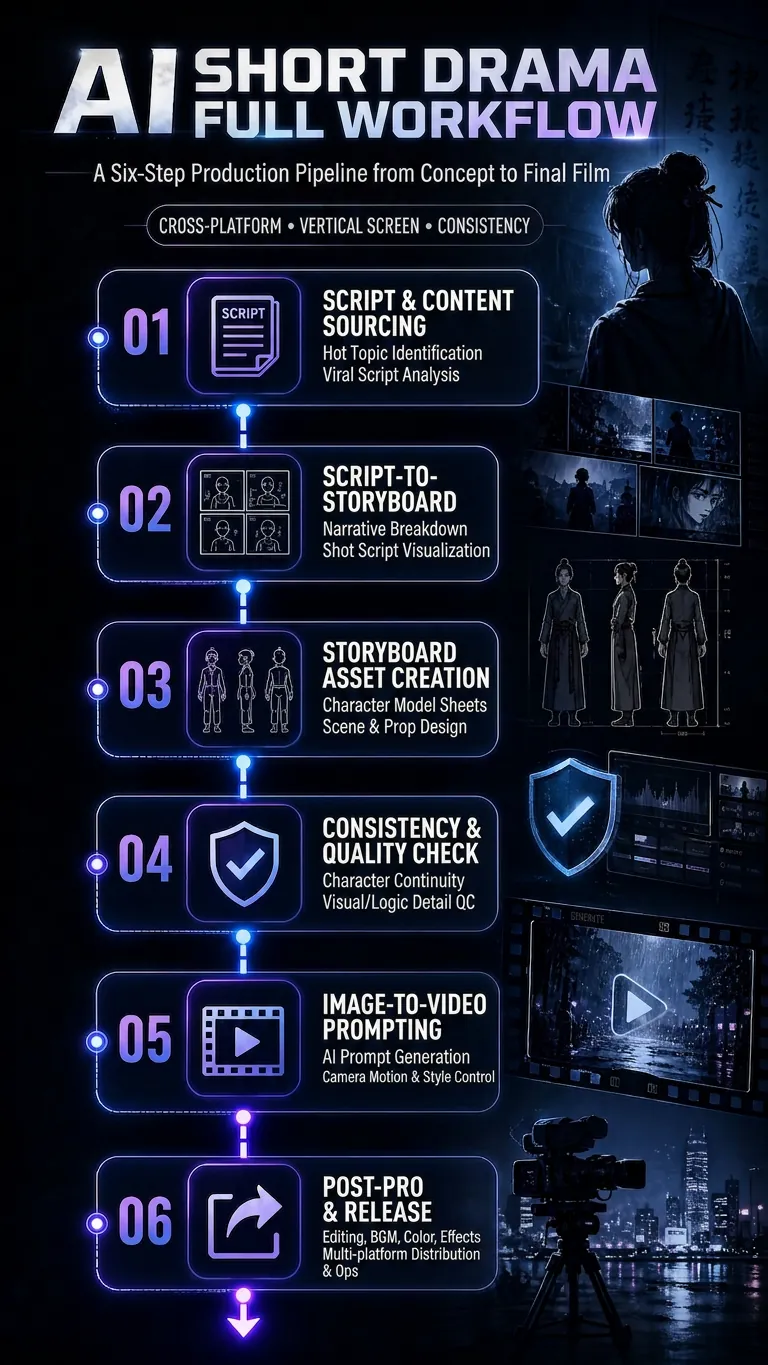
AI Short-Drama Workflow v5
Turn a concept, novel, or script into an executable AI video production plan, covering three formats: AI short drama, AI comic drama, and AI live-action drama. The Skill includes a complete six-step production pipeline: find scripts and hit copy → adapt the script into a shot list (including shot language and dialogue-duration adjustments) → design shot assets (character turnarounds, scene concept art with physical lighting, and material details) → consistency checks and pre-generation quality control (asset binding, cross-shot consistency, and P0/P1 blocking gates) → image-to-video prompts (Vidu/Jimeng/Doubao standard templates + Jimeng Seedance first/last-frame template) → final-cut production and publishing quality control. By default, the workflow uses no subtitles or background music, retaining only dialogue and necessary sound effects. Supports locked visual styles including realistic cinematic, 2D Chinese animation, and 3DCG Chinese animation. Designed for scaled production on vertical platforms such as Douyin, Kuaishou, WeChat Channels, and Xiaohongshu.

AI Video & Storyboard Prompts
Turn storylines, character profiles, or existing video prompts into professional storyboards and ready-to-use shot prompts for AI video generation. Whether the scene involves contemporary life, historical drama, mystery, romance, or high-payoff drama, the skill focuses on character relationships, pacing, and emotional hooks. It clearly defines shot scale, camera position, perspective, camera movement, composition, lighting, ambient sound, and dialogue, giving every shot a clear visual focus and actionable movement. The skill pays close attention to character consistency and scene continuity. It helps lock in each character’s appearance, clothing logic, identity and status, and defining details, reducing generation issues such as facial changes, visual drift, spatial confusion, and unclear actions. A character’s gaze, expressions, breathing, hand movements, and physical reactions are also translated into visible performance changes, strengthening conflict, tension, twists, and emotional progression. You can start with a complete storyline or provide existing character assets, storyboards, or prompts for targeted optimization. When you already have an established character profile, it can be reused directly to avoid redesigning it. The complete sequence can then be organized into clips of 15 seconds or less for generation with mainstream AI video models, while preserving visual, audio, and duration details for easy copying, use, and further editing.
Information
- Version
- v18
- Last updated
- Runtime credits
- Usage-based
- Models
- Auto
