One-Click Case Study PPT
Description
In just five minutes, you can clearly understand and even generate a business case study. Simply enter any company name and generate 4 consulting-level strategic analysis Slides with one click. Automatic intelligence gathering → strategic insight extraction → visual image generation → core insight delivery. Ideal for PPT creation, case studies, business analysis, and learning references. Verified with 6 cases including Songzan, Xpeng, Pangdonglai, Pinduoduo, Aier Eye Hospital, and tea'stone.
Related Skills
View all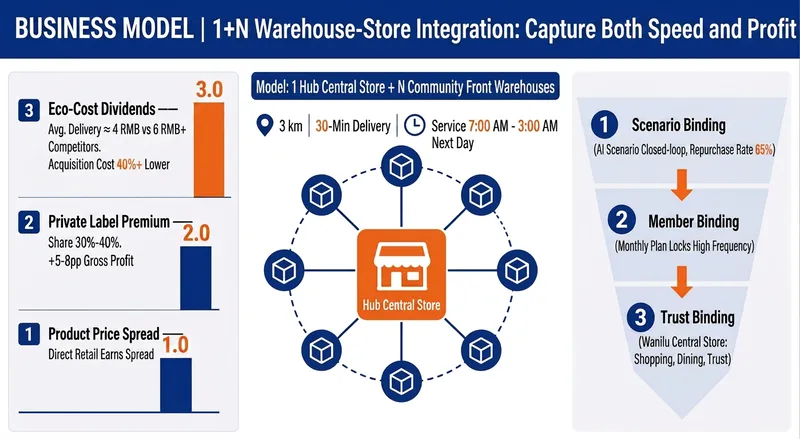
Strategy Research Workshop
Turn a company, industry, or competitor into a research report and PPT deliverable for management presentations and strategic decision-making. The research covers strategic positioning, business models, operational detail, key data, the competitive landscape, supply chains, core strengths, and future capability priorities—alongside industry trends, market size, risks and controversies, and practical competition—to help you understand how the business wins, whether it can scale, and where it should go next. The Skill organizes publicly available research into an evidence trail with dates, data definitions, sources, and credibility notes. It extracts strategy-focused assertions and actionable talking points for presentations. The final deliverable is a complete company case study report with data sources and disclaimers, along with a consulting-style PPT outline and presentation built around a single argument, making complex information easy to explain in about 15 minutes. From the outline to the visual presentation, you can confirm the narrative angle, audience depth, page count, and design style before completing the report and presentation. It is suitable for corporate strategy, investment research, consulting projects, industry analysis, and competitive benchmarking. After completion, you can also explore a specific dimension further, conduct cross-comparisons, adjust the framework or style, or research a new subject.
 Research
Product People's Business Canvas
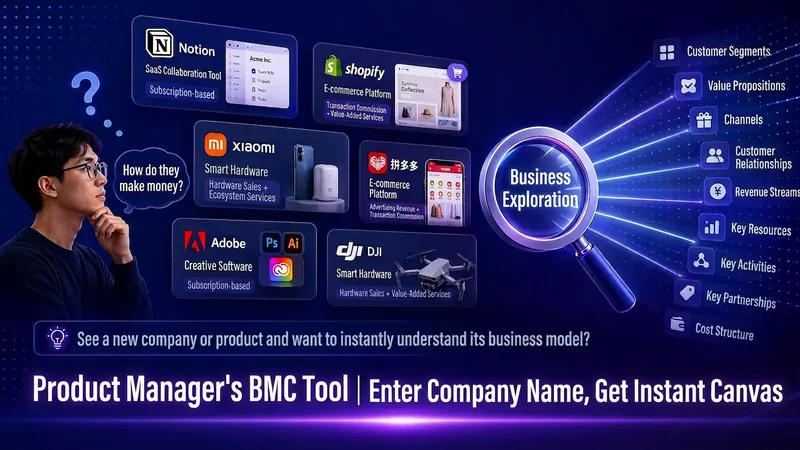
Enter a company name and instantly get a business model canvas with 9 grids. Still opening ten tabs to piece together competitor analysis? Enter a company name, and this skill automatically searches online, cross-validates sources, and outputs a structured analysis report based on the 9 BMC modules. 🎯 Smart matching for 5 scenarios: Competitor research, learning about an interesting company, job application reference, investment reference, entrepreneurial inspiration—different purposes, different focus insights. 📊 3 output formats: Text document, canvas table, PPT presentation. 🔍 3 levels of analysis depth auto-adapt: From a quick question to a formal report. ✅ Strict source verification: Each citation is verified via actual access; invalid links are directly discarded, eliminating hallucinations. 🏷️ Information credibility labels: Each piece of info is marked as "Confirmed" or "Inferred", with traceable sources. 🚫 Zero fabrication commitment: If a company is not found, inform directly; do not fabricate or invent. From fragmented information to structured insights, product people instantly understand any company's business logic.
 Slides
Consulting-Style Slides
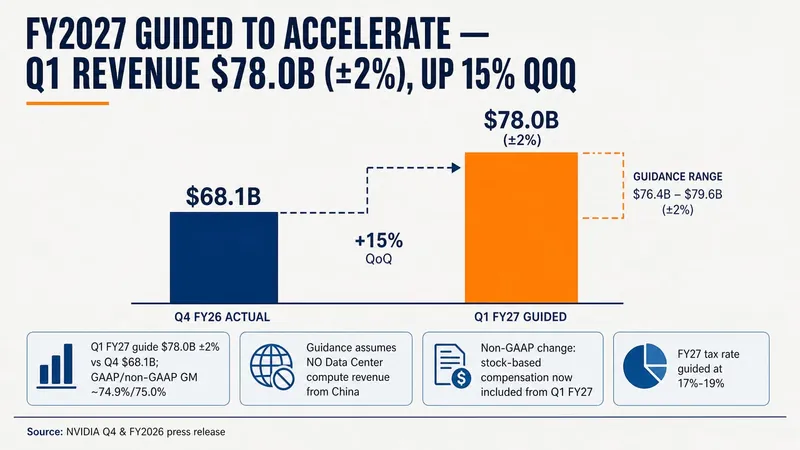
This Skill helps you create high-quality business Slides to the professional standards of top-tier consulting firms. It strictly follows the Pyramid Principle and applies the core ideas of leading with conclusions, progressing logically, and using data to turn scattered business insights into structured, coherent presentations. Whether you are developing a strategy, proposing a project, or conducting a business analysis, it helps you quickly build a framework based on the MECE principle, ensuring that points are mutually exclusive and collectively exhaustive. During content development, this Skill automatically distills insightful slide titles and recommends the most suitable visualizations based on your data, such as waterfall charts, funnel charts, and stacked bar charts. It provides structured design guidance and can also generate a professional Slides file with title slides, content slides, comparison slides, and chart placeholders. The generated document uses a classic dark blue and orange business color palette, with clean, professional layouts and clear visual hierarchy, helping your presentation demonstrate a high level of professionalism in both design and content.
One-Click Case Study PPT
Description
In just five minutes, you can clearly understand and even generate a business case study. Simply enter any company name and generate 4 consulting-level strategic analysis Slides with one click. Automatic intelligence gathering → strategic insight extraction → visual image generation → core insight delivery. Ideal for PPT creation, case studies, business analysis, and learning references. Verified with 6 cases including Songzan, Xpeng, Pangdonglai, Pinduoduo, Aier Eye Hospital, and tea'stone.
Related Skills
View allStrategy Research Workshop
Turn a company, industry, or competitor into a research report and PPT deliverable for management presentations and strategic decision-making. The research covers strategic positioning, business models, operational detail, key data, the competitive landscape, supply chains, core strengths, and future capability priorities—alongside industry trends, market size, risks and controversies, and practical competition—to help you understand how the business wins, whether it can scale, and where it should go next. The Skill organizes publicly available research into an evidence trail with dates, data definitions, sources, and credibility notes. It extracts strategy-focused assertions and actionable talking points for presentations. The final deliverable is a complete company case study report with data sources and disclaimers, along with a consulting-style PPT outline and presentation built around a single argument, making complex information easy to explain in about 15 minutes. From the outline to the visual presentation, you can confirm the narrative angle, audience depth, page count, and design style before completing the report and presentation. It is suitable for corporate strategy, investment research, consulting projects, industry analysis, and competitive benchmarking. After completion, you can also explore a specific dimension further, conduct cross-comparisons, adjust the framework or style, or research a new subject.
ResearchProduct People's Business Canvas
Enter a company name and instantly get a business model canvas with 9 grids. Still opening ten tabs to piece together competitor analysis? Enter a company name, and this skill automatically searches online, cross-validates sources, and outputs a structured analysis report based on the 9 BMC modules. 🎯 Smart matching for 5 scenarios: Competitor research, learning about an interesting company, job application reference, investment reference, entrepreneurial inspiration—different purposes, different focus insights. 📊 3 output formats: Text document, canvas table, PPT presentation. 🔍 3 levels of analysis depth auto-adapt: From a quick question to a formal report. ✅ Strict source verification: Each citation is verified via actual access; invalid links are directly discarded, eliminating hallucinations. 🏷️ Information credibility labels: Each piece of info is marked as "Confirmed" or "Inferred", with traceable sources. 🚫 Zero fabrication commitment: If a company is not found, inform directly; do not fabricate or invent. From fragmented information to structured insights, product people instantly understand any company's business logic.
SlidesConsulting-Style Slides
This Skill helps you create high-quality business Slides to the professional standards of top-tier consulting firms. It strictly follows the Pyramid Principle and applies the core ideas of leading with conclusions, progressing logically, and using data to turn scattered business insights into structured, coherent presentations. Whether you are developing a strategy, proposing a project, or conducting a business analysis, it helps you quickly build a framework based on the MECE principle, ensuring that points are mutually exclusive and collectively exhaustive. During content development, this Skill automatically distills insightful slide titles and recommends the most suitable visualizations based on your data, such as waterfall charts, funnel charts, and stacked bar charts. It provides structured design guidance and can also generate a professional Slides file with title slides, content slides, comparison slides, and chart placeholders. The generated document uses a classic dark blue and orange business color palette, with clean, professional layouts and clear visual hierarchy, helping your presentation demonstrate a high level of professionalism in both design and content.
Find your next favorite skill
Explore more curated AI skills for research, creation, and everyday work.