You have a machine at home that's idle right now. A laptop with the lid closed. A Mac mini on a shelf. An old gaming PC under the desk that boots up for Spotify and shuts down again. It draws power, takes up space, and contributes nothing to your life.
Meanwhile your credit card statement shows $412 a month going to AI subscriptions. Claude Max, ChatGPT Pro, Cursor, Perplexity, two transcribers you forgot you signed up for, a "writing assistant" you used once. $4,944 a year to rent compute that fits on a single piece of hardware sitting silently in your house.
In 2026 those two facts collide. The same models behind the priciest subscriptions on the market now run on hardware that costs less than three months of the bill they're replacing. And the machine doesn't just run the model. It runs while you sleep, on a schedule you set, doing work you'd never have time to do yourself.
This is the article that picks the hardware, picks the brain, and shows you what the box actually does when you stop being the one pushing buttons.
Pick the box
Four options worth buying. Two are tiny silent computers. Two are cards you drop into a desktop you already own.
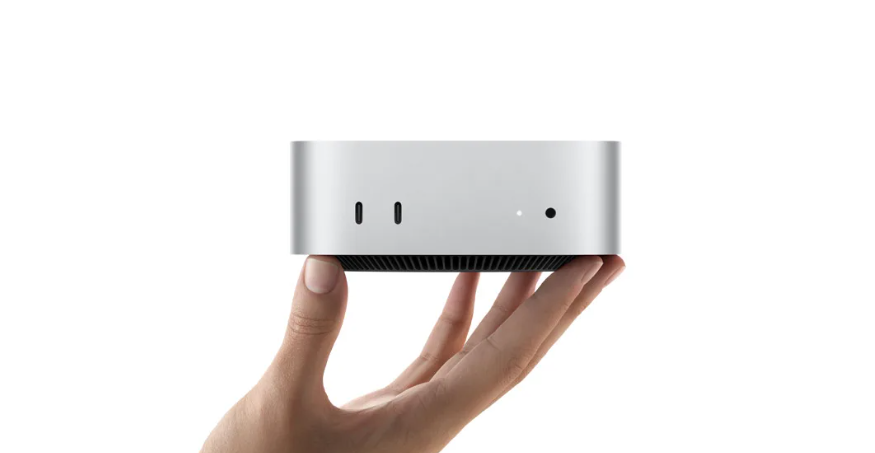
The silent route is easier. Mac mini M4, $599, is where most people land. Every local AI setup eventually points here because of one design choice. Normal PCs copy data between system RAM and GPU VRAM and you're capped by whatever the card has. Apple Silicon shares one memory pool. The model loads once. Both processors read from the same place. The $599 version with 16GB runs 7-8B models faster than Windows machines costing double. Step up to 32GB for 14B models. Step up to the M4 Pro at $1,399 with 48GB and you're running Llama-class 70B models on something the size of a sandwich. Power draw 8 to 25W, fan stays silent, electricity around $4 a month. This is the box if you don't want to think about hardware ever again.
Mac Studio M3 Ultra, $4,199 is the no-compromise version of the same idea. Base config 96GB of unified memory, maxed out 192GB. Above this you're in server-rack territory with six figures attached. 192GB loads the largest open-weight models that currently exist, full size, no compression tricks. Same weight class as the priciest subscriptions on the market. Electricity flat out around $14 a month, break-even against a single $200/month subscription at month 22. The machines last 7 to 10 years. This is the box for someone stacking $400+ a month in subscriptions today, or someone whose work legally can't leave their device. Lawyers, doctors, journalists protecting sources, financial ana

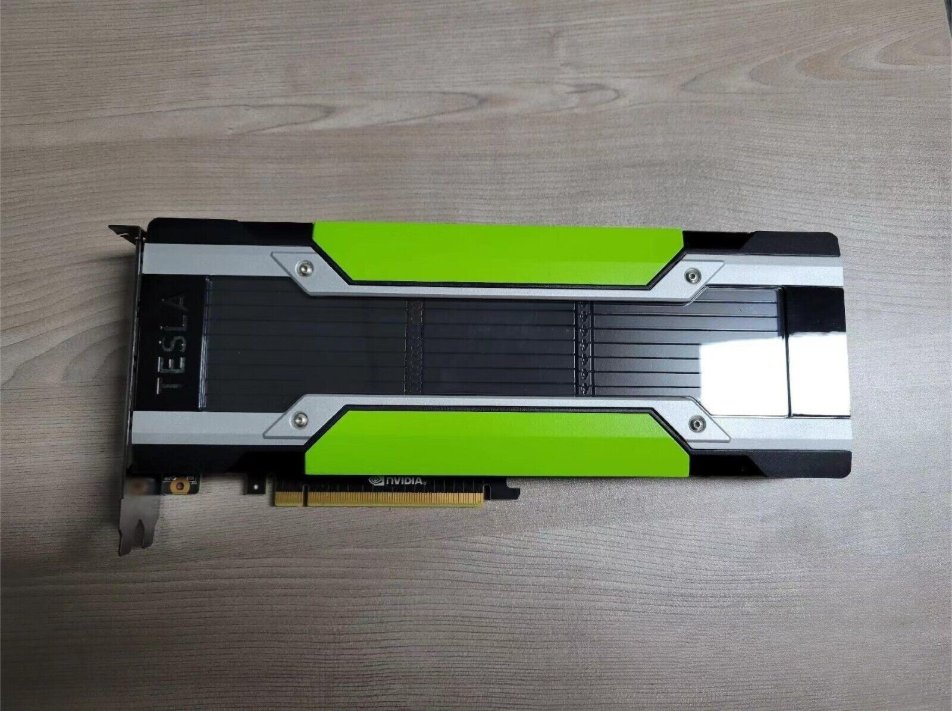
If you'd rather use a desktop you already own, two cards. Tesla M40 24GB, $130 used on eBay. A datacenter card NVIDIA released in 2015 for $3,500. Long since retired from server farms, draining onto the secondary market for under $150. 24GB of VRAM, same as a brand new RTX 5090. Enough to run a 27B model that holds its own against frontier models on most benchmarks. Catches: no display output so you keep your main GPU for the monitor, no built-in fan so add $25 for a 3D-printed shroud and a Noctua, needs an EPS to PCIe adapter for $10. Out the door around $165. Pays for itself in two weeks against a single Pro subscription.
Used RTX 3090, $700. For local AI, VRAM matters more than GPU generation, and the 3090 is the price-to-VRAM winner that exists in 2026. A new RTX 5090 has 32GB for $3,800. A used 4090 has 24GB for $2,000. A five-year-old 3090 has the same 24GB as the 4090 and sells for $650 to $750. Same usable model size, 70 to 80% of the speed, a third of the price. Drop it into an existing gaming PC, total around $850, runs a 27B model at 25 to 30 tokens per second. Two rules buying used cards: 98%+ seller feedback, and skip anything that mentions mining. High-heat operation kills memory chips. Gaming pulls a
Pick in one breath:
1want silent, zero setup, works forever -> Mac mini M4, $5992stacking $400+/month subs or privacy-locked -> Mac Studio M3 Ultra, $4,1993own a desktop, cheapest entry possible -> Tesla M40, $1304own a gaming PC, best speed for the money -> used RTX 3090, $700
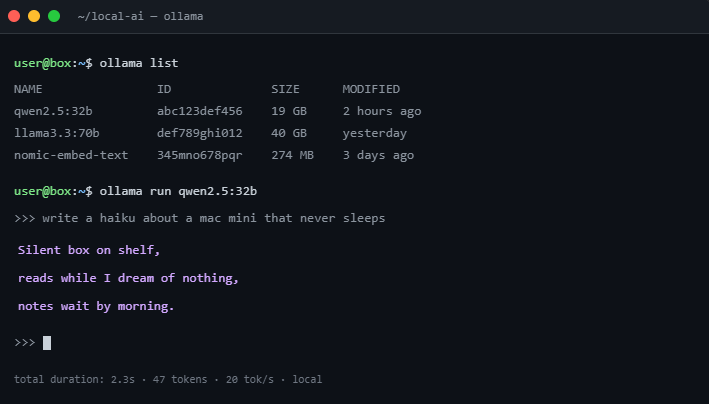
Whichever you pick, the install is three commands and they're identical on every tier:
1curl -fsSL https://ollama.com/install.sh | sh2ollama pull qwen2.5:32b3ANTHROPIC_BASE_URL=http://localhost:11434/v1 claude
Pick the brain
Hardware is the body. The thinking still needs a mind, and the trick that saves the most money is using more than one.
Claude Sonnet is the heavyweight. Point it at jobs that need real reasoning. Pulling 15 sources and weighing the strongest claims against each other. Deciding which of 400 notes in your vault a new article connects to. Around $3 per million input tokens. Nothing local touches it on complex multi-step thinking yet.
Claude Haiku is the cheap hand. Tagging. Sanity checks. Picking which of three options to surface in your morning brief. Roughly 12x cheaper than Sonnet. The kind of work that costs less than a cent per call.
A local model, whatever fits your box's VRAM, is the worker who never sends data out. Lives on your machine. Handles transcription, summaries, anything where you'd rather not pay per token and rather not ship sensitive content to a server. Free after electricity.
The rule that saves the most money: don't run Sonnet for tagging, don't run Haiku for thinking, don't ship private content out when local handles it fine. Your box lets you mix burners. You don't run the deep fryer to boil an egg.
What it does while you sleep
A box that's always on is wasted if all it does is replace a chat tab. The point is letting it work without you. Every job has the same four-part shape:
1TRIGGER -> something kicks it off (schedule, new file, webhook)2DO -> the work happens3VERIFY -> result checked against a hard rule4ITERATE -> fix what failed, or stop if it passes
Three jobs worth setting up the first weekend.
The gatekeeper. Watches your inbox. Every new email gets sorted into three piles: needs-a-reply, FYI, trash. A two-line draft reply gets written for the first pile so you only need to approve it. You wake up to four pre-written replies, hit send on three, edit one. Inbox done in seven minutes.
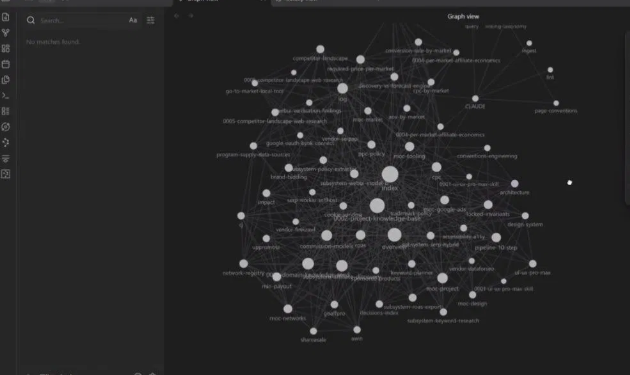
The cartographer. Lives in your notes folder. Every article you save, every YouTube link you drop, every meeting transcript that lands there gets processed: 1-line summary, three main claims, strongest quote pulled out, and the new note gets linked to existing notes on the same topic. Verify rule: note has all four pieces and at least one wiki-link to an existing note. Fluff gets tagged "low signal" and skipped. After two months your read-later pile turns into a searchable archive of arguments and quotes instead of a graveyard of tabs.
The watcher. Doesn't do anything most of the time. That's the job. Watches a list of things you told it to watch. A keyword in a Telegram channel. A specific job posting. A price on Amazon. The watcher pings your phone only when something actually moves past a threshold you set. Runs on Haiku. Costs less than a cent a day.
The three rules that separate jobs that survive from jobs that quietly burn money: verify has to be a hard rule, not a vibe. The job has to remember what it tried. The job has to know when to give up. Skip any of those and you wake up to a token bill instead of a result.
The math
1Hardware (one time) $130 to $4,1992Electricity $4 to $14 / month3Optional: keep ONE sub $20 / month
Old subscription stack: $412/month, $4,944/year.
New stack with the cheapest entry: $130 hardware + $96/year electricity + $240/year for one kept subscription = $466 in year one, $336 every year after. That's 90% off the bill, year one, including the box. Even the Mac Studio breaks even against a single $200/month subscription at month 22, and after that it's pure savings for the decade it stays running.
Try one before you buy anything
You can feel a job right now, in any chat, with nothing but a prompt:
1You will work in a loop until the task meets the bar.23TASK: [describe exactly what you want produced]45SUCCESS CRITERIA (strict, no soft passes):6- [criterion 1]7- [criterion 2]8- [criterion 3]910LOOP PROTOCOL, repeat every turn:111. PLAN - state the single next step.122. DO - produce or improve the work.133. VERIFY - score 1-10 on each criterion, brutally honest.144. DECIDE - if every score is 8+, print "FINAL" and stop.15 Otherwise print "ITERATING" and fix the weakest point.1617Never call it done until every criterion is 8+.18Do not ask me questions. Make a sensible assumption and continue.
It drafts, grades itself, finds the weak spot, rewrites, repeats. That's a job, built with a paragraph. What's missing is the part that matters: you're still the trigger. Close the tab and it's gone.
If you run something like this by hand three times in a week, it's earned a permanent spot on the box. If you don't reach for it twice, no amount of hardware saves it.
The order to do this in
Get one manual run reliable in a regular chat. Turn it into a script. Wrap the script in a real verify gate and a real stop condition. Only then put it on a schedule. Skipping ahead is exactly how a job runs all night on a bad input and quietly costs you money while you sleep.
The point
The computer in your house that does nothing 23 hours a day was the wrong machine. It was idle because you were the only thing telling it what to do. The right machine doesn't wait. It runs while you're at dinner, while you're asleep, while you're in a meeting that has nothing to do with it. The work shows up on your phone in the morning and you decide what to do with it.
Stop renting compute that fits on a $130 GPU. Buy the box. Sleep through the work.
If you want more breakdowns like this, I post one every couple of days.
Telegram — https://t.me/GipArcAI