Most automation dies the same way. Someone builds something clever, runs it once in a chat window, closes the laptop to go to dinner, and the whole thing evaporates. The script was never the weak link. The laptop was. It had to stay open, plugged in, awake, for the work to keep happening - and laptops are built to do the opposite of that.
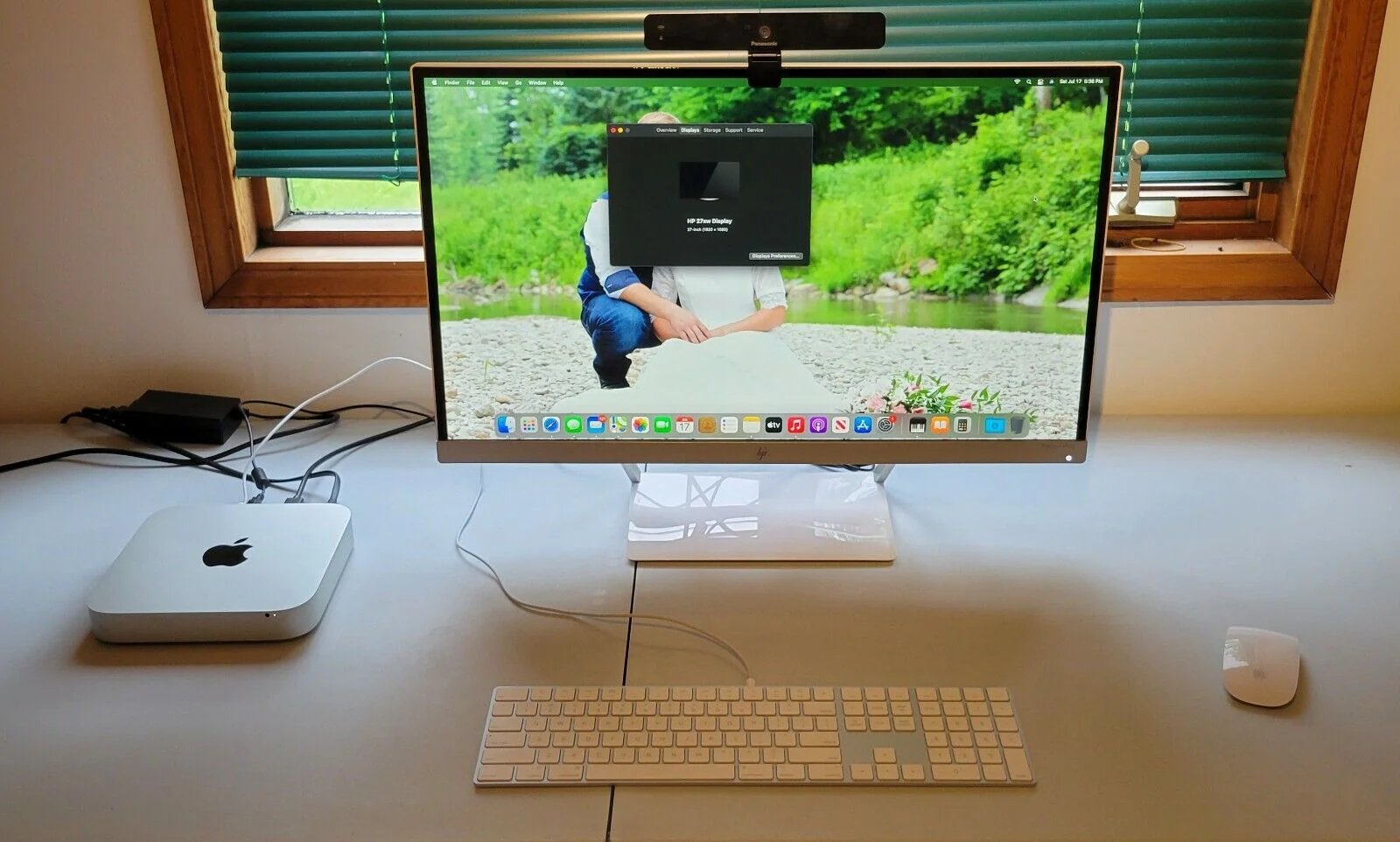
A Mac mini doesn't have that problem. It costs around $599 at the base tier, pulls less power than a desk lamp, makes no sound worth mentioning, and has exactly one job description: stay on. That single trait is the whole reason it's become the machine people quietly hand their Claude workflows to.
This article walks through three of those workflows - an inbox that triages itself, pull requests that get reviewed overnight, and a calendar that hands you a briefing instead of a meeting title - all running on a mini sitting somewhere in a house, doing work nobody has to remember to start.
Why not just use the Claude chat for this?
You can already paste an email into Claude and ask it to draft a reply. You can already paste a diff and ask for a review. Nothing in this article requires a capability that doesn't already exist in the chat window.
What changes is who presses go.
In the chat, you are the trigger, every time. You open the tab, you paste the content, you read the answer, you copy it somewhere. The moment you stop doing that, the process stops. It's a tool that only moves when your hand is on it.
On the mini, the trigger is a clock, or a webhook, or a new file landing in a folder. Claude does the work, checks its own output against a rule you wrote in advance, and either ships it or tries again - without anyone opening a laptop. That's the entire difference between "a model I use" and "a system that runs."
What's actually sitting on the desk
Three layers, and none of them are exotic:
The machine. A Mac mini running launchd jobs (cron's better-behaved cousin on macOS) that fire Python scripts on a schedule or in response to a file change. Any small always-on PC would do the same job - the mini just happens to be quiet, cheap to run, and small enough to disappear behind a monitor.
The storage. Plain folders and markdown files, plus whatever the workflow touches directly - an inbox via IMAP, a GitHub repo cloned locally, a calendar synced to a .ics feed. Nothing lives behind someone else's app. If the mini disappeared tomorrow, every file it produced would still open normally on any computer.
The reasoning. Claude, called through the API. Sonnet handles anything that requires actual judgment - deciding whether a pull request is safe to merge, drafting a reply that sounds like you. Haiku handles the cheap, high-volume stuff - sorting, labeling, yes/no checks. Splitting the work this way is most of why the monthly bill stays under the cost of a coffee subscription.
Now the actual workflows.
Routine one: the inbox that's empty of noise by the time you check it
Most inboxes aren't full of hard decisions. They're full of things that don't need you at all - a newsletter, a calendar confirmation, a vendor asking a question you've answered fifty times. The hard part isn't answering them. It's the twenty seconds of attention each one steals before you even decide that.
1RUN AT: every 15 minutes, weekdays2WATCH: new mail in the primary inbox34STEPS:5 1. Pull the last 10 messages in the same thread for context6 2. Claude classifies the new message:7 - routine (confirms, newsletters, auto-replies)8 - needs a reply (a real question, a request)9 - needs a human decision (money, conflict, anything ambiguous)10 3. Routine -> archived automatically, logged in a daily digest11 Needs reply -> Claude drafts a response in my voice, saved to Drafts,12 never sent without me opening it13 Needs human -> left untouched, flagged, no draft attempted1415CHECK: classification must include a one-line reason. If Claude16 can't produce a reason that references the actual message17 content, the item drops into "needs human" by default.18STOP: every message in the batch has been sorted, or 3 retries19 on any single message before it's flagged for me directly
The rule that matters here is the fallback. Anything Claude can't confidently classify doesn't get guessed at - it lands in your lap exactly like it would have anyway. The workflow isn't trying to replace judgment on the hard 10%. It's trying to stop stealing your attention on the easy 90%.
Routine two: pull requests get a first pass before you're awake
Code review has a strange failure mode: the review that matters most - the one on the PR that landed at 11pm - is the one most likely to get rushed through half-asleep, or worse, merged with an "I'll look tomorrow" that never happens.
1RUN AT: on every new pull request, via a GitHub webhook23STEPS:4 1. Pull the diff and the linked issue, if one exists5 2. Claude reviews against a fixed rubric:6 - does it match the linked issue's actual scope?7 - any change to auth, payments, or migrations? (flag, don't judge)8 - test coverage on the changed lines - present or missing?9 - naming and structure consistent with the rest of the file?10 3. Comment posted directly on the PR, scored 1-5 per rubric item,11 with the two weakest points called out explicitly1213CHECK: a comment is only posted if it cites specific line numbers.14 A review with no line references is discarded and retried -15 vague feedback isn't worth shipping.16STOP: comment posted, or after 2 retries the PR is left alone17 with a note that automated review couldn't complete
Nothing here merges anything. It's a second set of eyes that never gets tired, sitting on your PRs before your actual first set of eyes does. The scoring against a fixed rubric is what keeps it useful - a model asked to "review this code" free-form tends to either praise everything or nitpick randomly. A model scored against four fixed questions produces the same kind of feedback every time, which is exactly what makes it worth reading at 8am.
Routine three: meetings arrive with a briefing, not just a title
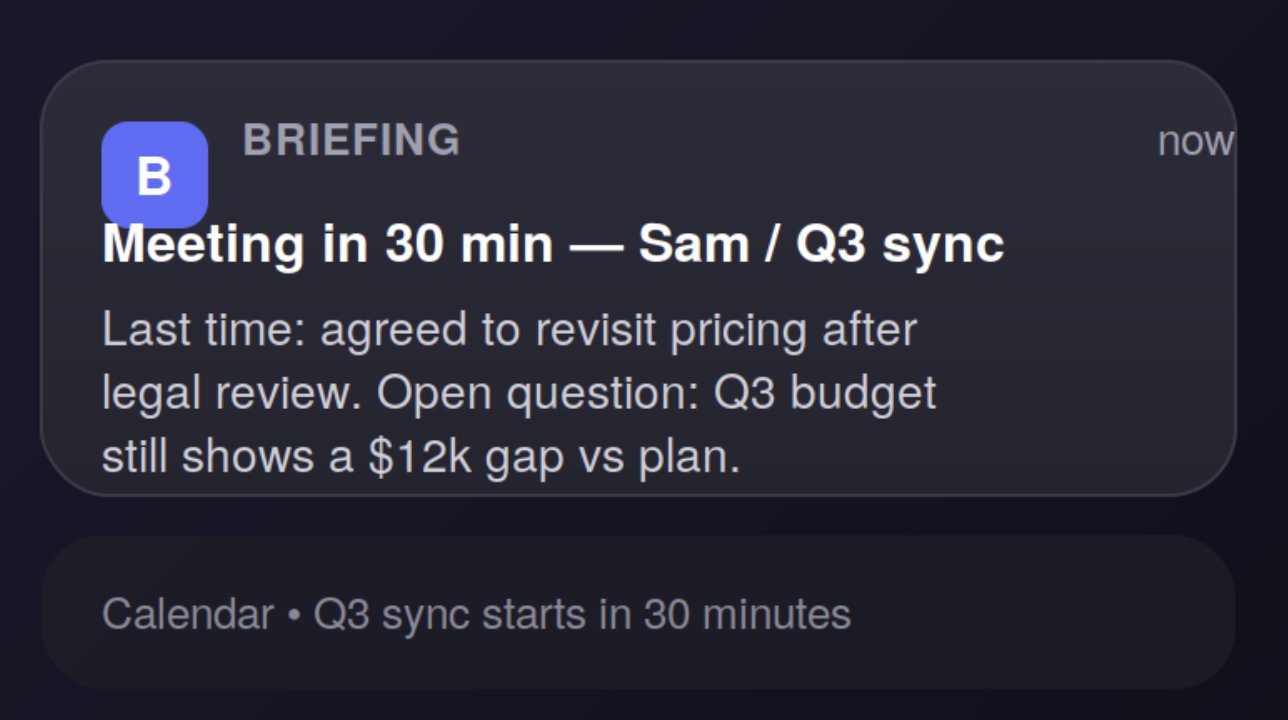
A calendar invite tells you when and where. It almost never tells you what you actually need to remember before walking in - the last email thread with that person, the open item from the previous meeting, the number someone's going to ask about.
1RUN AT: 45 minutes before each calendar event with 2+ attendees23STEPS:4 1. Pull the last email thread and any shared doc linked to5 an attendee's name or the event title6 2. Claude writes a one-page briefing:7 - what was agreed last time, if anything8 - one open question worth raising9 - any number or date mentioned in the last exchange10 3. Delivered as a push notification 30 minutes before the event1112CHECK: briefing must reference an actual prior message or13 document. No prior context found -> notification says14 "no history found," not a fabricated summary.15STOP: sent, or skipped entirely if attendees are new
That last check is the one worth sitting with. It would be easy for Claude to write a plausible-sounding briefing out of nothing when it can't find real context - and a plausible fake is worse than no briefing at all, because you'd trust it. Forcing an honest "nothing found" is what makes the ones that do arrive worth reading.
The two rules everything above depends on
Strip away the specifics and every routine here rests on the same two guardrails.
A checkable rule, not a vibe. "Classify this email" is a vibe. "Classify this email, and if you can't cite the sentence that justifies the label, default to the safe category" is a rule. The difference is whether Claude is grading its own work against something specific, or just producing something that sounds finished.
A real stop condition. Every routine above has a hard limit on retries and a defined fallback for what happens when it can't do the job cleanly. Without that, a single malformed email or a PR with a broken diff will happily burn API calls in a retry loop all night, and the bill shows up before the bug report does.
Get those two things right and the specific task barely matters - inbox, code, calendar, or something else entirely.
Feel it out by hand before you build it
None of this requires touching a terminal to start. You can run the same shape in a normal Claude conversation and see whether it's actually useful to you before automating anything:
1You will work through this task in passes, checking your own2output before calling it done.34TASK:5[the thing you want handled]67PASS RULE:8- Do the work.9- Check it against: [the specific, checkable condition]10- If it fails the check, say what's wrong and redo just that part.11- If it passes, say "done" and stop.12- Never ask me a clarifying question - make the most reasonable13 assumption, state it in one line, and continue.1415Begin.
That's the entire mechanism in miniature. No mini, no webhook, no schedule - just Claude checking its own work against a rule instead of stopping at the first plausible-looking draft. If you run this by hand three or four times on the same kind of task and keep coming back to it, that's the signal it's worth putting on a machine that doesn't need you to remember to run it.
The order that keeps this from breaking at 2am
Nobody who runs these reliably starts by writing the cron job. The order that actually holds up:
- Run it by hand in the chat until the output is consistently right.
- Turn that exact prompt into a script - no changes to the logic.
- Add the check and the retry limit before anything else.
- Only then wire it to a schedule or a webhook.
Skip straight to step four and you find out what "no stop condition" costs you the hard way, usually in a morning full of duplicate PR comments or a hundred identical drafts sitting in your Sent folder.
What this is actually buying you
None of this makes Claude smarter. It makes the difference between something you use and something that works whether you're paying attention or not. The mini isn't the interesting part - it's just the cheapest, quietest way to give a workflow a machine that never has to be reopened.
Start with the manual version in this article. If you find yourself running it more than a couple of times by hand, that's the one worth putting on a box that stays on after you've gone to bed.
Thank you for reading this article
Creator: @0xclayn**
Save This**