We’ve merged Slash Commands into Skills in Claude Code. You do not need to do anything to migrate to this and it should not disrupt any of your existing workflows.
You can invoke any skill with the slash command syntax by starting with \/\. Similarly, every slash command you currently have can be called as a Skill by Claude Code.
Additionally, you can use subagents with Skills seamlessly.
Why Combine Slash Commands and Skills?
Slash Commands were one of our first abstractions for managing context, and served as a form of progressive disclosure. You could make sure the model only loaded this context when needed.
But as model capabilities have advanced, we realized Skills were the more powerful way of loading context. They allow the model to load in context dynamically by reading relevant files and you could reference other files inside of your SKILL.MD which would allow for multiple levels of dynamic context. We call this progressive disclosure and you can read more about how this works with Skills in our engineering blog.
Combining skills & slash makes it easier for Claude (e.g. it doesn’t need a SlashCommand Tool and a Skill Tool) and it also simplifies the user mental model.
However, there is no migration needed. Your slash commands in ~/.claude/commands will continue to work as normal.
Going forward, when thinking of making a slash command we suggest making a skill instead. This will allow you to use new extensions we add to Skills, such as the ones to work with subagents.
For each skill you create, you can choose whether you want it to be invocable, model-invocable, or both (the default).
If you do not want a user to be able to invoke a skill with a slash command, you can set user-invocable: false.
If you do not want the model to invoke a slash command automatically you can set disable-model-invocation: true
Using subagents with Skills
Skills naturally pair with subagents. Subagents allow you to execute the skill while protecting your context window, you can also choose which subagent is activated and if you want to fork the context.
Here are some examples of when you might use that:
Search Skills with the Explore Agent
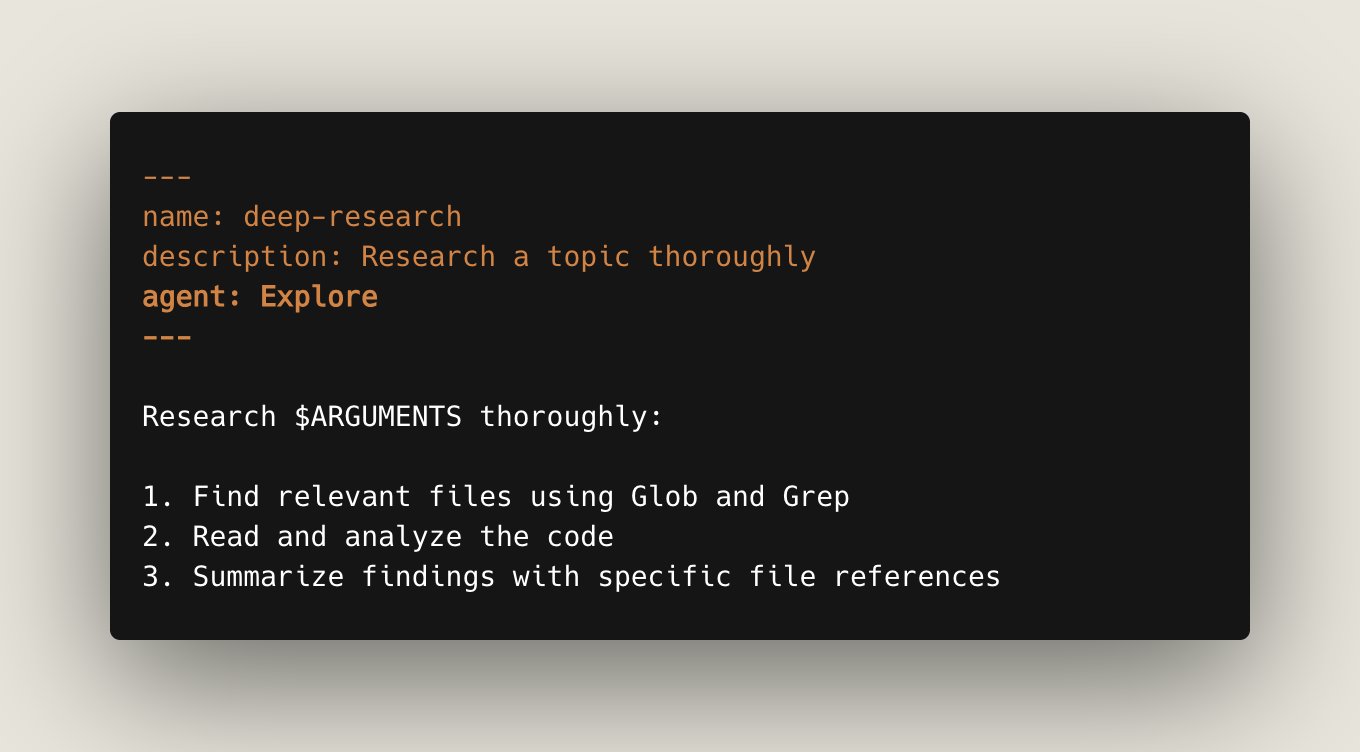
Setting agent: <agent-name> will spawn a subagent that loads the skill into its context.
Search is a great example of a type of skill where you might want to use a subagent. For example, a Research skill where you want to summarize a set of files using the Explore agent and return it.
Memory Skills With Forked Context
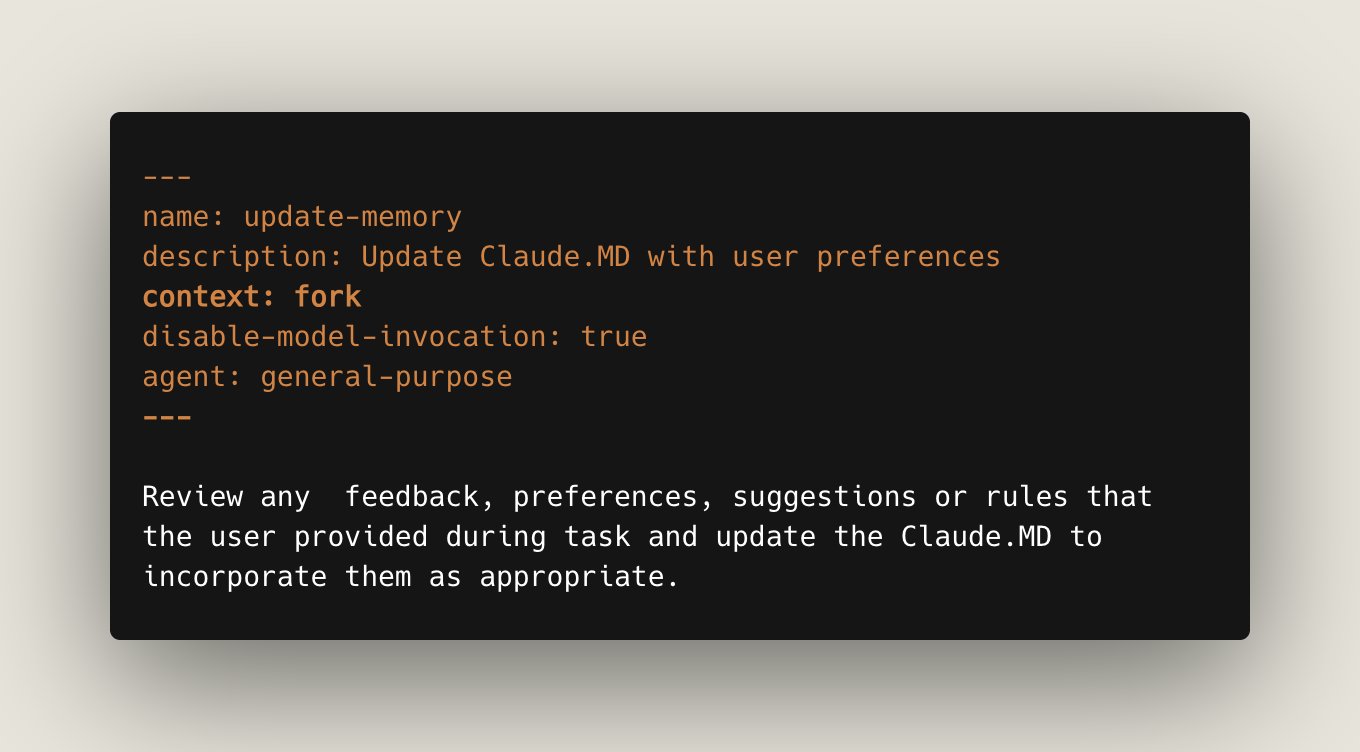
Setting context: fork spins off a subagent which has all of your current context. This is great when you want to do an operation in parallel to your current work.
For example, you might have a memory skill to summarize your most recent conversation and put it in a specific file. You wouldn't want these tool results to be in your main context though, because it’s not related to the work being done.
Read all about this and more on Skills in our documentation: https://code.claude.com/docs/en/skills