Are you still using Claude Code the same way you use ChatGPT, even though you've subscribed?
"I bookmark useful information but it ends up getting buried, lost, and forgotten..."
I'm sure many of you have had this experience, right?
Today, I'll summarize Claude Code for people like you.
While providing training and implementation support for Claude Code, I often hear these voices:
- I subscribed to and installed Claude Code, but I ended up just using it for chat like ChatGPT.
- I watch materials and videos about Claude Code, but I don't feel like I'm truly absorbing it.
- I played with it a bit and felt satisfied just for having used AI.
- I hear stories about people around me mastering AI, but I unconsciously ignore it as if it's a story from another world.
By the time you finish reading this article, Claude Code will no longer look like a "chat running in a browser," but like an "assistant running inside your folders."
If you follow these 5 steps in order, even with zero programming knowledge, you'll be in a state where you can have it take over your research work from the very first session.
An introductory article on Claude Code written by an overseas PhD university researcher is currently attracting a lot of attention.
It has one of the highest reaches in the Claude Code space, and it's an article where the PhD researcher himself breaks the assumption that "Claude Code is for engineers" by writing that "it can be used like an app even with zero coding knowledge."
Just two things before you start reading.
- Bookmark this. This is to ensure you set aside just 30 minutes this week to run Claude Code in a single folder. There is a world of difference between just reading and actually moving your hands.
- If you have team members who are also subscribed to Claude Code, share this with them. Your research on Monday morning next week will change visibly.
This time, I will break down and explain that content while replacing it with business scenarios for Japanese readers.
Original post here:
https://x.com/MushtaqBilalPhD/status/2052338632426467550
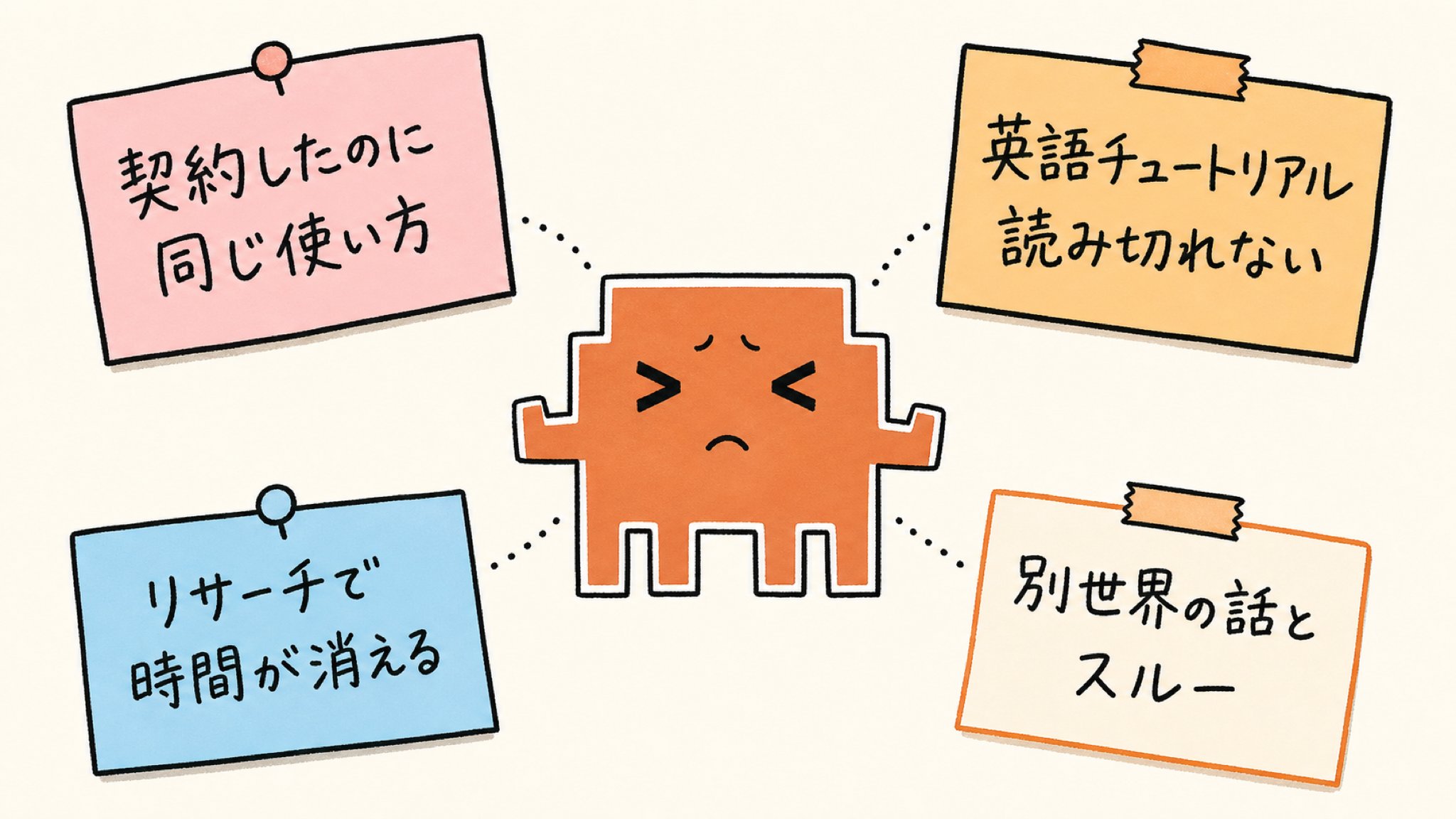
Chat in a Browser vs. Assistant in a Folder
This is the starting point of the main topic. The first thing to grasp is the difference between Claude Code and the ChatGPT or Claude (Chat version) you've touched so far.
The ChatGPT or Claude you usually use runs inside a browser tab.
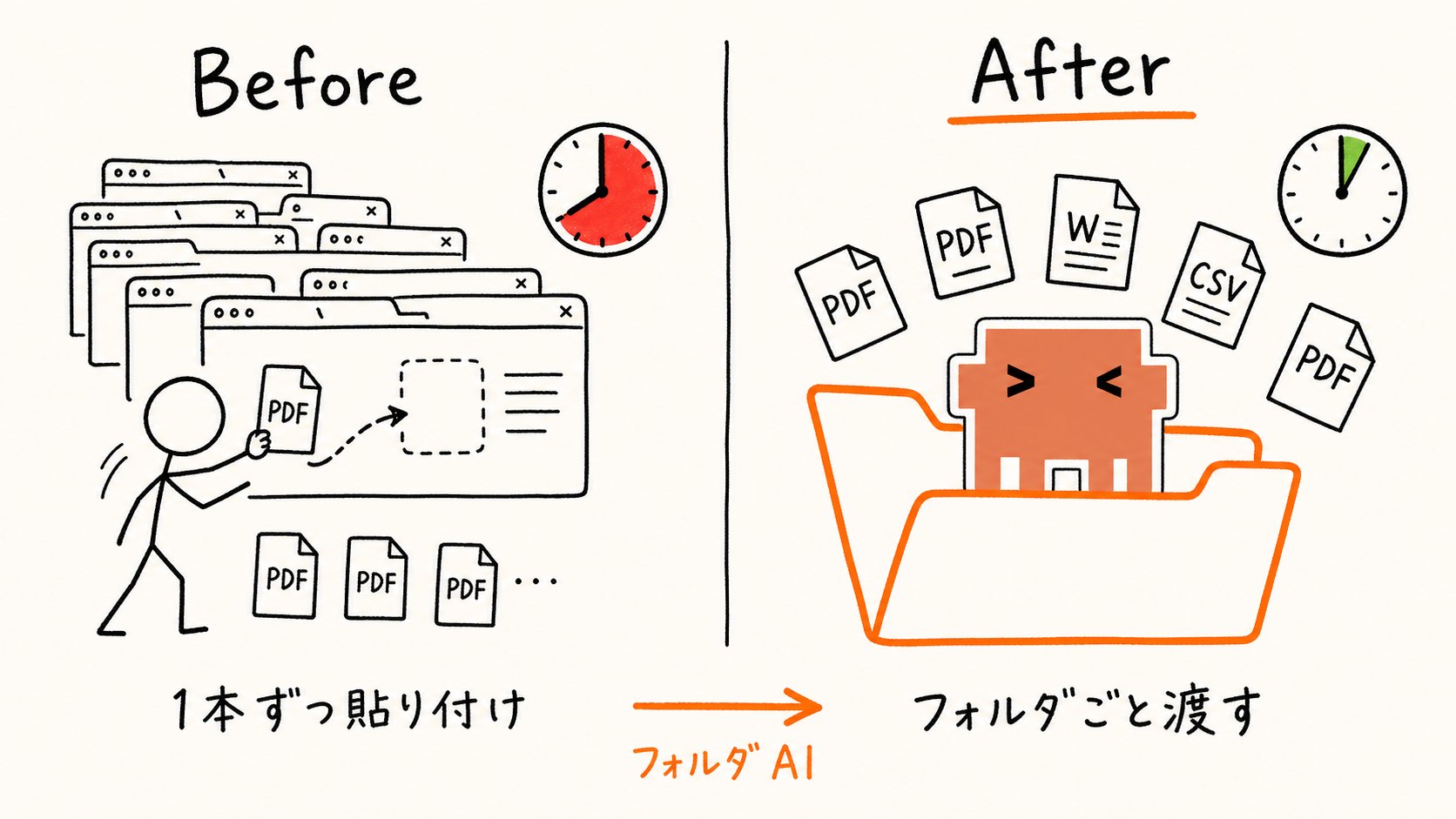
If you have 15 competitor IR reports piled up on Monday morning, you'd paste the PDFs one by one into the chat window, have them summarized, copy them, and paste them somewhere else. An hour quietly melts away. This is the "bring the file to the AI" model. The AI is in the browser, and you are carrying the materials to it.
Claude Code is the opposite.
You just put one app on your computer and open your work folder. The AI enters the folder and directly reads all the PDFs, Word files, and Excel files inside.
It's the "put the AI in your folder" model. In this article, we call this "Folder AI."
This single difference changes the volume of work and accuracy by an order of magnitude. That loop of pasting PDFs one by one in a browser and copying the summary that comes back is replaced by a single line to Claude Code: "Read all the PDFs in this folder and summarize the claims."
While Browser AI is "talk and finish," this one goes as far as "actually do it and leave it as a file."
Previously, I discussed the cost of re-typing the same premises into a conversation as a "Prompt Tax." That was a story about the conversation layer.
This time, we're looking one level below that, at the positional relationship between the AI and your folders. Before optimizing the conversation layer, we ask the question: "Is the browser tab really the right place for the AI to live?"

For readers who use the browser versions of ChatGPT or Claude every day, Claude Code tends to look like a tool from another world.
In reality, it's just that "the AI's address is different," and it's not about coding. When the address changes, the scope and accuracy of the work it can take on changes. The following 5 steps will guide you through experiencing that change of address in order.

A Tool You Can Use Like an App—Zero Coding Knowledge OK
This is Step ①.
We will clear up misunderstandings about "what kind of tool Claude Code is" as quickly as possible.
The first thing I want to convey is that there's no need to be intimidated by the name "Code."
This is something the author of the original post, Mushtaq Bilal, clearly states at the beginning of his article. The author is a university researcher with a PhD in literature and basically has no coding experience.
Still, he has integrated Claude Code as a main tool for his research work, and millions of people have read his article.
Simply put, Claude Code is an app you put on your computer and use, like Zoom, Zotero, Notion, or Slack.
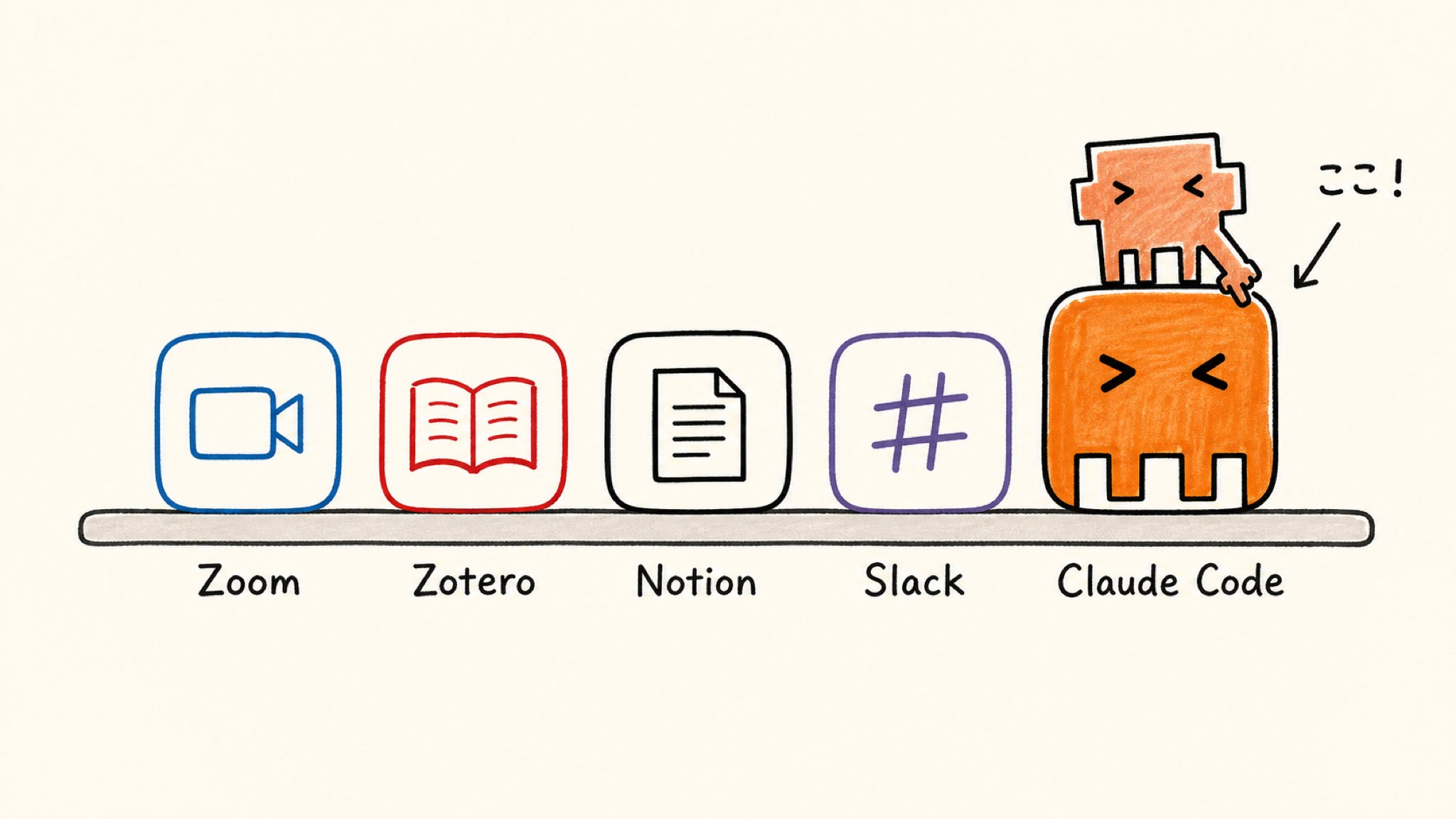
It doesn't run in a browser tab; an icon is added to your desktop, and it accesses your folders to do work. That's it.
To list the shortest version of what it can do, here are 5 things:
- Open your folder and read all the files inside.
- Edit existing files.
- Create and save new files.
- Gather information across multiple files.
- Remember the contents of past sessions and continue from there next time.
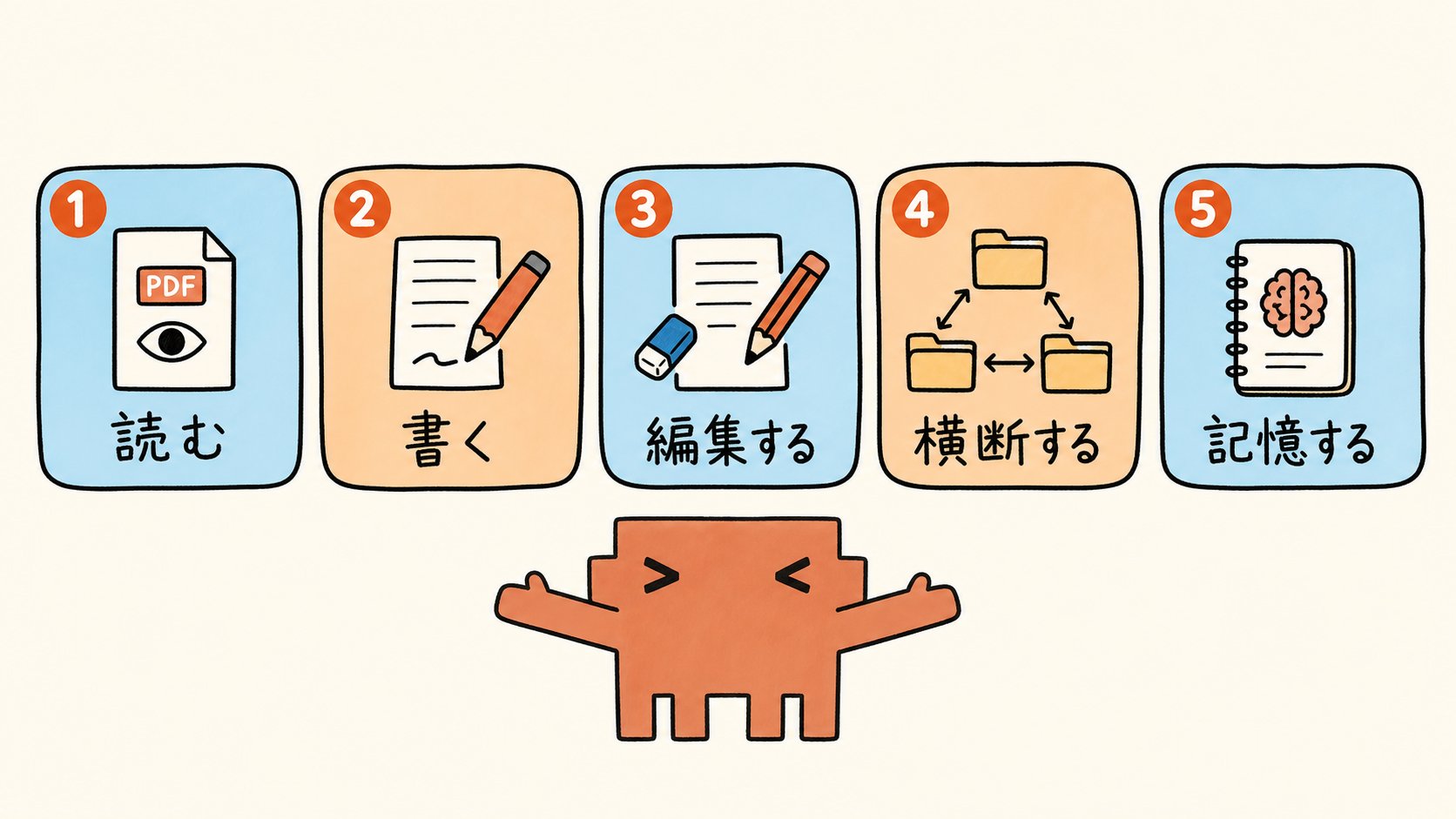
Browser AIs like ChatGPT or Gemini are basically just "talking" tools. You ask a question, and the AI answers.
The conversation ends there. Claude Code can step into "actually doing." It can read 30 materials in a folder, save the results to a Word file, and refer to them in the next session all at once.
I'll clearly dispel the misunderstanding that it's "a tool only for people who can write code" here. Instructions to Claude Code are written in natural language.
If you type in Japanese, "Read all the PDFs in this folder and summarize the claims into one Word file," it will work. You don't need to learn a programming language for even a millimeter. The fact that a PhD researcher is using it to its full potential without coding is the strongest proof to clear up the misunderstanding.
Once you understand what it can do, the next stage is to actually install it and open it.
Your First Session After Installation—Ready in 5 Minutes
This is Step ②. We'll get it running in 5 minutes while crushing common stumbling points from installation to the first session.
The order is as follows:
- Subscribe to Claude. The Pro plan is from 3,000 yen/month, and the Max plan is from 15,000 yen/month or 30,000 yen/month. Pro is sufficient at first.
- Access claude.com/download in your browser and download the version that fits your computer (Windows / Mac).
- Proceed with the same steps as a normal installer. A Claude Code icon will be added to the Applications folder on Mac and the Start menu on Windows.
- Launch the app. You'll be asked to sign in via the browser on the first launch, so log in with the account you used to subscribe to Pro / Max.
- A list of past sessions appears in the left column, and a chat panel appears in the center. Press "Open Folder" near the top of the chat panel to open the folder you want to work in.
To finish, type just one instruction. You can use the example sentence recommended by the author himself in the original article as an entry point.
"Read all the PDFs in this folder and summarize the claims in a separate file."
That's it. Claude Code will read all the PDFs in that folder, summarize the claims into one new file, and place it in the folder.
This is the first movement of Folder AI. it works with one line.
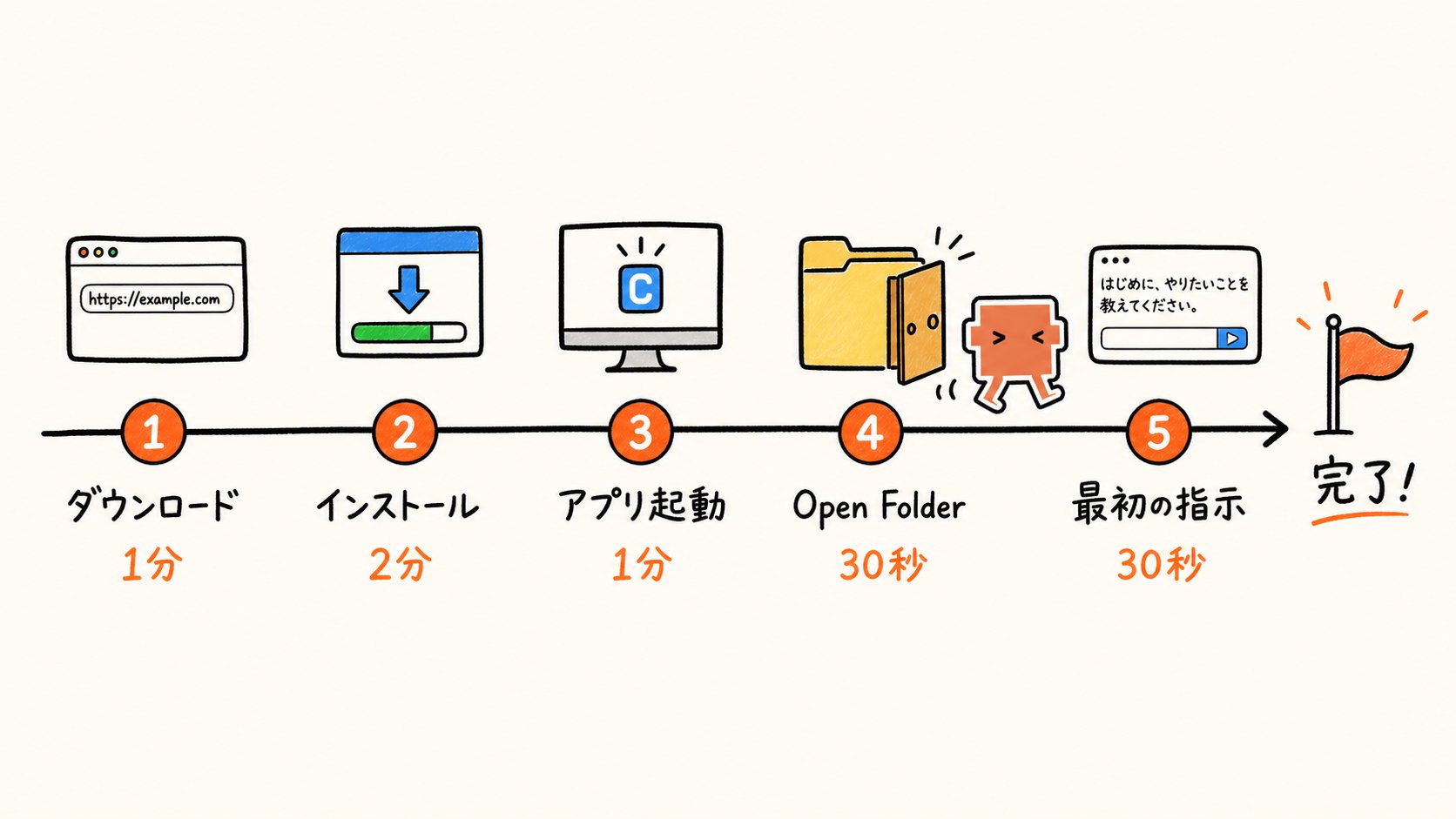
Just 4 small tips:
First, it's safe to create one "Claude-only folder" at first and run it only inside that. If you give it the entire desktop, it might access files it doesn't need to touch.
Second, for every important operation (edit / delete), it will ask for permission: "May I do this?" It's safe to keep this permission system at first.
Third, all sessions are automatically saved in the left column. You can recall "that interaction from last week" later.
Fourth, it supports both Windows and Mac.
It takes less than 5 minutes in total. Once it's running, move on to the stage of having Claude Code "remember you."
Creating Your Proxy with CLAUDE.md
This is Step ③. This chapter resolves the pain of having to give the same introduction to Claude Code every time.
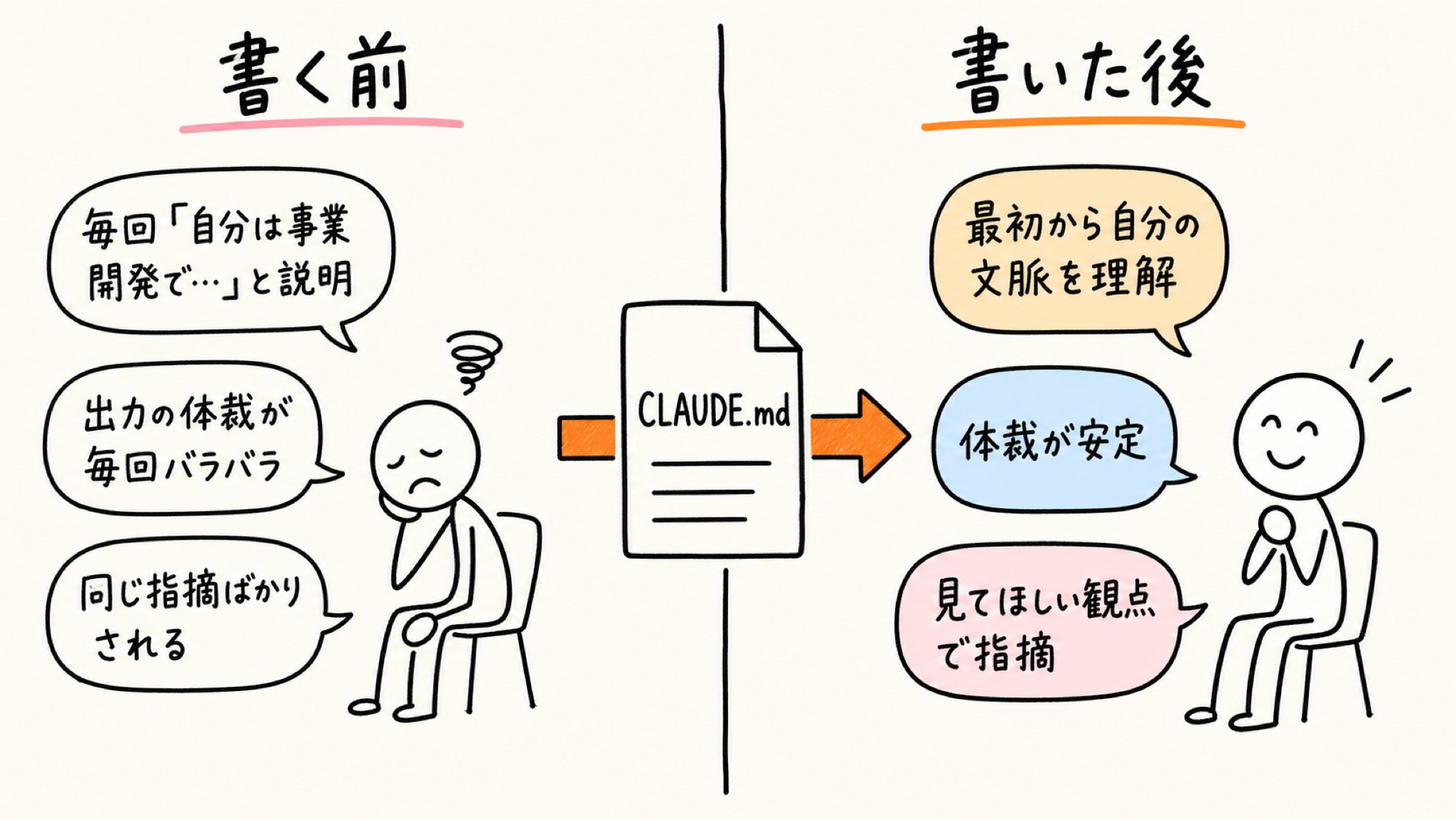
If you are re-explaining at the start of every session that "my industry has these rules," "I write in this way," or "I want you to critique from this perspective," that is not the original way to use Claude Code. If you write it once and save it in the folder, it will automatically read it from the next time.
That "place to write it once and leave it" is a text file named CLAUDE.md. Save it as CLAUDE.md in all caps. Claude Code reads this file the moment you open the folder at startup.
There are only 4 things to write.
It's not a programming language. Write in natural Japanese sentences. The section names correspond to Role / Standards / Writing Style / Critique Style, but it works with just Japanese headings in the body.
Role (What position do you want it to act in?)
- 2-3 lines about your job title and current project. Like, "I am in corporate planning, in charge of market research for new businesses. I want Claude Code to act as a research assistant in charge of market research."
Standards (Rules of your industry/field)
- Formats you want it to follow, citation rules, internal notation rules. Standards you want it to follow during output, such as "Include units for numbers" or "Page numbers are mandatory for IR citations."
Writing Style (Your way of writing)
- Formal or casual, long-form or short-form oriented. Writing preferences like "Desu-masu tone," "Put the conclusion first," or "Use bullet points frequently."
Critique Style (How do you want it to point things out?)
- Perspectives you want it to look at when reviewing drafts. Perspectives like "Leaps in logic," "Places where the basis for numbers is weak," or "Parts that are redundant for the reader."
There are two ways to write it.
The first is to write the four headings in Notepad (Windows) or a text editor (Mac) and save it with the name CLAUDE.md.
The second is even easier: open Claude Code and ask, "These are my role, standards, writing style, and critique style; please create CLAUDE.md." As you answer follow-up questions, Claude Code will generate and save CLAUDE.md itself. The second way is sufficient at first.
When written in the business context of a reader, it looks like this. This is a sample CLAUDE.md that can be copy-pasted, using a person in business development who cross-analyzes competitor trends and industry reports as an example.
This is an example for a business development role, but if you replace it with your own job title and work content, you can use it as is.
If you're in sales planning, it's the task of "extracting lost patterns from negotiation records"; if you're in marketing, it's "creating CPA improvement plans across advertising data"; if you're in editing, it's "rewriting according to the writer's style." Please rewrite it in your specific context. You don't need to write it perfectly from the start; as long as there are four headings and 2-3 lines of your own words for each, it will function sufficiently as your first CLAUDE.md.
The CLAUDE.md you wrote doesn't have to be perfect. You can edit it as many times as you like as the project progresses, and updating it every few weeks is recommended.
If you leave old information, the output will also drift. Just follow the line of not writing confidential information or content you don't want the AI to learn.
This follows the same lineage as the story of treating the .claude folder as a "Design Layer." That was about the policy side, but this time we are implementing the same philosophy with a single CLAUDE.md file, which is the smallest unit.
A single text file becomes the foundation that carries "your proxy" for every session.
One more thing: Claude Code has a mechanism called automatic memory. It's a function where it writes and saves short notes learned during conversation by itself.
You don't need to manage it. When you open the next session, Claude Code reads both CLAUDE.md and the automatic memory and moves forward from where it left off last time. If you ask, "Tell me the contents of the memory," it will show you, and if you ask, "Update it with the latest information," it will rewrite it.
As time passes, Claude Code grows to be dedicated to you. This is the process by which Folder AI grows into "your proxy."
Even if the handover document is empty at first, after three months of use, the Claude Code in that folder is no longer a newcomer but works like a member of your team.
Once your proxy is running, move on to the stage of having it process a large number of files.

Cross-Analyzing 100 PDFs in 15 Minutes
This is Step ④. This will be the most effective chapter for work in this article.
We will now switch from the task of pasting PDFs one by one into a browser AI to the task of "handing over the whole folder." From "1 file unit" to "folder unit," this is a full-scale migration from Browser AI to Folder AI.
As mentioned in the story about handling HTML output as a "Format Tax," you can even specify the output file format (Markdown / Word / Excel / HTML).
If you have it save in a format that fits your purpose, you can distribute it at a meeting as is. You don't need to organize the folder neatly in advance; even if the file names are messy or PDFs, Word files, and CSVs are mixed, it will read them all together.
If there's one thing to be careful about, it's just avoiding file names that even humans can't distinguish, like Dissertation (final) (final2) (use this one).
In this chapter, we list Before / After and sample instruction sentences for 5 business scenes. They are arranged in order of work frequency, from corporate planning to sales planning, marketing, and all job types.
[Scene 1] Extracting industry growth rate forecasts across 30 competitor IR and financial materials
This is a scene that frequently occurs in corporate planning and business development. On Monday morning, your boss tells you, "Go through all 30 of these and summarize the industry growth rate forecasts."
Before:
Paste PDFs one by one into a browser AI and transcribe the summaries into Excel. 1.5 hours for 30 files. Your concentration breaks halfway through, and you finish without noticing the numbers you missed in the third company.
After:
Throw one instruction to Claude Code. In 15 minutes, the industry growth rate forecasts for each company are returned in a neat table format. With page numbers for sources.
Sample instruction sentence:
"Read all 30 competitor IR and financial materials in this folder and summarize the industry growth rate forecasts issued by each company in a table. Also include the source page numbers for each figure. Save it as an Excel file."

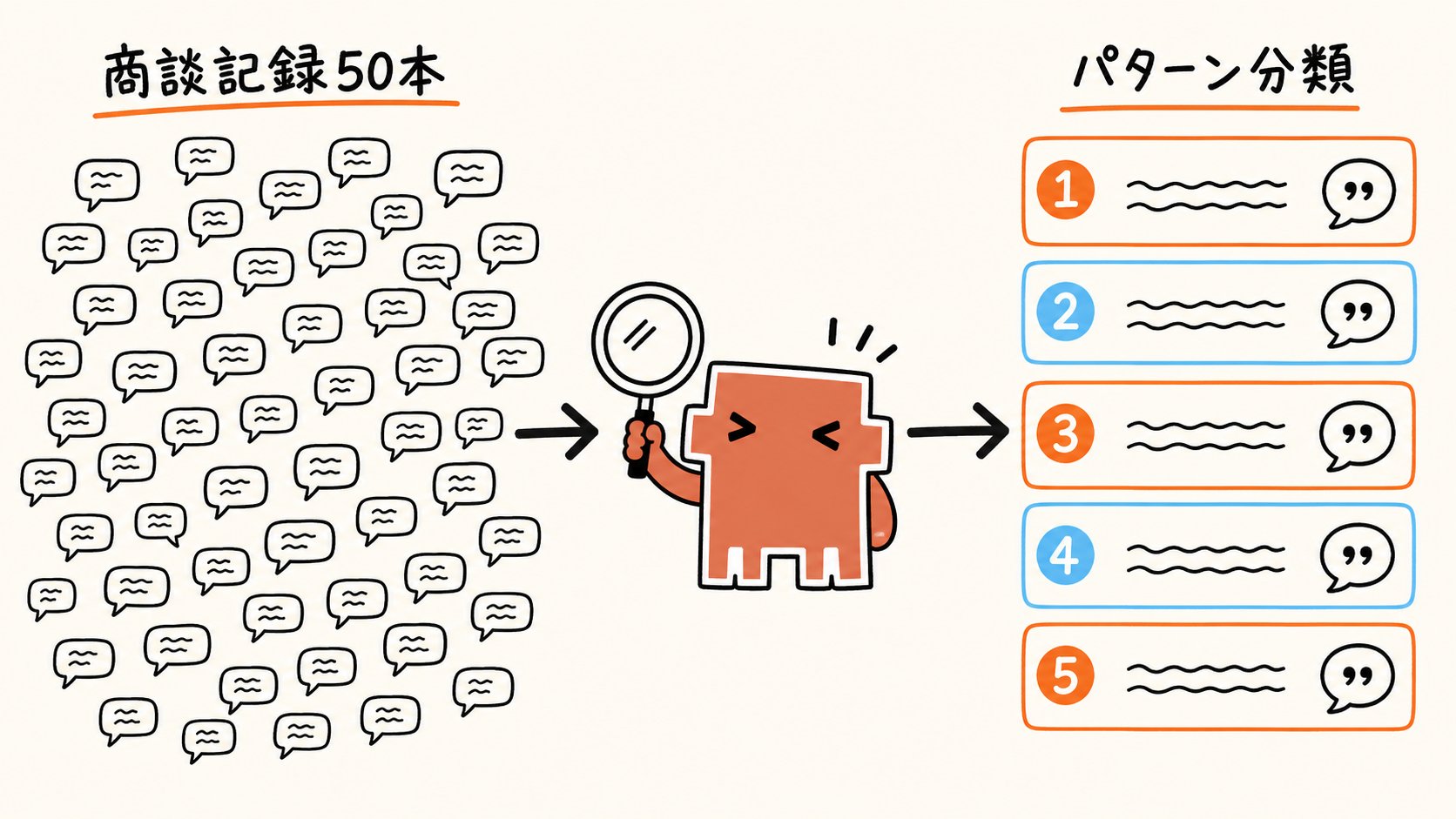
[Scene 2] Extracting patterns of reasons for being turned down from 50 negotiation records
This is a scene that frequently occurs in sales planning, inside sales, and marketing. You want to patternize "why we are losing deals" from negotiation records accumulated in Salesforce or HubSpot, but it takes half a day by hand, and classification varies by person.
Before:
Read them one by one and patternize them subjectively. It takes half a day. By the time you finish, you've forgotten the classification criteria for the cases you saw first, and omissions occur. At the meeting, you say, "I analyzed it based on data," but the reality is just a matter of intuition.
After:
Claude Code cross-analyzes all 50 records and structures the patterns in descending order of frequency. The material comes back in 30 minutes. Specific examples of remarks are also included for each pattern, so you can present at the meeting, "This is the classification based on actual remarks."
Sample instruction sentence:
"Read all 50 negotiation records in this folder and patternize the reasons for being turned down in descending order of frequency. Attach two specific examples of remarks to each pattern. Finally, add recommended actions for each pattern."
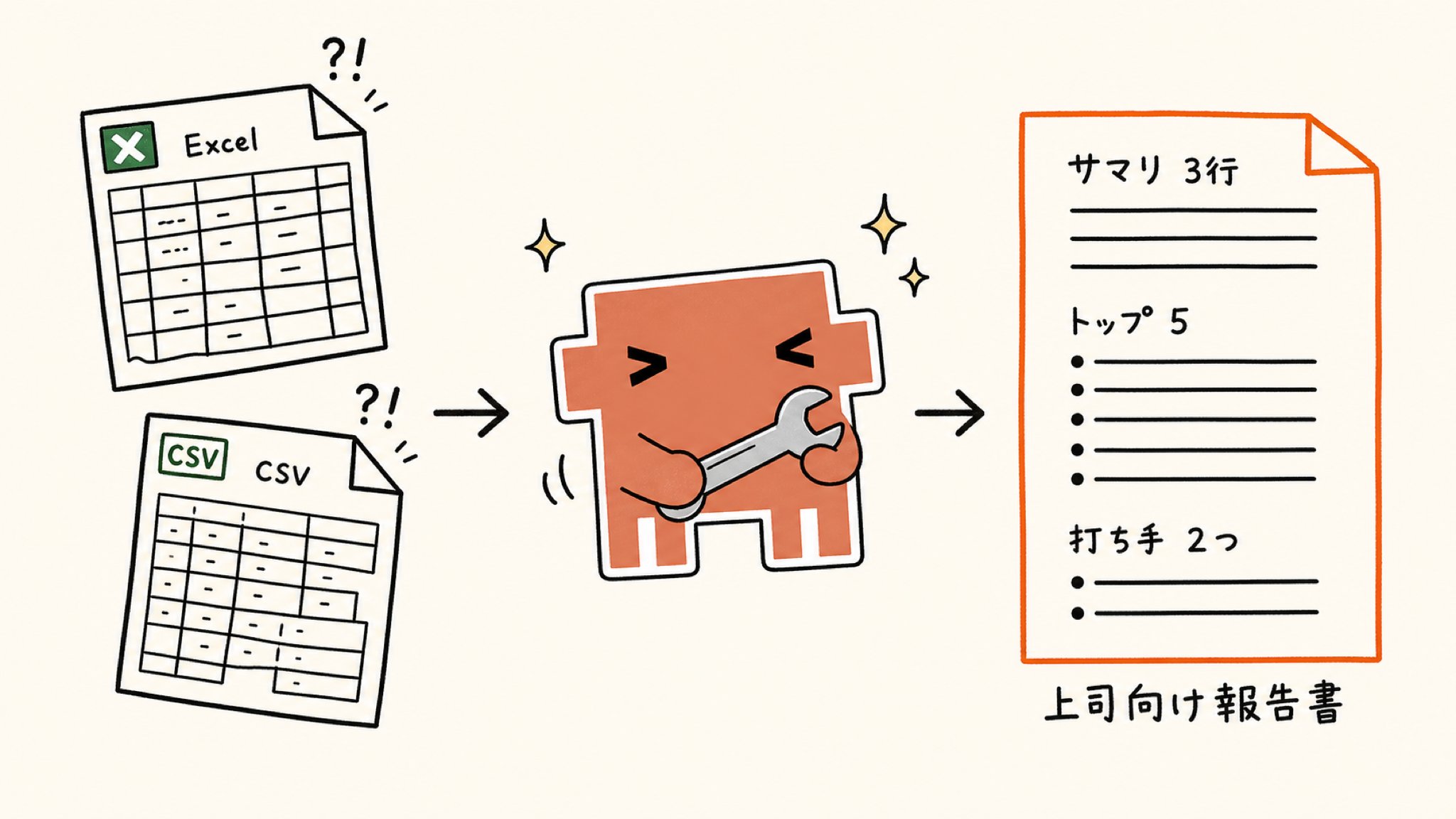
[Scene 3] Organizing sales data CSV and advertising data Excel to create a report for the boss
This is a scene that frequently occurs in sales planning and marketing. The exported CSV has a different number and order of columns, header rows are missing, and the character encoding is weird.
Before:
Realign columns in Excel, calculate differences with functions, summarize in a separate sheet, and finally write a report for the boss in Word from scratch. A half-day course.
After:
Hand over the CSV and Excel to Claude Code and finish everything from formatting, difference calculation, to report creation with one instruction. A report Word file is in your hands in 45 minutes. If graphs aren't needed, it will come back summarized with just numbers and short comments.
Sample instruction sentence:
"Organize the advertising data Excel and sales data CSV in this folder and create a report for my boss in a Word file that shows the differences from last month at a glance. Don't include graphs; just use numbers and short comments. Write a 3-line summary at the beginning, the top 5 items with the largest fluctuations in the body, and two ideas for next month's actions at the end."
[Scene 4] Batch renaming and organizing PDFs in a shared folder
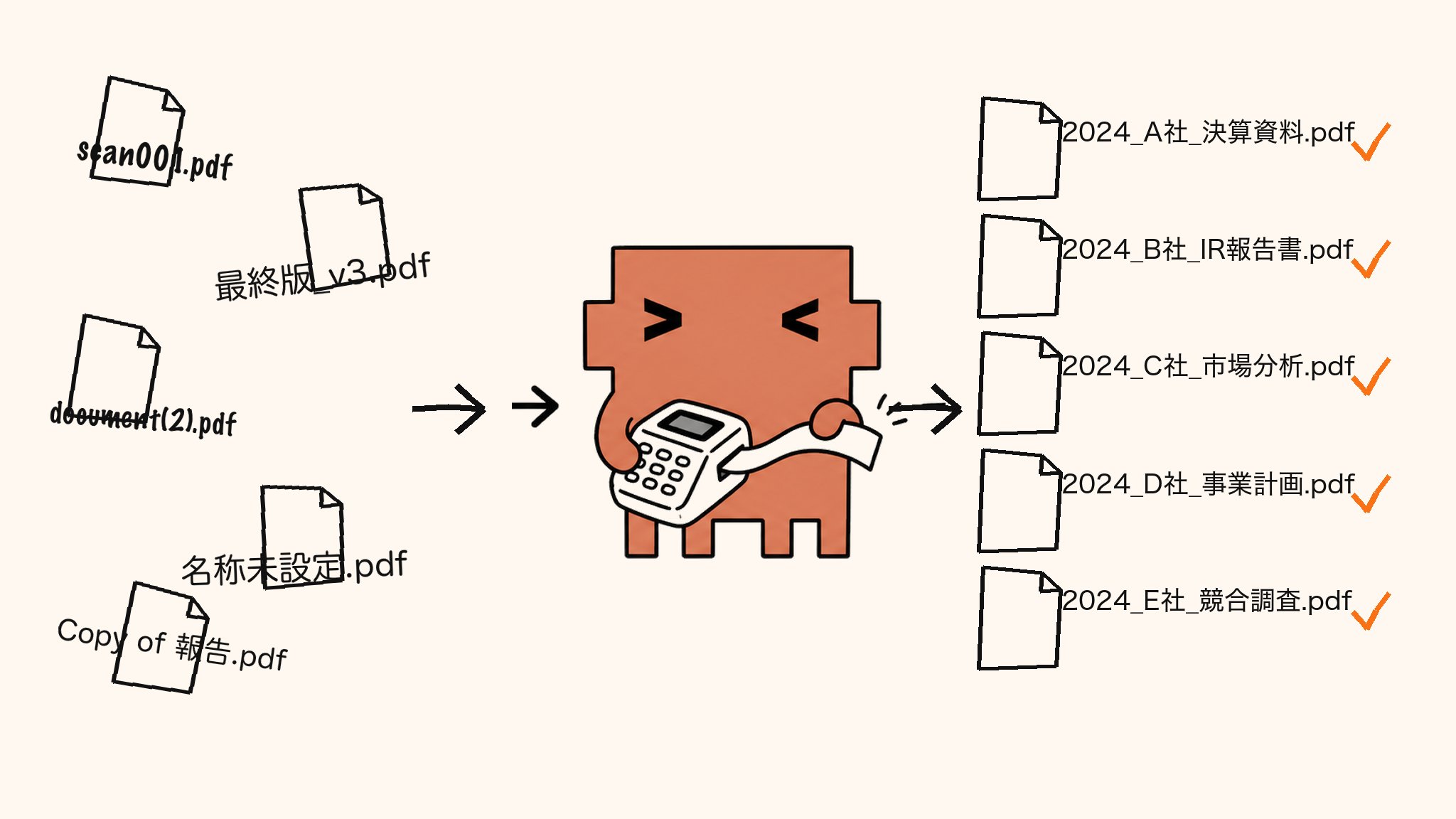
This is a typical scene that occurs in all job types—it's plain but a major time thief. File names of materials in the shared drive are all over the place, like scan001.pdf or 2024_final_v3 (after correction).pdf, and they can't even be searched.
Before:
Open PDFs one by one, check the content, and manually fix the file names. 1.5 hours for 50 files. Halfway through, you open the same file twice and waste time.
After:
Just ask Claude Code to "rename them according to the title." They all come back renamed in a few minutes.
Sample instruction sentence:
"Open all 50 PDFs in this folder and rename each file according to its content in the format [Year]_[Organization Name]_[Title].pdf. If there are variations in notation, unify them to the newest notation."
[Scene 5] Creating draft responses to harsh comments from bosses or directors
This is a typical scene that occurs in all job types and is mentally exhausting. A draft proposal comes back with red ink and 7 points of criticism from your boss, and you have to think of response drafts while being emotionally drained by each one.
Before:
Think about "how to respond" and "where to fix" for each criticism. Half a day. Self-loathing progresses as you write. The last response you wrote doesn't match the tone of the first one.
After:
Have Claude Code read the draft proposal and the 7 points of criticism, and have it summarize the organization of points and response drafts all at once. Material comes out with the points of each criticism, the response policy, and the correction policy lined up. Your judgment can focus on adjusting how to finally respond while looking at that material.
Sample instruction sentence:
"Read the draft proposal in this folder and the 7 points of criticism received from my boss, and summarize the response drafts and correction policies for each criticism. The response should be polite but not fawning. Group and structure criticisms with the same points."

One thing becomes clearly visible when you line up these 5 scenes: the structure of "cross-analyzing a large amount of materials in a folder to create decision-making materials" is the same across all job types. Whether it's corporate planning, sales planning, marketing, or general administration, only the shape of the folder is different; what you're doing is the same. Claude Code works as a device that takes over that common structure collectively.
When you start feeling like you want to repeat the same task every time, it's time for Skills to shine.
Mass-Producing Task Pros with Skills
This is Step ⑤. We'll create a mechanism to avoid giving instructions from scratch every time for repeated tasks.
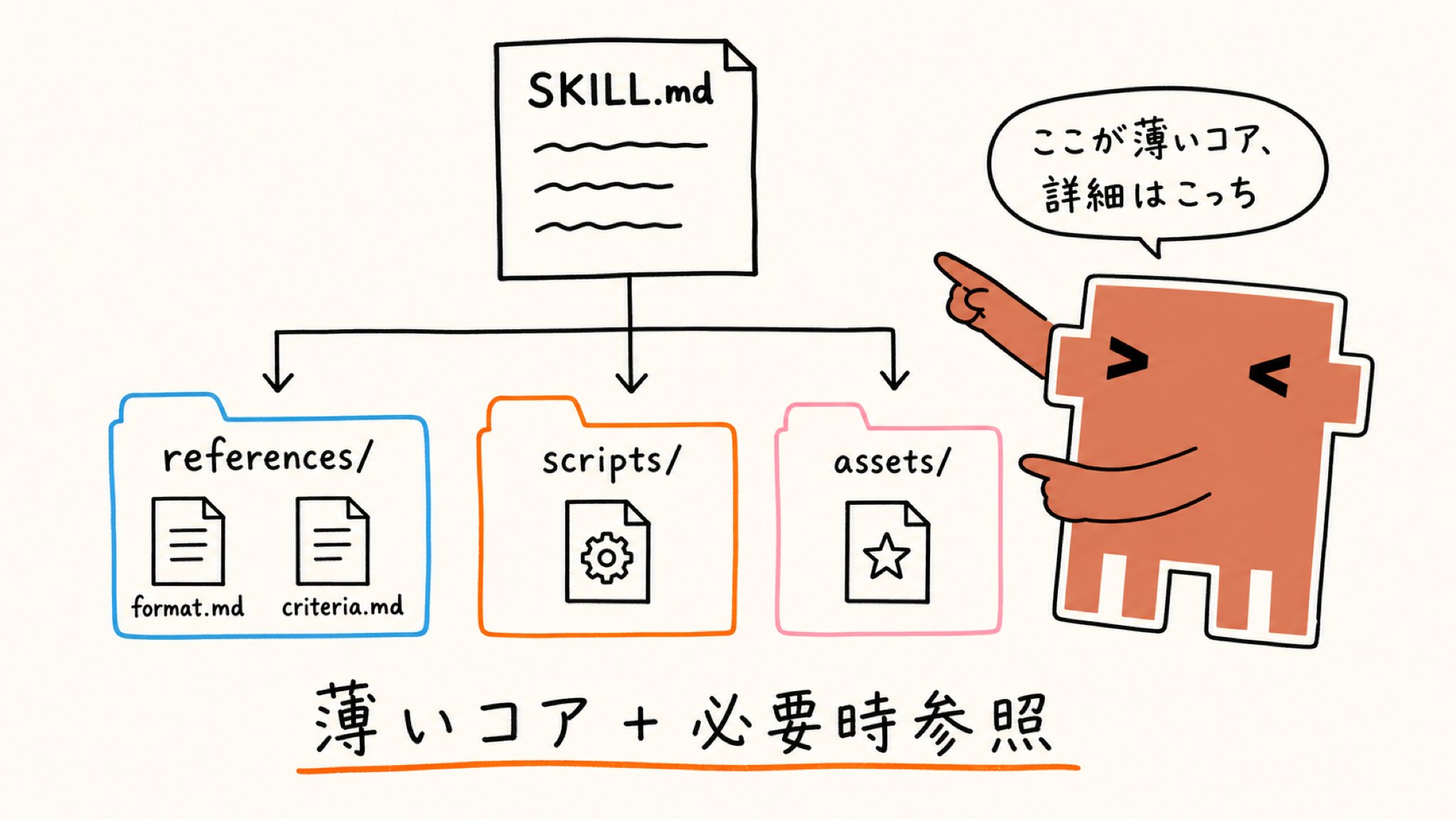
A Skill is an instruction manual specialized for a specific task. If CLAUDE.md is a handover document for the tool as a whole, Skills are the people in charge of each specialized task.
It's like having specialized people in charge increase in your folder: "this person for extracting ToDos from meeting minutes," "that person for formatting competitor IR into a 1-page internal summary." Following the lineage of selecting Skills, we start at the point of first trying to make them.
The easiest way to create a Skill is to have Claude Code create it itself. This is also a key point of the original article.
For example, you ask: "Create a Skill to extract ToDos from Zoom meeting minutes." Claude Code will return follow-up questions: "Is the format of the minutes fixed?" "What fields do you want to include in the ToDo (person in charge / deadline / priority)?" "Where is the output destination?"
Just by answering in natural language, Claude Code will create and save a Skill file. If you restart, it will be used automatically from the next session. If you want to call it explicitly, you can also call it with a slash command in the form of /skill_name.
The Skill file itself is also a markdown file written in natural language, just like CLAUDE.md. The content just describes "when to use it," "what to take as input," "how to process it," and "what to output" in natural sentences.

Let's also look at what kind of file it actually looks like. If you write the "Skill to extract ToDos from meeting minutes" mentioned earlier as SKILL.md, it's about this thin.
That's it. The name and description are written in a small box at the beginning, and the three headings of the main body—# Procedure, # Reference, and # Caution—are written in natural Japanese with 3-5 lines each. It should feel close to a 1-page business manual rather than a programming language.
What I want you to notice here are the references/format.md and references/criteria.md written in # Reference. You don't write all the details in the SKILL.md body.
Detailed specifications for the output format and boundary conditions for priority judgment are written separately in different files inside a folder called references/. The philosophy is to write "what kind of skill it is / input / output / rough procedure" thinly in the SKILL.md body.
Why keep it thin? There's only one reason. Claude Code works most accurately when it has a structure where it can "read only the necessary information when needed."
If you cram everything into one SKILL.md file, Claude Code will read a large amount of information in every session, which will pressure the context of the instructions it should originally focus on. The structure is exactly the same as when a business manual becomes too thick and no one on-site reads it. A thin core + sub-materials referred to when necessary becomes a "skill that gets used."
To summarize:
- SKILL.md body: Keep it thin with just what kind of skill it is / input / output / outline of the procedure.
- references/: Separate detailed specifications / judgment criteria / format definitions into sub-files.
- scripts/: Separate execution code and conversion scripts.
- assets/: Separate brand assets and reference materials.
This is not a story about work, but a story about judgment. "Writing everything out in one file" is an idea of work, and anyone can do it.
"Structuring for the reader (in this case, Claude Code)" is an idea of judgment, and this also connects to the core message of this article. Working with Folder AI means that we first prepare a structure that is easy for the Folder AI to read. Making Skills a thin core is the implementation of that philosophy in the smallest unit.
Here are 3 examples that can be reused:
- Skill to extract ToDos from meeting minutes (used in all job types)
- Skill to format competitor IR into a 1-page internal summary (used in corporate planning)
- Skill to extract common needs from negotiation records (used in sales planning / marketing)
CLAUDE.md (overall handover document), Skills (people in charge of each task), and automatic memory (notes picked up from conversation) work together to create Claude Code's responses. It's a structure where your own dedicated Folder AI piles up the more you use it.
However, you don't need to mass-produce Skills from the start.
For the first month, CLAUDE.md, Open Folder, and the first instruction are enough. It's safer to wait until a task comes up that you realize "I'm doing this 3 times every week" before turning it into a Skill. If you do it too early, you'll package it before the shape of the instruction you really needed is solidified.
By this point, the work you can hand over to Claude Code has expanded considerably. So, where do you leave it to the AI, and where is your work? Finally, let's organize that.
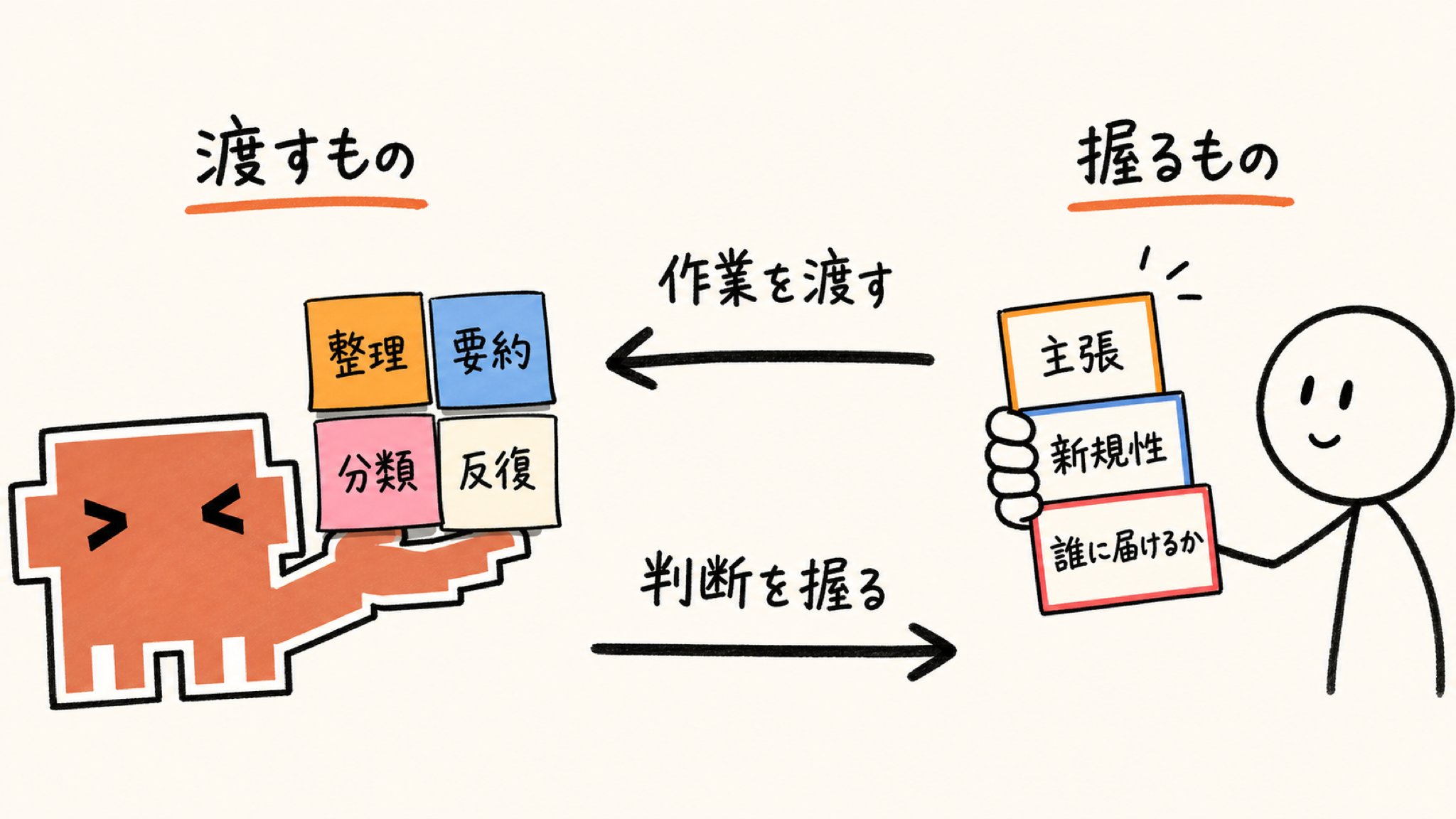
Work to Folder AI, Judgment to You
This is the most important chapter.
When you start using Claude Code, I will answer the question that always comes up: "So in the end, how much should I leave to the AI, and what should I consider my own work?"
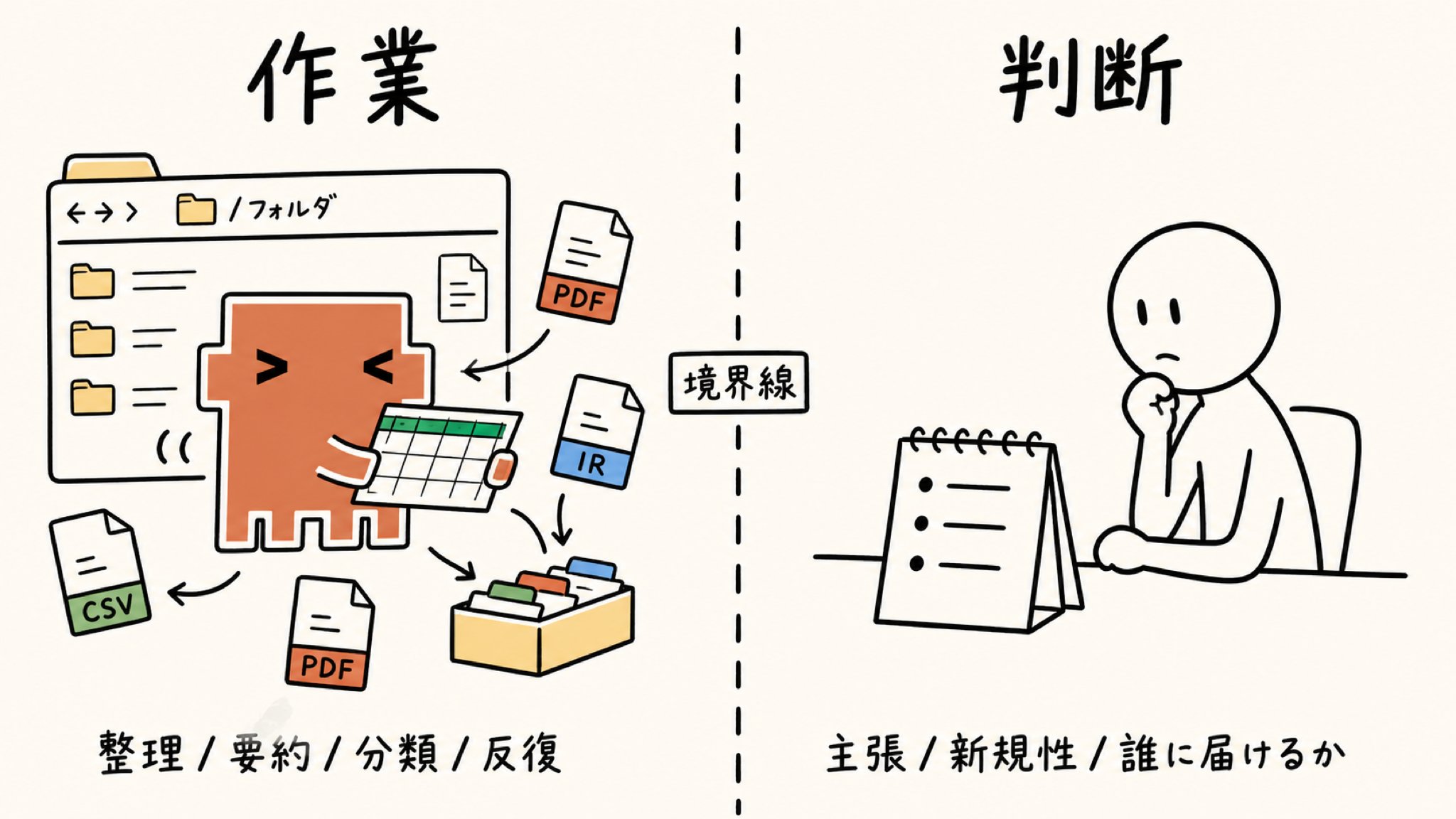
Simply put, what Claude Code is good at is "labor-intensive, repetitive, organizing, summarizing, and classifying."
Repeating the same task in large quantities, classifying according to fixed rules, and extracting key points from long materials. It's visibly faster to hand these over, and there's less variation in accuracy. 30 competitor IRs, 50 negotiation records, 50 PDF renames—all fall into this category.
Conversely, there are 3 things that humans should continue to hold onto.
The first is "claims." What to claim, what position to take for your company, and how to read the market. The AI will line up the materials, but what kind of line to draw on top of them is the judgment area of managers, business owners, marketing, and sales planning.
The second is "novelty." Putting into words what no one has said yet or what is not yet visible. AI is good at extracting structures from existing information, but it cannot be the first to create an angle that doesn't exist yet. The researcher himself, the author of the original article, also separates this as "the most important work for a researcher." It's the same in business; the angle of a new business, the direction of a new product, and the axis of a new campaign are human jobs.
The third is "judgment of who to deliver it to." Even with the same material, the form it should take changes depending on whether it's for management, the front line, outside the company, or the media. Reading the reader remains in the human judgment area.
The author of the original article clearly writes at the end: people who use Claude Code successfully are those who treat it as a "research assistant." Those who throw everything, including thinking and judgment, will fail.
It's a story from the world of research, but it applies directly to the world of business. It works best if you use it with the intention of hiring it as a research assistant.
This is a story about having the AI take over work. Time that was melting away in work is replaced by time that can be used for judgment and thought.
Look at your calendar and compare the ratio of time for research work to time for decision-making and proposals. Many business people should find that they are taking too much time for the former and not enough for the latter.
When we line up the stories we've handled individually so far, it becomes: "previously handled work/judgment of the conversation layer as 'Prompt Tax'", "handled work/judgment of the policy side with the .claude folder as 'Design Layer'", and "handled work/judgment of the output layer as 'Format Tax'". This way of perceiving Folder AI is the foundation on which all of these sit.
Ultimately, it converges on the single point of how to divide "work vs. judgment." If you're about to let 3 hours melt away organizing materials on Monday morning, try asking yourself again if that work is really your job.
AI Agent Utilization is Something All Intellectual Workers Should Master
With that, we enter the final shift in perspective.
The original article is written as a "101 for academic researchers." It's even stated in the title. Still, 2.24 million people read this article. Why?
The reason is simple. The task of "reading a large amount of materials in a folder, cross-analyzing them, and creating decision-making materials" is not just for researchers.
Corporate planning, business development, marketing, sales planning, consulting, editing, researchers. Just because the job title is different, what they are doing is almost the same. The 5 scenes lined up in Chapter 5 of this article and the academic scenes in the original article (extracting goals/methodology from 45 papers / extracting themes from interview transcripts / organizing messy CSVs / renaming 50 PDFs / responding to peer review comments) overlap exactly as structures.
Browser AI and Folder AI—just because the location of the AI is different, Monday morning changes beyond comparison. Switching from the model of "bringing files to the AI" in a browser tab to the model of "putting the AI in your folder" starting this week. That is everything in this article.
To say it one more time at the end, there is the fact that a university researcher with a PhD is using Claude Code to its full potential as a main tool with zero coding experience.
This is a message that "everyone is standing at the same starting line." Whether you've been touching tools for a long time or you just installed it today, you start from almost the same position as a point to master it as a Folder AI.
The 'Prompt Tax' (conversation layer), the story of handling the .claude folder as a 'Design Layer', and the 'Format Tax' (output layer) that I've written about in the series were all about 'work vs. judgment' in different layers.
This way of perceiving Folder AI is the foundation on which those three sit. Before optimizing conversation, before organizing design, and before re-selecting output formats, first reposition "whether the browser tab is the right address for the AI." This time is a return to that foundation.
Becoming able to hand over research work on Monday morning to Claude Code. Just with that, the one week starting from next week will change visibly.
Summary
- Browser AI and Folder AI have opposite positional relationships between the AI and your files. Browser AI is the "bring files to the AI" model, and Folder AI is the "put the AI in your folder" model.
- A tool you can use like an app, zero coding knowledge OK. You can install it with the same feeling as Zoom or Zotero.
- 5 minutes from installation to the first session. The first instruction is one line: "Read all the PDFs in this folder and summarize the claims."
- CLAUDE.md is a handover document to the AI. Just by writing the 4 sections of Role / Standards / Writing Style / Critique Style in natural language, "your proxy" grows. By combining it with automatic memory, it becomes dedicated to you the more you use it.
- Switching to folder-unit work makes cross-competitor IR / negotiation record analysis / CSV organization / PDF renaming / boss comment response visibly faster and certainly more accurate.
- Skills are mini-secretaries for specific tasks. Keeping the SKILL.md body as a thin core and dividing details into references/ scripts/ assets/ is how to make a "skill that gets used."
- Work to Folder AI, judgment to you. If you have the AI take over work, you can use your time for decision-making and thought.
Articles to Read Next for Deeper Understanding
For those who have read this far, reading the following articles together should deepen your understanding.
To those who found the article even slightly helpful.

The University of Tokyo Claude Code Laboratory (@ClaudeCode_UT) is an account seriously operated by a team of University of Tokyo students. Joint development of Claude Code business with major companies is also underway, and we only transmit designs and know-how that are actually moving on-site.
We deliver ways to use Claude Code that are effective in practice every day.
■ Free release of Claude Code skills that can be used in practice
■ Explanation of the model for incorporating Claude Code into research work, such as the proper use of Browser AI and Folder AI and CLAUDE.md design
■ Translation and reconstruction of overseas AI primary information into the Japanese business context
We transmit the latest AI utilization cases from overseas every day. Look forward to the next article.
If you are interested, please follow us and check it out!



![Yusuke Narita's Genius AI Utilization Techniques [Preservation Edition]](https://youmind.club/__ym/cms-assets/media/1784137658627_u4bwry_HNMS89bbsAAUPJI.jpg)