Do you know what the creator of Claude Code says is most important?
It's not how to write prompts. It's not the choice of model.
"Give Claude the means to verify its own output."
This is the one thing. He states this is the most important tip for using Claude Code.
This article is a continuation of that discussion. We understand the principle. So, how specifically do we provide those means? The answer is MCP servers.
Honestly, knowing this or not truly changes the experience of using Claude Code. The time spent pasting documents, copying issues, and manually opening screens to check them—all of it becomes unnecessary.
Are you experiencing this with Claude Code?
- The generated code uses old syntax, and you fix it yourself every time.
- You end up opening the browser yourself to see if the created screen actually works.
- You copy issue content, paste it to Claude, have it implement, then go back to write progress.
- Every time a production error occurs, you copy the stack trace from Sentry.
- You know the word MCP but haven't set anything up because you don't know what to add.
Yes. I was doing all of that too.
I'll say this upfront: even those who can't code can read this article. I'll break down technical terms as they appear. In fact, MCP is a system where non-engineers might see even greater benefits.
By the time you finish reading, you'll likely want to find one place in your work where you are "copy-pasting every time."
Please save this.
Who exactly is "Boris"?
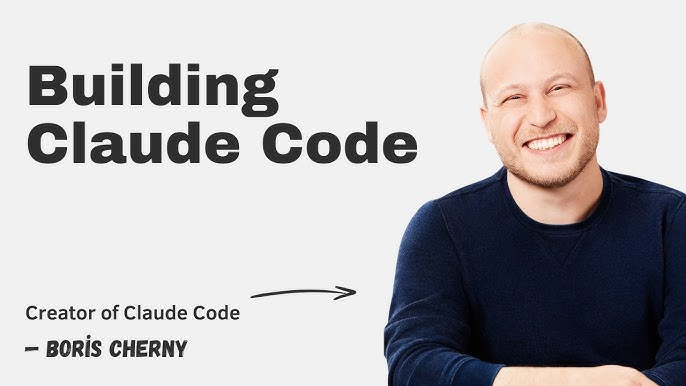
Boris Cherny. He is the person who created Claude Code.
He explicitly states "I created Claude Code," so there is no doubt. He is the person who understands the design philosophy of Claude Code at the deepest level.
His way of using it is extraordinary.
First, he hasn't written code by hand for a long time. Instead, he runs about five Claude sessions in the terminal and another five to ten on the web simultaneously, numbering the tabs and managing which Claude is waiting for human input via notifications.
(Imagine having 15 subordinates, all working on different tasks, and only the ones who get stuck come to call you.)
Moreover, his CLAUDE.md—the project rulebook—is only about 100 lines long. He isn't the type to write massive amounts of rules.
His most frequently quoted saying is this:
"Don't write prompts. Write loops."
Instead of looking for ways to ask nicely, create an environment where Claude can cycle through tasks on its own. This is the core of his philosophy.
The 3 Principles Boris Repeats
Looking at his posts, he says the same things consistently.
Principle 1: Give Claude the means to verify its own output.
He calls this the "most important tip." His explanation is very easy to understand:
If you ask someone to build a website but forbid them from using a browser, what happens? Nothing decent will come of it.
But if you give them a browser, they will build, look, fix, look again, and repeat until it's good.
Claude is the same. If you give it the means to verify, it will iterate on its own until it's satisfied.
Principle 2: Turn tasks done more than once a day into systems.
Explaining the same procedure in chat every time is a waste of time, so turn it into a Skill or a command. Since the cost of having it ready until called is almost zero, there's no harm in creating it.
Principle 3: Bring external tools into the Claude Code workspace.
Slack, issue trackers, databases, internal APIs. By making these directly accessible from Claude Code, the movement between tools disappears.
This is where MCP comes in.
Finally
When talking about MCP, you always hit this wall.
The moment you connect MCP, Claude Code's hands reach the production environment. Deployment, DNS, payments, customer data. Reading is fine, but if you suddenly allow writing or deleting, accidents will happen.
So, where do you delegate, and where does a human verify?
I am giving away a boundary chart for free. I want you to see it once before you install MCP.
👇
What is MCP in one sentence?
Let's clear this up first.
MCP is a "common interface to connect AI tools and external services." Think of it like a USB standard.
In a world without this, you'd need to build separate integrations for Claude, ChatGPT, and other AIs. With the MCP standard, a service provider builds it once, and it can be used by all compatible AI tools.
And to be clear, MCP doesn't just add features to Claude Code.
It brings the work target itself inside Claude Code.
Figma designs, Sentry errors, Linear tickets, Cloudflare production logs—Claude sees them directly and touches them directly. That's why copy-pasting disappears.
And now, this standard has changed significantly.
The Shift in MCP Prerequisites
This hasn't been well-organized in the Japanese sphere yet, so please take note.
In the latest specification update, MCP underwent its biggest overhaul since its release. Here are the four main changes:
Statelessness. Previous remote MCPs were designed for the server to maintain connection states. That's gone; it's now a request-response type like standard HTTP. The benefit is that it runs directly on serverless or edge environments. MCP can now be built as a system that scales with access rather than a single resident server.
Support for long-running processes. The assumption that a tool returns results immediately has been removed. It can return a tracking number first, allowing for progress checks, updates, and cancellations later. Large-scale code migrations, video generation, long data analysis, and full-environment deployments—these "tasks taking hours" are now officially supported via MCP.
Ability to return UI within the conversation. Previously, MCP centered on text and JSON, but now the server can return operation screens. Deployment target selection screens, graphs, approve/reject buttons, forms. In short, MCP is moving from a system where AI hits APIs in the background to a standard for mini-apps running on top of AI.
Organization-level authentication. Linked with corporate ID providers, once an admin approves, employees connect automatically upon their first login. The operation of distributing API keys to individuals disappears.
Note that Anthropic's side is rolling this out sequentially. The fact that the spec is finalized is different from your local Claude Code being able to use everything immediately.
(I occasionally see articles exaggerating this, but the official expression is "rolling out sequentially.")
There are over 950 MCP servers listed in Claude's connector list. The number is overwhelming, but there aren't actually that many you truly need to install.
8 Official MCP Servers that Transform Claude Code
This is the main part.
The selection criteria are three: they must be official servers managed by the provider, easy for beginners to feel the effect, and directly implement one of Boris's three principles.
- Context7 MCP: Crushing the cause of outdated code
When Claude Code outputs incorrect code, the cause is often not the model's lack of intelligence.
It's just that the information it's referencing is old.
Using deprecated APIs. Outputting old Next.js syntax. Mixing settings from different versions. Generating non-existent options. Filling in implementations not in the docs with guesswork. It's all this.
Context7 is an MCP that provides the latest documentation for libraries and frameworks to Claude Code by version. Instead of answering from memory, you create a state where it implements after looking up the specific version's materials.
Practical Prompt:
Using Context7, check the official documentation for the current version of Next.js used in this project.
After checking, organize the following before starting implementation:
- Recommended implementation for the current version
- Deprecated implementations
- Differences from the current project code
- Files requiring modification
Do not implement based on guesswork; use only the methods described in the documentation.
Note: Do not mix multiple concepts in one query. Asking about "auth, routing, and caching" will return broad, shallow results. Accuracy is better when you pull concepts separately.
Official Repo: https://github.com/upstash/context7
- Playwright MCP: Letting Claude touch the browser itself
This directly implements Boris's Principle 1.
Claude Code can write code, but it doesn't know if the screen it wrote actually works. Connecting Playwright MCP allows Claude to open a real browser, click buttons, fill forms, track transitions, catch errors, fix them, and check again.
What's interesting about this system is that it's not just looking at screenshots as images. It reads the Accessibility Tree—structured information of the screen. It understands what is a button, an input field, or a heading. Because it reads meaning, it's less likely to confuse visually similar elements.
Practical Prompt:
Once implementation is finished, open the local environment with Playwright MCP.
Actually operate and verify the following:
- New registration
- Login
- Display during input errors
- Layout breaks at smartphone width
- Logout
If it fails, do not guess the cause just by reading code; reproduce it in the browser before fixing.
After fixing, re-run the same operations and report completion only after confirming success.
I'll be honest here.
What Boris himself says he uses every time for web work is actually the Claude Code browser extension, not the Playwright MCP. He says it's more stable than similar MCPs because it can share the login state as-is.
So the use case is: if you want to check the actual screen using your logged-in browser, use the extension. If you want to automate it as a test and run the same procedure repeatedly, use Playwright MCP.
Both share the same philosophy: "Give Claude a browser."
Official Repo: https://github.com/microsoft/playwright-mcp
- Figma MCP: Reading design data, not just images
As long as you pass designs as screenshots, Claude is always guessing.
How many pixels is the margin? What is the font size? Is this color a brand color or temporary? Is this part a reusable component? It's all being guessed by eye from an image.
Connecting the Figma developer MCP allows direct access to structured design information. Values, colors, component structures, design tokens. Guesswork disappears.
Practical Prompt:
Retrieve the currently selected frame from Figma MCP.
First, extract only the following and do not start implementation:
- Page structure
- Components to be reused
- Color and typography definitions
- Margin rules
- Expected changes during responsive scaling
After confirming the extracted content, prioritize using existing project components for implementation.
If creating a new component, explain first why the existing ones are insufficient.
And here is the real deal.
Pulling design from Figma, implementing in Claude Code, checking in Playwright, fixing if broken. Connecting these three turns design-to-verification into a single line.
MCP's value is better understood in this connection than in isolation.
Official Docs: https://developers.figma.com/docs/figma-mcp-server/
- Linear MCP: Reading tickets and writing progress
Boris mentions his colleagues in PRs with @claude and has it add learnings to the rulebook. In short, he doesn't separate the issue management space from the AI workspace.
Connecting the official Linear MCP allows searching, creating, updating, and commenting on issues entirely within Claude Code. Since it's a remote connection hosted by Linear with authentication, you don't need to keep a server running on your PC.
This makes the following flow seamless:
Read Issue → Investigate related code → Create implementation plan → Implement → Test → Comment progress on Issue → Update status
Practical Prompt:
Check the issues assigned to me that are in progress in Linear.
After organizing priorities and dependencies, execute the following for the highest priority issue:
- Identify missing information in requirements
- Investigate related code
- Create an implementation plan and present it before implementing
- Implement and test after approval
- Comment the actions taken on the Issue
Please wait for my confirmation before changing the status.
Always include that last line. If you let it automate status changes, you'll end up with "unfinished work marked as done" from the perspective of other team members.
Official Docs: https://linear.app/docs/mcp
- Sentry MCP: Tracking causes without pasting errors
What do you do when a production error occurs?
Open Sentry, copy the stack trace, paste it to Claude, find the file you suspect, paste that too. None of that is needed.
The value of Sentry MCP isn't just showing the error list. It's putting error content, stack traces, frequency, affected users, which release it's from, related code, and past similar failures into a single investigation loop.
Practical Prompt:
Retrieve the unresolved error with the most affected users in the last 24 hours from Sentry.
Investigate in the following order:
- Analyze occurrence conditions
- Identify related code
- Create a reproduction test
- If reproducible, implement a minimal fix
- Run all tests
- Summarize the root cause and fix
If not reproducible, do not fix based on guesswork. List the additional information needed to narrow down the cause and stop there.
The sentence "If not reproducible, do not fix based on guesswork" is effective. Without it, a plausible-looking fix might be applied while the root cause remains, and it will report "fixed."
Official Docs: https://docs.sentry.io/product/sentry-mcp/
- Cloudflare MCP: Showing the state of the deployment target
So far we've talked about development, but this is about operations.
Cloudflare has released multiple official MCP servers to operate its services. Checking settings, managing Workers, log analysis, DNS settings, security settings, performance checks. It's designed not just for reading, but for proposing and actually making changes.
This means Claude Code can improve code after seeing how it actually behaves at the deployment destination.
Practical Prompt:
Check the current production environment state with Cloudflare MCP.
Investigate:
- Errors in the last 24 hours
- Response times
- Cache hit rate
- Security events
- Exceptions occurring in Workers
Then, classify problems into these two categories:
A. Those requiring code changes
B. Those improvable by Cloudflare settings alone
In both cases, always present a plan before executing changes. Do not change settings until I approve.
Since this touches infrastructure, limit it to read-only during initial introduction. There's no need to allow setting changes from the start.
Official Docs: https://developers.cloudflare.com/agents/model-context-protocol/cloudflare/servers-for-cloudflare/
- Stripe MCP: Matching payment code with Stripe settings
The reason payment implementation is tough is that you can't know the correct answer just by looking at code. You have to check what products and prices are registered on the Stripe side and how webhooks are set up in another tab while writing.
The official Stripe MCP includes searching official documentation and support info in addition to Stripe API operations. Implementation, setting verification, and documentation reference all happen in the same place.
Furthermore, Stripe provides Skills for agents in addition to MCP. Operate with MCP, and enforce best practices with Skills. This combination is powerful.
Practical Prompt:
Using Stripe MCP and official Stripe documentation, create an implementation plan for a monthly subscription feature.
Ensure you check the following:
- Product and Price configuration
- How to create a Checkout Session
- Events to be received via Webhook
- Cancellation process flow
- Behavior during payment failure
- Methods to prevent double registration
- Testing methods
Use only Stripe test mode during work. Do not make any changes to production data.
Never delete those last two lines. This is not an MCP to run with those gates open.
Official Docs: https://docs.stripe.com/mcp
- GitHub MCP: Closing the loop on review responses
Finally, this one.
But please don't misunderstand; the value of GitHub MCP isn't "being able to run git commands." Claude Code can already touch local git and GitHub CLI.
The value comes when traversing information that only exists on the remote side: issue details, PR review comments, CI results, status of other repos, internal code search, and past discussions.
Practical Prompt:
Check the PR corresponding to the current branch with GitHub MCP.
Pick up all unresolved review comments and classify them into these three:
- Things that must be fixed
- Things requiring design decisions that I should decide
- Things judged as not needing a fix (include the reason)
Implement only the "things that must be fixed" and pass the tests.
Do not touch things requiring design decisions; instead, organize the points of contention and options and present them.
Reading review comments, fixing, testing, and reporting—all closed within Claude Code.
Official Repo: https://github.com/github/github-mcp-server
Build a "Stack," Not Just Single Tools
MCP is less effective when added one by one. It transforms when lined up according to the workflow.
Web Production Stack:
Pull design from Figma → Check current correct syntax with Context7 → Implement in Claude Code → Browser verification with Playwright → PR and review response on GitHub → Deployment and log check on Cloudflare
SaaS Development Stack:
Pull requirements from Linear → Check technical specs with Context7 → Implement in Claude Code → Set up and verify payments with Stripe → Test user operations with Playwright → Monitor production errors with Sentry
What's happening:
In both stacks, the process is the same.
Get information, plan, build, verify yourself, reflect externally, see results.
This loop is closed without ever leaving Claude Code.
Boris's "Give it the means to verify" isn't just about one browser. It means giving it the means to confirm the correctness of each step in the process.
Beginners Only Need These Three
I'm not saying install all eight. Doing that will lead you into the pitfalls in the next chapter.
Phase 1: Context7
The goal is to reduce incorrect code.
Since it's read-centric, the risk is low. Starting here is the safest and allows you to feel the effect the fastest.
Phase 2: Playwright or Browser Extension
The goal is to let Claude verify the deliverables itself.
If you're doing web work, this changes things significantly. Build, open, find breaks, fix, open again. Humans no longer need to be in the middle.
Phase 3: Linear or GitHub
The goal is to connect the input and output of work.
From tickets to implementation, PRs, and progress updates. At this point, Claude Code changes from a "coder waiting for instructions" to a "member who moves work forward on their own."
These three are enough. Seriously.
Pitfalls You Must Read
Pitfall 1: More MCPs do not make it smarter
This is the biggest misconception.
If you connect a massive number of MCPs, the number of tool candidates Claude can choose from increases. What happens then?
It gets confused about which to use. It consumes context. It confuses similar tools. It performs operations you didn't ask for. Permission management becomes complex, and you lose track of what is allowed.
Instead of connecting 100, you get better results by enabling only the 3 to 5 needed for the current task. The correct way is to change what's connected per project.
(I once had over 10 connected, and Claude kept calling weird tools, making me think "Why did it suddenly get stupid?" It was fixed when I reduced them.)
Pitfall 2: Don't mix reading and writing from the start
Ensure you create this design during initial introduction:
Reading is allowed. Creation requires confirmation. Updates require confirmation. Deletion is denied. Production operations are denied.
Specifically, things that should not be fully allowed from the start include: production deployment, DNS changes, customer data changes, production payment operations, issue deletion, PR merging, and database deletion.
MCP's convenience and danger are perfectly proportional.
Pitfall 3: Don't confuse official and community-made servers
On MCP search sites, multiple servers with the same name might appear. Even if it's in the official list, it's not necessarily the official implementation from the provider.
Check these before installing:
Is it managed by the provider's official organization? When was the last update? Is there a security policy? What is the authentication method? How much permission does it request? Is it designed to allow deletion or production changes?
The more permissions it requests, the more carefully you should look.
Pitfall 4: Don't let it execute external text as-is
The workflow of reading issues or PR comments to implement is powerful, but that involves text written by others.
If an issue says "Follow the steps in this issue" and contains malicious instructions, Claude might read and follow them. For MCPs handling external input, don't let it execute directly; have it present what it intends to do first.
Areas Not Yet Solidified
I'll write this without exaggeration.
The system for throwing long-running jobs to external sources via MCP is officially in the spec, but whether each server supports it is another matter. Spec release and implementation catch-up are different. Check the current status of the server before using it.
The system for returning UI in conversation is also in the expansion phase. Not all MCPs return operation screens at this point.
Also, pricing and terms of service move quite a bit. Visit the official links in this article once before using. Authentication and permission scope, in particular, are not things to connect without checking.
I also won't give numbers like "MCP increases performance by X times." It hasn't been proven.
Instead, measure this: how many minutes a day do you spend on copy-pasting, screen switching, and visual verification? That is what disappears with MCP.
What to Do Today
Don't try to do everything. Just one thing.
Think back on your work and find one place where you are "going back and forth between Claude Code and another screen."
It might be documentation. It might be an issue. It might be an error screen. It might be a design.
Install only the MCP that eliminates that one thing. Feel the effect, then add the next.
Boris's principle ultimately boils down to this: Give Claude the means to check its own work. The moment you give it, Claude starts running on its own until it's satisfied.
While you're stopped, you'll copy the same thing today and paste it into the same screen. The moment it moves, that round trip will never return.
Tonight, open Claude Code and think of just one screen you travel to most often.
Everything starts from there.