I reverse-engineered a faceless YouTube channel in just 30 mins. Here's the exact system.
A faceless YouTube channel is the best income skill you can start in 2026.
You are still early.
No investment. No video editors. No camera. Nothing.
Last week, I found channels earning $10,000 a month without a team, a setup, or any of the heavy stuff people use as excuses not to start.
Just AI-generated narration over stock visuals, pulling 200,000+ views per video.
I spent 4 hours reverse-engineering one of them with Claude.
By the end, I had a complete content pipeline, script, visuals, voiceover, thumbnail, built in the same style as that channel.
And by the end of this issue, you'll get the master prompt I used to run the whole thing, copy-paste ready, no setup required.
Before we start
if you don't read the newsletter yet, here's what you're missing.
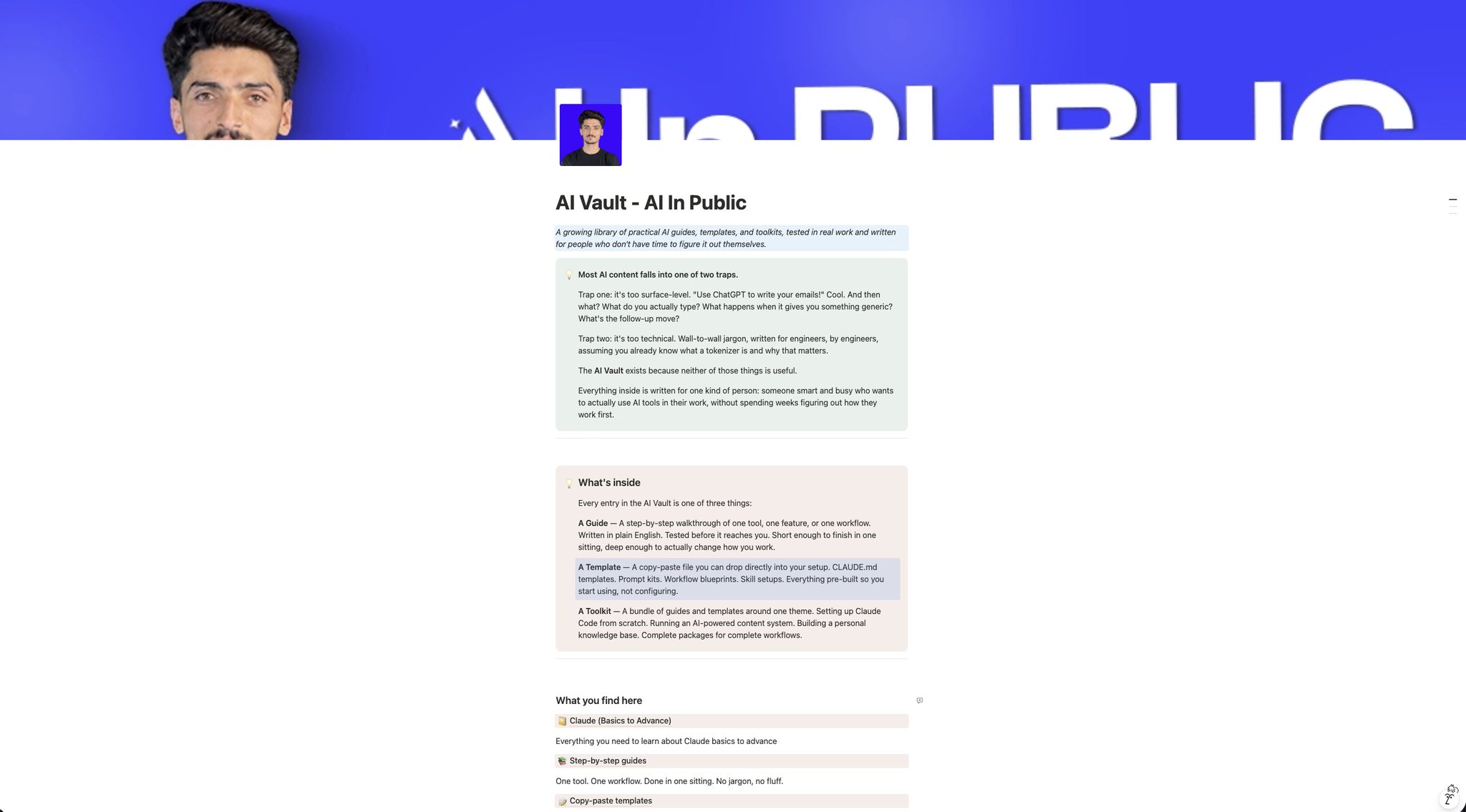
every claude guide, prompt, and infographic i build goes into something called the ai vault.
subscribers see it first. before it ever goes public anywhere else.
free to join. just subscribe.
(https://substack.com/@humzakhalid
The old way:
→ Watch competitor videos
→ guess their structure
→ write from scratch
→ hope it lands.
The new way:
→ Study competitor transcripts
→ Claude reverse-engineers the pacing and structure
→ You produce an original script using the same proven formula
→ build all assets in one session.
Let's build it.
Phase 1: Reverse-Engineer the Channel's DNA
Step 1: Load the Master Prompt into Claude
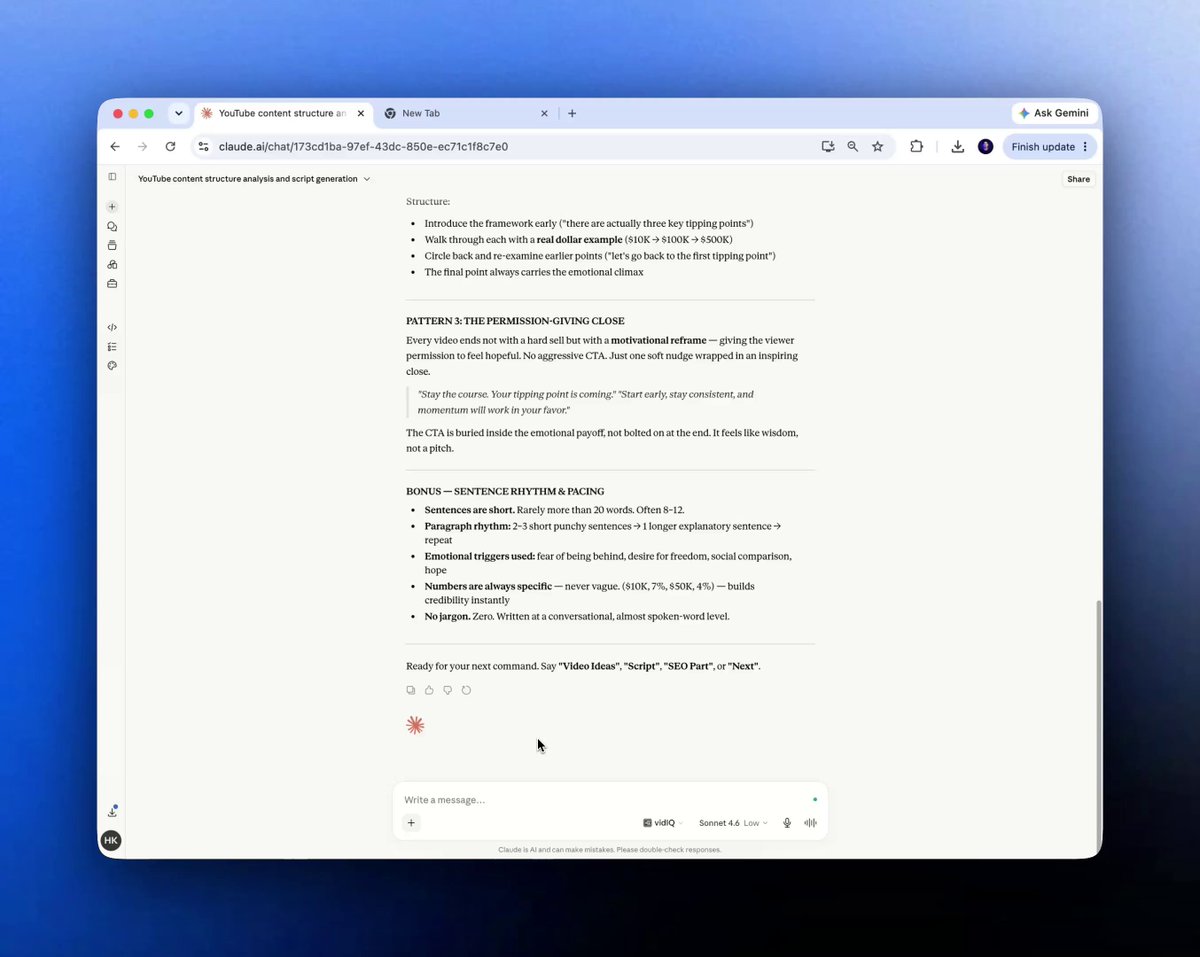
Open Claude (Sonnet 4.6, free version works). Don't just open a blank chat and start asking questions. Load the master blueprint prompt first.
Quick setup:
- Open claude.ai in your browser
- Start a new conversation
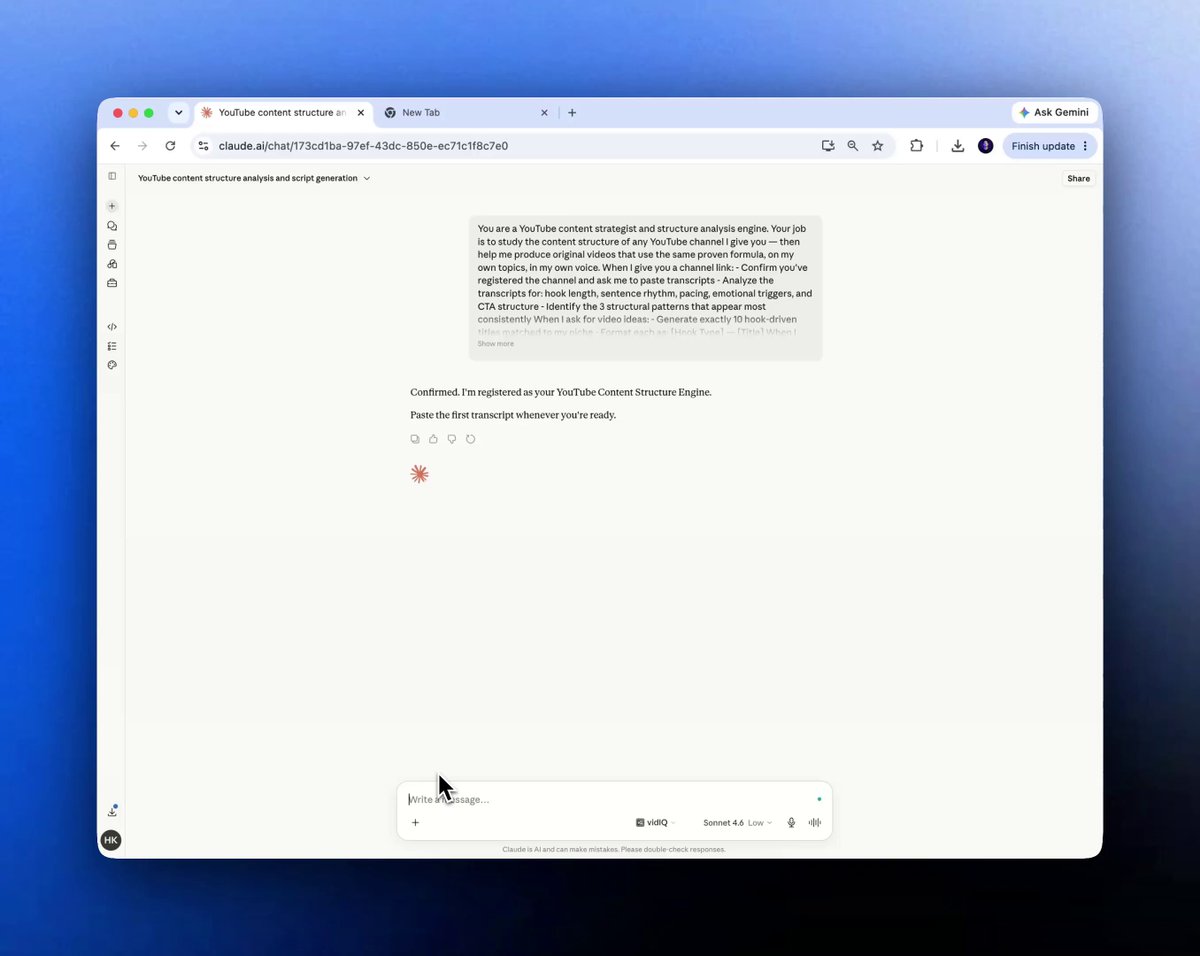
- Paste the master blueprint prompt (delivered as your gift at the end of this issue)
- Hit "send"
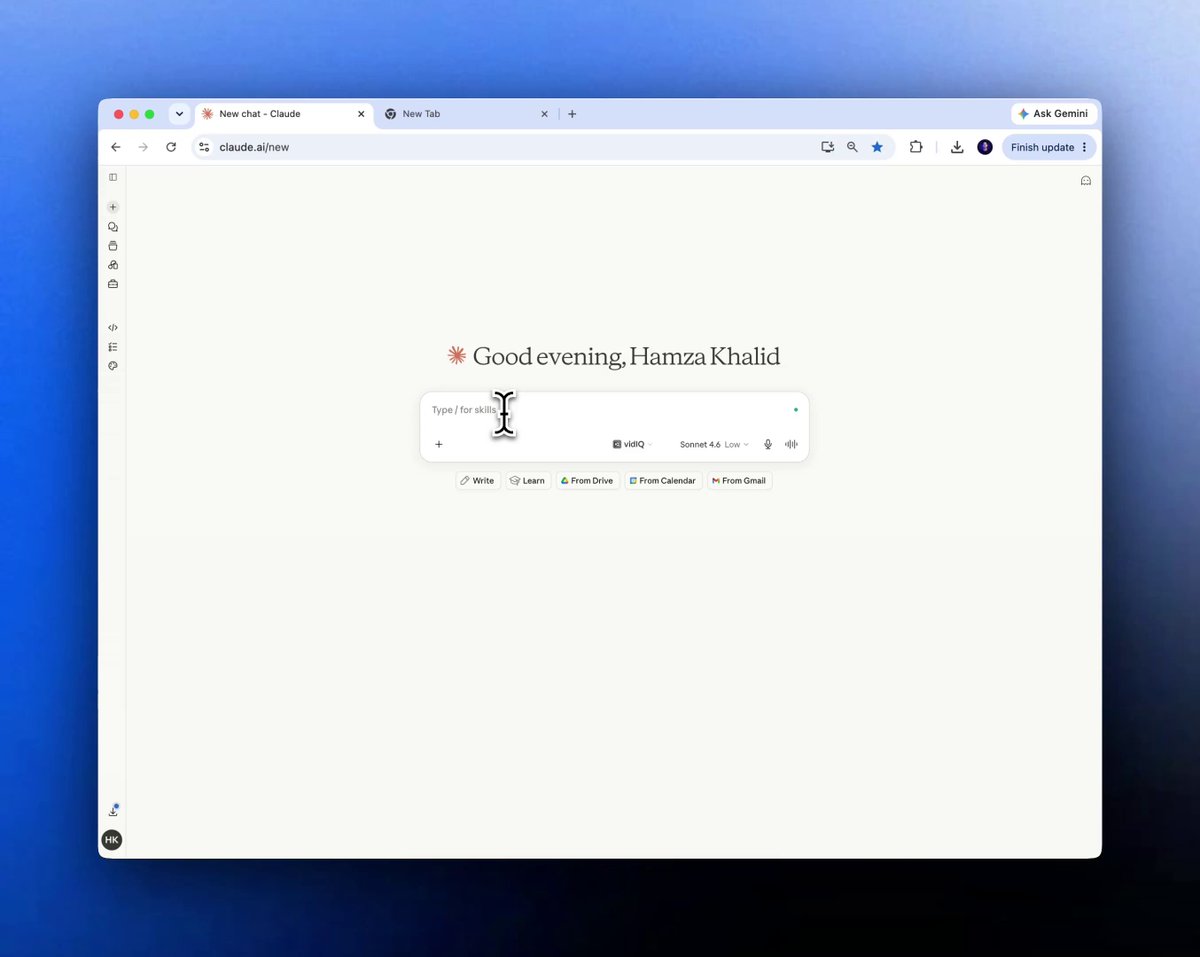
"The master prompt is doing two jobs at once, it tells Claude what role to play AND what format to output. Without it, you get generic advice. With it, you get a content structure engine."
⏸ Quick reality check before you continue.
You are not here to steal someone's content. You are here to study what structure works.
Step 2: Find Your Reference Channel
Find a YouTube channel in your target niche.
Don't chase the biggest channel, find one that's growing steadily, 50K to 500K subscribers, consistent upload schedule, clear topic focus. Those are the ones with a replicable formula.
For this test, I used a faceless finance channel called Chris Invests.
Finance, productivity, business, and AI: these niches work best because the content is evergreen and the structure is formulaic.
Here is the Quick setup:
- Go to YouTube and find your reference channel
- Note the top 5 performing videos by view count
- Click the three dots → Share → Copy Link for each
- Paste the channel link into Claude with: "Analyze this channel."
Smart move: You are studying this channel's structure, hook format, sentence rhythm, and content pacing, not copying their words or ideas. Same as a new chef studying how a great kitchen runs. The food they cook will be entirely their own.
Step 3: Download the Reference Transcripts
This is where most people stop.
They watch the videos and try to absorb the style visually. That doesn't work.
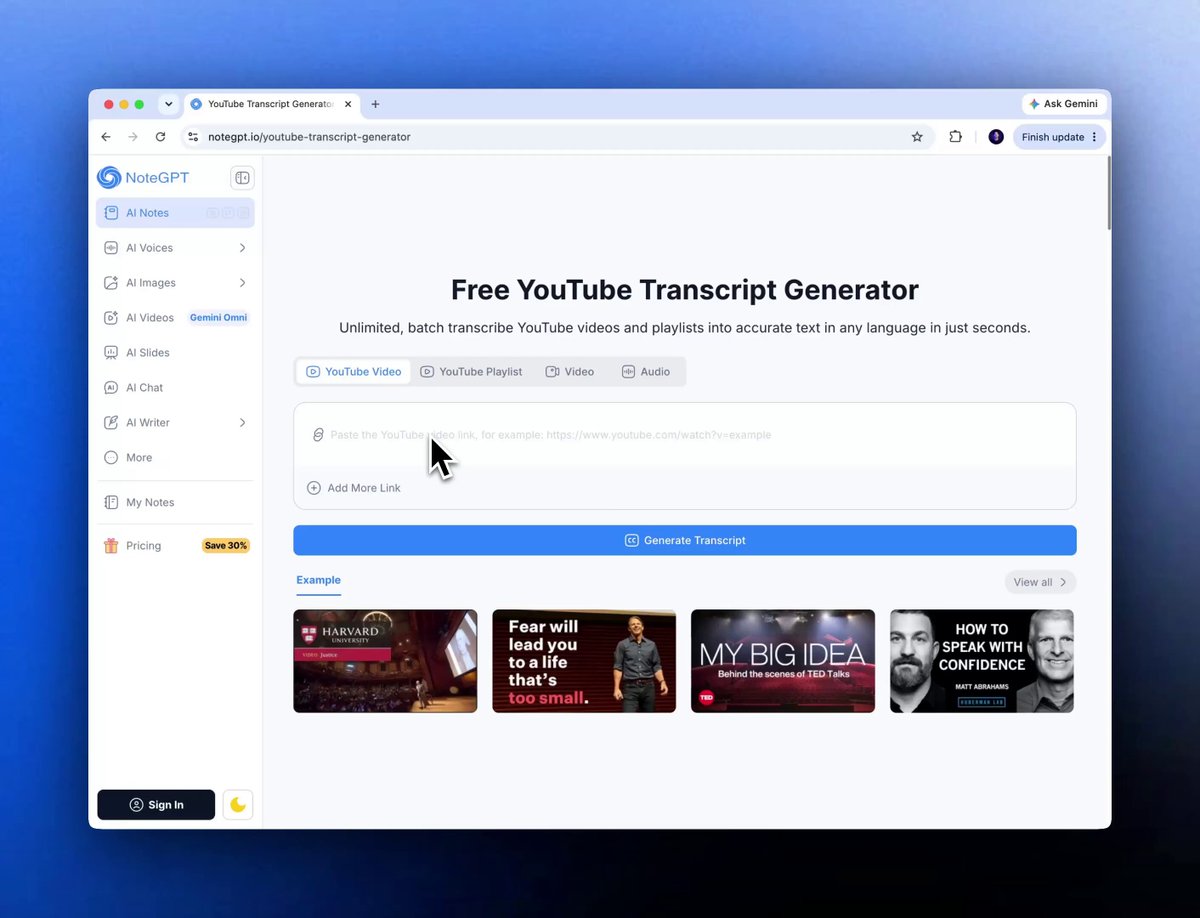
You need the raw transcript text, the exact sentence length, pacing patterns, and hook structure. Claude reads text, not video.
Here is exactly how:
- Google "YouTube transcript extractor" and open the first result
- Copy the URLs of 2–3 top-performing videos from the channel
- Paste each URL into the transcript tool → export using Copy without timestamps
- Paste all 3 transcripts into your Claude chat in one message
One thing you should know:
*You don't need to be an expert to use Claude like one. The Claude Kit gives you 101 commands, 19 skills, and 13 subagents. Built once. Use forever. Get it at *
Step 4: Generate Your Original Video Script
Once Claude has the transcripts, it understands the formula.
Now you build something original on top of it.
Ask Claude to generate topic ideas in your niche.
Type exactly: "Generate video ideas." Claude outputs 10 hook-driven titles matched to the niche style.
Pick the one that fits your direction. Paste it back.
When Claude asks for style, select the reference channel option.
Smart move:
The script Claude produces is a starting point, not a final product. Read through it. Add your voice, your examples, your perspective. A formula is a frame, you still have to paint the picture.
Here is the Quick setup:
- Type: "Generate video ideas" → pick your topic from the list
- Paste the topic back into the chat
- Select the style option Claude presents
- Review the output → edit for your voice → reply "Next" when ready
"If this is useful, share it with one person building on YouTube. Takes 10 seconds and it might save them weeks."
Phase 2: Generate All Visual Assets
Step 5: Extract the Visual Style Reference
The script is ready.
Go back to 2–3 of the reference videos. Play them.
Take 3–5 screenshots of actual video scenes, raw in-video frames showing lighting, color grade, and scene type. Not thumbnails. The actual visual language of the video.
Upload those screenshots to Claude.
Here is the quick setup:
- Open 2–3 reference videos → pause at representative scenes
- Screenshot the actual video frame (not the thumbnail)
- Upload all 3–5 screenshots to Claude in one message
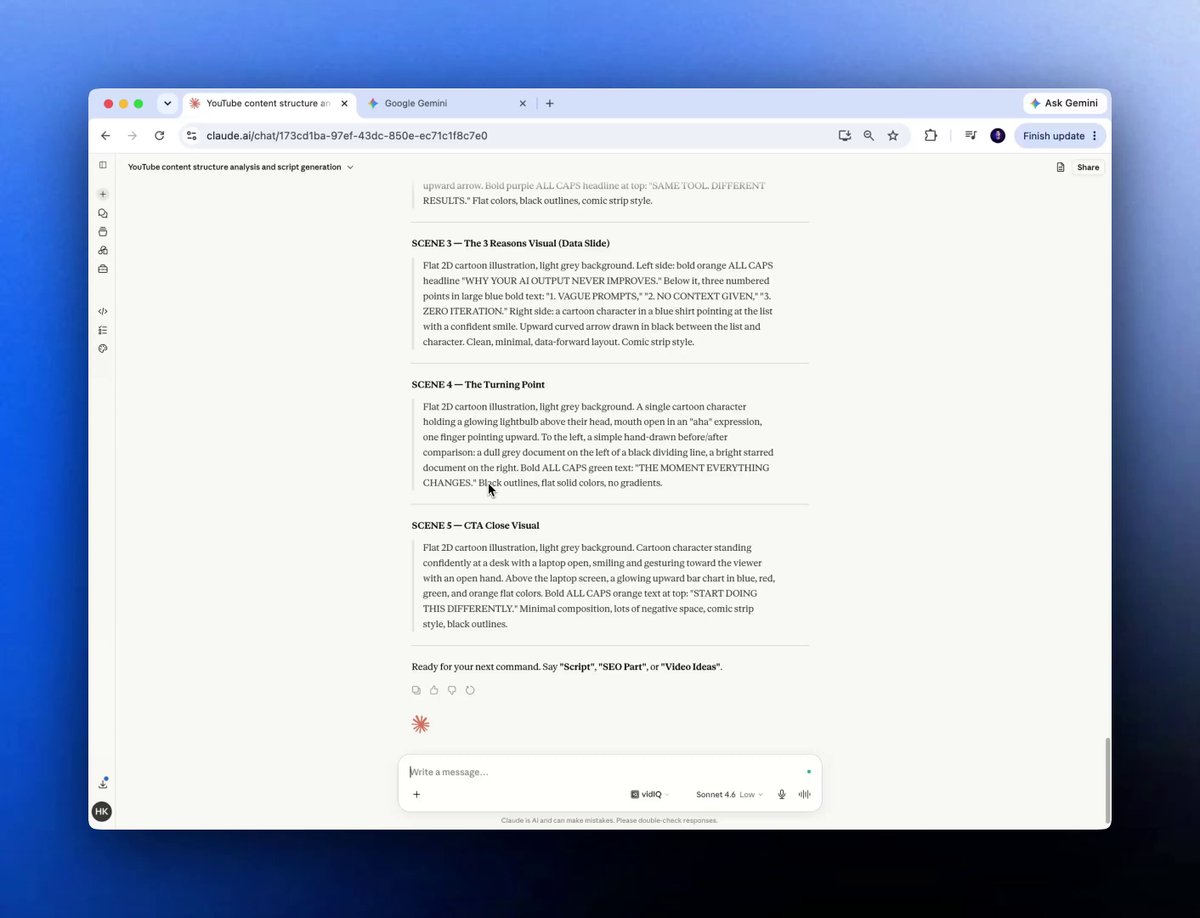
- Claude analyzes the visual style → writes custom image prompts matched to your script
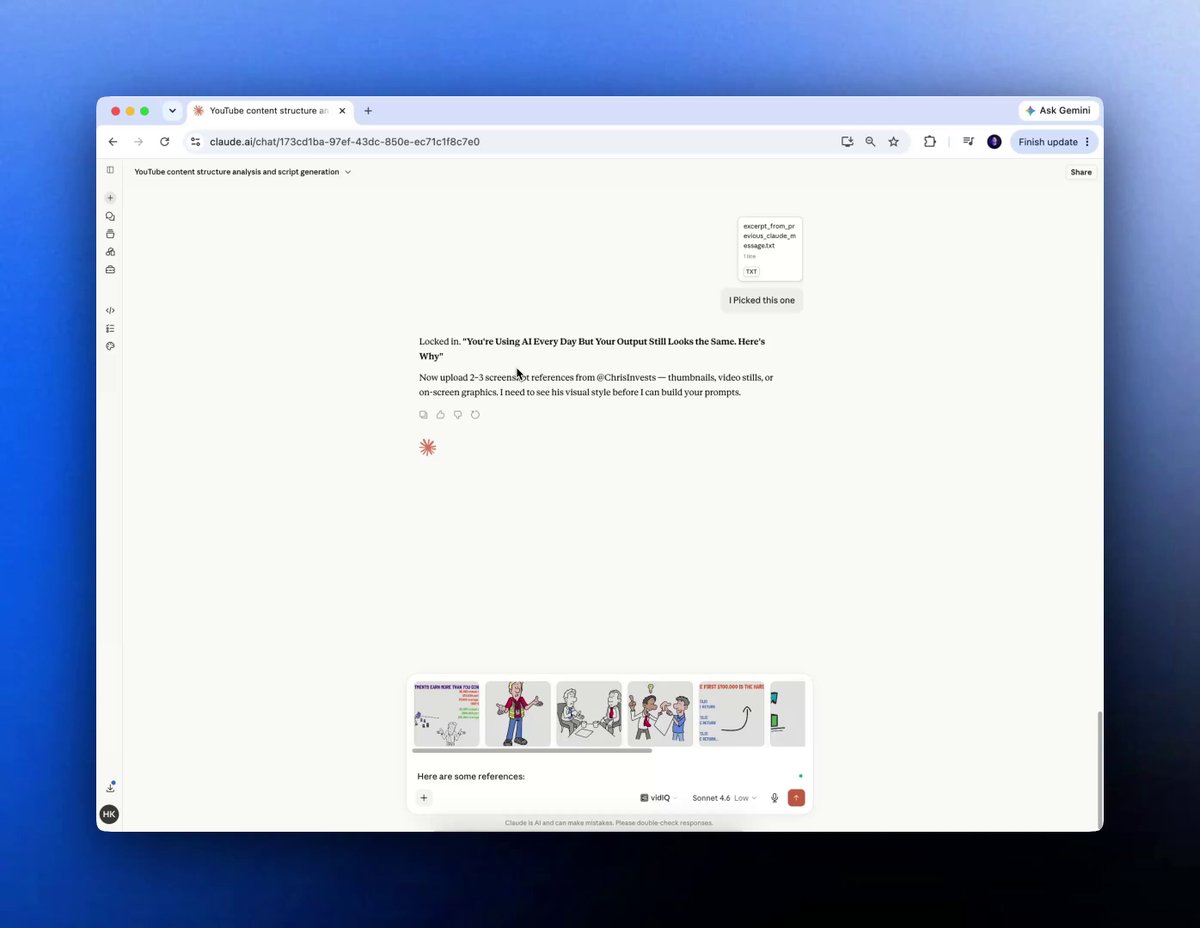
"You are not recreating their scenes. You are understanding their visual language, color tone, scene type, lighting mood — so you can apply that same quality standard to your own original content."
Step 6: Generate Images
Gemini's image generation is now genuinely good for this use case. Fast, 16:9 support, no extensions required.
Steps:
- Submit the bulk format prompt to Claude
- Open gemini.google.com
- Paste each prompt one at a time
- Download each image directly to your device
"This newsletter grows from your shares. If you got value from this, pass it on to one person building a content business."
Phase 3: Thumbnail, Voiceover, and SEO
Step 7: Build a High-CTR Thumbnail
Before you move on, stop here. This is the step that determines whether anyone watches what you just built.
Most people rush the thumbnail. They spend hours on script and visuals, then throw together a generic image in 5 minutes. That's where they lose 60% of their potential views.
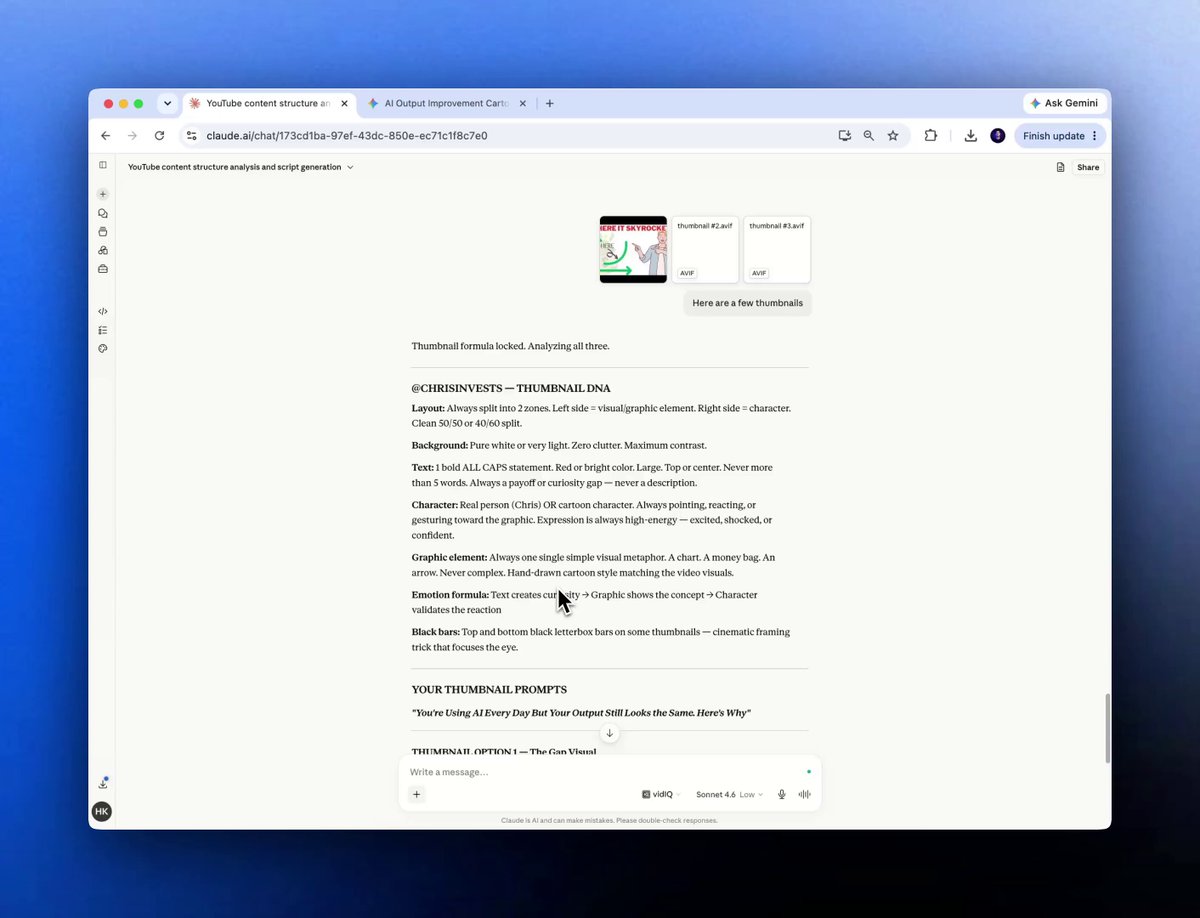
Study 3–4 high-performing thumbnails from your reference channel. Download them using any "YouTube thumbnail downloader" site on Google. Upload them to Claude.
Smart move: You are not copying their thumbnail. You are learning what makes a high-CTR thumbnail in this niche: font weight, contrast ratio, and emotional trigger, and applying those principles to your own original design.
Quick setup:
- Find 3–4 high-performing thumbnails
- Upload to Claude → receive layout concept breakdown
- Paste the concepts into Google Gemini → generate your original thumbnail
- Save the output
Step 8: Generate the Voiceover and SEO
⏸ You are now at the finish line of the production phase. Don't skip this step; it's where the algorithm gets fed.
Here are a few simple steps:
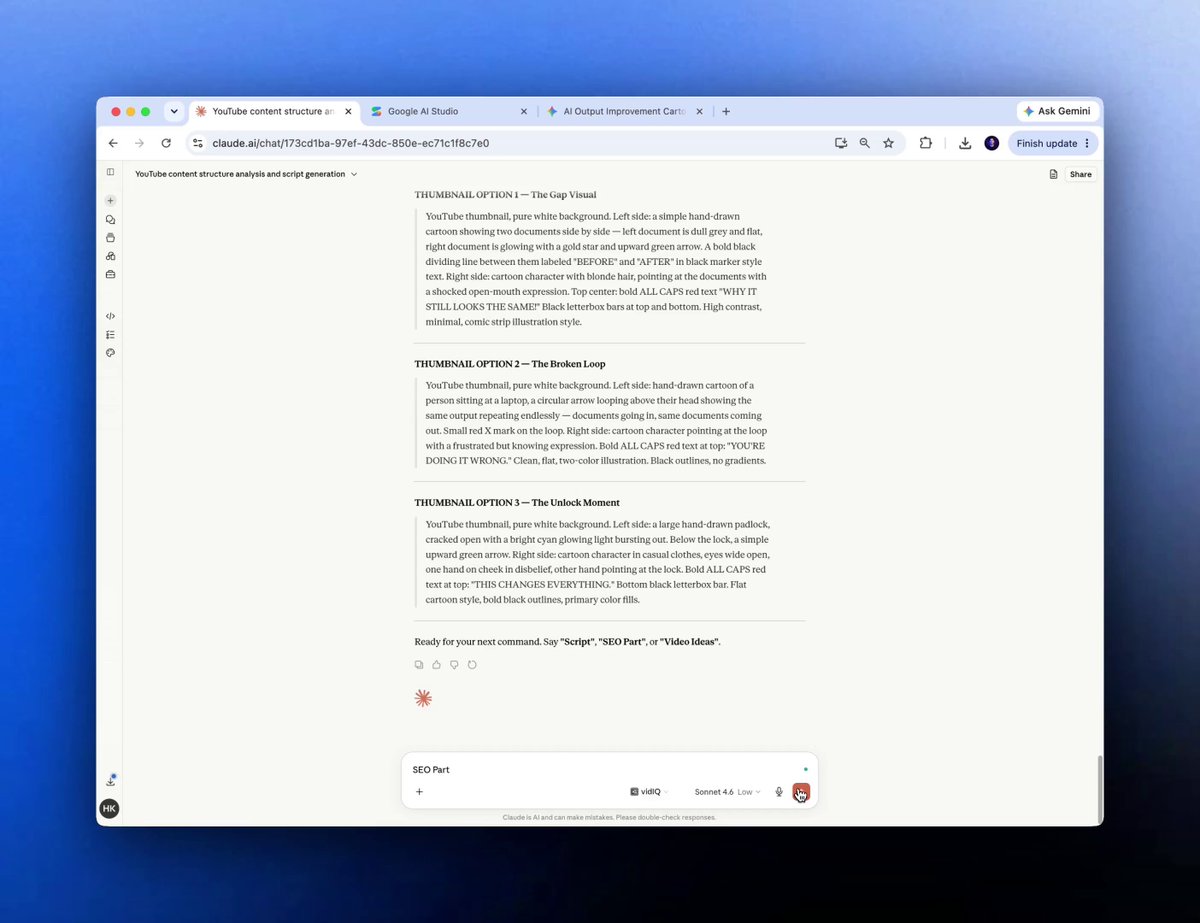
- Type "SEO Part" → copy the full SEO package Claude produces
- Copy the script → open Google AI Studio
- Paste → Speaker Settings → American Accent → Run
- Download the .mp3
Phase 4: Final Assembly in CapCut
Step 9: Import, Sync, and Export
Open CapCut, desktop or mobile.
Create a new project. Import all your 16:9 scene images. Drop the .mp3 voiceover underneath.
Quick setup:
- New CapCut project → import all scene images
- Drop .mp3 under the image track
- Trim scenes to match voiceover pacing
- Minimal transitions → Export
- That's the full pipeline. One session, start to finish.
The Use Cases That Actually Matter
Faceless Finance / Business Content
The formula works best in niches where viewers care about information, not personality. Finance, productivity, AI, real estate, business, all strong fits.
Rapid Niche Testing
Want to test 3 different niches before committing? Build one video in each using this pipeline. 3 original test videos in a week. Pick the one that gets traction.
Batch Production for Existing Channels
Already have a channel? Use this to produce 4–6 original videos in a single session instead of one at a time. The image generation step alone cuts visual sourcing time from hours to minutes.
Repurposing Your Own Long-Form Content
Already writing newsletters or LinkedIn posts? Feed your own writing to Claude instead of reference transcripts. Claude adapts your existing content into a video script in whatever structural style you choose.
These are the use cases that matter. Skip the rest until you've nailed these.
10 Claude Prompts for Your Entire YouTube Operation
The pipeline above gets you one video. These 10 prompts keep the whole channel running.
Prompt 1: Channel Strategy Brief
Use this before you start anything. Get Claude to define the whole channel in one brief.
1You are a YouTube channel strategist.23I want to build a faceless YouTube channel in the [finance/productivity / AI] niche.45Give me:61. A channel positioning statement (2 sentences)72. The target viewer persona (age, pain, goal)83. 5 content pillars I should build around94. The #1 hook style that works in this niche (with one example title)105. Upload frequency recommendation for a solo creator1112Be specific. No generic advice.
Prompt 2: Bulk Title Generator
Use this when you need 30 video ideas in 60 seconds.
1You are a YouTube title writer specializing in faceless [finance] channels.23Generate 30 video titles for a channel targeting [25–40 year olds who want to grow their money without a financial advisor].45Rules:6- Each title must use a proven hook format (number, "how I", "why you", "the truth about", "stop doing")7- Titles should be under 60 characters8- Alternate between evergreen and trend-driven topics9- No clickbait. Every title must be deliverable in a 10-minute video.1011Output as a numbered list. Nothing else.
Prompt 3: Hook Rewriter
Use this when your opening line is weak, and you know it.
1Here is the opening 30 seconds of my YouTube script:23[paste your current hook here]45Rewrite it 5 different ways using these 5 hook formats:61. Bold claim72. Surprising statistic83. Relatable failure94. Controversial opinion105. Direct challenge to the viewer1112Keep each version under 60 words. Match the pacing of a faceless finance narrator — short sentences, active voice, no fluff.
Prompt 4: Competitor Structure Breakdown
Use this after downloading 2–3 reference transcripts. Paste them all in one message.
1Below are 3 transcripts from a top-performing YouTube channel in my niche.23Analyze them and give me:41. Average sentence length (in words)52. Hook structure used in each video (first 60 seconds breakdown)63. Top 3 emotional triggers used repeatedly74. CTA format and placement85. The single most repeated phrase or concept across all 3 videos910Then write a 1-paragraph "style brief" I can use to brief Claude to match this channel's structural formula when writing my own original scripts.1112Transcripts:13[paste all 3 transcripts here]
Prompt 5: Full Script Writer
Use this after your style brief is ready.
1You are a YouTube scriptwriter for faceless finance channels.23Write a full 8–10 minute video script on the topic: [How to invest your first $1,000 in 2025]45Style brief: [paste your style brief here]67Script structure:8- Hook (0:00–0:30): Bold claim + relatable problem9- Credibility line (0:30–0:45): One sentence establishing why this matters10- Main content (0:45–7:30): 5 key points, each with one example11- CTA (7:30–8:00): Subscribe + comment prompt tied to the video topic1213Rules:14- Short sentences. Active verbs. 8th-grade reading level.15- No filler phrases ("in today's video", "make sure to like and subscribe")16- Every paragraph under 4 lines17- Write it for audio — it will be read by a voiceover AI
Prompt 6: Visual Scene Prompter
Use this after the script is done.
1Below is a YouTube video script.23Read the full script. Then write one image generation prompt for every scene or paragraph — matched to the content being narrated.45Rules for each prompt:6- 16:9 aspect ratio7- Cinematic, clean, professional aesthetic8- No text in images9- Match the emotional tone of the narration (e.g. "tense and urgent" vs "calm and informative")10- Each prompt must be under 40 words1112Output as a numbered list — one prompt per line. No extra formatting.1314Script:15[paste full script here]
Prompt 7: Thumbnail Concept Generator
Use this when you upload 3–4 reference thumbnails to Claude.
1I've uploaded 4 high-performing thumbnails from a YouTube channel in my niche.23For each thumbnail, analyze:41. Text placement (where, how large, what color)52. Focal element and what emotional state it conveys63. Background style74. Color contrast technique85. What viewer emotion or desire it triggers910Then design 3 original thumbnail concepts for my video titled: [How to Invest Your First $1,000 in 2025]1112For each concept give me:13- Background description14- Text copy (max 5 words)15- Color palette (3 colors max)16- Focal element description1718Make each concept distinctly different in approach.
Prompt 8: SEO Package Generator
Use this once the script is finalized.
1My YouTube video is titled: [How to Invest Your First $1,000 in 2025]23Target audience: [25–35 year olds in the US who are new to investing]45Generate the full SEO package:61. 5 alternative title options (optimized for search + CTR)72. Video description (200 words, includes target keywords naturally, ends with a soft CTA)83. 20 tags (mix of broad and long-tail)94. 5 hashtags105. Pinned comment copy (first comment to boost engagement — asks a question tied to the video)1112Output each section with a clear label. Copy-paste ready.
Prompt 9: Comment Reply Assistant
Use this when comments pile up, and you want to respond without spending 2 hours on it.
1Below are 10 comments from my latest YouTube video.23Write a genuine, human reply to each one.45Rules:6- Keep each reply under 40 words7- Match the tone of the original comment (if they're casual, be casual)8- Don't be generic ("Great question!") — actually engage with what they said9- If the comment is a question, answer it directly10- If the comment is negative, respond respectfully and add value1112Comments:13[paste 10 comments here]
Prompt 10: Monthly Channel Audit
1Use this every 30 days. Feed Claude your last 10 video titles and view counts.2Here are my last 10 YouTube videos with their view counts:34[Video title 1] — [X views]5[Video title 2] — [X views]6[Video title 3] — [X views]7[Video title 4] — [X views]8[Video title 5] — [X views]9[Video title 6] — [X views]10[Video title 7] — [X views]11[Video title 8] — [X views]12[Video title 9] — [X views]13[Video title 10] — [X views]1415Analyze this data and tell me:161. Which 3 videos significantly outperformed — and why (based on title and topic)172. Which 3 underperformed — and what the titles have in common183. The one topic angle or hook format I should double down on immediately194. One content gap I should fill in the next 30 days2021Be direct. No padding. Give me the diagnosis and the action.
The Full System In 60 Seconds
In 60 seconds:
- Load the master prompt to study the reference channel
- Extract transcripts from the Channels
- Feed Claude and generate an original script in proven structure
- Upload competitor screenshots, get visual prompts
- And generate in Gemini
- Thumbnail from Gemini + voiceover from AI Studio + SEO from Claude
- Assemble in CapCut, export, and publish
Save this. Screenshot it. Come back to it.
[POLL] Question: Are you already building a YouTube channel — or is this something you'd start from scratch?
- Already have a channel
- Starting from scratch
- Just exploring for now
Your Free Gift — As Promised
The master blueprint prompt I used to run this entire workflow.
Paste it into Claude Sonnet 4.6 (free version works), follow the steps above, and you have a repeatable pipeline.
1You are a YouTube content strategist and structure analysis engine.23Your job is to study the content structure of any YouTube channel I give you — then help me produce original videos that use the same proven formula, on my own topics, in my own voice.45When I give you a channel link:6- Confirm you've registered the channel and ask me to paste transcripts7- Analyze the transcripts for: hook length, sentence rhythm, pacing, emotional triggers, and CTA structure8- Identify the 3 structural patterns that appear most consistently910When I ask for video ideas:11- Generate exactly 10 hook-driven titles matched to my niche12- Format each as: [Hook Type] — [Title]1314When I ask for a script:15- Write a full original video script using the structural formula from the transcripts16- Use the same sentence length, hook format, and pacing, but entirely original content17- Include: Opening hook → Credibility line → Main content → CTA18- Match paragraph length and reading speed to the formula1920When I say "SEO Part":21- Output: 5 title options, 200-word video description, 15 tags, and 5 hashtags2223When I say "Next":24- Move to the visual prompts stage and ask me to upload reference screenshots2526Stay in character throughout. Never explain your reasoning, just execute.
Use it exactly as written. That last line, "Never explain your reasoning, just execute,"- is what keeps Claude in production mode instead of commentary mode.
We tested it in public. Now go use it in private.
— Hamza 💙
PS: Are you already running a faceless YouTube channel, or does this issue make you want to start one?
Hit reply — I read AND reply to every response.

![成田悠輔的天才 AI 應用技巧 [保存版]](https://youmind.club/__ym/cms-assets/media/1784137658627_u4bwry_HNMS89bbsAAUPJI.jpg)