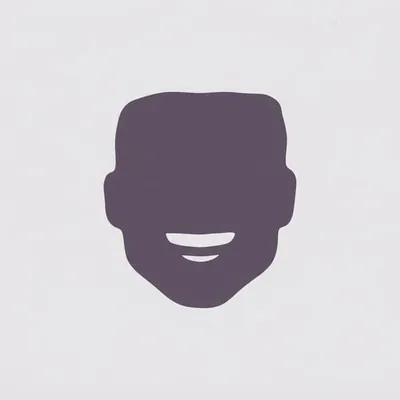
Rhinestone Smile Portrait
Create rhinestone smile portraits from photos
Rhinestone Smile Portrait
Create rhinestone smile portraits from photos
展示內容
描述
Turn a reference photo into a hyper-realistic square studio portrait that keeps the subject unmistakably recognizable while giving the image a playful, fashion-forward rhinestone smile. The portrait preserves the person’s facial structure, hairstyle, age, expression character, thick natural brows, and authentic skin detail, including visible pores, fine facial hairs, freckles, and natural tonal variation. A vivid high-altitude flush across the cheeks and nose adds distinctive color without making the skin look airbrushed or artificial. The defining feature is a joyful, open-mouth smile with every visible tooth densely covered in individually distinguishable, medium-sized white rhinestones. Each flat-back crystal has a visible circular outline, raised facets, crisp reflections, and tiny seams between neighboring stones, while the natural shape and separation of each tooth remain clear. This creates a granular pavé effect that reads as real nail-art crystals rather than glitter, metallic sparkle, or a continuous jeweled surface. The finished image places the centered head against a seamless pure-white background with soft, even frontal studio lighting and a clean commercial portrait composition. Oversized round desert-toned diamond studs in warm sand-gold, champagne-beige, and pale amber add a luxurious finishing detail, making the result suitable for distinctive editorial, beauty, fashion, or creative portrait concepts.
相關技能
查看全部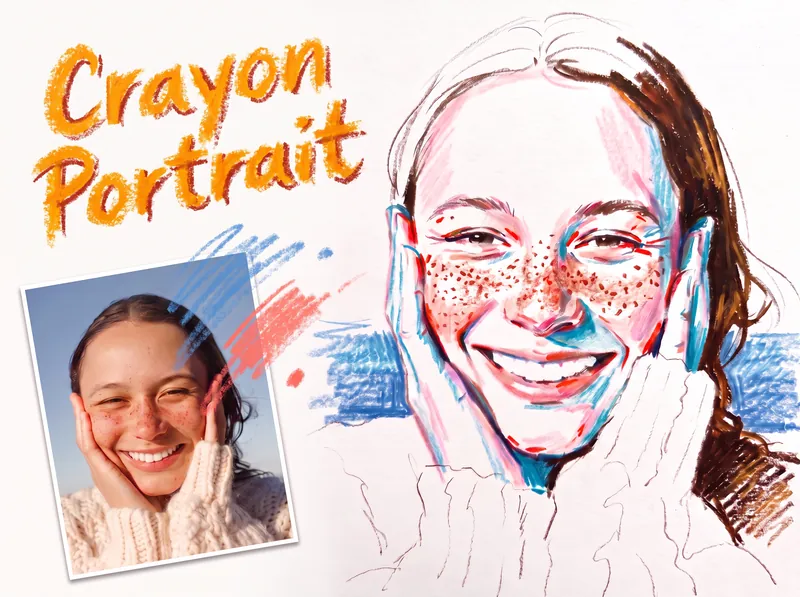 圖片
圖片Crayon Portrait
Turn a portrait photo into a faithful colored crayon or oil pastel sketch that preserves the person’s identity, expression, pose, proportions, hairstyle, clothing, composition, and recognizable details. Freckles, dimples, glasses, earrings, loose strands, teeth, and fabric texture remain part of the likeness rather than being smoothed away or exaggerated. The finished image has the spontaneous character of a quick on-location drawing on white sketch paper, with visible grain, dry rubbing, broken strokes, and airy areas of untouched paper. Facial color stays restrained, using layered pink, coral, and brick-red accents along structural turns while keeping most of the face white; cool blue or peacock-green marks add transparent shadow notes, and yellow is excluded. Hair is rendered in warm brown tones with a deliberate balance between open, light areas and denser textured sections, while clothing and exposed shoulders remain mostly white with only a few expressive lines. A simple, single-hue background softly supports the figure from the sides near the shoulders without filling the page or competing with the portrait. Its uneven, open-edged crayon marks meet the silhouette cleanly and preserve broad white space around the head and lower composition. The result is a distinctive handmade portrait sketch rather than a photorealistic rendering, polished digital painting, or caricature.
 圖片
圖片Naive Doodle Avatar
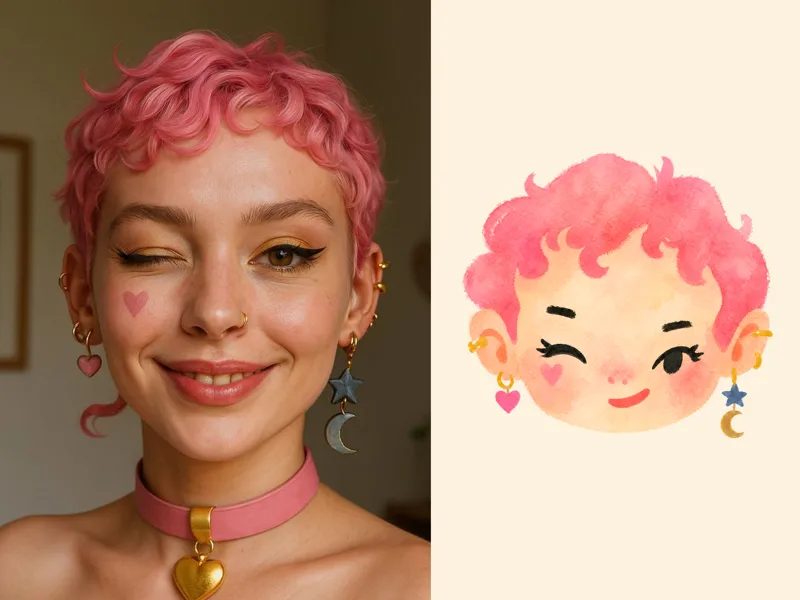
Turn a portrait, appearance description, or creative character idea into a distinctive naive doodle fashion-chibi avatar with a childlike yet cool editorial feel. The style emphasizes bold graphic hair shapes, rough marker or dry-brush edges, restrained watercolor-like color, and a clean white or warm-white background. Real photos guide recognizable cues such as hairstyle silhouette, face shape, expression, and attached accessories while remaining clearly transformed into an illustrated avatar rather than a realistic likeness. You can also start with a set of fresh fictional avatars when you want random inspiration instead of a photo-based transformation. The result stays flat, expressive, and fashion-forward, avoiding photographic skin, 3D rendering, heavy shading, detailed anatomy, distracting backgrounds, text, and watermarks.
 圖片
圖片Image Remix: Recreate & Personalize
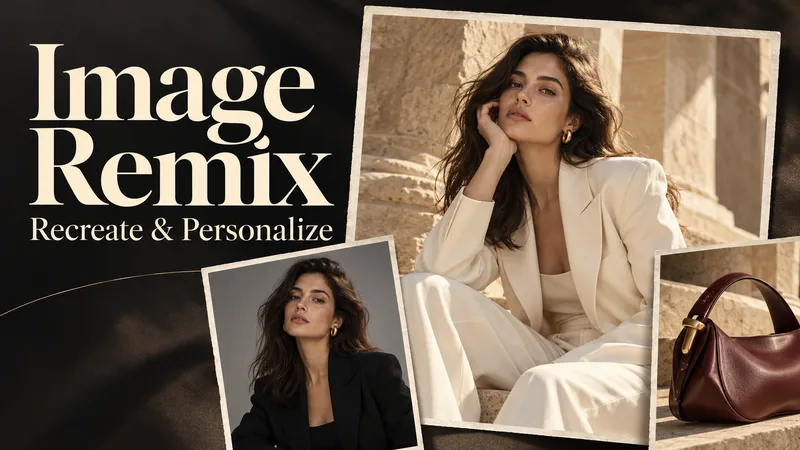
Create personalized visuals from striking reference images—for advertising, fashion concepts, editorial portraits, product scenes, and visual exploration. Image Remix analyzes what makes your reference work, then helps you adapt it to your subject, style, or product. Keep the composition and atmosphere you love while changing selected details through five guided choices. YOUR FIVE CREATIVE CONTROLS • Character / Subject — Preserve the source appearance, describe changes, or supply a reference. • Wardrobe — Keep the outfit, describe a new look, or use a clothing reference. • Environment — Preserve the setting or move the scene somewhere new. • Skin Realism — Choose smooth but realistic skin, natural texture, subtle freckles, or your own description. • Jewelry — Preserve, redesign, replace, remove, or provide a reference. HOW IT WORKS Upload a source image and make your selections. Add person, wardrobe, or product references where needed. The skill gathers any essential missing details, prepares a complete English generation prompt, explains the intended result in your language, and generates one image. CONTROL THE CHANGES. KEEP THE VISUAL IMPACT. Pose, framing, perspective, and atmosphere stay consistent unless you choose to change them. Lighting, shadows, reflections, and materials adapt to help the new elements feel naturally integrated. References have separate roles: a clothing reference guides the outfit, while a product reference guides the product’s design. This helps prevent unrelated faces, backgrounds, or accessories from carrying over. WHAT YOU RECEIVE • One personalized generated image. • A complete, reusable English image prompt. • A clear explanation in your language. Add optional instructions for lighting, framing, aspect ratio, or text. Refine the result through targeted revisions while keeping your accepted choices. Reference-guided recreation; pixel-perfect duplication is not guaranteed.
