认识 Nano Banana(又名 Gemini 2.5 Flash Image):这是我们最新、最快、最高效的模型。它的原生多模态架构能够在一轮处理中同时理解文本和图像,解锁了对话式编辑、多图合成和逻辑推理等强大功能。
你可以从官方文档获取代码来体验这些功能,也可以直接在 Google AI Studio 的 ai.studio/banana 上立即开始创作。
以下是你可以实现的核心功能:
- 文本生成图像:根据简单或复杂的文字描述生成高质量图像。
- 图像 + 文本生成图像(编辑):提供一张图像,通过文字提示添加、删除或修改元素,改变风格或调整颜色。
- 多图合成(合成与风格迁移):使用多张输入图像合成新场景,或将一张图像的风格迁移到另一张图像上。
- 迭代优化:通过对话逐步细化你的图像,经过多轮细微调整直到完美。
- 文本渲染:生成包含清晰且位置恰当文字的图像,非常适合 Logo、图表和海报。
本指南将教你如何编写提示词并提供指令,以从 Gemini 2.5 Flash 获得最佳效果。这一切都从一个基本原则开始:
描述场景,而不是罗列关键词
。该模型的核心优势在于其深刻的语言理解能力。一段叙述性、描述性的段落几乎总能比一个简单的、不连贯的词语列表生成更好、更连贯的图像。
从文本创建图像
最常见的生成图像的方式就是描述你想看到的内容。
1. 照片级写实场景
对于真实感图像,请像摄影师一样思考。提及相机角度、镜头类型、光线和细微细节将引导模型生成照片级真实的效果。
模板
:一张 [拍摄类型] 的照片级写实图片,主体为 [主体],[动作或表情],场景设置在 [环境]。场景由 [光线描述] 照亮,营造出 [氛围] 的感觉。使用 [相机/镜头细节] 拍摄,着重强调 [关键纹理和细节]。图像应为 [宽高比] 格式。
示例提示词:
一张照片级写实的特写肖像,一位年迈的日本陶艺家,脸上有深深的、被阳光刻出的皱纹,带着温暖而会心的微笑。他正在仔细检查一个刚上釉的茶杯。场景是他那简陋、阳光充足的作坊。画面被透过窗户的柔和金色余晖照亮,突出了陶土的细腻纹理和他围裙的布料。使用 85mm 人像镜头拍摄,背景柔和模糊(虚化)。整体氛围宁静而精湛。纵向肖像方向。
1from google import genai2from google.genai import types3from PIL import Image4from io import BytesIO56client = genai.Client()78# Generate an image from a text prompt9response = client.models.generate_content(10 model="gemini-2.5-flash-image-preview",11 contents="A photorealistic close-up portrait of an elderly Japanese ceramicist with deep, sun-etched wrinkles and a warm, knowing smile. He is carefully inspecting a freshly glazed tea bowl. The setting is his rustic, sun-drenched workshop with pottery wheels and shelves of clay pots in the background. The scene is illuminated by soft, golden hour light streaming through a window, highlighting the fine texture of the clay and the fabric of his apron. Captured with an 85mm portrait lens, resulting in a soft, blurred background (bokeh). The overall mood is serene and masterful.",12)1314image_parts = [15 part.inline_data.data16 for part in response.candidates[0].content.parts17 if part.inline_data18]1920if image_parts:21 image = Image.open(BytesIO(image_parts[0]))22 image.save('photorealistic_example.png')23 image.show()
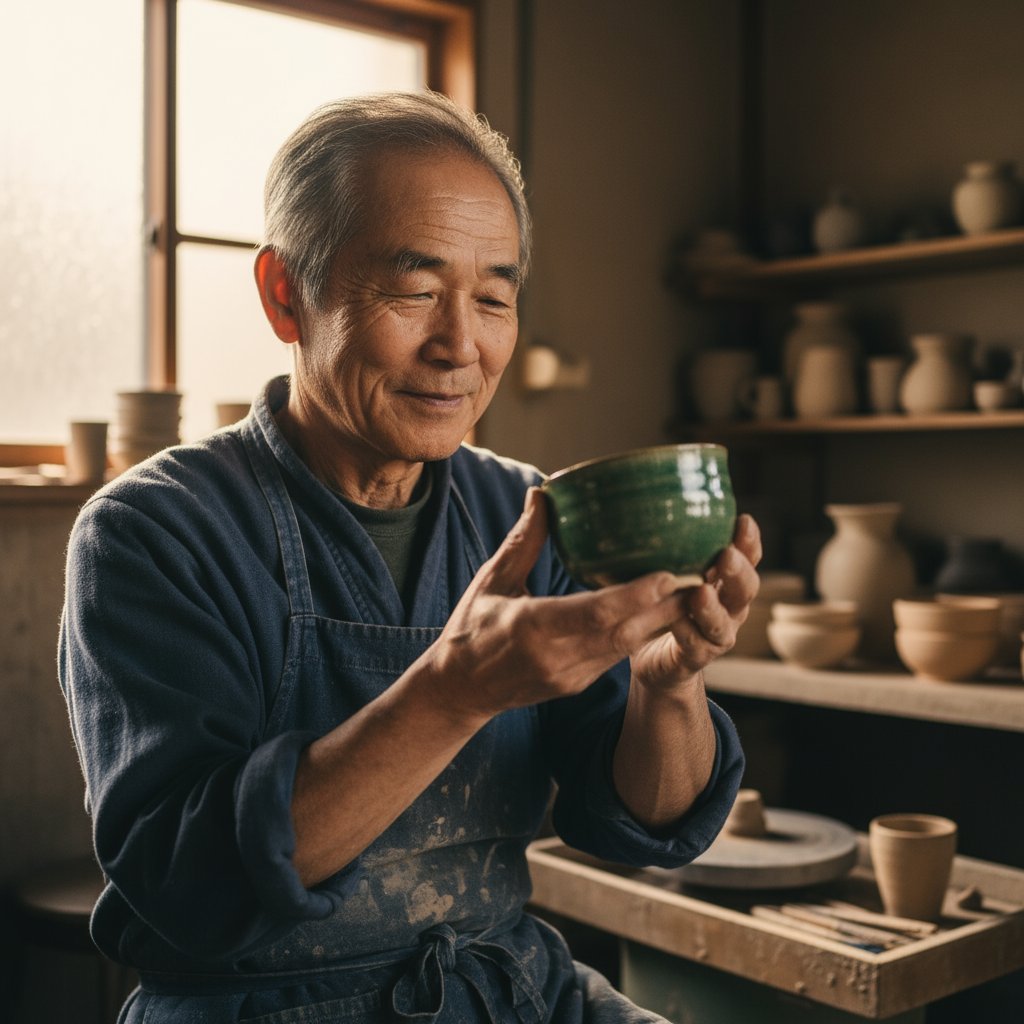
一张照片级写实的特写肖像,一位年迈的日本陶艺家……
2. 风格化插画与贴纸
要创建贴纸、图标或项目素材,请明确指定风格,如果需要白底,记得要求白色背景。
模板
:一张 [风格] 风格的 [主体] 贴纸,具有 [关键特征] 和 [调色板]。设计应采用 [线条风格] 和 [着色风格]。背景必须为白色。
示例提示词
:一张可爱风格的小熊猫贴纸,它很开心,戴着一顶小竹帽,正在啃一片绿色竹叶。设计采用大胆、干净的轮廓,简单的赛璐珞着色,以及鲜艳的配色。背景必须为白色。
1from google import genai2from google.genai import types3from PIL import Image4from io import BytesIO56client = genai.Client()78# Generate an image from a text prompt9response = client.models.generate_content(10 model="gemini-2.5-flash-image-preview",11 contents="A kawaii-style sticker of a happy red panda wearing a tiny bamboo hat. It's munching on a green bamboo leaf. The design features bold, clean outlines, simple cel-shading, and a vibrant color palette. The background must be white.",12)1314image_parts = [15 part.inline_data.data16 for part in response.candidates[0].content.parts17 if part.inline_data18]1920if image_parts:21 image = Image.open(BytesIO(image_parts[0]))22 image.save('red_panda_sticker.png')23 image.show()
**

一张可爱风格的小熊猫贴纸……
3. 图像中的精确文字
Gemini 在渲染文字方面表现出色。请明确说明文字内容、字体风格(描述性)以及整体设计。
模板
:为 [品牌/概念] 创建一张 [图像类型],其中包含文字 "[要渲染的文字]",字体风格为 [字体风格]。设计应为 [风格描述],采用 [配色方案]。
提示词
:为一家名为 'The Daily Grind' 的咖啡店创建一个现代、简约的 Logo。文字应使用干净、粗体、无衬线字体。设计应包含一个与文字无缝融合的简单、风格化的咖啡豆图标。配色方案为黑白。
1from google import genai2from google.genai import types3from PIL import Image4from io import BytesIO56client = genai.Client()78# Generate an image from a text prompt9response = client.models.generate_content(10 model="gemini-2.5-flash-image-preview",11 contents="Create a modern, minimalist logo for a coffee shop called 'The Daily Grind'. The text should be in a clean, bold, sans-serif font. The design should feature a simple, stylized icon of a a coffee bean seamlessly integrated with the text. The color scheme is black and white.",12)1314image_parts = [15 part.inline_data.data16 for part in response.candidates[0].content.parts17 if part.inline_data18]1920if image_parts:21 image = Image.open(BytesIO(image_parts[0]))22 image.save('logo_example.png')23 image.show()

为一家名为 'The Daily Grind' 的咖啡店创建一个现代、简约的 Logo……
4. 产品效果图与商业摄影
为电商、广告或品牌打造干净、专业的产品照片。
模板:
一张高分辨率、影棚布光的产品照片,主体为 [产品描述],放置在 [背景表面/描述] 上。灯光采用 [灯光设置,例如:三灯柔光箱] 以 [灯光目的]。相机角度为 [角度类型] 以展示 [特定特征]。超写实,焦点锐利在 [关键细节] 上。[宽高比]。
示例提示词:
一张高分辨率、影棚布光的产品照片,主体为一只哑光黑色的极简陶瓷咖啡杯,放置在抛光混凝土地面上。灯光采用三灯柔光箱设置,旨在营造柔和、漫反射的高光并消除生硬阴影。相机角度为略微抬高的 45 度俯拍,以展示其简洁的线条。超写实,焦点锐利在咖啡升起的蒸汽上。正方形图像。
1from google import genai2from google.genai import types3from PIL import Image4from io import BytesIO56client = genai.Client()78# Generate an image from a text prompt9response = client.models.generate_content(10 model="gemini-2.5-flash-image-preview",11 contents="A high-resolution, studio-lit product photograph of a minimalist ceramic coffee mug in matte black, presented on a polished concrete surface. The lighting is a three-point softbox setup designed to create soft, diffused highlights and eliminate harsh shadows. The camera angle is a slightly elevated 45-degree shot to showcase its clean lines. Ultra-realistic, with sharp focus on the steam rising from the coffee. Square image.",12)1314image_parts = [15 part.inline_data.data16 for part in response.candidates[0].content.parts17 if part.inline_data18]1920if image_parts:21 image = Image.open(BytesIO(image_parts[0]))22 image.save('product_mockup.png')23 image.show()
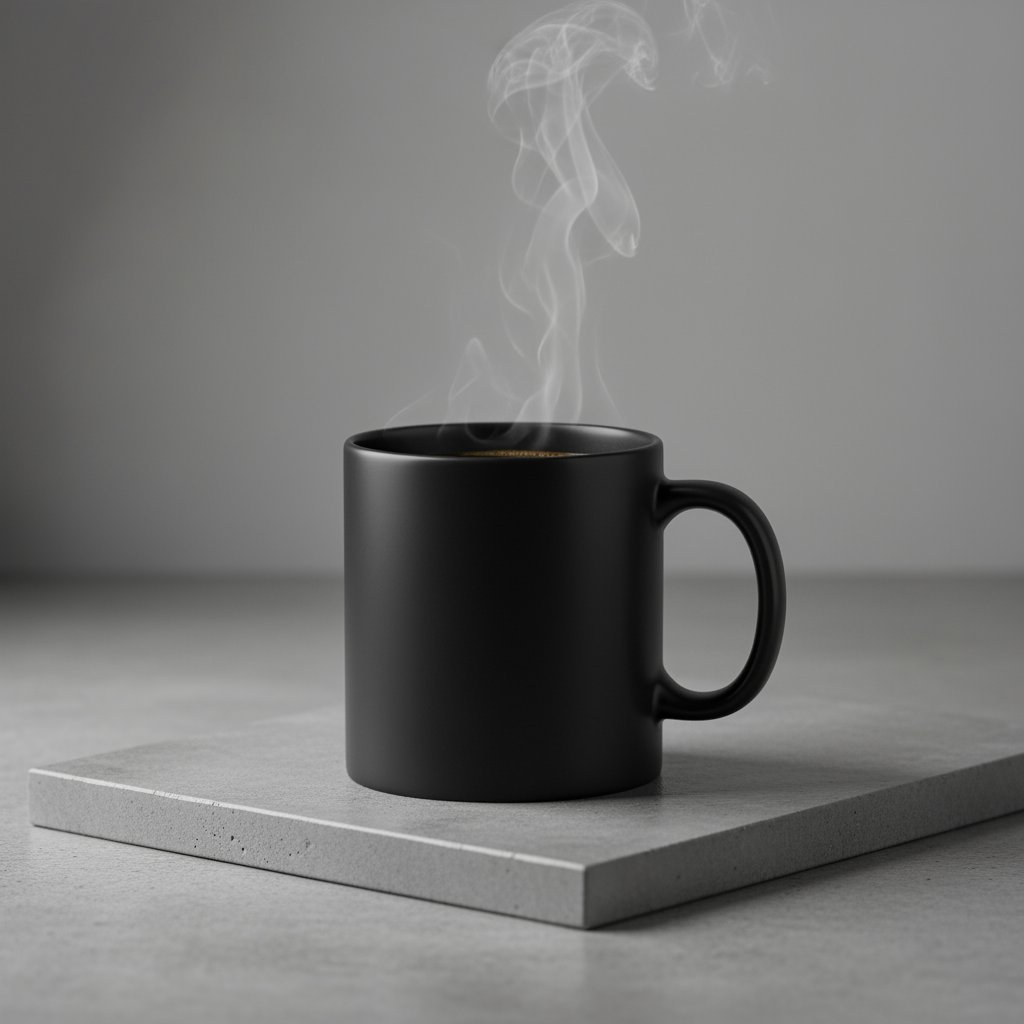
一张高分辨率、影棚布光的产品照片,主体为一只哑光黑色的极简陶瓷咖啡杯……
5. 极简与留白设计
非常适合创建网站、演示文稿或营销材料的背景,这些地方需要叠加文字。
模板
:一张极简构图,画面中只有一个 [主体] 位于 [右下角/左上角/等] 位置。背景是一大片空旷的 [颜色] 画布,营造出显著的留白区域。柔和、微妙的光线。[宽高比]。
示例提示词
:一张极简构图,画面中只有一片精致、红色的枫叶位于右下角。背景是一大片空旷的米白色画布,为文字营造出显著的留白区域。来自左上角的柔和、漫射光。正方形图像。
1from google import genai2from google.genai import types3from PIL import Image4from io import BytesIO56client = genai.Client()78# Generate an image from a text prompt9response = client.models.generate_content(10 model="gemini-2.5-flash-image-preview",11 contents="A minimalist composition featuring a single, delicate red maple leaf positioned in the bottom-right of the frame. The background is a vast, empty off-white canvas, creating significant negative space for text. Soft, diffused lighting from the top left. Square image.",12)1314image_parts = [15 part.inline_data.data16 for part in response.candidates[0].content.parts17 if part.inline_data18]1920if image_parts:21 image = Image.open(BytesIO(image_parts[0]))22 image.save('minimalist_design.png')23 image.show()
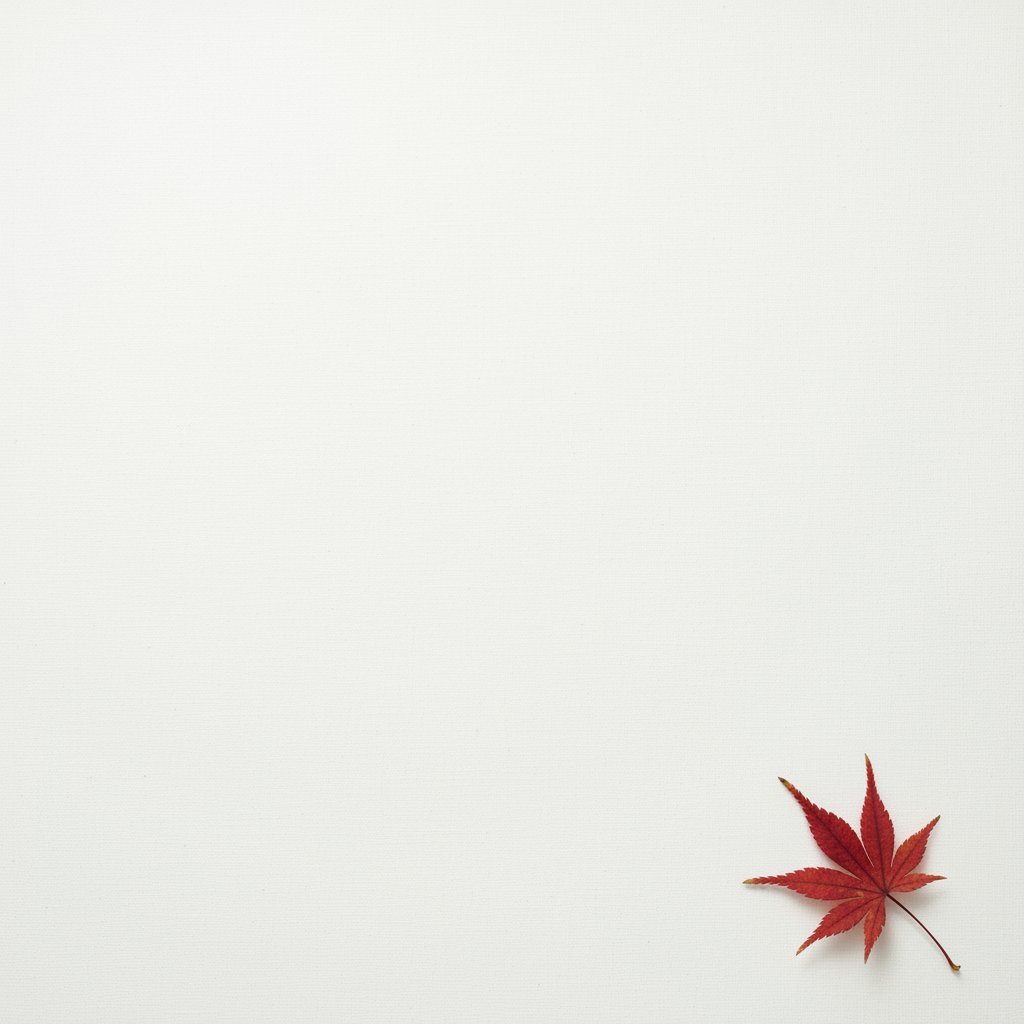
一张极简构图,画面中只有一片精致、红色的枫叶……
6. 序列艺术(漫画分镜 / 故事板)
逐格创建引人入胜的视觉叙事,非常适合通过清晰的场景描述来制作故事板、连环漫画或任何形式的序列艺术。
模板
:一张 [艺术风格] 风格的漫画单页。前景中,[角色描述和动作]。背景中,[环境细节]。页面上有一个 [对话框/说明框],里面写着 "[文字]"。光线营造出 [情绪] 氛围。[宽高比]。
示例提示词
:一张粗犷黑色电影风格的漫画单页,使用高对比度的黑白墨线。前景中,一名穿风衣的侦探站在闪烁的路灯下,雨水浸湿了他的肩膀。背景中,一家冷清酒吧的霓虹灯招牌映在一个水坑里。顶部有一个说明框,写着 "这座城市是个保守秘密的艰难之地。" 光线硬朗,营造出戏剧性、阴郁的氛围。横向构图。
1from google import genai2from google.genai import types3from PIL import Image4from io import BytesIO56client = genai.Client()78# Generate an image from a text prompt9response = client.models.generate_content(10 model="gemini-2.5-flash-image-preview",11 contents="A single comic book panel in a gritty, noir art style with high-contrast black and white inks. In the foreground, a detective in a trench coat stands under a flickering streetlamp, rain soaking his shoulders. In the background, the neon sign of a desolate bar reflects in a puddle. A caption box at the top reads \"The city was a tough place to keep secrets.\" The lighting is harsh, creating a dramatic, somber mood. Landscape.",12)1314image_parts = [15 part.inline_data.data16 for part in response.candidates[0].content.parts17 if part.inline_data18]1920if image_parts:21 image = Image.open(BytesIO(image_parts[0]))22 image.save('comic_panel.png')23 image.show()
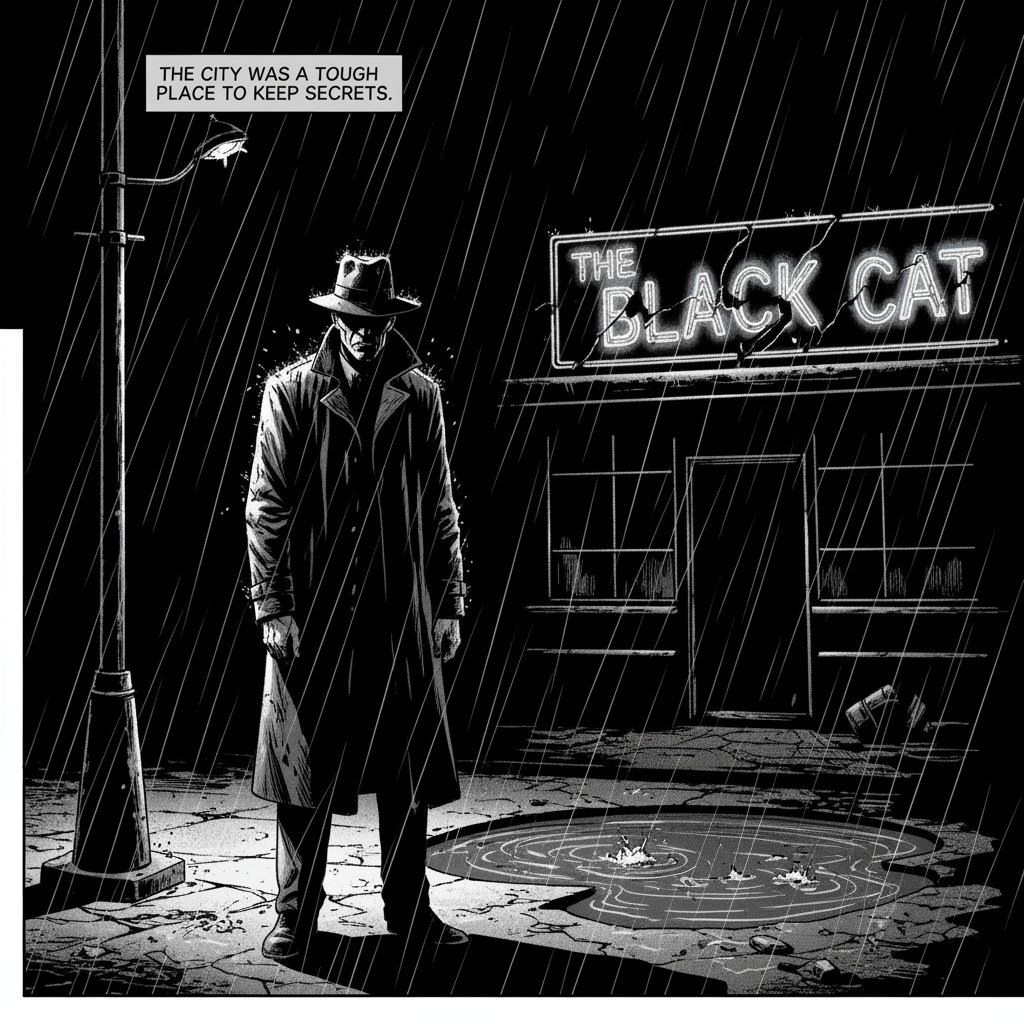
一张粗犷黑色电影风格的漫画单页……
**