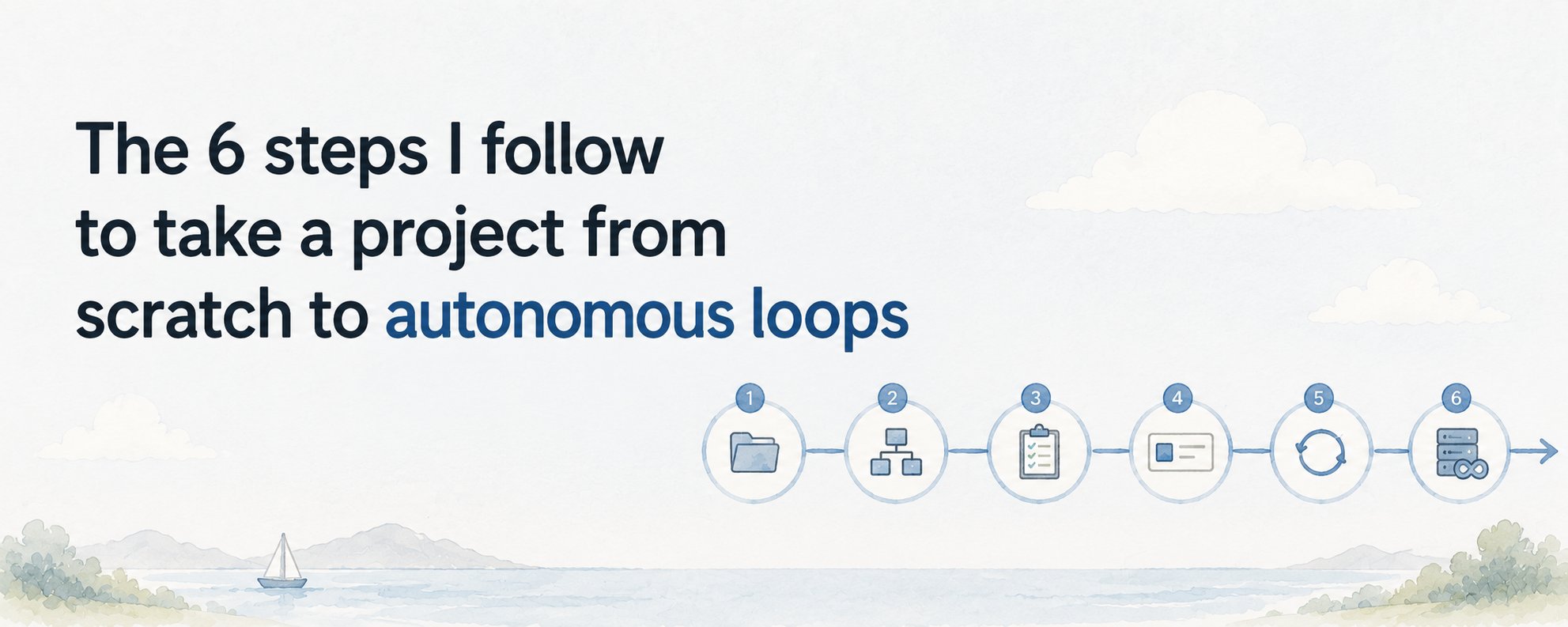
Learn how to build your first AI agent in under 1 hour with this beginner-friendly Claude Code guide. Includes the exact prompts, step-by-step workflow, common mistakes, and the easiest way to understand tools, skills, and loops.
Nobody told me my first AI agent would be this underwhelming and that was exactly why it worked.
I think a lot of beginners imagine their first agent needs to look like some autonomous digital employee that books flights, writes code, researches the web, and somehow changes their life before lunch. hahaha.
That fantasy is where most people get stuck.
They spend days learning terminology, comparing frameworks, and watching demos from people who are already far beyond beginner level. Meanwhile, the only thing they actually needed was a small working loop.
That is the mindset shift that made Claude Code click for me.
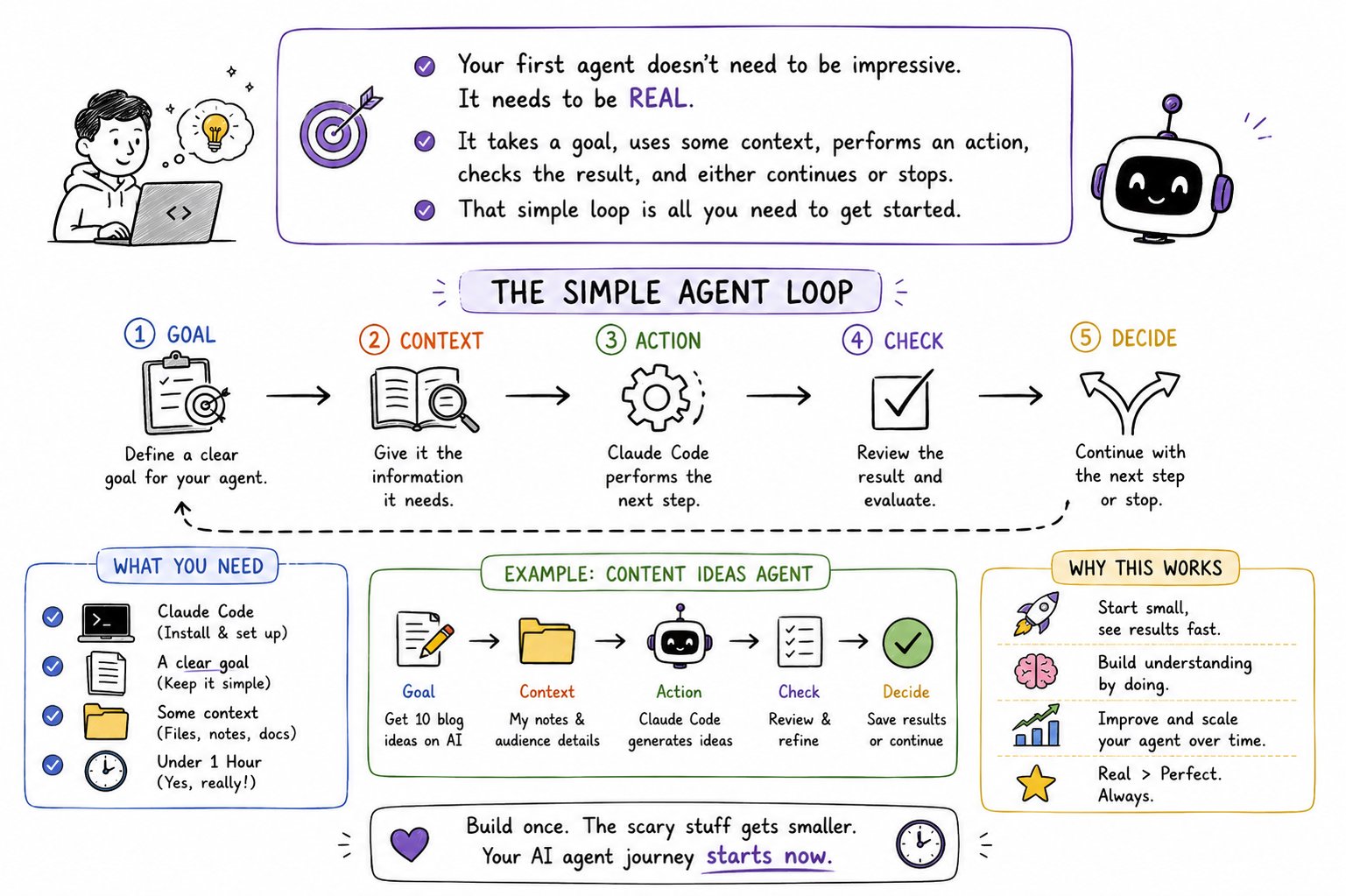
Your first agent does not need to be impressive, it needs to take a goal, use some context, perform an action, check the result, and either continue or stop. Once you build that once, all the scary language around agents starts shrinking back to normal size.
So this is the guide I wish I had when I started. No overcomplicated theory, just a beginner-friendly way to build your first usable AI agent in under an hour with Claude Code.
First, understand what an agent actually is
The word “agent” makes this all sound more complicated than it is.
At beginner level, an agent is just an AI system that can do more than answer once. It can take a task, inspect context, use tools, make progress in steps, and decide what to do next.
That is it.
You do not need to understand advanced architecture diagrams before you start, you just need to understand the loop.
The loop is the whole idea:
the agent gets a goal, looks at the situation, takes an action, checks whether that action helped, and then either continues or stops.
Claude Code is a great place to learn this because it already behaves like that. It does not just spit out code and disappear. It can inspect files, edit them, run checks, and keep working through a task. That makes it the easiest place for beginners to stop thinking in prompts and start thinking in workflows.
What you are building in your first hour
Do not build a “research assistant for everything.” OR a “fully autonomous coding employee.” Build something tiny.
The best first agent is one that does a narrow job clearly. For example:
read a folder, summarize the files, identify action items, and format the result cleanly.
That may sound boring, but boring is good. Boring means understandable. And understandable is what lets you improve the system later.
The goal in the first hour is not to build something magical, the goal is to prove to yourself that you can create a working loop inside Claude Code that does real work with real structure.
The easiest first-agent workflow
The simplest version looks like this:
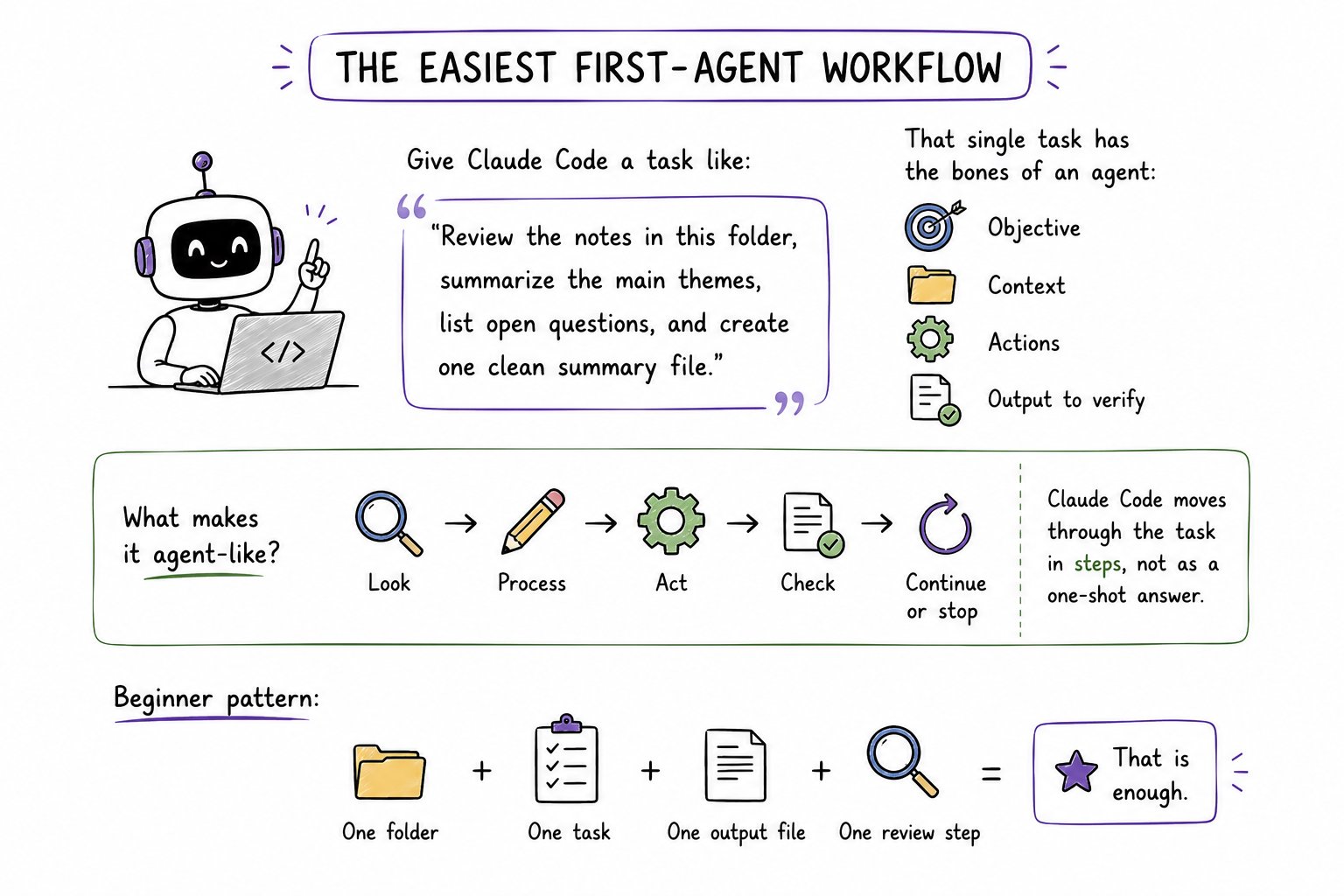
You give Claude Code a task like:
“Review the notes in this folder, summarize the main themes, list open questions, and create one clean summary file.”
That single task already has the bones of an agent:
- it has an objective,
- it has context,
- it has actions,
- and it has an output to verify.
What makes it agent-like is not the wording alone. It is that Claude Code can move through the task in steps instead of treating it like a one-shot answer.
This is the beginner pattern I recommend:
start with one folder, one task, one output file, one review step.
That is enough.
Step by step:
Open Claude Code and create or choose a small folder to work with.
This could be a few notes, some markdown files, a mini project, or even a few text files you created yourself just for practice.
Keep it small enough that you can understand what the agent is doing.
Then give it a direct instruction like this:
1Review all files in this folder.2Identify the main themes in the content.3List unanswered questions or loose ends.4Create a clean summary in a new markdown file called SUMMARY.md.5Before finishing, check that every file was included in the review.
This works well for beginners because it quietly teaches almost everything that matters.
The agent has:
- a scope: all files in this folder,
- an objective: summarize themes and open questions,
- an action: read and synthesize,
- a deliverable: SUMMARY.md,
- a verification step: make sure every file was included.
That is a real loop, even if it is simple.
Why this works so well in Claude Code
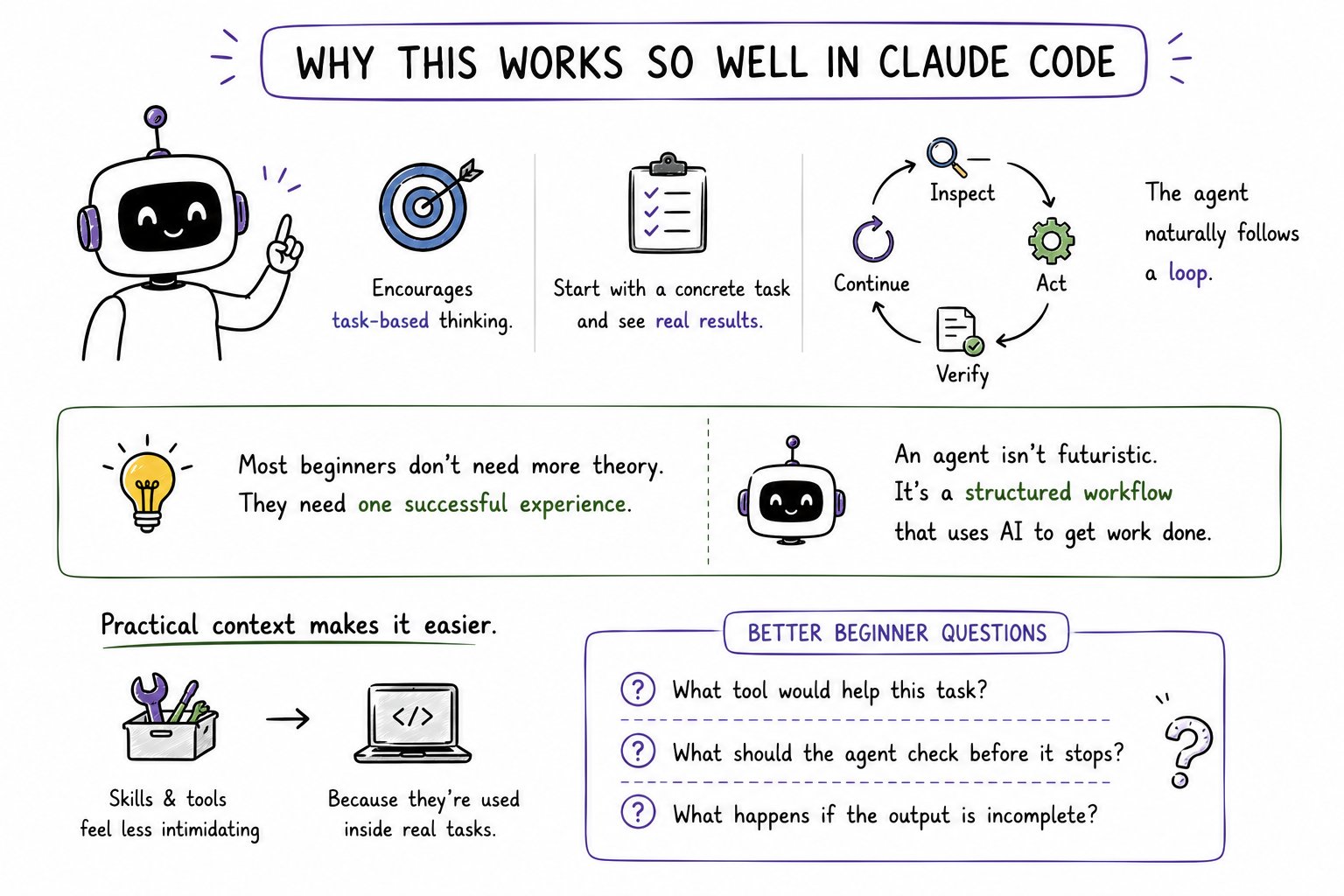
Claude Code is good for beginners because the environment encourages task-based thinking.
A lot of AI tutorials teach agents in an abstract way.
They talk about tools, memory, orchestration, and autonomy before you have even seen a useful result.
Claude Code flips that.
It lets you begin with a concrete task and then notice, almost accidentally, that the agent is following a loop:
inspect, act, verify, continue.
That matters because most beginners do not need more theory. They need one successful experience, and need to see that an agent is not some futuristic creature.
It is just a structured workflow that uses AI to move through work.
Claude Code also makes skills and tools feel less intimidating because they sit inside a practical context. Instead of asking, “What is a tool-enabled agent in theory?”, you start asking better questions:
“What tool would help this task?”
“What should the agent check before it stops?”
“What happens if the output is incomplete?”
Those are the right beginner questions.
Adding tools and skills
Once the basic agent works, the next step is not to make it smarter everywhere, it is to give it one useful extension.
For example, maybe your agent should:
- read notes and produce a summary,
- then extract action items,
- then rewrite those action items into a checklist,
- then save them into another file.
Or maybe it should:
- scan a project folder,
- identify missing documentation,
- and suggest where short README files are needed.
This is where tools and skills start becoming useful. A tool helps the agent do something concrete. A skill gives it a repeatable pattern for handling a category of work.
For beginners, the easiest way to think about this is simple:
a tool is what the agent can use;
a skill is how the agent learns to use it well.
Do not overload your first project. Add one useful extension only after the first loop already works.
The exact prompt that works well
This is the kind of prompt I would give a beginner using Claude Code for a first agent:
1You are helping me build a small file-review agent.23Task:41. Read all files in this folder.52. Summarize the main topics across them.63. Identify unanswered questions, missing pieces, or action items.74. Create a markdown file called SUMMARY.md with:8 - Main themes9 - Open questions10 - Suggested next steps115. Before finishing, verify that every file in the folder was reviewed.1213Do not overcomplicate the output.14Keep the summary practical and easy to skim.
What I like about this prompt is that it is not trying to sound advanced. It is clear, narrow, and operational. That is exactly what beginners need.
If you want a slightly more agentic version, use this:
1Review the files in this folder as an AI agent.2Work step by step.3First inspect the available files.4Then extract key themes and action items.5Then create SUMMARY.md.6Finally, verify that no file was skipped before you stop.
That version makes the loop even more explicit.
How to test it properly
Most beginners “test” an agent by seeing whether it produced something. That is too weak.
The real test is whether it completed the actual task correctly.
For this first agent, the test is simple:
- Did it inspect all the files?
- Did the summary reflect the real contents?
- Did it miss anything obvious?
- Did it create the correct output file?
- Did the final result feel useful, not just plausible?
That last point matters a lot. AI output often sounds polished even when it is shallow. So do not just check whether the formatting looks nice. Check whether the content is actually right.
This is where Claude Code helps again. Because it operates inside the task environment, you can review the files, compare the result, and tighten the instruction if something drifted.
That is what building agents really looks like in the beginning: small loop, test, adjust, run again.
Common mistakes beginners make
The biggest mistake is trying to build something too ambitious too early.
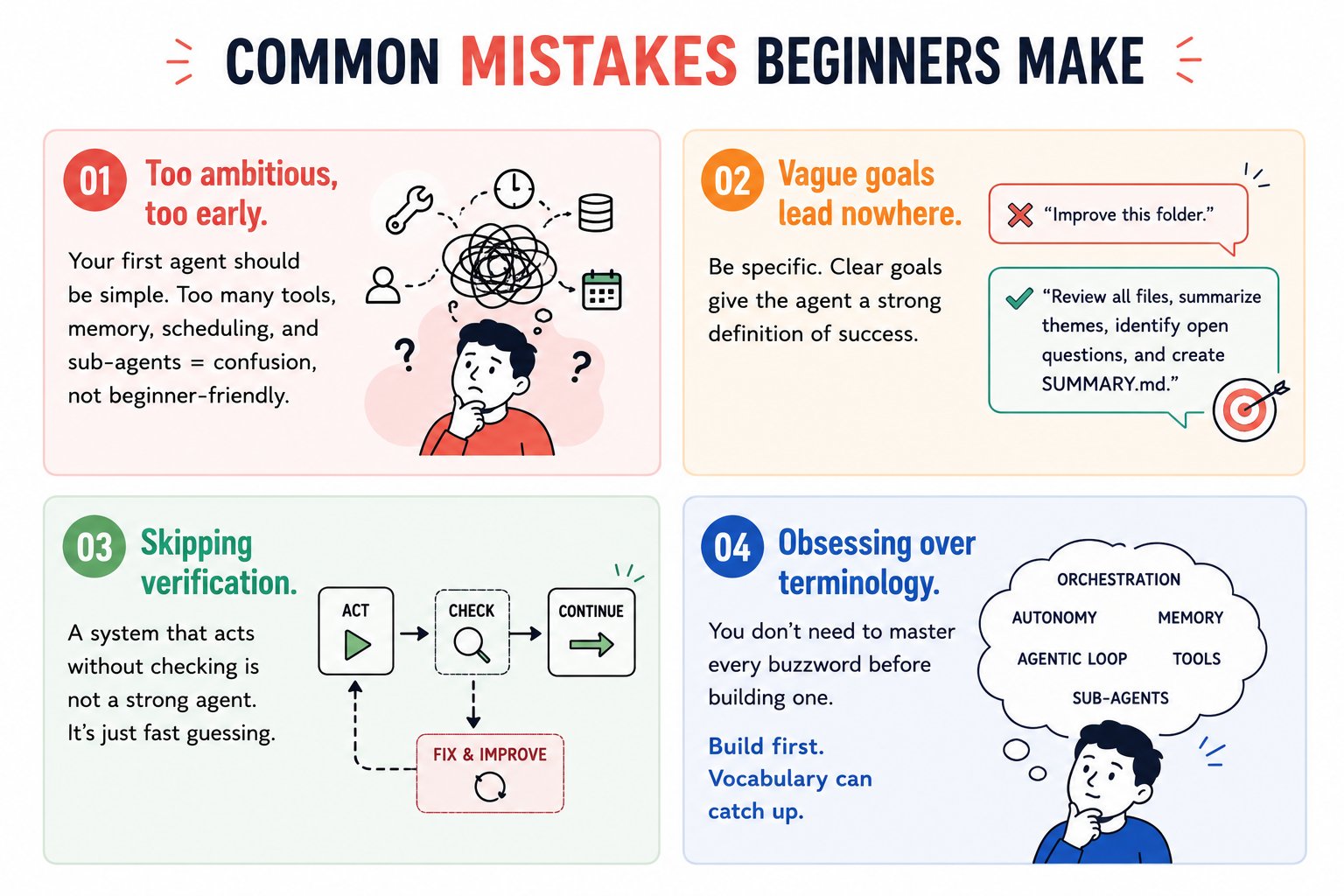
Your first agent should not need ten tools, memory, scheduling, and a complex chain of sub-agents.
That is not “beginner-friendly.” That is confusion wearing a cool jacket.
The second mistake is using vague goals.
If you say “improve this folder,” the agent has no strong definition of success.
If you say “review all files, summarize themes, identify open questions, and create SUMMARY.md,” now it has direction.
The third mistake is skipping verification.
A system that acts without checking is not a strong agent. It is just fast guessing.
The fourth mistake is obsessing over terminology. You do not need to master every AI-agent buzzword before building one. Build first. Vocabulary can catch up.
What to build next
Once this first agent works, you can level up in a very natural way.
The next useful beginner projects are usually things like:
- a research agent that reads notes and produces briefings,
- a codebase agent that finds missing docs or TODOs,
- a content agent that turns rough notes into structured drafts,
- a daily review agent that scans files and produces an update log.
Notice the pattern: all of them are still loops.
They just get slightly richer in context and slightly stricter in verification.
That is the real beginner path with Claude Code. Not prompt tricks. Not shiny complexity. Just learning how to define the loop more clearly each time.
The real takeaway
Your first AI agent should feel almost disappointingly small.
That is a good sign. It means you are building something real enough to understand, test, and improve. Claude Code is such a strong beginner tool because it makes this style of learning practical. It shows you that an agent is not magic. It is a structured cycle of goal, context, action, verification, and stopping.
Build one small agent that works.
Then make it slightly better.
Then add one tool.
Then test again.
That is how you go from “I have no idea what an AI agent is” to “I built one in under an hour.”
Hope you liked the article.
Building better AI workflows for creators like you.
❣️I’m Kanika (@KanikaBK) — follow for more practical tests and setups.