Overseas subscriptions have always been unfriendly to domestic users.
It's not just AI subscriptions; many overseas services get stuck at the payment stage. Virtual cards, WildCards, or third-party payment services often suffer from instability. Just because you can pay today doesn't mean you can renew next month, and they are prone to risk control and payment rejections, which is very frustrating.
After trying various options, if you are looking for the most accessible, controllable, and user-friendly payment method, the Bitget Wallet Card is currently the most worry-free choice. I have used it to activate X Premium, ChatGPT Plus, and various other subscription services, and the stability and success rates are excellent.
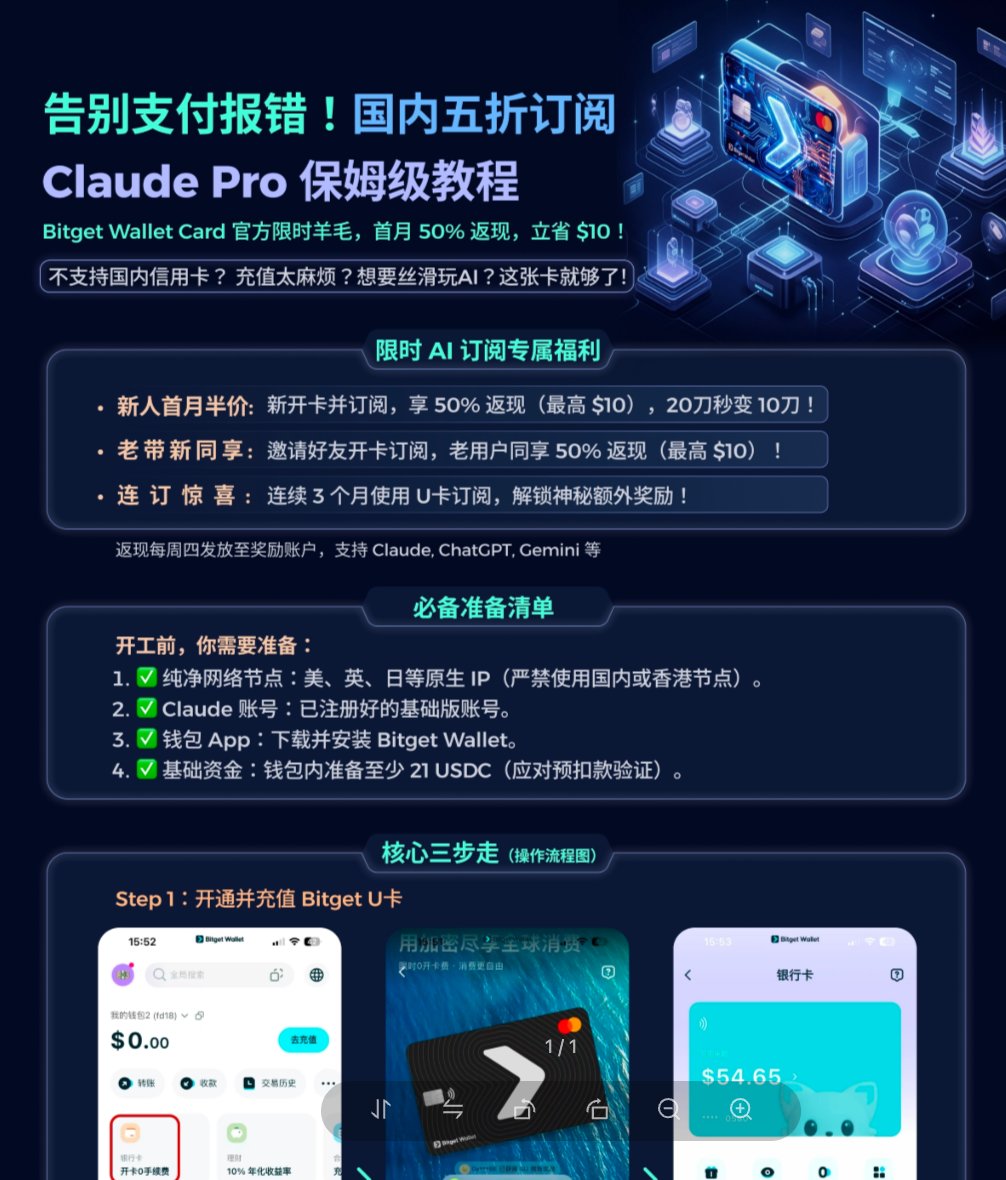
They currently offer AI subscription cashback of up to 50% ($10). The fact that they are running such a strong promotion shows their confidence in the stability and support for these scenarios.
1. What is the Bitget Wallet Card?
It is not just another virtual card platform; it is a compliant USD international card launched by Bitget Wallet.
The underlying infrastructure is Fiat24 (a licensed Swiss financial institution). You top up with U (USDT/USDC) and spend at Google's real-time exchange rate with 0 loss.
Compared to typical virtual card platforms, the core differences are:
Stability: Virtual cards are often flagged by risk control; Bitget Wallet Card is a compliant card and remains stable long-term.
Security: Virtual card platforms carry the risk of disappearing; Bitget is backed by a major platform.
Entry Barrier: Open a card online in 2-5 minutes without complex identity verification.
Exchange Loss: Virtual card platforms usually have a 2-5% loss; Bitget Wallet Card is close to the Google real-time rate with 0 loss.
Supported Services: Mainstream AI services like ChatGPT, Claude, Gemini, Midjourney, and Notion AI are all supported.
I have been using this card for ChatGPT subscriptions and binding it to Alipay for domestic spending in China. The payment process is so smooth it's almost unsettling—it's rock solid.
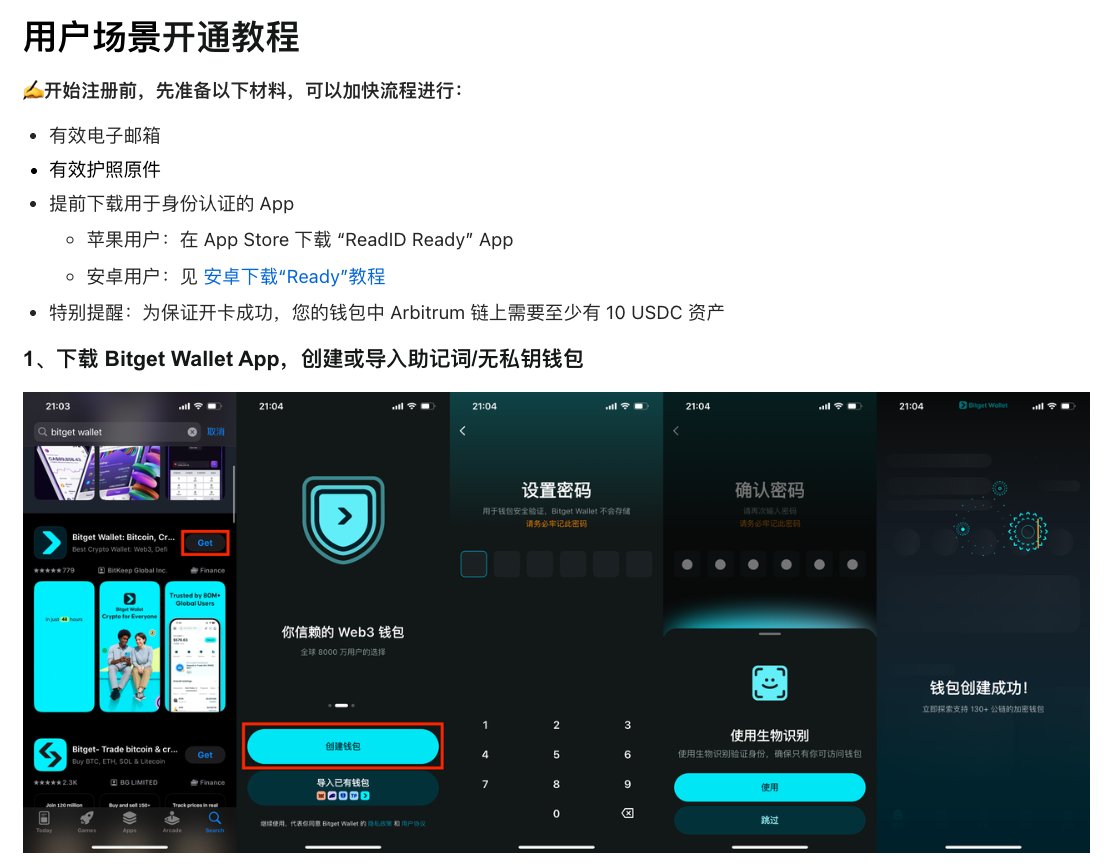
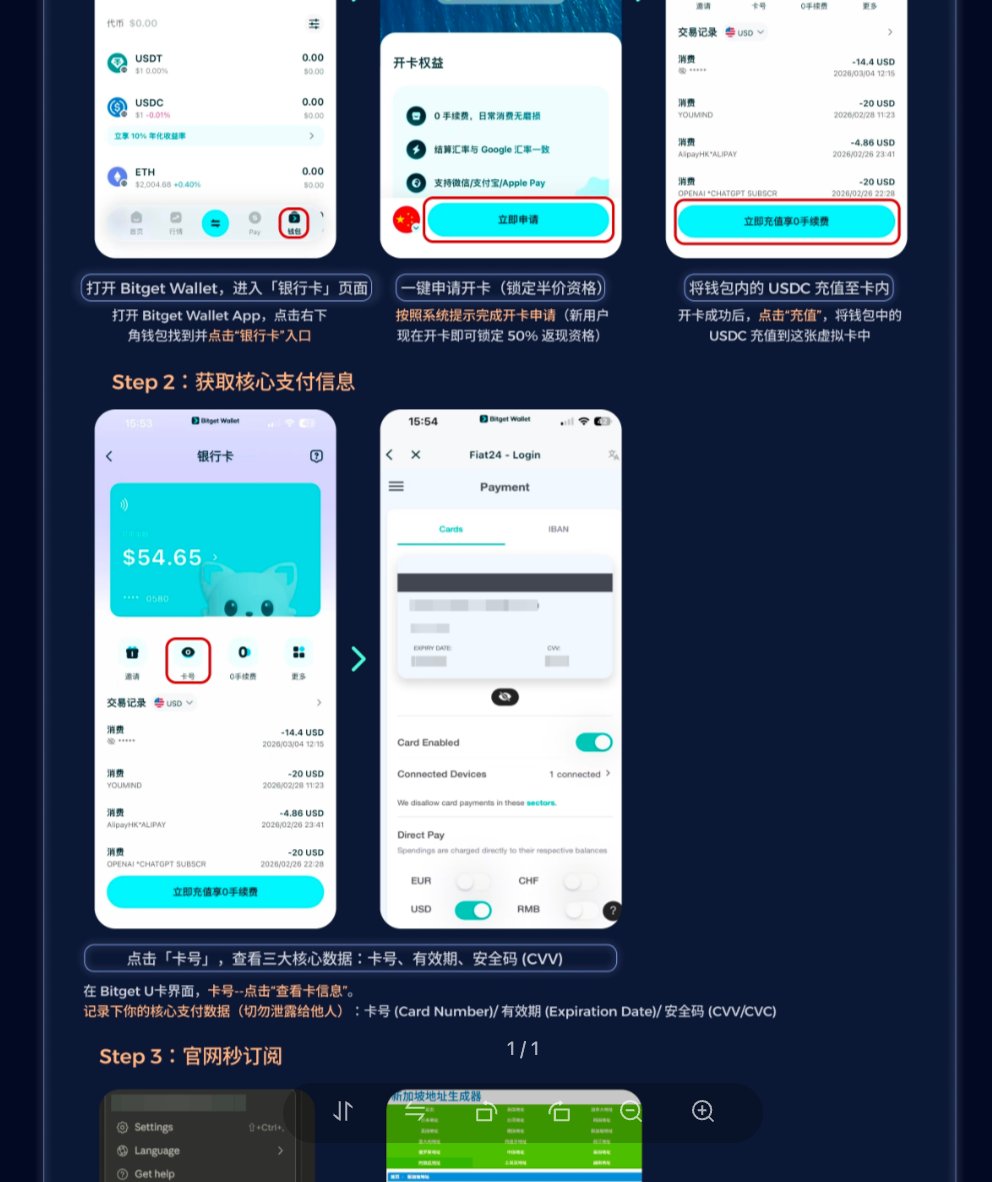
2. Step-by-Step Card Opening Tutorial
You can use my invitation code 6PxCLe. After registering and completing your first transaction, you will receive 5U cashback.
Registration Link: https://web3.bgw.live/share/2l1COJ?inviteCode=6PxCLe
Detailed activation tutorial (it's quite long, so I'll just post the link here):
3. Activating AI Services (Using Claude as an Example)
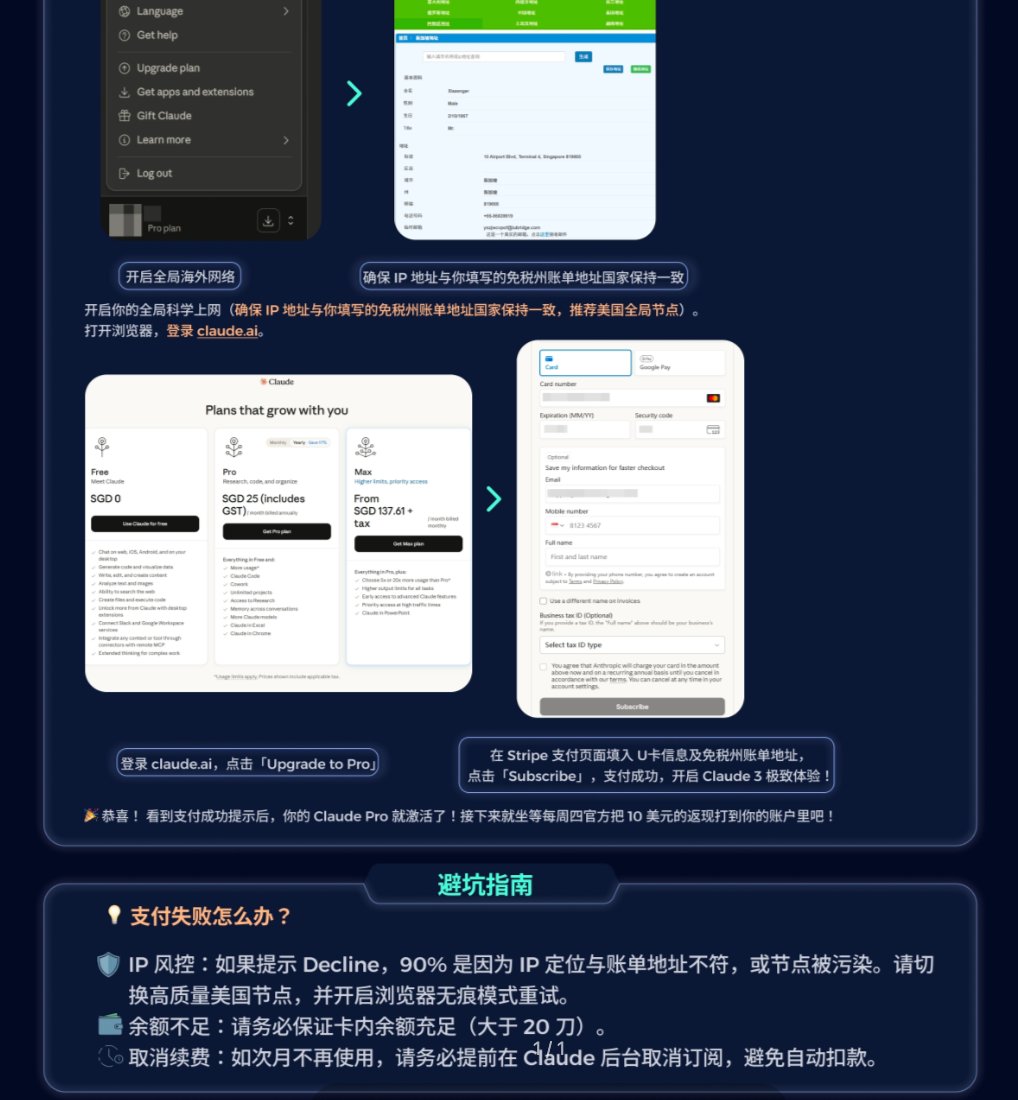
Claude Pro Subscription:
- Log in to your Claude account.
- Go to Subscription → Upgrade to Pro.
- Add a payment method and fill in the card information.
- Confirm the subscription and complete the payment.
The process for other AI services like ChatGPT, Gemini, Midjourney, and Notion AI is similar. Just add the card information on the payment page.
Notes:
Keep a sufficient balance in the card; it's recommended to top up a bit extra to avoid payment failure.
The first time you bind the card, there might be a small verification charge (a few cents), which will be refunded.
If the payment fails, check if the card information was entered correctly.
If you don't want auto-renewal, remember to turn off the auto-renewal service on the official website after activation.
4. Summary
So far, I haven't encountered any issues, including with ChatGPT subscriptions (I've only had Claude for a few days and it's stable so far; follow me for updates). I have also bound it to Alipay for daily expenses.
Low-barrier, guaranteed overseas cards like this are becoming rare. You never know when applications might close, so it's best to get one now.