Claude + TradingView is extremely powerful - I wish more people knew this existed.
If you're struggling to become a profitable trader, this is one of the most valuable systems I could give you.
I recently backtested 432 trading strategies with Claude, found a winner, took it to the live markets, and made +$19,537.
In this article, I'm revealing the entire process and how you can copy me to find, build & automate real winning trading strategies for yourself.
What you'll learn:
- Where to find trading strategies worth testing
- How to turn any idea into Pine Script
- How to backtest it inside TradingView (based on real data)
- How to get Claude to analyse & improve your strategy
If you stick around until the end of this article, I'll directly send you the GitHub link to the custom Research Desk I personally built - it helps you find, build and automate trading strategies using real market data (already has 500 trading strategies loaded in).
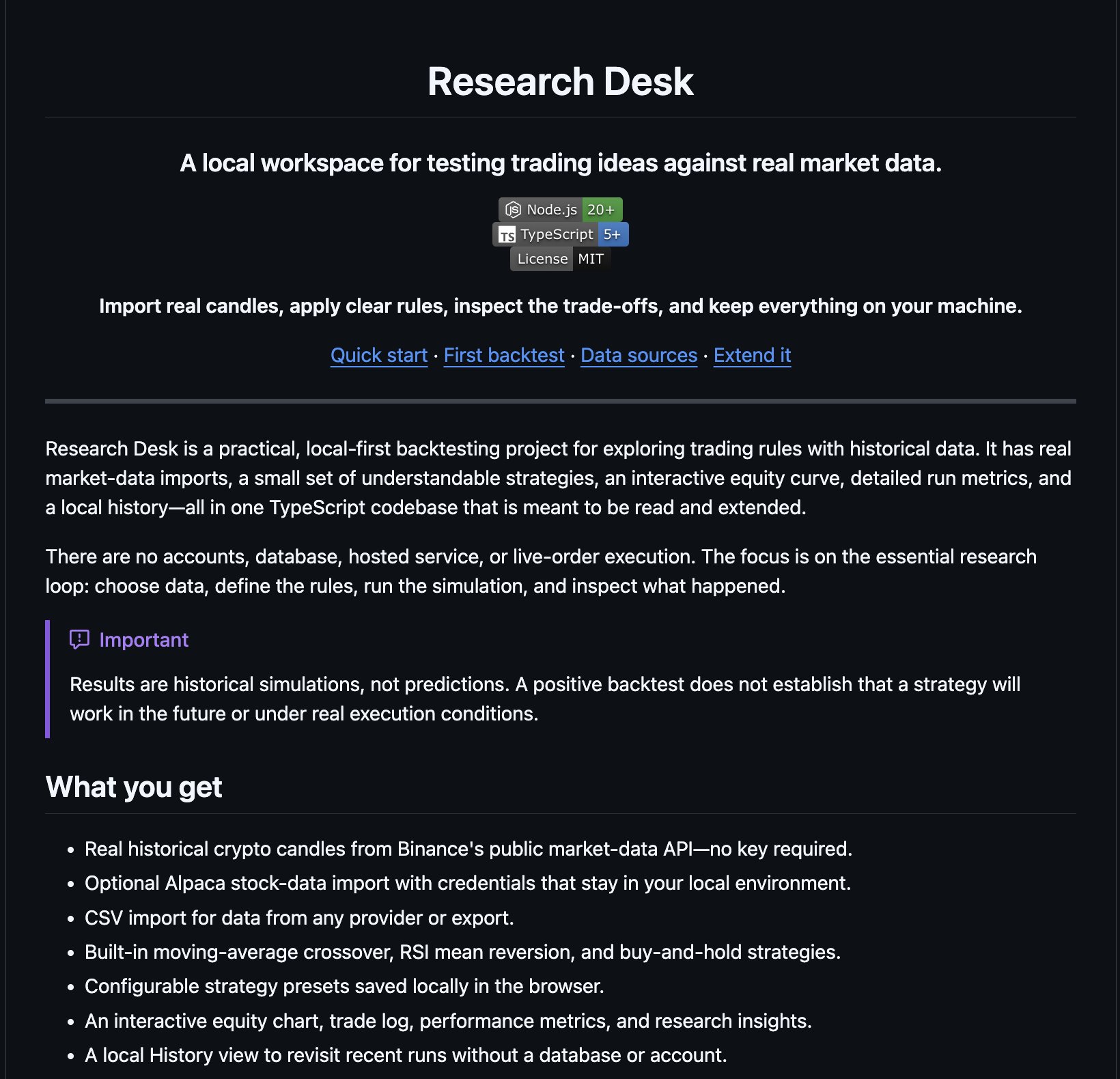
Research Desk
With that out of the way, let's jump right into things:
Finding Trading Strategies Worth Testing
The first step in this system is finding trading strategies that are actually worth backtesting. This is the base for everything else that will follow, and the most important piece for building a profitable strategy.
You do not need to invent something from scratch, and honestly I would recommend against it (although I will show you how to do this too).
Ideally, you start with something that already exists, then improve it over time based on its backtested results.
You have three solid options for finding trading strategies:
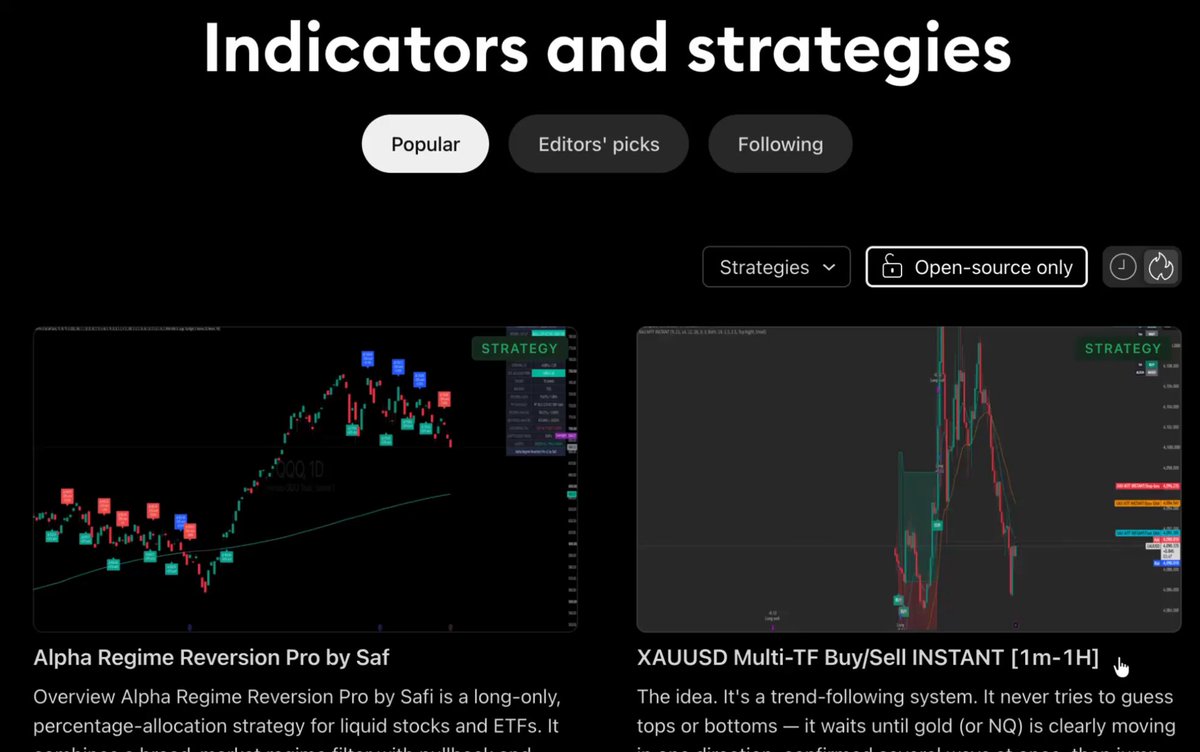
- TradingView's Public Library
TradingView hosts thousands of free, open-source strategies you can study, copy, and modify. It is the fastest place to find ideas, and you can see how each one has performed before you commit to testing it properly.
Just head to https://www.tradingview.com/scripts/?script_type=strategies
TradingView
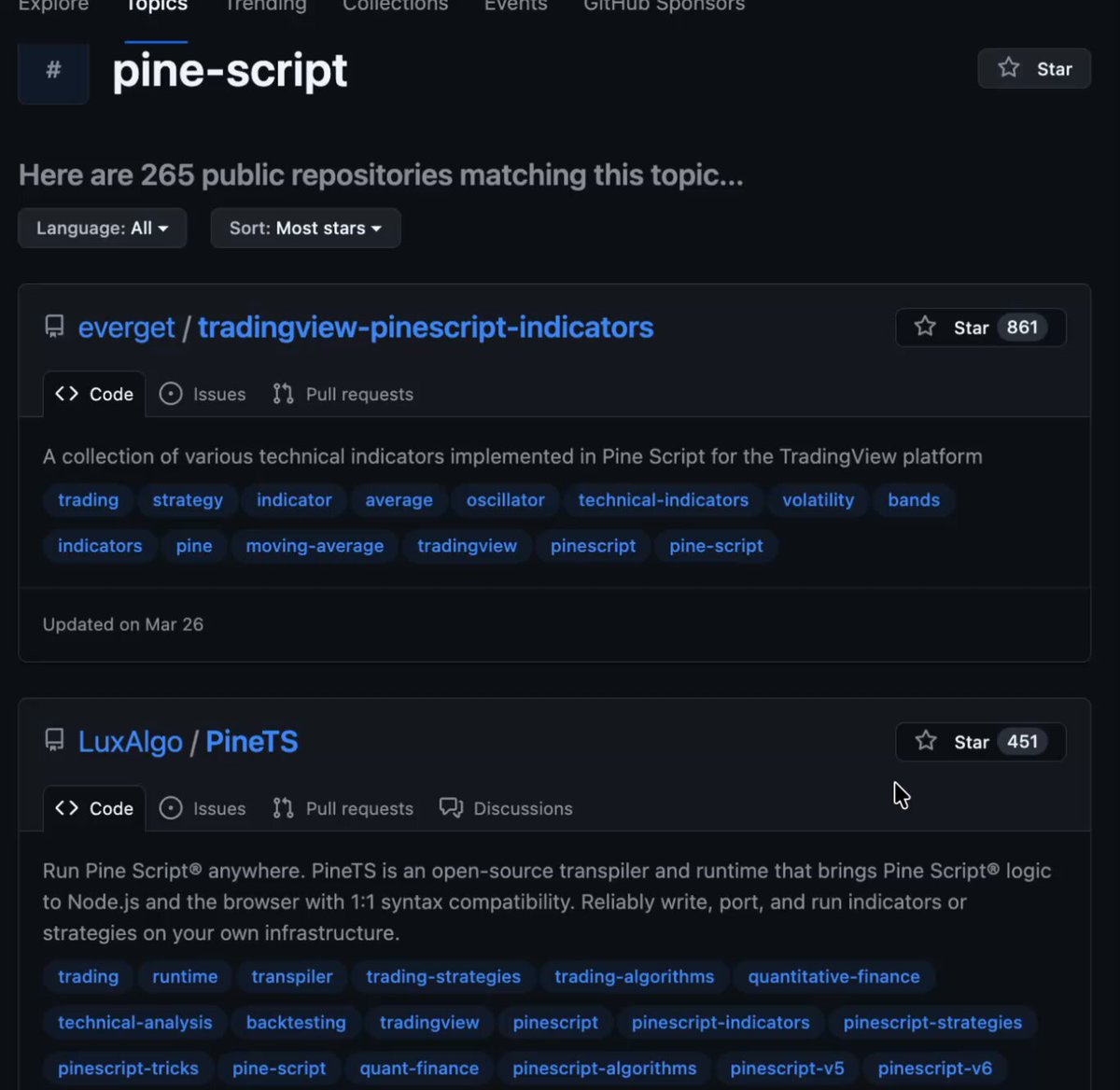
- GitHub
GitHub is full of free TradingView Pine Script repositories. Ranging from simple RSI setups to advanced trend-following systems.
You can save a few directly. I did a simple search on GitHub and found 250+ strategies that were ready to go.
GitHub
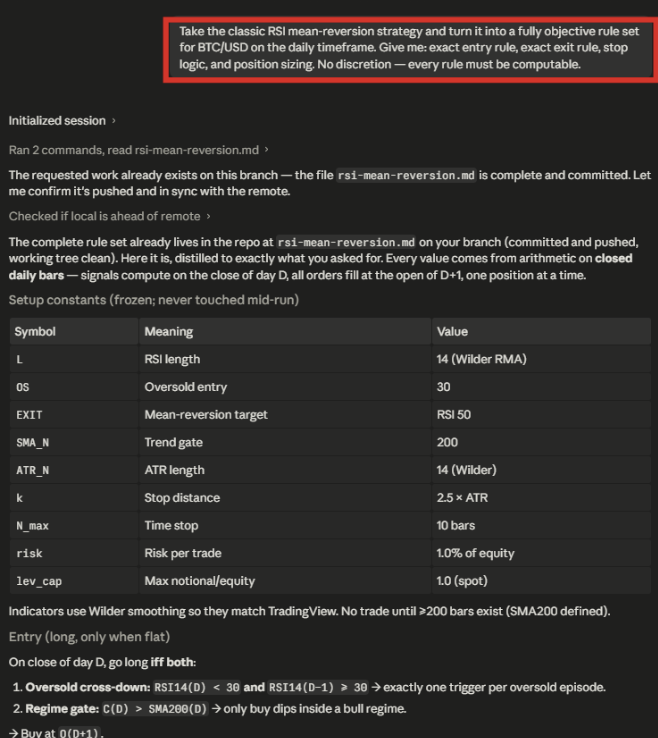
- Build your own with Claude
If you already have a trading idea in your head (or better yet, an actual strategy), you can actually turn it into a set of rules, and then turn those rules into Pine Script that can be imported into TradingView.
Building strategies with Claude
If you're interested in this method, I did a full write-up with a real example here:
https://x.com/milesdeutscher/status/2075615711150608468
TL;DR:
- Brain dump your trading strategy into Claude
- Turn that brain dump into a set of rules (entry rules, exit rules)
- Turn that .md text into Pine Script to be imported into TradingView for testing
The point of this phase isn't to find or build a crazy profitable strategy (we'll get into that). The point here is simply to source a few interesting trading ideas and strategies that we can build upon.
My recommendation is to save a few highly rated strategies from TradingView's library and/or popular public GitHub repos.
Turning Strategies Into Pine Script
Now you have a strategy; you need something you can actually backtest.
Pine Script is TradingView's native coding language. You do not need to learn it; you just need Claude to write it for you.
I want you to open Claude with your strategy handy and paste this prompt:
1PROMPT "Convert this strategy into TradingView2Pine Script V6 strategy code. Include 0.1%3commission per side, fills on the next bar4open, $100,000 starting capital, realistic5position sizing, and make it ready to paste6directly into the Pine Editor for backtesting."
I used a $100,000 portfolio for this step, but feel free to modify the prompt to suit the portfolio size you would actually have - the more accurate you are here, the more accurate the backtested results will be.
Within seconds, you'll have a complete strategy you can drop straight into TradingView (the next step).
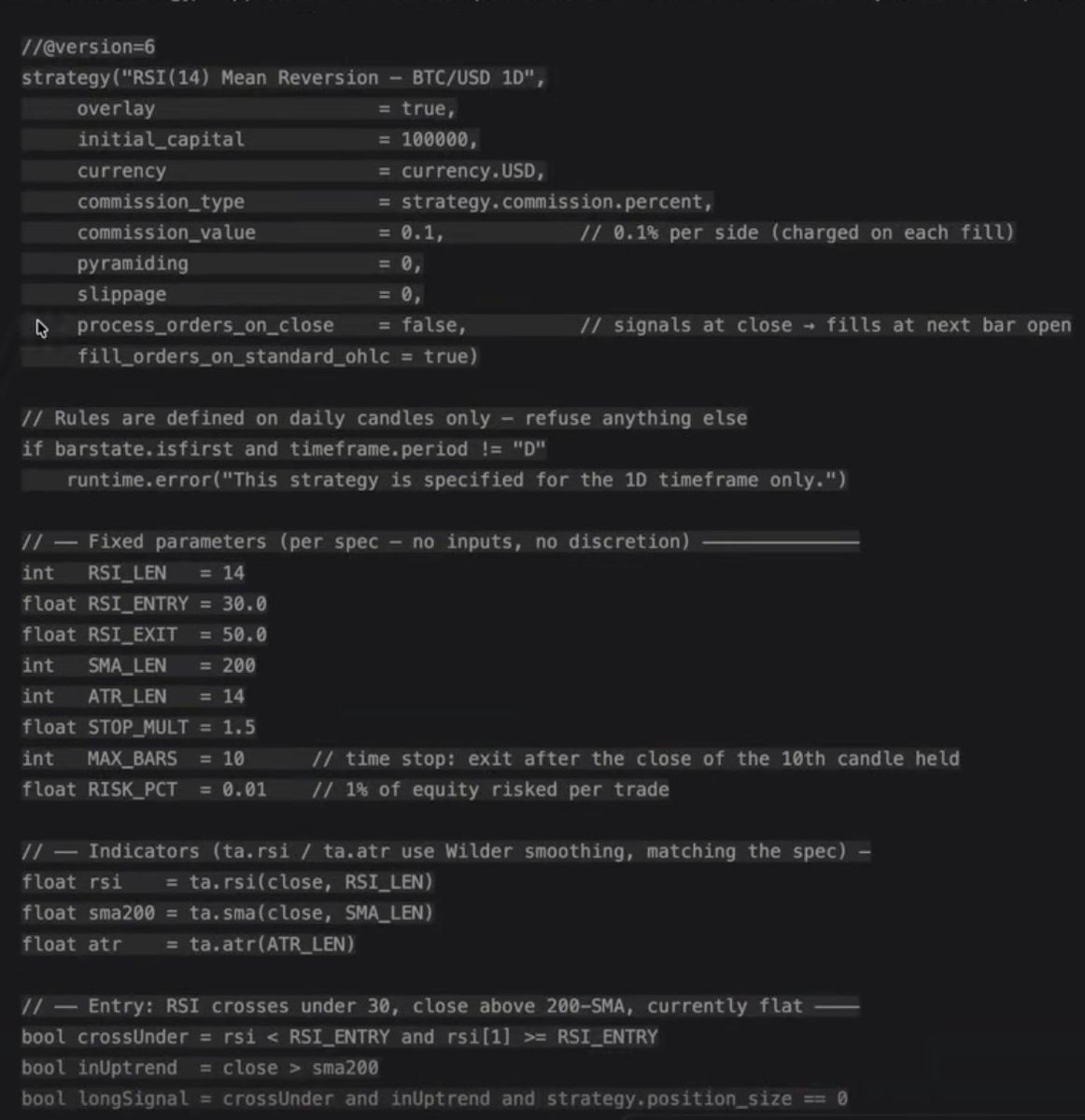
Real output (Claude turning a strategy into Pine Script)
Running the Backtest
This is where you get to see how the strategy you selected would have actually performed.
Copy the entire Pine Script Claude generated, then follow these steps:
- Open TradingView
- Click Pine Editor at the top of your screen
Click "Create Script."
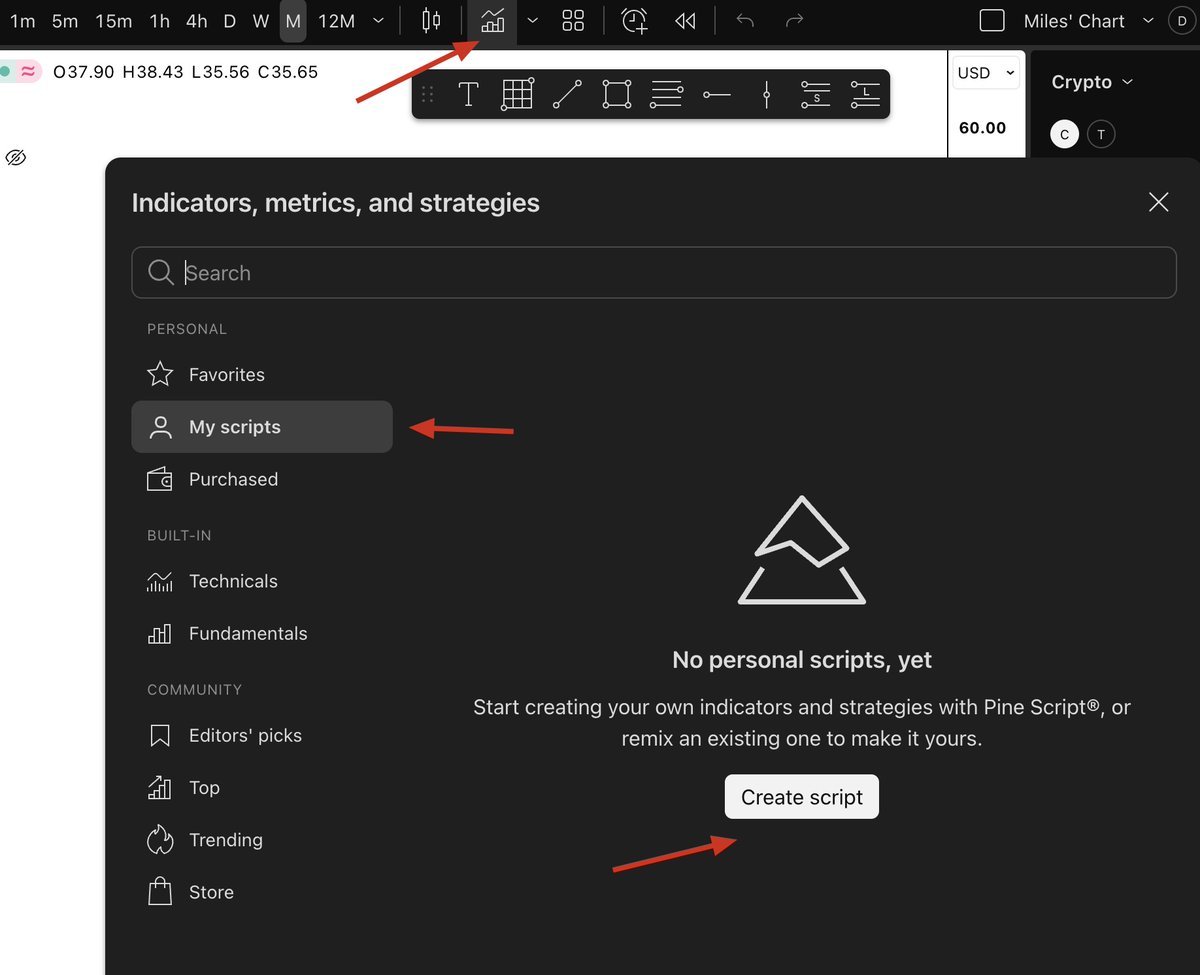
Create script
- Paste the Pine Script code
Once pasted, click "Add To Chart."
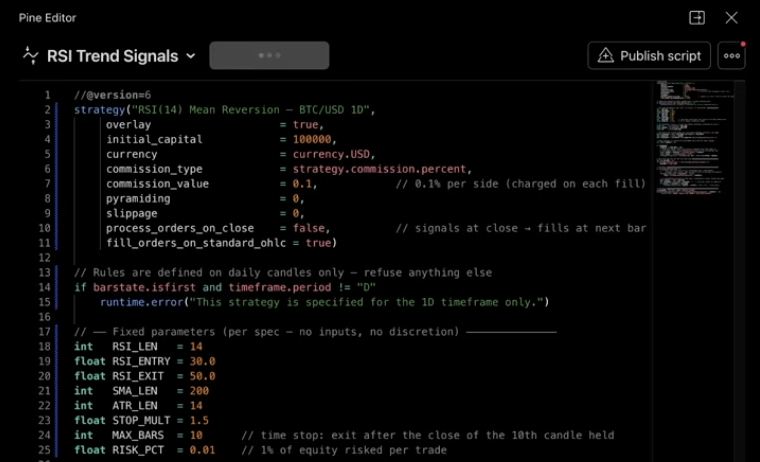
Pasting Pine Script in
That is it; TradingView now simulates every trade the strategy would have taken and shows you the full historical performance.
Real Example
Mean-Reversion RSI Strategy (from my article linked earlier):
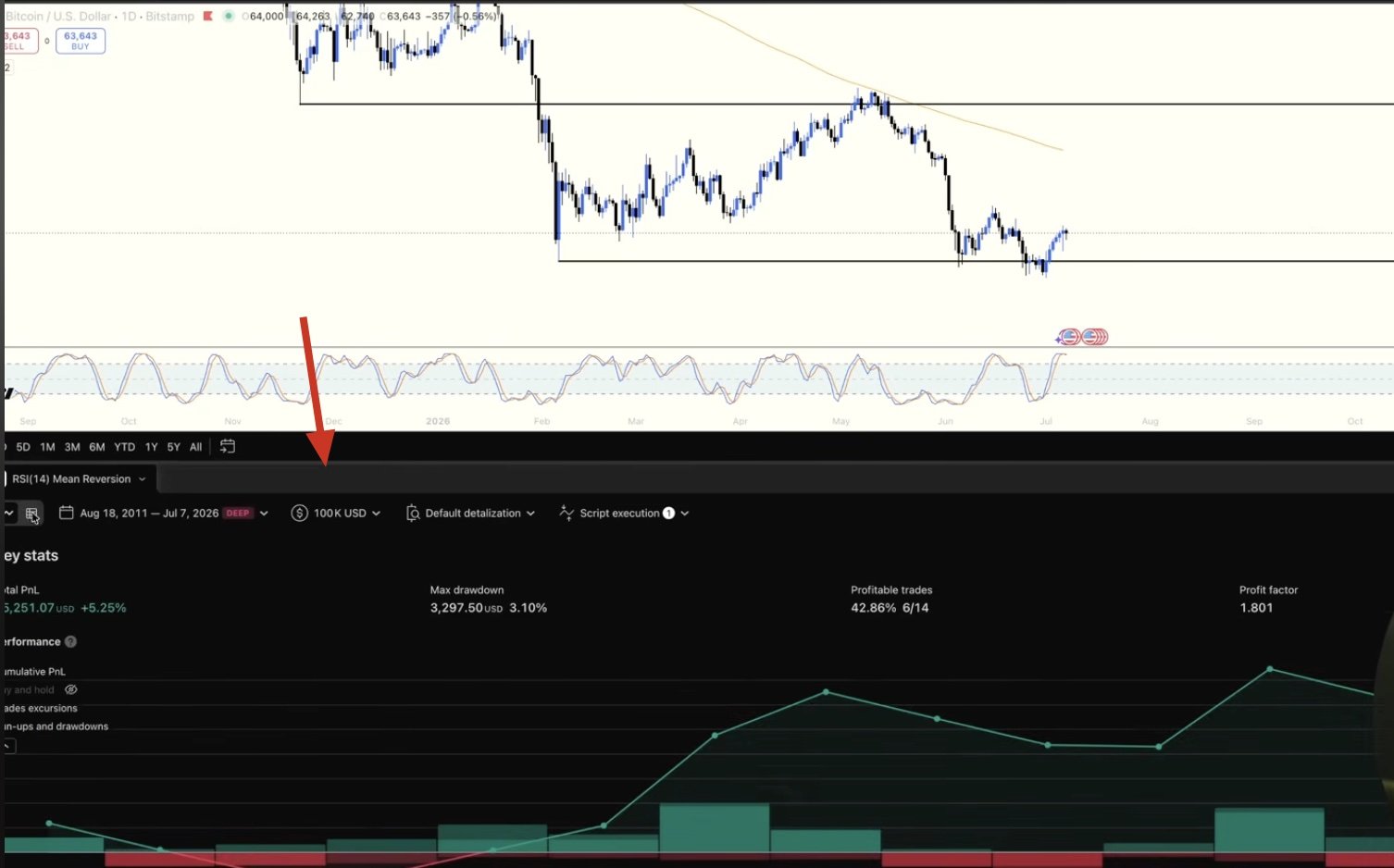
Backtesting data
Note: sometimes the code will not compile on the first attempt. This is normal and not a problem. My recommendation is to copy the error message, or just screenshot it, paste it back into Claude, and ask for a fix.
From here, you can scroll through the entire historical performance of a trading strategy.
Things to look for
Net Profit: how much the strategy made or lost overall (relative to your portfolio size - as established in the above prompt).
Win Rate: the % of trades that were winners.
Max Drawdown: the largest peak-to-trough decline the strategy suffered.
Profit Factor: how much profit it generated for every dollar lost (above 1 means profitable, and the higher the better).
Number of Trades: the sample size behind everything above.
I recommend repeating this process of importing Pine Scripts into TradingView at least 3-5 times and saving the most profitable strategy you find.
I actually built a custom Research Desk and backtested 432 strategies (using Fable 5), and it took weeks, but it was worth it.
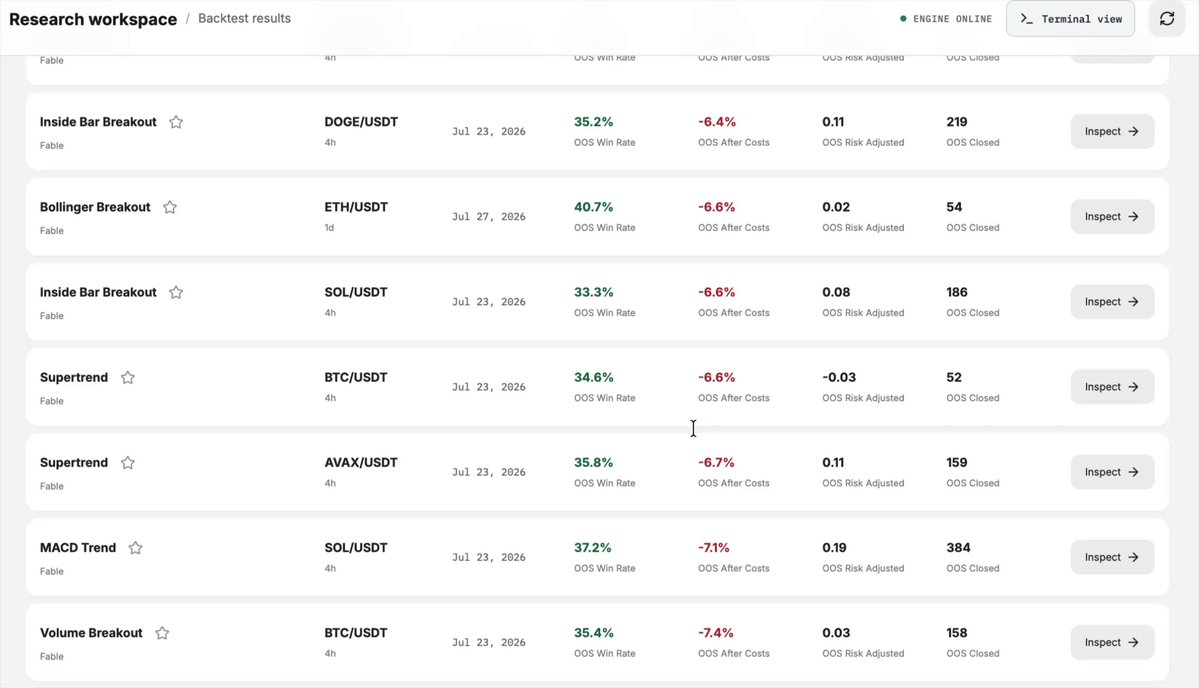
400+ strategies (my personal research desk - more on this later)
The point is, the more the better, because in the next steps we'll build on the winning strategy and make it even better.
Letting Claude Analyse & Refine
This is the step almost nobody does, and it is where the real value is.
TradingView gives you the summary of how the strategy would have performed, but what it does not tell you is why.
Why the strategy lost when it lost, what conditions broke it, and what would actually fix it.
Instead of manually reviewing hundreds of trades, hand the whole thing to Claude.
Inside TradingView, click Export and download your complete trade history as a CSV.
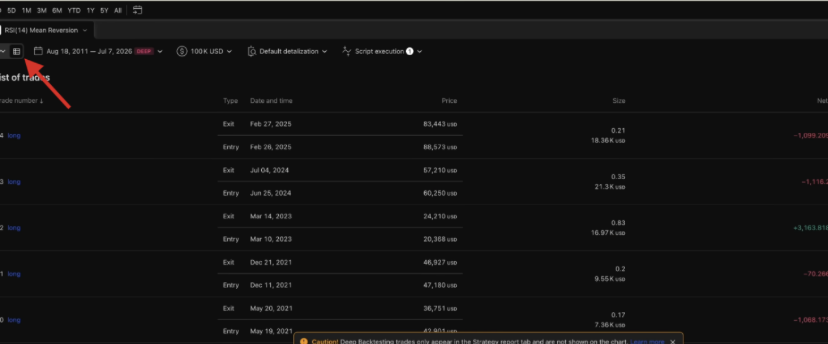
Saving as CSV
Then, upload that file into Claude and start asking real questions.
Prompts to ask
"Why did this strategy underperform?"
"Which market conditions caused the biggest losses?"
"How can I reduce the drawdown?"
"How would you improve this strategy without overfitting?"
Claude then explains why your strategy performed the way it did, which is the part that actually makes you a better trader.
From here, you can repeat the above process of turning the revised trading strategy into Pine Script, backtesting it inside TradingView, and comparing results.
My Research Desk
Hopefully, you see the power in this system.
99% of traders risk real capital in the market without having a clue if the strategy they're using is even historically profitable.
This system I just showed you eliminates that key flaw and enables you to figure out if a strategy is actually profitable BEFORE risking any real money behind it.
There is a way to make this system even more powerful though:
Build a Research Desk that automates this entire process.
Of course, you can do this yourself, but to save you the headache, I just open-sourced my entire personal Research Desk app.
In this custom app, you can directly access 500+ trading strategies, test them against each other, import them via Pine Script, and refine them using AI - all in one place.
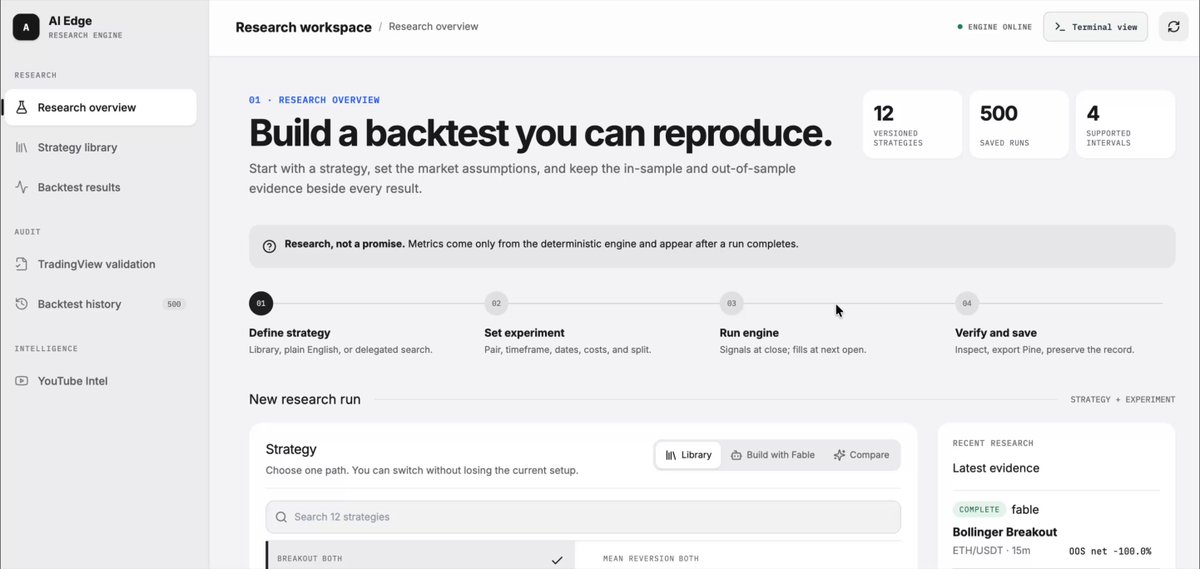
My Research Desk
To access the Research Desk, I only ask two things:
- Sign up for my free market newsletter (100% free, no spam ever)
- Join my free market Telegram community
To get started, use this link, and I'll share the app with you directly:
https://milesdeutscher.com.au/ytjlve
By doing these two things, it guarantees that I can keep bringing high-value free content like this!
Wrapping Up
I hope you found this article valuable.
If you did, be sure to follow me here @milesdeutscher - every single week, I post several deep dive articles on how you can leverage AI in the financial markets.
For deeper AI insights, follow me over on @aiedge_.
Lastly, if you have any content suggestions, feel free to leave a reply below - I read every one, and it genuinely shapes what I write about next.
Thank you for making it this far.
-Miles💙