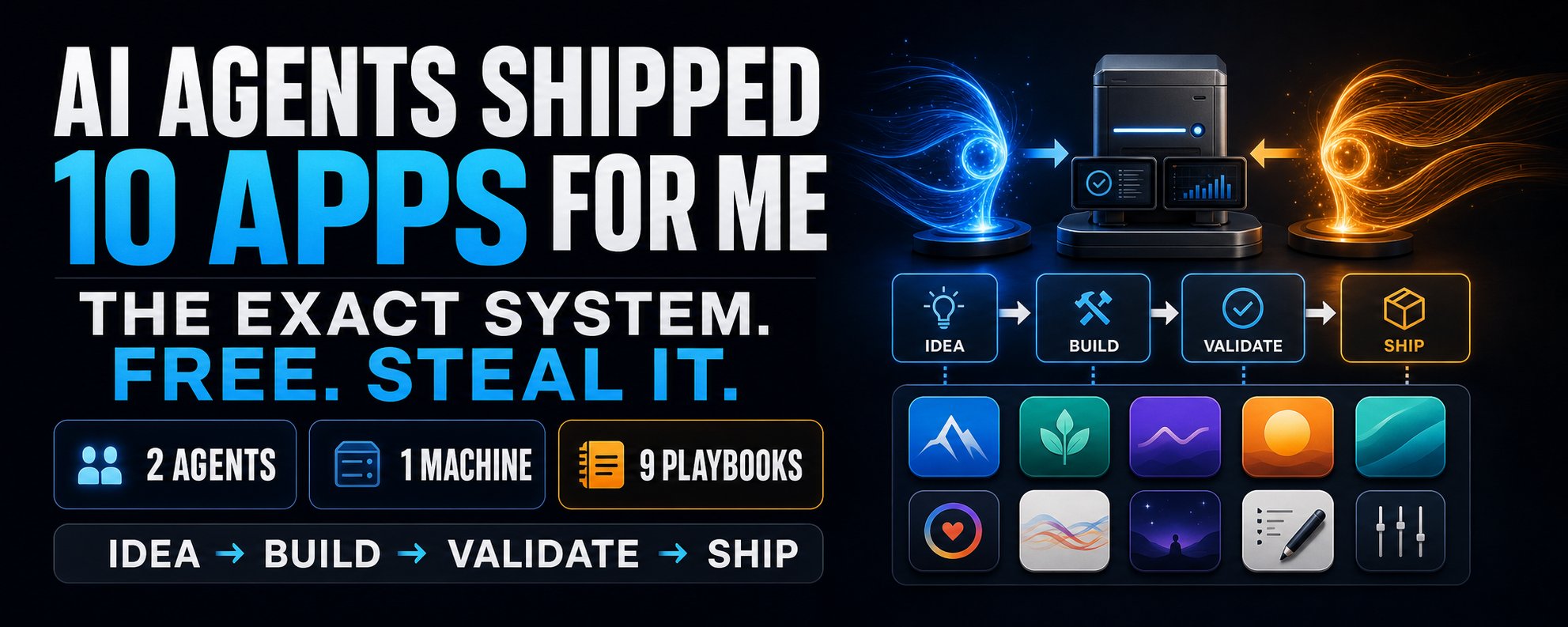
Anthropic just shipped the most powerful Claude feature, and 99% of people scrolled straight past it because Opus 4.8 was louder.
The feature is Dynamic Workflows, and they're like Claude Skills on steroids.
If you use Claude Code for anything complex, this changes everything.
In this article, I'm covering everything you need to know about the Dynamic Workflows.
I guarantee your Claude workflow productivity will skyrocket after this read.
Table of Contents
I: What Are Dynamic Workflows?
II: How to Use Them
III: Real World Examples
IV: Pro Tips
Section I: What Are Dynamic Workflows?
Anthropic's definition: "A dynamic workflow is a JavaScript script that orchestrates subagents at scale. Claude writes the script for the task you describe, and a runtime executes it in the background while your session stays responsive."
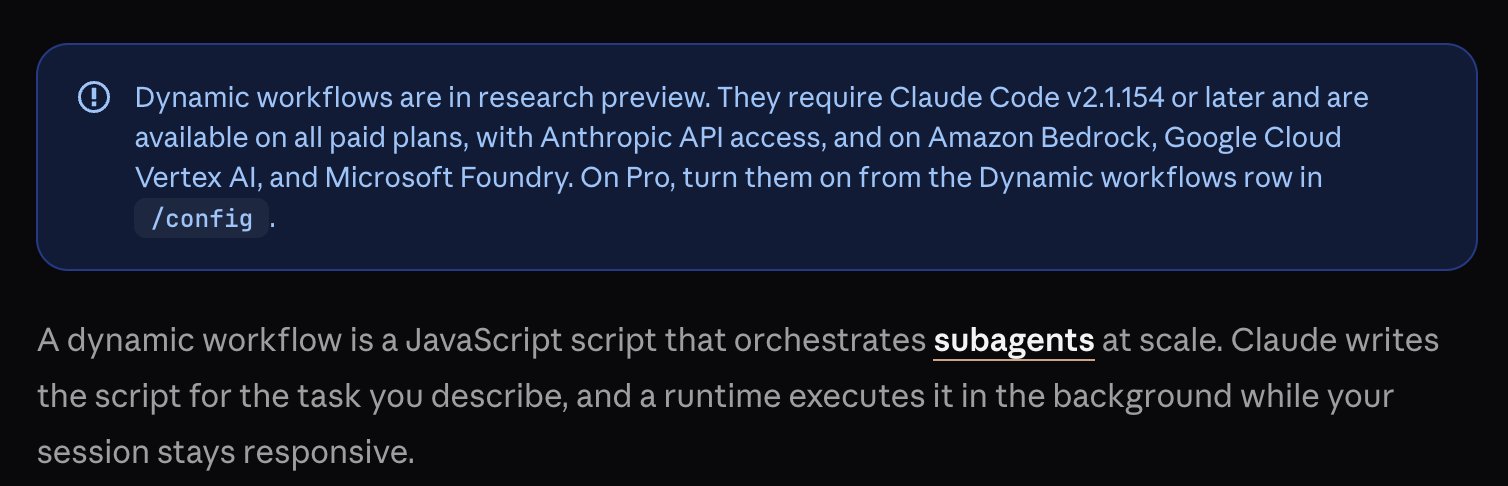
Anthropics definition
In plain English, this now means that Claude works through a problem step by step inside a single conversation. It writes a plan as a script, spins up tens to hundreds of parallel agents to execute different parts of that plan simultaneously, and has those agents check each other's work.
What Dynamic Workflows Do (in practice)
Dynamic Workflows do three things that nothing else in Claude Code can do at the same scale.
1. They Fan Out Across Parallel Agents
Instead of working through a task sequentially, a Dynamic Workflow splits it into subtasks and runs them simultaneously.
2. Agents Verify Their Own Work
A workflow can have independent agents adversarially review each other's findings before, or draft a plan from several angles and weigh them against each other.
3. They Are Resumable
Dynamic Workflows are resumable (good for long tasks).
4. The Orchestration Is Saved and Reusable
Once a workflow does what you wanted, you save it. It becomes a slash command in your project or personal library. Every future run uses the same orchestration logic, so you don't have to describe it again.
You might be thinking: "What's the difference between Skills, Plugins, etc. ?"
The simplest way to think about the difference:
- Skills tell Claude how to do something it already knows
- Plugins give Claude access to tools it didn't have
- Dynamic Workflows give Claude the ability to coordinate an entire workforce to tackle something too big for one conversation
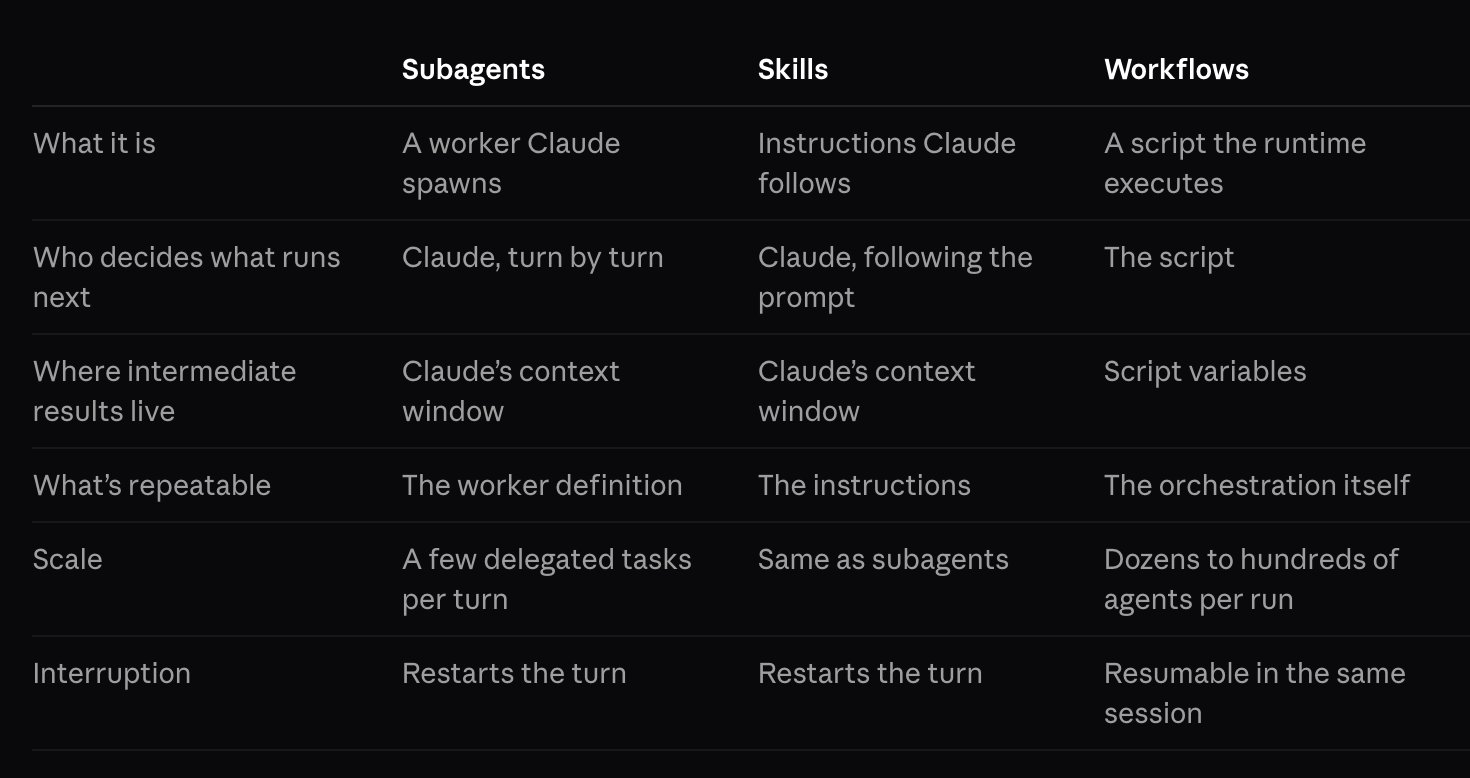
Difference between other Claude tools
For example, a skill can write a research brief, while a plugin can pull live data into that brief, and a Dynamic Workflow can fan out across hundreds of sources simultaneously, have agents cross-check each other's findings, filter out anything that doesn't hold up, and hand you a verified report.
Section II: How to Use Dynamic Workflows
Luckily, creating and using dynamic workflows is actually extremely easy.
There are three main methods for getting started with dynamic workflows:
- Creating your own workflows
To create your own workflow, just type "workflow" directly inside your Claude prompts.
Examples:
1Run a workflow to audit every API endpoint in src/routes/ for missing authentication checks.23Create a workflow to research the top ten DeFi protocols by TVL, cross-check their recent security audits, and produce a risk-ranked summary.45Build a workflow to review every file in this repository for outdated dependencies and produce a prioritised upgrade list.
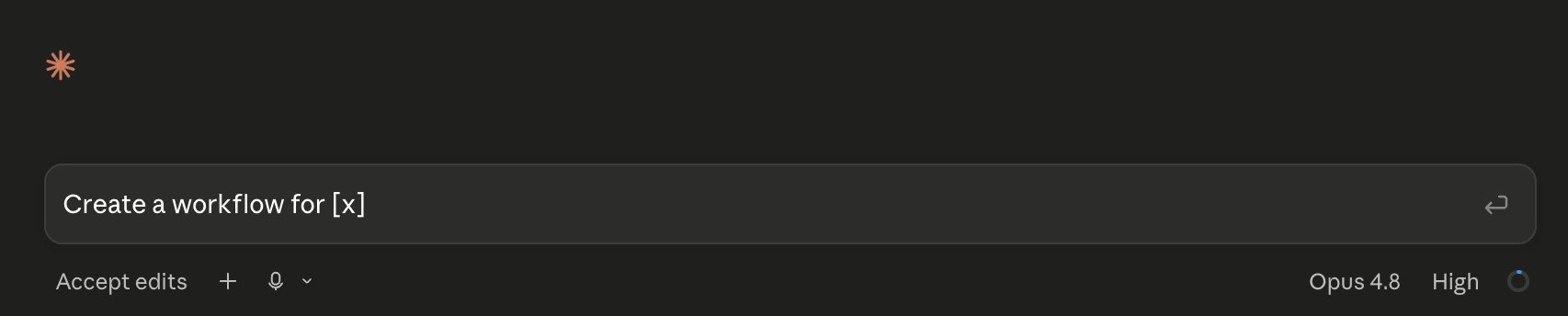
Creating custom workflows
The moment Claude sees the word "workflow" in your prompt, it switches to orchestration mode. It writes the script, shows you the planned phases, asks for approval, and then fans out across parallel agents to execute it.
Pro tip: If Claude Code highlights the word when you didn't mean to trigger one, press Alt + W to ignore it for that prompt. To stop the word from triggering at all, turn off the Workflow keyword trigger in /config.
- Bundled Workflows
The quickest way to see a workflow in action is to run /deep-research, the built-in workflow Claude Code includes for investigating a question across many sources.
Example:
1/deep-research What changed in the Node.js permission model between v20 and v22?
- UltraCode
Ok, now this is powerful.
Ultracode is a Claude Code setting that combines xhigh reasoning effort with automatic workflow orchestration. With it on, Claude plans a workflow for each substantive task instead of waiting for you to ask.
As expected, this does burn through tokens, though.
To enable it, run "/effort ultracode" in Claude Code CLI.
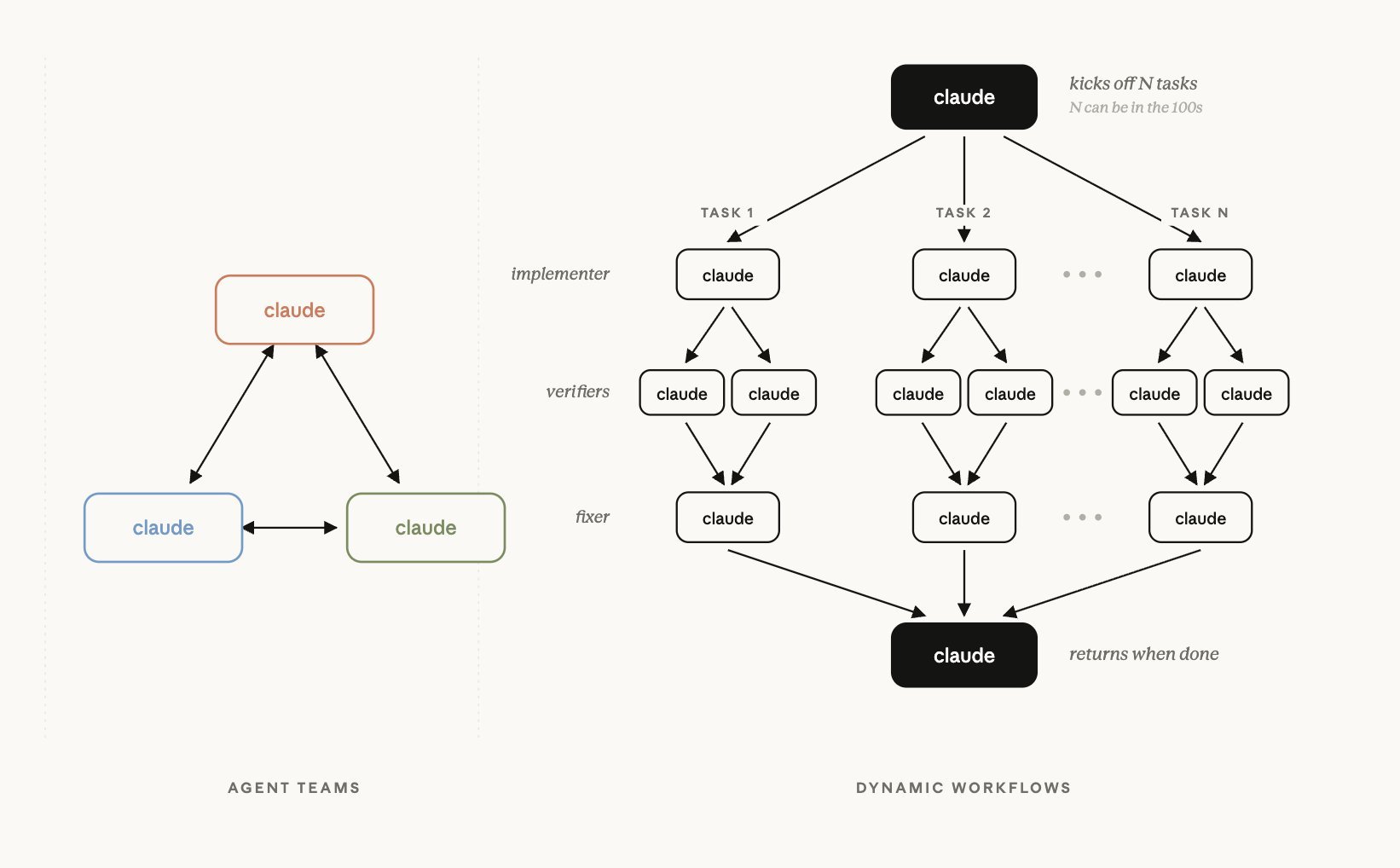
Dynamic Workflows
Watching a Run in Progress
Once a workflow starts, you can monitor it in real time.
"/workflows"
This opens a progress view showing each phase with its agent counts, token totals, and elapsed time.
The key controls inside the progress view:
- p - pause or resume the run
- x - stop a selected agent or stop the entire workflow
- r - restart a selected running agent
- s - save the run's script as a reusable command
- Enter - drill into a phase or agent to see its prompt, tool calls, and result
Saving a Workflow for Reuse
Run /workflows, select the run you want to keep, and press s. In the save dialog, Tab toggles between two save locations.
Section III: Real Examples
Ok, now that you have a good understanding of dynamic workflows, let's run through some real examples.
One workflow I recently created with Claude is an AI Edge content pipeline workflow.
It draws on all my AI Edge skills and maps the entire content ecosystem for this brand.
Step one: Content angle
Step two: Channel distribution
Step three: Polish
Step four: Visuals
Step five: Export
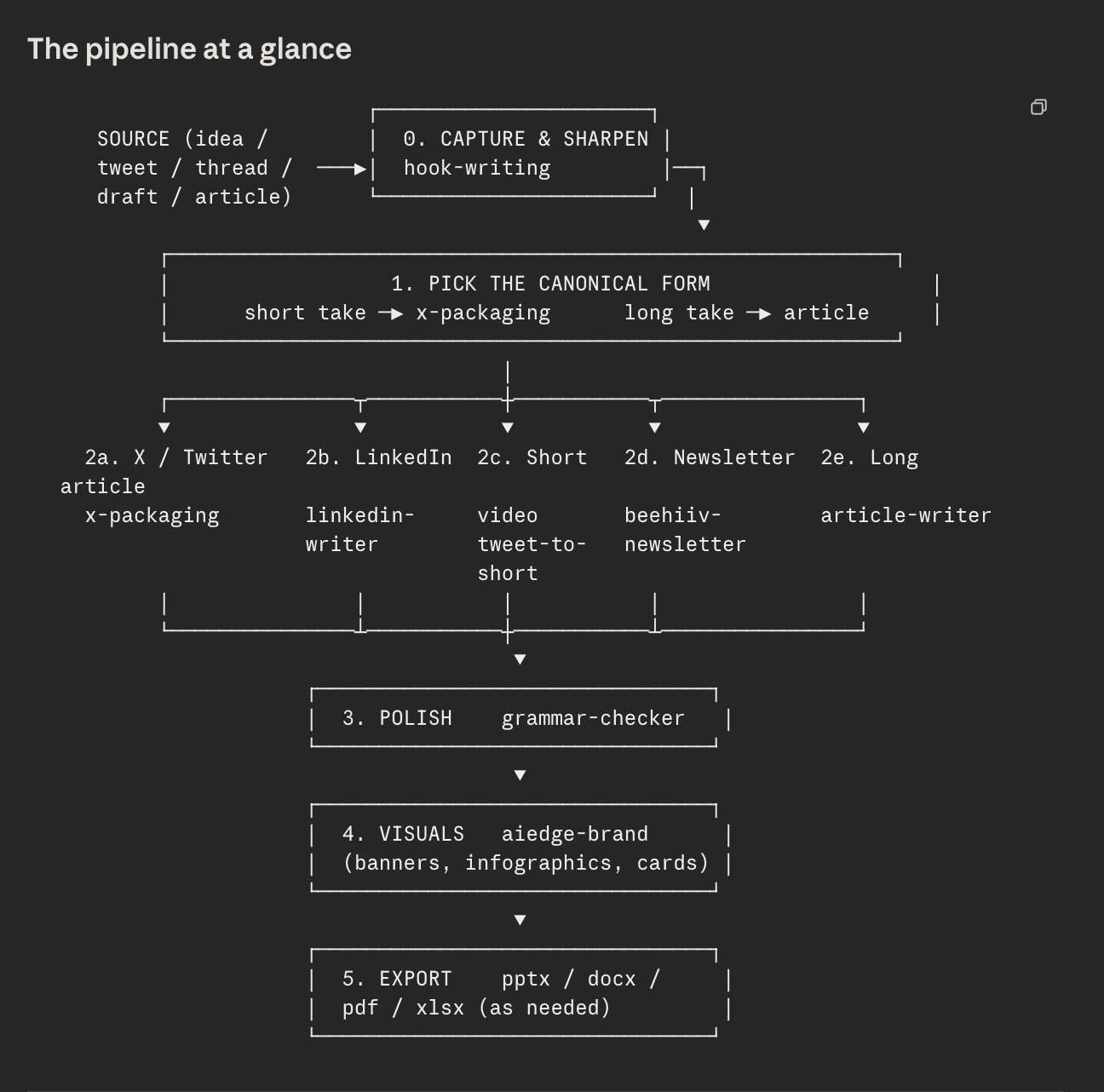
AI Edge Content Pipeline Dynamic Workflow
With this dynamic workflow, I can tell Claude to turn a tweet into a newsletter post, or simply give it a rough idea and have it run the entire workflow to complete the pipeline.
Deep Research Workflow
As mentioned above, /deep-research is a built-in workflow you can use now.
1/deep-research What are the key narratives2driving the crypto market in June 20263and which sectors are showing the strongest4on-chain activity?
What happens: Claude fans out across dozens of web sources simultaneously, cross-checks claims across sources, filters out anything that doesn't hold up, and delivers a cited research report in minutes. The same research done manually would take hours.
Save this workflow and run it daily for a personalized market intelligence briefing that updates automatically.
Content Research & Production Pipeline
1Run a workflow to identify the ten2most discussed AI developments3from the last seven days. For each one:4summarise what happened, why it matters,5find three credible sources, and assess6its relevance to a crypto and AI audience.7Produce a ranked briefing with the three8highest potential article topics highlighted at the top.
What happens: agents scan news sources, social platforms, and research publications simultaneously, cross-reference coverage across sources, filter noise, and deliver a ranked editorial briefing.
The kind of research that takes a content team hours gets compressed into a single workflow run.
Hopefully, these sample prompts/workflows give you an idea of what's possible with this new feature.
Essentially, you can automate any repetitive task end-to-end with several agents.
Section IV: Pro Tips
A rapid-fire section of pro tips for maximizing your dynamic workflows.
- Always check /model before starting a large run
Every agent in the workflow uses whatever model is active in your session (running 100 agents on Opus 4.8 costs significantly more than running them on Sonnet).
- Connect your MCPs before triggering research workflows
For example, a /deep-research run with CoinGecko, DeFiLlama, and Nansen produces dramatically richer crypto research than one that pulls from web search alone.
- Combine with existing Claude Skills
As shown above, use your skills to build workflows. For example, if you have multiple content skills (hook writer, article writer, etc.), package them into a single workflow.
- Workflows work in both CLI AND desktop app!
- Prompt for Claude
If you're ever unsure how to take advantage of workflows, just ask Claude:
"Based on everything you know about me, what workflows should we build?"
Closing
I hope you found this ultimate guide helpful.
I've been testing Dynamic Workflows for the past week, and they've genuinely changed how I use Claude - give them a go and let me know how you like them!
For more AI articles like this, be sure to follow me @aiedge_ - I post articles like this 2-3x/week only on the hottest topics in AI.
If you enjoy written AI content, feel free to subscribe to my free newsletter.
100% free, no spam ever & unsub anytime!