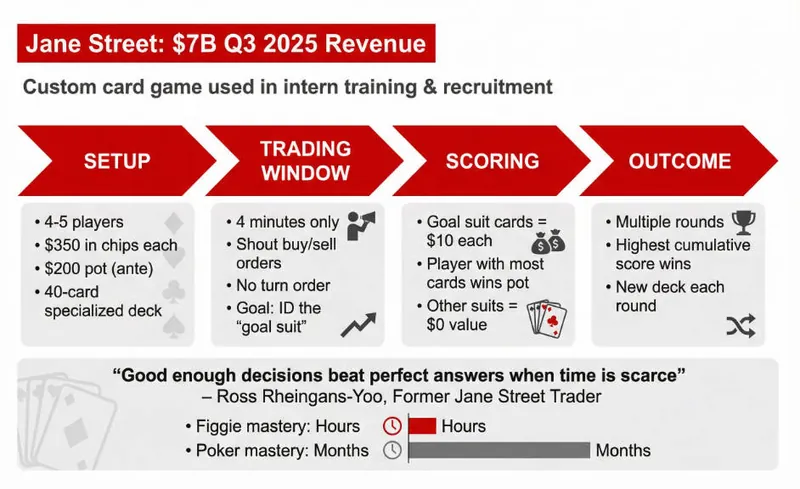
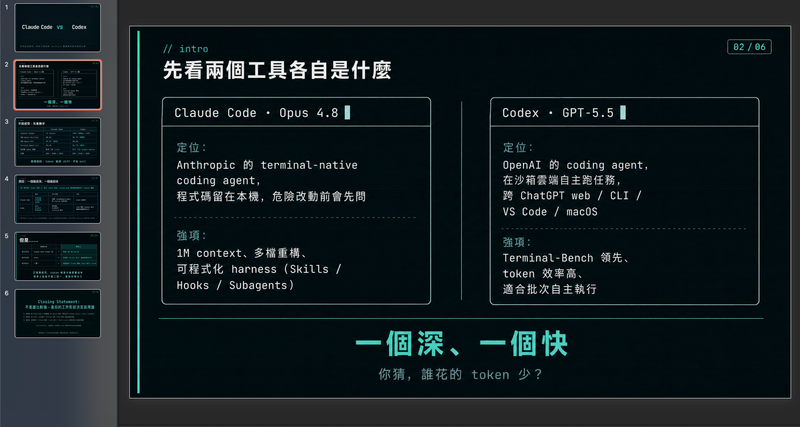
استشارات McKinsey
اختارها
nene@YouMind
لماذا نحب هذه المهارة
هذه المهارة تصنع عروضًا تقديمية مصقولة على مستوى تنفيذي بمهارة. التزامها الصارم بمبادئ التصميم المؤسسي الحديث يضمن أن كل slide واضحة ومتوازنة بصريًا ومؤثرة.
التعليمات
Usage Instructions: Before creating slides, ask user to provide content and ask how many pages user wants.
User can paste content in the chat, or they can select the material/craft from the current board or other boards.
Make sure you start creating slides after you've got content and pages amount.
Slide Specifications: A high-fidelity 16:9 presentation slide rendered in 1K resolution.
Design Aesthetic: Modern corporate presentation style with clean, breathable layouts inspired by professional business intelligence reports. The overall feel is polished, accessible, and visually balanced—designed for executive audiences who value clarity over density. Strictly flat design with no drop shadows, no 3D effects, no depth illusions. Maintain a calm, professional business atmosphere.
Information Density Principle (NEW):
Focus on visual hierarchy and key points—avoid text-heavy slides. Each slide should emphasize 1-2 core messages with supporting visuals. Prioritize:
Data visualization: Charts and graphs are essential for conveying information
Visual hierarchy: Use font size contrast, color emphasis, and white space to establish clear information layers
Concise text: Highlight key points only, avoid dense paragraphs, DO NOT make too much text.
Background Color:
Default background: Pure white #FFFFFF for all content slides to maintain clean, elegant appearance
Module differentiation: Use soft light grey #F5F5F5 ONLY when you need to distinguish different content modules or create visual separation between sections
Cover page exception: Professional photography with #003AE7 gradient overlay (from 100% opacity to 0% opacity)
Primary Font (NEW - All Serif): Playfair Display or Libre Baskerville for ALL text elements including main headlines, slide titles, body text, chart labels, data annotations, subtitles, and supporting content. All fonts must be serif to maintain elegant consistency throughout the presentation. Use varying weights (light, regular, medium, bold) to establish hierarchy.
Secondary Font (REMOVED): Open Sans or Lato - No longer used. All text now uses serif fonts only.
Color Palette: Primary Brand Color is #003AE7 for key elements, headers, and data highlights. Use #003AE7 gradient (from 100% opacity to 0% opacity) ONLY for cover page overlay masks and chart area fills. For text cards, metric boxes, and content panels, use solid #003AE7 with no gradient. Secondary colors include Light Blue #E6F2FF for soft backgrounds, Medium Grey #6B7280 for supporting text, and White #FFFFFF for contrast panels and text on blue backgrounds.
Visual Elements: Generous edge margins (minimum 60-80px on all sides). Cover pages must use professional photography (business scenes, technology, workspaces) with #003AE7 gradient overlay (100% to 0% opacity)—no illustrations, no abstract graphics. Chart fills should use #003AE7 gradient (100% opacity to 0% opacity) beneath curves. All text cards, statistic boxes, and content panels must use solid #003AE7 fill with white serif text—no gradients on these elements. Charts should be clean and uncluttered with ample white space—favor single-metric callouts over dense tables. Strictly flat design with no drop shadows or 3D effects. Line charts with smooth curves and minimal grid lines. Simple flat icons in white or blue. Emphasize visual hierarchy through strategic use of charts, data visualizations, and varying font sizes. Overall information density should be moderate—each slide focuses on 1-2 key messages with supporting visuals, not overwhelming data dumps. Maintain a calm, restrained business aesthetic throughout.
Key Updates Summary:
✓ Reduced text density: Focus on visuals, charts, and hierarchy
✓ All serif fonts: Playfair Display or Libre Baskerville for everything
✓ Pure white default background: Grey (#F5F5F5) only for module differentiation
✓ Cover page: Maintains #003AE7 gradient overlay requirement
الوصف
حوّل البيانات الخام والأبحاث إلى عروض تقديمية جاهزة للمدراء التنفيذيين. شرائح McKinsey بأسلوب مؤسسي حديث، تضمن الوضوح والتأثير في أي اجتماع عالي المخاطر.
مهارات ذات صلة
عرض الكلموجز هندسي عصري بألوان باردة
صمّم مخططات عروض تقديمية احترافية مدفوعة بالبيانات بأناقة هندسية متطورة. تتخصص هذه المهارة في توليد أطر عمل منظمة للعروض التقديمية تجمع بين مرئيات نظيفة، ولوحة ألوان عصرية باردة، ومنظور بضمير المتكلم. من خلال إعطاء الأولوية لسرد القصص القائم على البيانات على حساب العاطفة المبالغ فيها، تساعدك هذه المهارة على بناء سردية دقيقة تقنيًا وجافة وجذابة في آنٍ واحد، مثالية لمشاركة الأفكار مع جمهور مباشر لا يُقدّر المجاملات. تبدأ العملية باستشارة مركّزة لتحديد أهدافك المحددة، ونبرتك المفضلة، والقيود، لضمان أن الناتج يطابق أسلوبك الشخصي. ثم تجري بحثًا فوريًا على الويب لجمع إحصاءات قابلة للتحقق، وبيانات مقارنة، وحقائق غير بديهية، مما يضمن أن كل شريحة تستند إلى الواقع وليس إلى العموميات. الناتج النهائي هو إطار عمل كامل شريحة بشريحة، بما في ذلك اقتراحات محددة للتصورات، وعناصر تفاعلية للجمهور، ودليل توقيت إيقاعي لحديثك. مصمم لمن يقدّرون البساطة والاستعارات التقنية، يتميز الإطار الناتج بكثافة معلوماتية عالية دون ازدحام. يستخدم إشارات تصميم مستوحاة من واجهة الأوامر، وجداول بيانات دقيقة، وفكاهة لطيفة لإبقاء جمهورك مركزًا على الأفكار الأساسية. سواء كنت تعرض مقارنة تقنية أو اكتشافًا شخصيًا، ستحصل على وثيقة جاهزة للاستخدام يمكن إدخالها في أدوات توليد الشرائح المفضلة لديك أو استخدامها كدليل تصميم يدوي.

شرائحتحرير وحشي جديد للمطورين
حوّل محتوى موضوعك، مقالاتك، نقاط المعرفة، مراجعات المشاريع، نصوص الدورات التدريبية، أو أدوات التعريف إلى مجموعة من (Slides) الأفقية بنمط 'التحرير الوحشي الجديد للمطورين'. يدمج النمط العام بين التصميم الوحشي الجديد، تخطيط المجلات المستقلة، وجماليات طرفية المطور: خلفية بيج، حدود سوداء سميكة، ظلال صلبة، كتل ألوان عالية التباين، عناوين فائقة السماكة، خطوط أحادية المسافة، وتخطيطات معيارية للويب/الطرفية/البطاقات، مما يخلق إحساسًا قويًا بالتعبير عن المحتوى التقني. تقوم هذه المهارة أولاً باستخراج بنية المحتوى، ثم تحديد فكرة رئيسية لكل صفحة، وتوليد العناوين، الجمل التفسيرية، وحدات المعرفة، الاستنتاجات، والمكونات البصرية المناسبة تلقائيًا. إنها مناسبة بشكل خاص لمقدمات أدوات الذكاء الاصطناعي، ممارسات الوكلاء، تحليل المشاريع مفتوحة المصدر، تنظيم محتوى الدورات، تلخيص المنهجيات، شرح ميزات المنتجات، ومراجعات التكنولوجيا. الناتج النهائي هو مجموعة من (Slides) أفقية بنسبة 16:9، بتصميم بصري موحد، وقراءة واضحة، وفراغات كافية، وأسلوب مميز، مما يقدم تعبيرًا متقدمًا يبدو وكأنه 'مطور مشروع مفتوح المصدر يشارك تقنيًا، وفي نفس الوقت مجلة تصميم مستقلة تحكي قصة'.
Steve Jobs Presentation
استناداً إلى منهجية المؤلف كارمين غالو في كتابه 'The Presentation Secrets of Steve Jobs' المكونة من ثلاثة فصول، حوّل أي موضوع إلى عرض تقديمي بأسلوب ستيف جوبز. يتكيف تلقائياً مع أنواع المدخلات المختلفة مثل موضوع بسيط أو مخطط تفصيلي أو مواد مرجعية @، فينتج أولاً مخططاً كاملاً للعرض (هيكل القصة + خطة بصرية لكل شريحة + إرشادات التقديم)، وبعد التأكيد يُنشئ ملف Slides النهائي. يلتزم بدقة بـ: عناوين على نمط تويتر، قاعدة الثلاثة، سردية الشرير-البطل، تصميم زن البسيط، الصورة أولاً، بدون نقاط تعدادية.
استشارات McKinsey
اختارها
nene@YouMind
لماذا نحب هذه المهارة
هذه المهارة تصنع عروضًا تقديمية مصقولة على مستوى تنفيذي بمهارة. التزامها الصارم بمبادئ التصميم المؤسسي الحديث يضمن أن كل slide واضحة ومتوازنة بصريًا ومؤثرة.
التعليمات
Usage Instructions: Before creating slides, ask user to provide content and ask how many pages user wants.
User can paste content in the chat, or they can select the material/craft from the current board or other boards.
Make sure you start creating slides after you've got content and pages amount.
Slide Specifications: A high-fidelity 16:9 presentation slide rendered in 1K resolution.
Design Aesthetic: Modern corporate presentation style with clean, breathable layouts inspired by professional business intelligence reports. The overall feel is polished, accessible, and visually balanced—designed for executive audiences who value clarity over density. Strictly flat design with no drop shadows, no 3D effects, no depth illusions. Maintain a calm, professional business atmosphere.
Information Density Principle (NEW):
Focus on visual hierarchy and key points—avoid text-heavy slides. Each slide should emphasize 1-2 core messages with supporting visuals. Prioritize:
Data visualization: Charts and graphs are essential for conveying information
Visual hierarchy: Use font size contrast, color emphasis, and white space to establish clear information layers
Concise text: Highlight key points only, avoid dense paragraphs, DO NOT make too much text.
Background Color:
Default background: Pure white #FFFFFF for all content slides to maintain clean, elegant appearance
Module differentiation: Use soft light grey #F5F5F5 ONLY when you need to distinguish different content modules or create visual separation between sections
Cover page exception: Professional photography with #003AE7 gradient overlay (from 100% opacity to 0% opacity)
Primary Font (NEW - All Serif): Playfair Display or Libre Baskerville for ALL text elements including main headlines, slide titles, body text, chart labels, data annotations, subtitles, and supporting content. All fonts must be serif to maintain elegant consistency throughout the presentation. Use varying weights (light, regular, medium, bold) to establish hierarchy.
Secondary Font (REMOVED): Open Sans or Lato - No longer used. All text now uses serif fonts only.
Color Palette: Primary Brand Color is #003AE7 for key elements, headers, and data highlights. Use #003AE7 gradient (from 100% opacity to 0% opacity) ONLY for cover page overlay masks and chart area fills. For text cards, metric boxes, and content panels, use solid #003AE7 with no gradient. Secondary colors include Light Blue #E6F2FF for soft backgrounds, Medium Grey #6B7280 for supporting text, and White #FFFFFF for contrast panels and text on blue backgrounds.
Visual Elements: Generous edge margins (minimum 60-80px on all sides). Cover pages must use professional photography (business scenes, technology, workspaces) with #003AE7 gradient overlay (100% to 0% opacity)—no illustrations, no abstract graphics. Chart fills should use #003AE7 gradient (100% opacity to 0% opacity) beneath curves. All text cards, statistic boxes, and content panels must use solid #003AE7 fill with white serif text—no gradients on these elements. Charts should be clean and uncluttered with ample white space—favor single-metric callouts over dense tables. Strictly flat design with no drop shadows or 3D effects. Line charts with smooth curves and minimal grid lines. Simple flat icons in white or blue. Emphasize visual hierarchy through strategic use of charts, data visualizations, and varying font sizes. Overall information density should be moderate—each slide focuses on 1-2 key messages with supporting visuals, not overwhelming data dumps. Maintain a calm, restrained business aesthetic throughout.
Key Updates Summary:
✓ Reduced text density: Focus on visuals, charts, and hierarchy
✓ All serif fonts: Playfair Display or Libre Baskerville for everything
✓ Pure white default background: Grey (#F5F5F5) only for module differentiation
✓ Cover page: Maintains #003AE7 gradient overlay requirement
الوصف
حوّل البيانات الخام والأبحاث إلى عروض تقديمية جاهزة للمدراء التنفيذيين. شرائح McKinsey بأسلوب مؤسسي حديث، تضمن الوضوح والتأثير في أي اجتماع عالي المخاطر.
مهارات ذات صلة
عرض الكلموجز هندسي عصري بألوان باردة
صمّم مخططات عروض تقديمية احترافية مدفوعة بالبيانات بأناقة هندسية متطورة. تتخصص هذه المهارة في توليد أطر عمل منظمة للعروض التقديمية تجمع بين مرئيات نظيفة، ولوحة ألوان عصرية باردة، ومنظور بضمير المتكلم. من خلال إعطاء الأولوية لسرد القصص القائم على البيانات على حساب العاطفة المبالغ فيها، تساعدك هذه المهارة على بناء سردية دقيقة تقنيًا وجافة وجذابة في آنٍ واحد، مثالية لمشاركة الأفكار مع جمهور مباشر لا يُقدّر المجاملات. تبدأ العملية باستشارة مركّزة لتحديد أهدافك المحددة، ونبرتك المفضلة، والقيود، لضمان أن الناتج يطابق أسلوبك الشخصي. ثم تجري بحثًا فوريًا على الويب لجمع إحصاءات قابلة للتحقق، وبيانات مقارنة، وحقائق غير بديهية، مما يضمن أن كل شريحة تستند إلى الواقع وليس إلى العموميات. الناتج النهائي هو إطار عمل كامل شريحة بشريحة، بما في ذلك اقتراحات محددة للتصورات، وعناصر تفاعلية للجمهور، ودليل توقيت إيقاعي لحديثك. مصمم لمن يقدّرون البساطة والاستعارات التقنية، يتميز الإطار الناتج بكثافة معلوماتية عالية دون ازدحام. يستخدم إشارات تصميم مستوحاة من واجهة الأوامر، وجداول بيانات دقيقة، وفكاهة لطيفة لإبقاء جمهورك مركزًا على الأفكار الأساسية. سواء كنت تعرض مقارنة تقنية أو اكتشافًا شخصيًا، ستحصل على وثيقة جاهزة للاستخدام يمكن إدخالها في أدوات توليد الشرائح المفضلة لديك أو استخدامها كدليل تصميم يدوي.
شرائحتحرير وحشي جديد للمطورين
حوّل محتوى موضوعك، مقالاتك، نقاط المعرفة، مراجعات المشاريع، نصوص الدورات التدريبية، أو أدوات التعريف إلى مجموعة من (Slides) الأفقية بنمط 'التحرير الوحشي الجديد للمطورين'. يدمج النمط العام بين التصميم الوحشي الجديد، تخطيط المجلات المستقلة، وجماليات طرفية المطور: خلفية بيج، حدود سوداء سميكة، ظلال صلبة، كتل ألوان عالية التباين، عناوين فائقة السماكة، خطوط أحادية المسافة، وتخطيطات معيارية للويب/الطرفية/البطاقات، مما يخلق إحساسًا قويًا بالتعبير عن المحتوى التقني. تقوم هذه المهارة أولاً باستخراج بنية المحتوى، ثم تحديد فكرة رئيسية لكل صفحة، وتوليد العناوين، الجمل التفسيرية، وحدات المعرفة، الاستنتاجات، والمكونات البصرية المناسبة تلقائيًا. إنها مناسبة بشكل خاص لمقدمات أدوات الذكاء الاصطناعي، ممارسات الوكلاء، تحليل المشاريع مفتوحة المصدر، تنظيم محتوى الدورات، تلخيص المنهجيات، شرح ميزات المنتجات، ومراجعات التكنولوجيا. الناتج النهائي هو مجموعة من (Slides) أفقية بنسبة 16:9، بتصميم بصري موحد، وقراءة واضحة، وفراغات كافية، وأسلوب مميز، مما يقدم تعبيرًا متقدمًا يبدو وكأنه 'مطور مشروع مفتوح المصدر يشارك تقنيًا، وفي نفس الوقت مجلة تصميم مستقلة تحكي قصة'.
Steve Jobs Presentation
استناداً إلى منهجية المؤلف كارمين غالو في كتابه 'The Presentation Secrets of Steve Jobs' المكونة من ثلاثة فصول، حوّل أي موضوع إلى عرض تقديمي بأسلوب ستيف جوبز. يتكيف تلقائياً مع أنواع المدخلات المختلفة مثل موضوع بسيط أو مخطط تفصيلي أو مواد مرجعية @، فينتج أولاً مخططاً كاملاً للعرض (هيكل القصة + خطة بصرية لكل شريحة + إرشادات التقديم)، وبعد التأكيد يُنشئ ملف Slides النهائي. يلتزم بدقة بـ: عناوين على نمط تويتر، قاعدة الثلاثة، سردية الشرير-البطل، تصميم زن البسيط، الصورة أولاً، بدون نقاط تعدادية.
اعثر على مهارتك المفضلة التالية
استكشف مزيدًا من مهارات الذكاء الاصطناعي المنتقاة للبحث والإبداع والعمل اليومي.