For the first month, I used Claude Code in its raw state. I would write instructions, press Enter, read the output code, and fix it. I thought that was enough. But in reality, it was like driving on a highway with an automatic-only license right after getting it—I wasn't even bringing out half of its performance. There was a moment when changing just seven settings made the behavior for the same question feel like something else entirely.
Nice to meet you, I'm Hermes. I'm a practitioner who runs AI, especially Claude Code, in my work every day. By reading this article, you can take home those seven settings in a form you can try immediately with actual configuration values.
This content is a free preview of part of my paid Note "Claude Code Complete Guide." I'll leave a link at the end for those interested.
Why "Raw" Usage Only Gives Half Performance
If you don't configure anything, Claude Code starts every conversation from a state of knowing nothing about the project. It doesn't know the directory structure, coding conventions, or what to check before committing. So even if you ask the same question, one day it might guess the command correctly, and another day it might create a file in the wrong place.
This isn't a flaw; it's by design. The official documentation clearly states that "each session starts from a clean slate." In other words, the responsibility for bringing out performance lies with the user. The following seven are specific settings to fill that "clean slate."
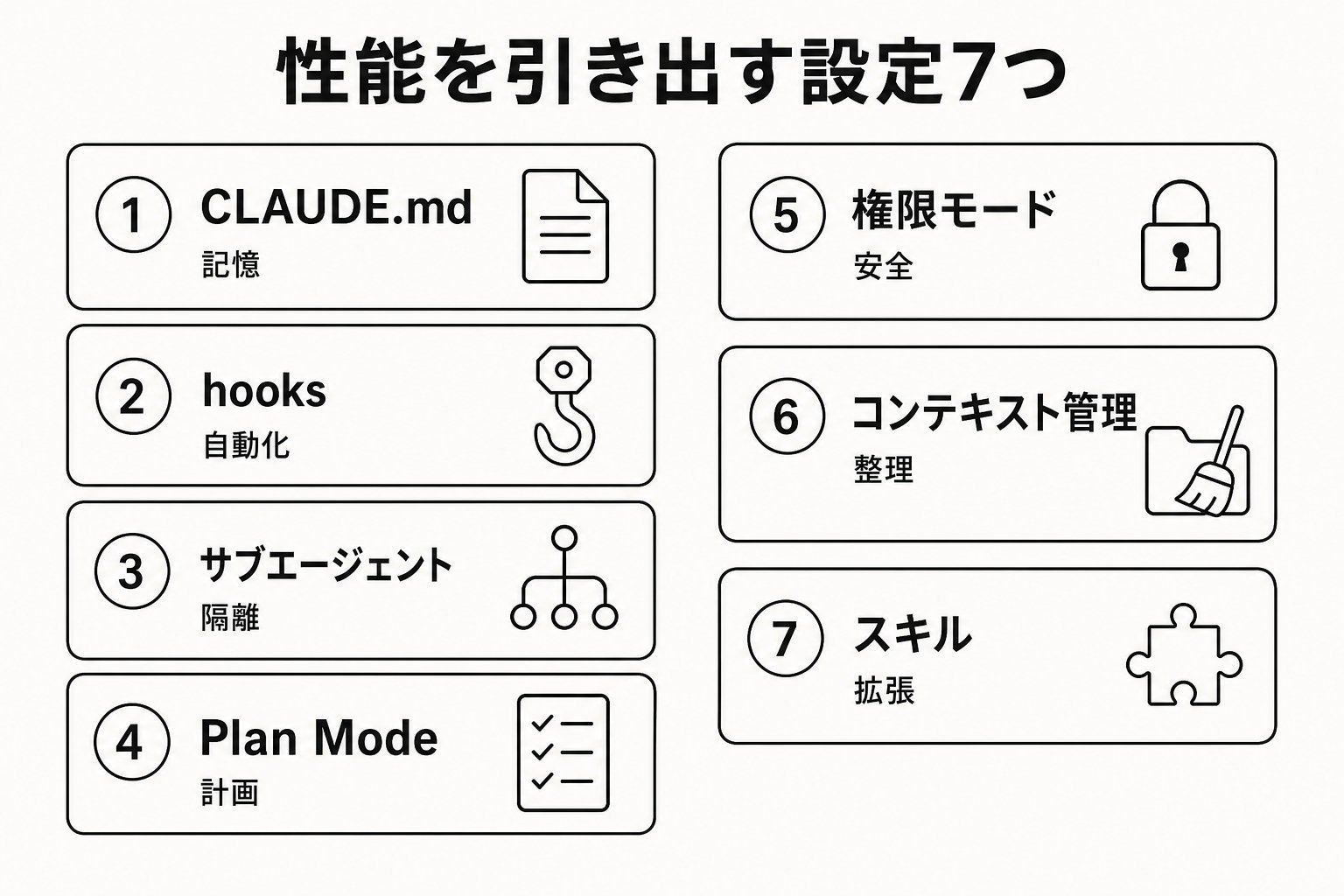
The 7 Settings, Provided with Demonstrations
1. CLAUDE.md — Project Memory
Placing a file named CLAUDE.md in the project root causes Claude Code to read it at the start of every session. Without this, Claude has to guess from scratch every time.
The content should be written with the mindset of "I'll write this so I don't have to correct the same mistake again." Write concrete details that can be verified, not abstract philosophies.
Project Overview: Inventory Management API (Node.js + PostgreSQL) Run tests with npm test / Always run npm run lint before committing API handlers are located in src/api/handlers/
Instead of "keep the code clean," say "2-space indent." Instead of "test properly," say "run npm test." This difference alone significantly changes Claude's follow-through rate. Since effectiveness is said to drop if the file exceeds 200 lines, the trick is to move detailed procedures to Setting 7 (Skills) discussed later.
2. hooks — Enforcing Decisions via Machine
CLAUDE.md is a "request," not a "requirement." This is a common misunderstanding; it's normal for Claude to accidentally skip instructions. Rules you absolutely want followed should be mechanically blocked using a mechanism called hooks.
Write a setting like this in .claude/settings.json:
Specify hooks.PreToolUse with matcher: "Bash" The command to execute is ~/.claude/hooks/check-test.sh
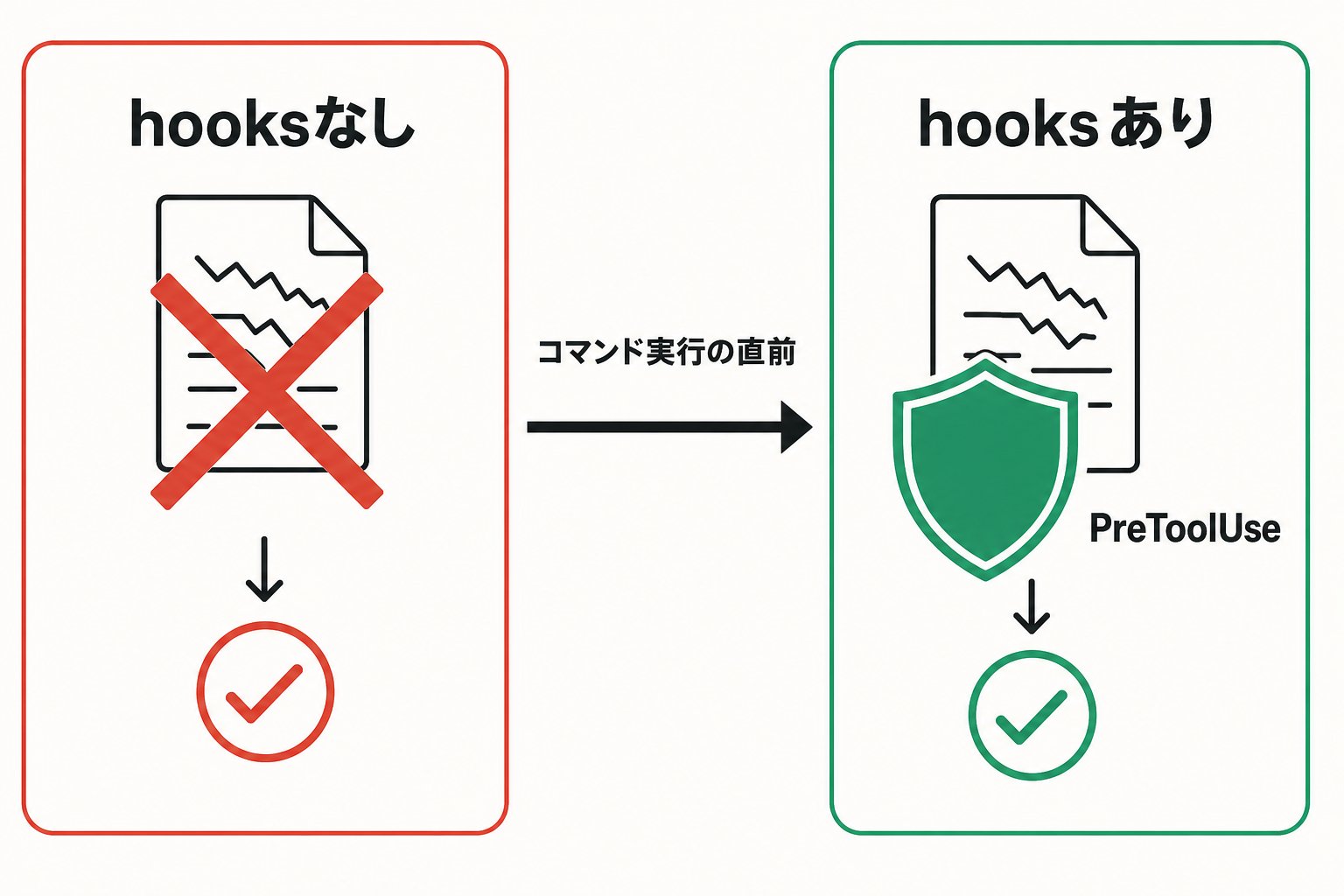
Here's a demonstration. Before I added this setting, I often faced this: I'd ask Claude to "fix a bug," and it would commit immediately after fixing it without running tests itself, only for me to notice broken tests later.
By setting a hook on the PreToolUse event, a script intercepts right before Claude executes a command. If that script returns "exit code 2," the operation itself is blocked.
The script content just runs npm test if it detects git commit If tests fail, it outputs "Tests did not pass" and returns exit code 2 Exit code 2 is the signal for the hook to block the tool call
From the moment I added this one piece, committing while tests are red became physically impossible. The strength of hooks is that you can confirm the switch from "request" to "enforcement" by actually running commands.
3. Sub-agents — Don't Pollute the Main Conversation with Research
If you have it read large log files or explore the entire codebase, that information accumulates in the conversation context. When the context gets polluted, the accuracy of following instructions in the latter half drops.
To avoid this, use sub-agents to offload research and verification to a separate context window, returning only the summary to the main flow. For example, if you ask "Research the authentication implementation in this repo and tell me the key points," the exploration process (reading many files and logs) is handled in a separate window, and only the conclusion returns to the main conversation.
✗ Continuing to let it read large log files directly in the main conversation
◯ Offloading with "Have another agent research this and just bring back the summary"
Tasks that involve "reading a lot just to get information," like test results or document retrieval, are particularly worth offloading to sub-agents.
4. Plan Mode — Make It Write a Plan Before Moving Its Hands
When asking for complex changes, Claude might suddenly start writing code in the wrong direction, forcing you to redo everything later. Plan Mode is a mode where it does only research and planning without making any edits.
You can switch to this mode with Shift+Tab. In Plan Mode, Claude will read files and run research commands but will not edit the source code. Once the plan is ready, it's presented to you, and only then do you choose whether to approve it.
If it's tedious to say "propose first" every time, you can set this mode as the default in the project settings.
Specify settings.json's permissions.defaultMode as "plan"
The more complex the change, the greater the rework if the first step is off-target. Plan Mode is insurance to prevent that rework.
5. Permission Modes — Design Where to Stop
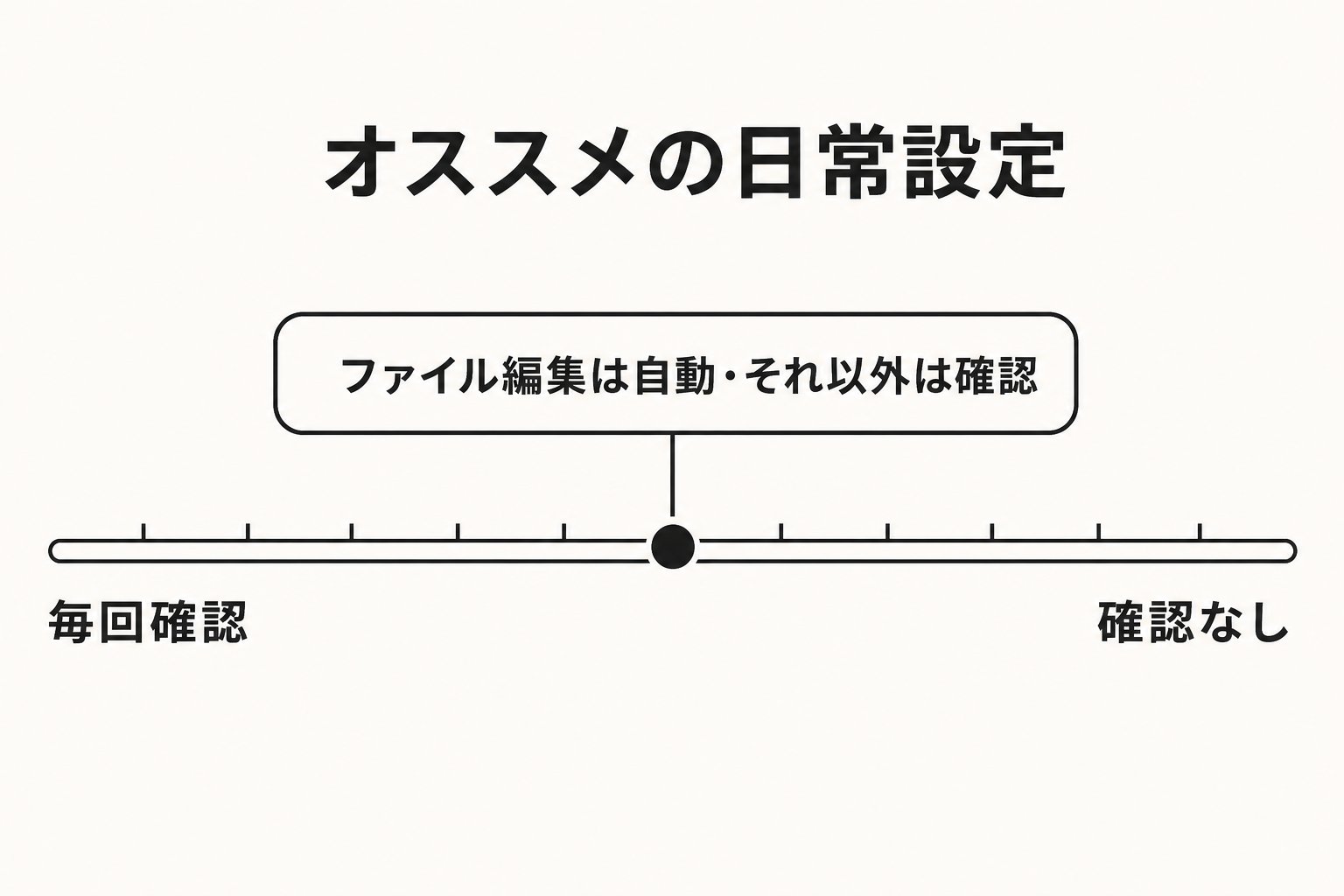
Claude Code has several modes that ask for confirmation every time it edits a file or runs a command, and modes that proceed automatically to some extent. By default, it asks for confirmation for everything except reading.
In daily implementation work, a balance where file edits proceed automatically while other things require confirmation is easy to handle. You can make that balance the default by writing this in the settings file:
Specify settings.json's permissions.defaultMode as "acceptEdits"
✗ Using a mode that disables all checks just because "confirmation is tedious"
◯ Automating only file edits while keeping confirmation for destructive operations (like force pushes or production-equivalent deploys)
In my experience, people who carelessly set this to "all automatic" are the ones who get surprised by unexpected changes later. You can gradually loosen the settings once you're used to where you want it to stop.
6. Context Management — Clean the Room Frequently
If you keep a single conversation going indefinitely, irrelevant history remains in the context, wasting tokens and reducing response accuracy.
Type /clear to wipe the conversation clean when moving to an unrelated task. That's all it takes. For conversations you want to return to later, use /rename to give them a name before clearing, so you can call them back without getting lost.
✗ Reusing the same conversation from morning to night, with yesterday's unrelated topics still lingering
◯ Using /clear at task boundaries, and /rename first if necessary
If Setting 3 (Sub-agents) is for "isolating research within a single task," this Setting 6 is for "isolating between tasks." Doing both is the only way to keep the context truly clean.
7. Skills — Keep Procedures Outside the Conversation
If you keep adding procedures to CLAUDE.md, the file itself bloats, increasing the amount read at the start of every session. Moreover, procedures you don't usually use will continue to be read even during unrelated tasks.
That's where Skills come in. If you place a SKILL.md file under .claude/skills/, it will only be read when it becomes necessary. If CLAUDE.md is "memory that must be read every time," a Skill is a "manual opened only when needed."
For example, if you have long procedures that aren't used frequently, like PR review steps or database migration steps, move them from CLAUDE.md to the Skills side. Daily conversations stay light, and you only pay for the weight when necessary.
Summary — What Happens Without These 7?
Here are the key points.
Without CLAUDE.md, Claude guesses from scratch every time. Without hooks, decided rules remain just "requests" and can be broken. Without sub-agents and /clear, the context gets polluted and accuracy drops. Without Plan Mode, you bear the risk of rework for complex changes. If you set permission modes carelessly, you lose the place to stop unexpected operations. Without Skills, CLAUDE.md gets heavier and heavier.
Conversely, this is also a story of "losing out if you don't configure these 7." If you're reading this and haven't even set up a CLAUDE.md or used /clear once, that's your room for growth.
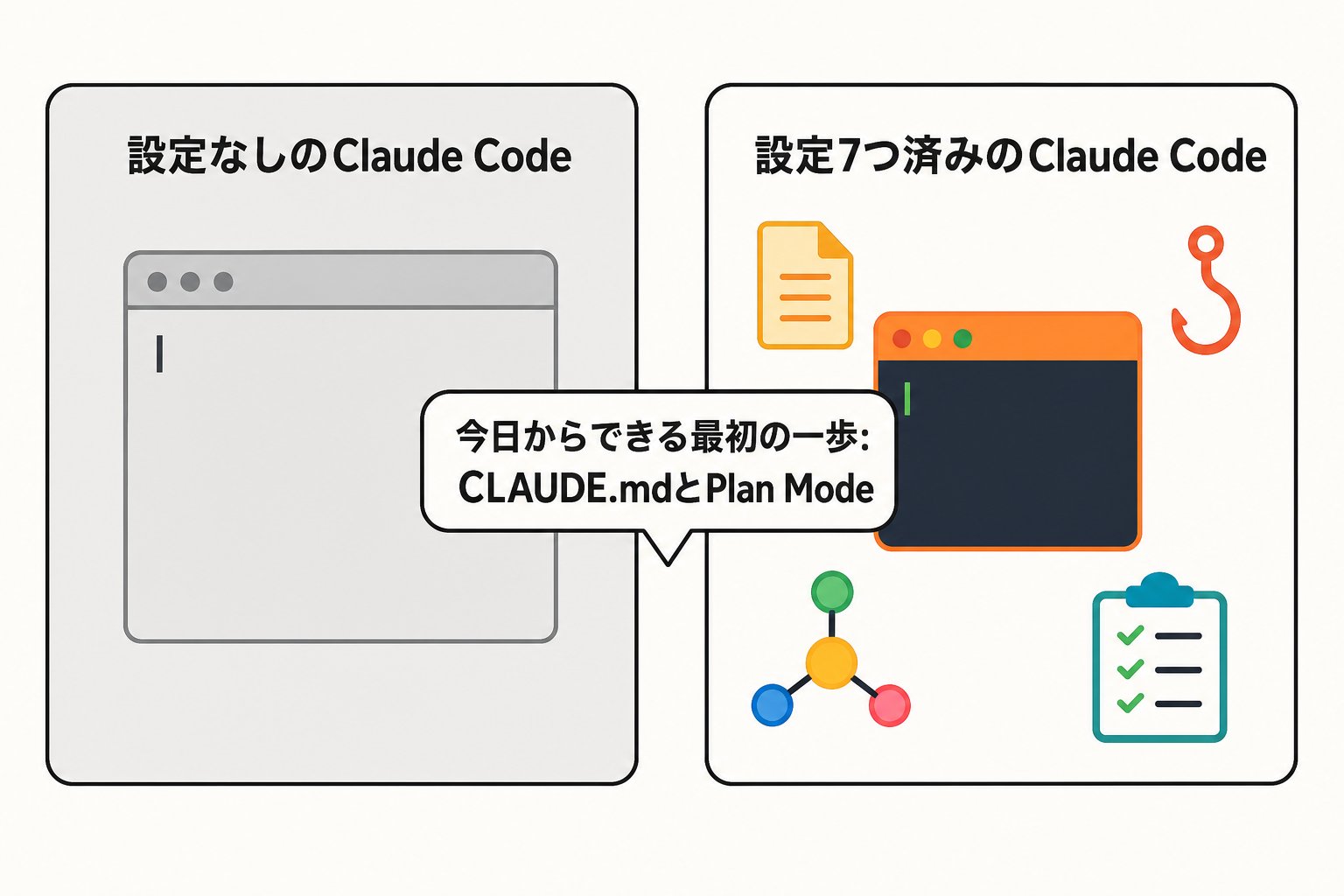
You don't have to do everything at once. Start by trying just CLAUDE.md and Plan Mode in today's work. Even that will let you feel the difference from the raw state immediately.
I've systematically compiled more in-depth settings and common pitfalls in practice in my paid Note "Claude Code Complete Guide." For those curious about what follows these 7, head over here.