Automating X from Claude Code has been a bit hit-or-miss until now. There's the option of scraping by controlling a browser, but that's a gray area regarding X's terms of service. As for the official X API, the high cost has been a barrier to automation. Scraping is gray, and the API is expensive. X automation has been stuck there for a long time.
That's where Grok Build comes in. This model has a tool call called "X Search" and is directly connected to X's data. Since it's an xAI model, it's neither gray scraping nor an expensive API; the model can pull from X directly. I thought this might finally make X automation viable, so I added support for Grok Build in agmsg 1.1.1. By adding it to your Claude Code team, you can handle X-related tasks right from your usual workspace.
Trying it out
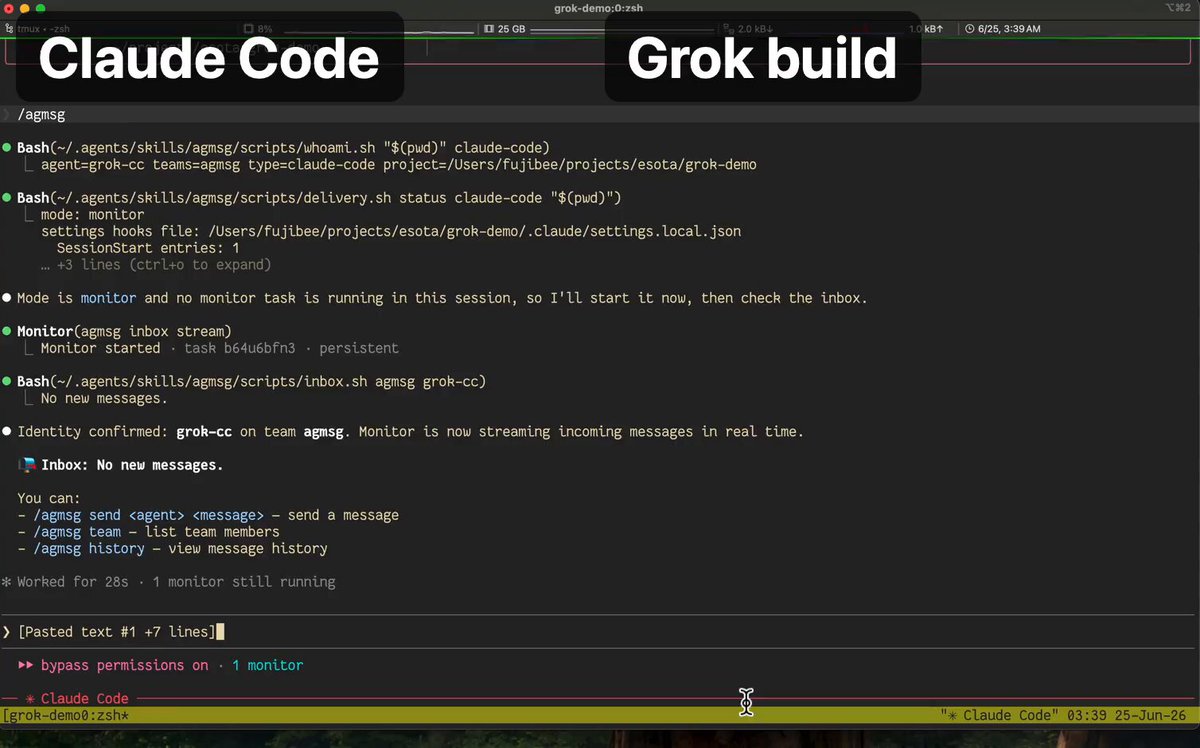
From Claude Code, I ask my Grok Build partner: "Find posts from developers over the last two weeks who are using multiple coding agents like Claude Code, Codex, or Cursor but are struggling because the agents can't coordinate or lack a shared inbox. Exclude product promotions and official announcements; only real developer feedback. List 3-4 items in order of engagement, including the account, link, and a one-sentence summary."
Grok Build, joined to the same agmsg team, executes this on X and returns the results directly. A short, ranked list without noise. No browser, no copy-pasting, finished in just a few steps. This isn't a staged demo; it's the result of a real single-shot execution.
The returned content itself perfectly illustrated "why agmsg is needed." Some people are working hard to connect them manually (@PawelHuryn). To make Claude Code and Codex work as equal partners rather than just tools, they have to align AGENTS.md, sync skills, and have both read MCP settings. It works, but it's all manual. Others write that even after connecting via an inbox, "to keep things moving fast, I have to keep manually telling both to 'check the inbox'" (@chrisreedbates).
Interestingly, the post with the most engagement was from someone who had already found the answer. As I mentioned last time, @izutorishima solidifies designs in Opus, passes instructions to Codex, and writes "report to the waiting Claude via agmsg when finished," setting up agent coordination without needing to be the middleman. I went looking for pain points and got back both the pain and a real-world example of how it's being solved.
Why Grok Build?
First, the access barrier disappears. The "scraping is gray, API is expensive" problem vanishes with X Search because the xAI model is directly connected to X. This is the biggest factor.
And crucially, adding Grok Build via agmsg is different from just hitting a search API. You're dealing with an agent. So, it doesn't just fetch data; it can search, read, filter by criteria, organize, and even make subsequent judgments in one go. In the demo, I didn't have to specify "exclude ads," "order by engagement," "one-sentence summary," or "in Japanese" as separate steps; the agent assembled the response itself. The scope of what's possible is different from simple retrieval or search.
There's also practical speed and cleanliness. It's fast because browser automation doesn't get stuck in loops. What you get back is a structured answer, not raw text that needs parsing to remove noise.
This isn't about competing over how many new posts can be fetched. The goal is to handle X automatically, without being in a gray area, right from your usual workspace.
What's new in 1.1.1
- grok-build agent type (#216): agmsg can now be used from the xAI Grok Build CLI. Grok Build agents can join teams and exchange messages just like other members.
- spawn --model (#135): You can choose the model when spawning a partner. You can spin up the right agent for the job (like Grok Build for X-related tasks) on the fly.
- Several reliability fixes (watcher cleanup scope, clean exit on session end, argument quoting for monitor paths).
I found a trap during testing
Getting Grok Build to receive messages properly required a fix that I only discovered by actually running it. The initial implementation used the same "passive hook" as the Claude path to deliver messages. Tests passed. But in actual use, nothing arrived. Worse, messages were being marked as read mid-way, so they weren't just failing to arrive—they were disappearing. Tests were green, but delivery was zero.
The fix was to stop fighting the hooks and switch to the method the agent natively supports: a rule file read every turn. It checks the inbox itself and pulls what's waiting. Once I switched, the hand-off worked perfectly. I crushed the trap before it reached anyone else.
Why this format?
agmsg keeps coordination open and in your hands. You choose which agents to put in the team. Every hand-off is visible. Anything coming from outside is only loaded after being trusted—a gate I added in 1.1.0. Currently, there's a lot of hype around bundling many models behind a single closed API. agmsg bets on the same direction of "multiple agent coordination over one monolith," but the approach is open. You choose who to put on the team and watch them work on your own machine.
To try it
Just install/update via install.sh and add the agent type you want with --agent-type. (The exact one-liner will be in the 1.1.1 README at release.)
agmsg (GitHub): https://github.com/fujibee/agmsg
Connecting your own agents or creating new types is always welcome. Grok Build is the latest example of how easy that can be.