パリの二重露光エディトリアルポートレート
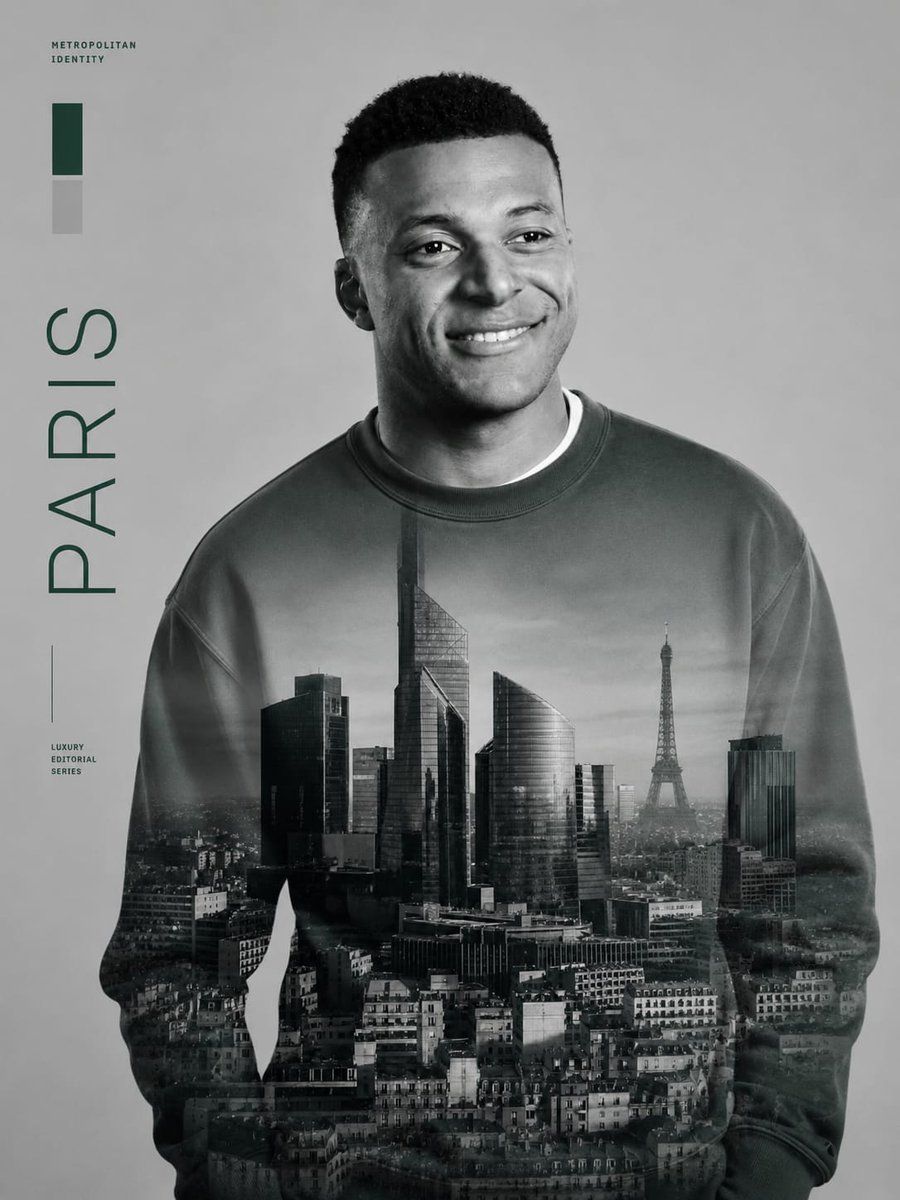
参照写真をもとに、パリの街並みの二重露光とミニマルな雑誌風タイポグラフィを組み合わせた、モノクロのラグジュアリーなエディトリアルポートレートを作成します。
プロンプト
提供された参照画像を厳密なアイデンティティのソースとして使用し、顔の識別情報、比率、目、笑顔、髪型、自然な雰囲気を完全に維持したまま、ラグジュアリーな都会的エディトリアルポスターへと変換してください。服装はスポーツジャージからシンプルなオーバーサイズのクルーネック・スウェットシャツに変更し、見る側から見てやや右を向いた、リラックスした自信に満ちた笑顔の半身ポートレートに仕上げてください。
スタイルと表現:ダークグリーンのアクセントをほのかに加えた、洗練されたモノクロのファッションエディトリアル風に仕上げてください。ソフトなスタジオライティング、高級雑誌のような構図、クリーンなグレーの背景、そして磨き上げられたシネマティックな質感を意識してください。
メインの視覚効果:スウェットシャツと胴体下部にかけて、パリの街並みの二重露光を重ねてください。近代的な高層ビル、密集したパリの屋根、そして胸の右側にエッフェル塔が見えるように配置します。街並みはグレースケールで表現し、生地に自然に溶け込ませ、端に向かってフェードアウトさせてください。
レイアウトの追加要素:左側に以下の 3 つのテキストグループを正確に追加してください。1) 左上に小さな大文字テキスト METROPOLITAN IDENTITY、2) 縦書きの大きな単語 PARIS、3) 左下付近に小さな大文字テキスト LUXURY EDITORIAL SERIES。左上付近に 2 つの縦型カラースウォッチ(ダークグリーンの長方形の上にライトグレーの長方形)を正確に追加してください。左下のシリーズラベルの横に、細い縦の区切り線を 1 本追加してください。
制約事項:元のフットボールジャージ、ロゴ、背番号、青色は使用しないでください。人物のアイデンティティは変更しないでください。余計なテキスト、ウォーターマーク、その他のグラフィック要素は避けてください。プレミアムでミニマルなエディトリアルポスターの美学を維持してください。
似た画像を生成
プロンプト
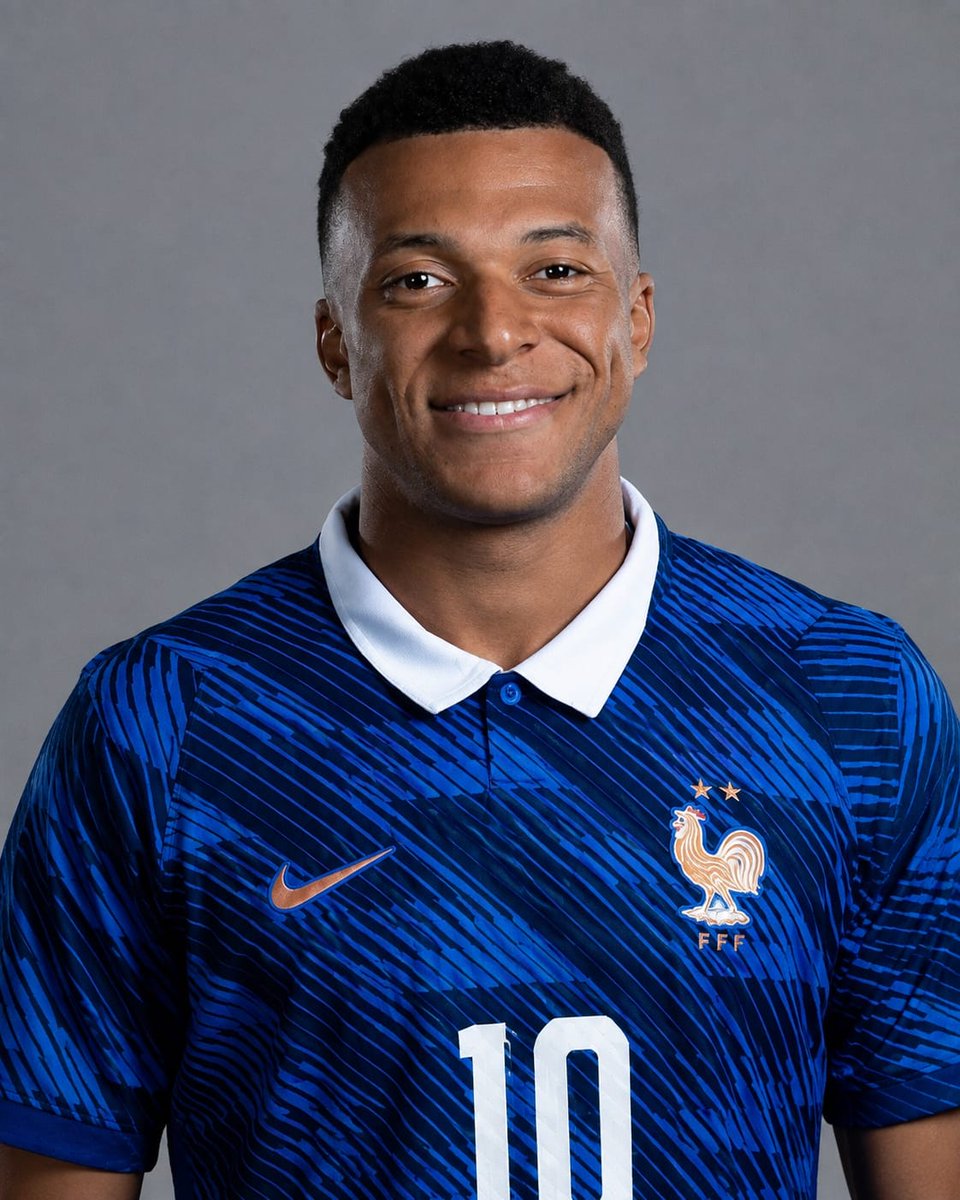
参照画像
このプロンプトの使い方
- 1
上の完全なプロンプトをコピーします。
- 2
GPT Image 2 に対応したプラットフォーム(YouMind など)を開き、プロンプトを貼り付けます。
- 3
アイデアに合わせて被写体・スタイル・細部を入れ替え、生成します。
これは YouMind のプロンプトライブラリにある無料の AI プロンプトです。ほかにも数千点の 画像 プロンプトがあり、すべて自由にコピーして使えます。
ほかの 画像 プロンプトを見る
その他のプロンプト機能

ビジョンツール
画像からプロンプト
どんな写真も詳細な AI 画像プロンプトに変換。無料の Image to Prompt 変換ツールが構図・スタイル・ライティングを解析し、数秒で同じ表現を再現できます。
クリエイターのために。ずっと無料。
YouMind は世界中のクリエイターに信頼される AI 制作パートナーです。ここにあるプロンプトは、より速く、より良い制作を助けるために厳選されています。