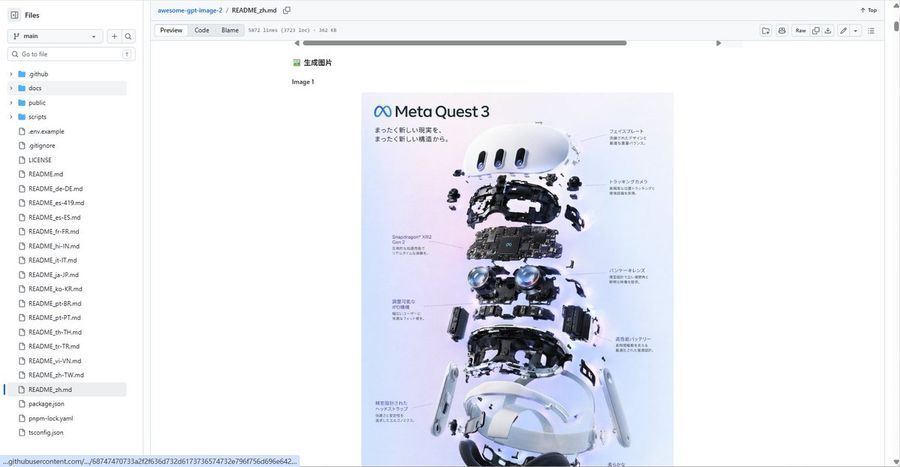
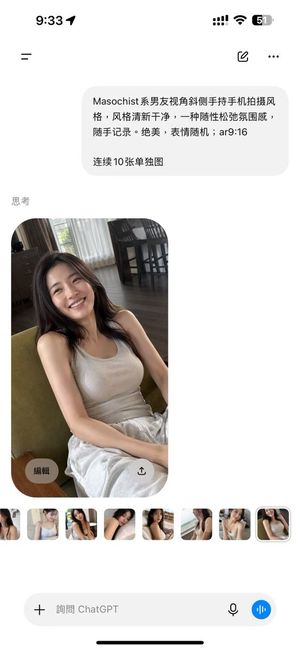
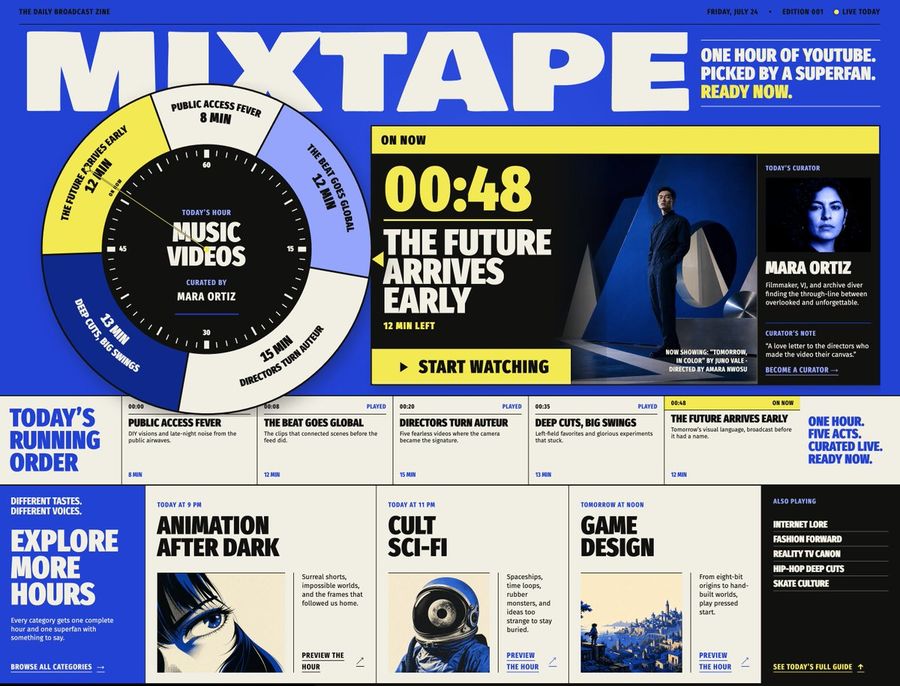
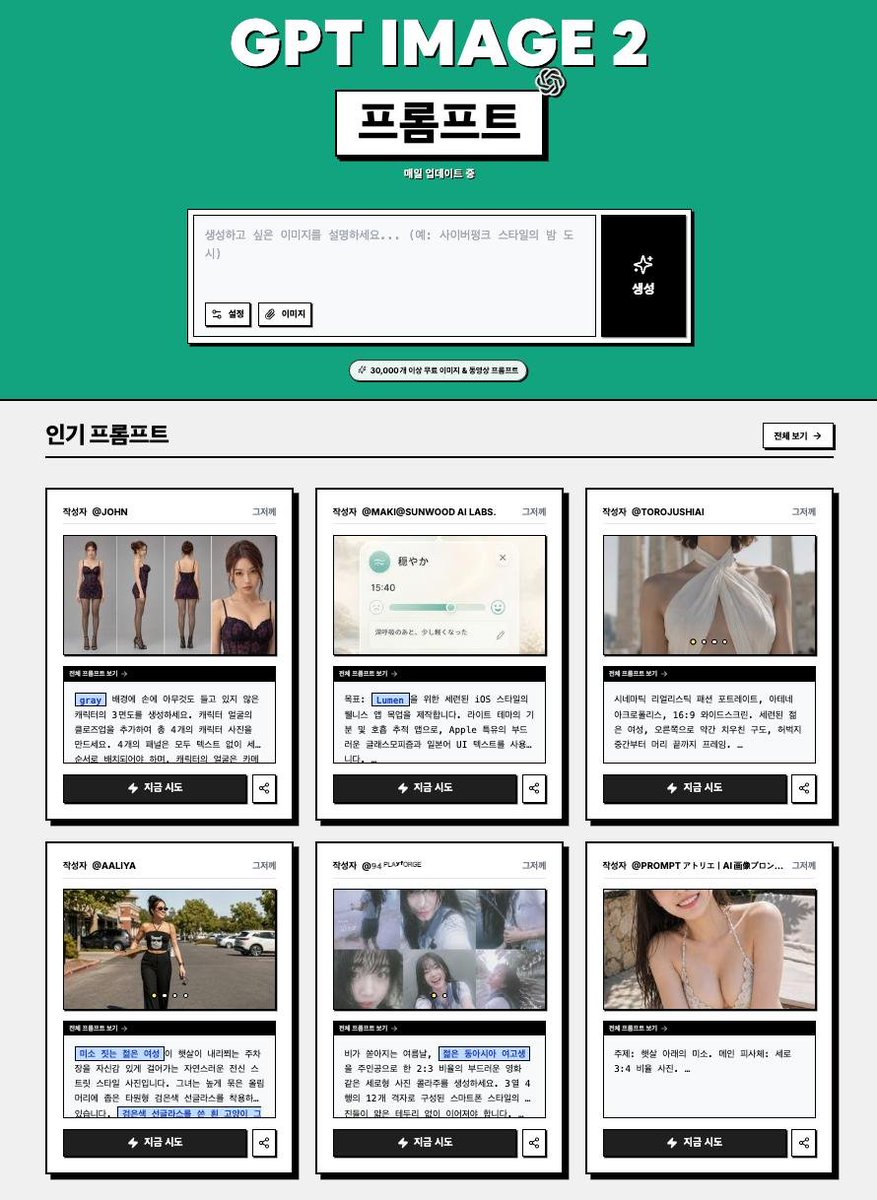
Generates a realistic GitHub repository README screenshot featuring a centered Meta Quest 3 exploded-view infographic, useful for showcasing prompt repositories or documentation pages.
Instrucción
Goal: Create a realistic desktop browser screenshot of a GitHub repository page showing a markdown README preview for awesome-gpt-image-2, with a large embedded product teardown poster centered in the document.
Canvas: Wide 16:9 screenshot, approximately 1200×625 px, light GitHub interface theme, crisp UI text, no browser address bar visible, repository file view cropped to the GitHub content area.
Layout: Left sidebar file explorer, top repository breadcrumb/header, markdown toolbar row, and main README preview area. The main content should show a small Chinese heading “生成图片”, the label “Image 1”, and below it a centered vertical poster image. The page has a horizontal scrollbar near the top of the README content and a vertical page scrollbar on the far right.
Left sidebar details: Show the “Files” panel with a branch selector set to “main”, a search field labeled “Go to file”, and exactly 25 visible file/folder entries: 4 folders named “.github”, “docs”, “public”, “scripts”; then 21 files named “.env.example”, “.gitignore”, “LICENSE”, “README.md”, “README_de-DE.md”, “README_es-419.md”, “README_es-ES.md”, “README_fr-FR.md”, “README_hi-IN.md”, “README_it-IT.md”, “README_ja-JP.md”, “README_ko-KR.md”, “README_pt-BR.md”, “README_pt-PT.md”, “README_th-TH.md”, “README_tr-TR.md”, “README_vi-VN.md”, “README_zh-TW.md”, “README_zh.md”, “package.json”, “pnpm-lock.yaml”, plus “tsconfig.json” visible at the bottom if space allows. Highlight “README_zh.md” as the selected file.
Top header details: Breadcrumb reads “awesome-gpt-image-2 / README_zh.md”. Include the tabs/buttons “Preview”, “Code”, and “Blame”, plus metadata text similar to “5872 lines (3723 loc) · 362 KB”. On the right show compact GitHub controls including “Raw” and small icon buttons.
Embedded poster content: The poster is a clean product-exploded-view infographic for Meta Quest 3. It has a soft pastel lavender-to-blue background, the Meta infinity logo and title “Meta Quest 3” at top left, Japanese subtitle text beneath, and an exploded vertical stack of VR headset components. Count exactly 9 main component layers from top to bottom: 1 white curved front faceplate, 2 small sensor/camera modules floating around it, 3 black internal frame, 4 central motherboard labeled Snapdragon XR2 Gen 2, 5 dual pancake lens assembly, 6 side battery/controller-like modules, 7 lower black head strap/inner frame, 8 two white side arms, 9 white outer headset shell and bottom padding. Add fine Japanese callout labels with thin leader lines on both left and right sides, but keep them small and slightly unreadable like a real screenshot.
Visual style: Photorealistic GitHub UI screenshot, clean white background, small sans-serif UI fonts, subtle gray dividers, blue link accents, centered document content with wide margins. The poster should be high-quality glossy tech advertising imagery with realistic shadows, floating hardware parts, and precise product-render lighting.
Constraints: Do not add people, do not add extra popups or modal windows, keep the GitHub interface recognizable, preserve the Chinese/Japanese text where specified, and make the screenshot look like a real repository README preview rather than a standalone poster.
Cómo usar este prompt
1
Copia el prompt completo de arriba.
2
Abre una plataforma compatible con GPT Image 2, como YouMind, y pega el prompt.
3
Cambia el tema, el estilo o los detalles según tu idea y luego genera.
Este es un prompt de IA gratuito de la biblioteca de prompts de YouMind. Explora miles de prompts de imagen más, todos gratis para copiar y adaptar.
Que la IA busque entre decenas de miles de prompts. Filtrá por modelo, rango de fechas y palabras clave, y ordená por interacción: vistas, guardados, reposts y más.
Convierte cualquier foto en un prompt de imagen IA detallado. El conversor gratuito de imagen a prompt analiza composición, estilo e iluminación para recrear cualquier estética en segundos.