【Warning】Don't create loops. Unless 4 conditions are met, money will melt.
"Stop prompting, start creating loops."
This is the phrase that has been circulating most frequently in the AI space over the past few months. The creator of Claude Code and people at OpenAI have started saying the same thing in different ways.
However, most people who see those words just let them slide without knowing exactly what to do. I was the same at first.
And there is one more thing no one tells you beforehand. If someone who doesn't meet the right conditions creates a loop, it becomes a machine that quietly melts away your money.
In this article, I will break down the contents of a loop and draw a line between those who should create them and those who shouldn't. After that, I'll provide the "lightest" way to run a loop starting today, even for those who don't meet all the conditions yet.
Note that this article features two types of text: Commands (to be typed in a terminal or Claude Code input field) and Prompts (instructional text to be pasted into an AI chat). They are marked accordingly so you can distinguish them.
Most People Are Using AI in the Slowest Way Possible
What most people are doing now is the "one-request-at-a-time" method. You decide what to ask, you judge whether the returned answer is usable, and you decide what to do next.
The AI doesn't move unless you push it, and it stops the moment you stop.
This isn't necessarily bad. However, there is a ceiling. You are the engine, and the AI remains just a tool in your hand.
There is another way to operate. Stop leading it step-by-step; instead, give it the goal and let it run itself. The AI decides the steps, performs the work, checks its results against the goal, fixes the weak points, and tries again. You can step away from your desk, and the work still progresses.
This is a loop.
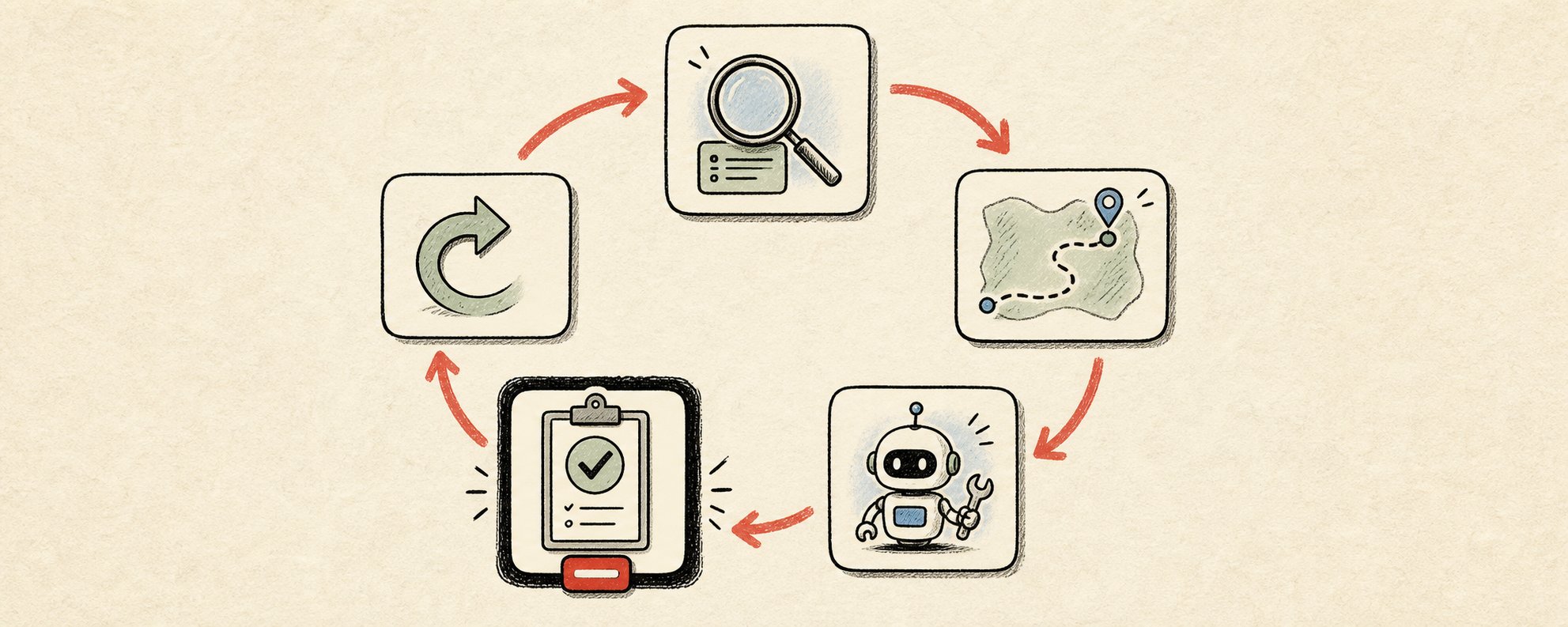
The True Identity of a Loop: 5 Steps
A prompt is a single instruction. A loop is a goal that the AI keeps running toward until it arrives.
If you look inside the loop, it looks like this:
① Find ... Identify what needs to be done
② Decide ... Plan the steps on how to do it
③ Do ... Actually perform the work
④ Verify ... Compare against the goal to pass or fail
⑤ Repeat ... If it hasn't reached the goal, return the result and repeat
Of these five, the last three are what really matter. And this is where everyone who fails trips up.
The Verification Step is the Heart of the Loop
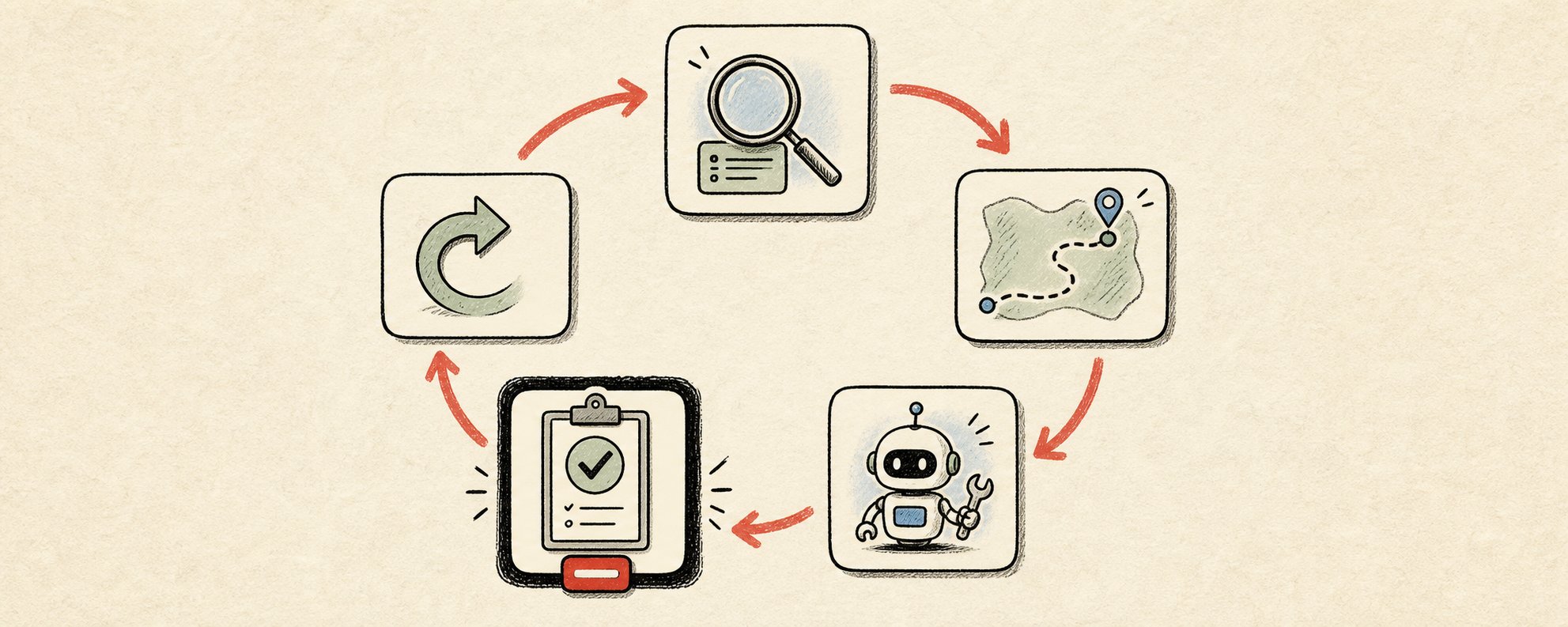
If there is no mechanism to truly inspect the results, it is not a loop. It's just the AI repeatedly telling itself, "Good job."
What turns repetition into progress is this inspection. It could be whether a test passes, or whether a number exceeds a certain value. Providing a scorecard for the AI to grade itself also works.
Without a gatekeeper, the worker ends up grading their own homework. And the person who wrote it is far too lenient as a grader.
Records Allow the Loop to Learn
With each iteration, the AI needs to remember what it tried before. If it doesn't remember, it will repeat the same mistakes forever.
A proper loop keeps a small side-note: what's finished, what failed, and what to do next. Because of this, tomorrow's execution doesn't start from zero, but from where it left off.
By the way, this is also where the costs start to kick in. I'll explain why later.
A Loop Without a Stop Condition Runs Until Morning
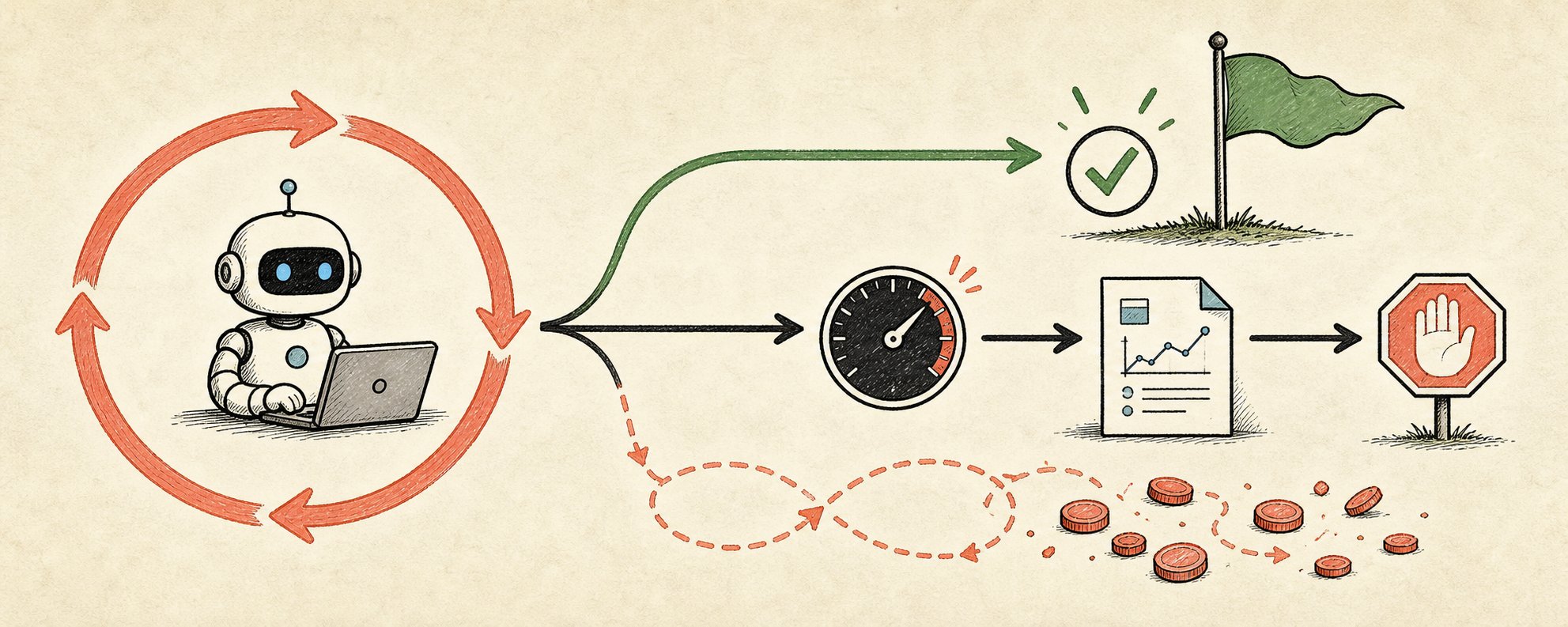
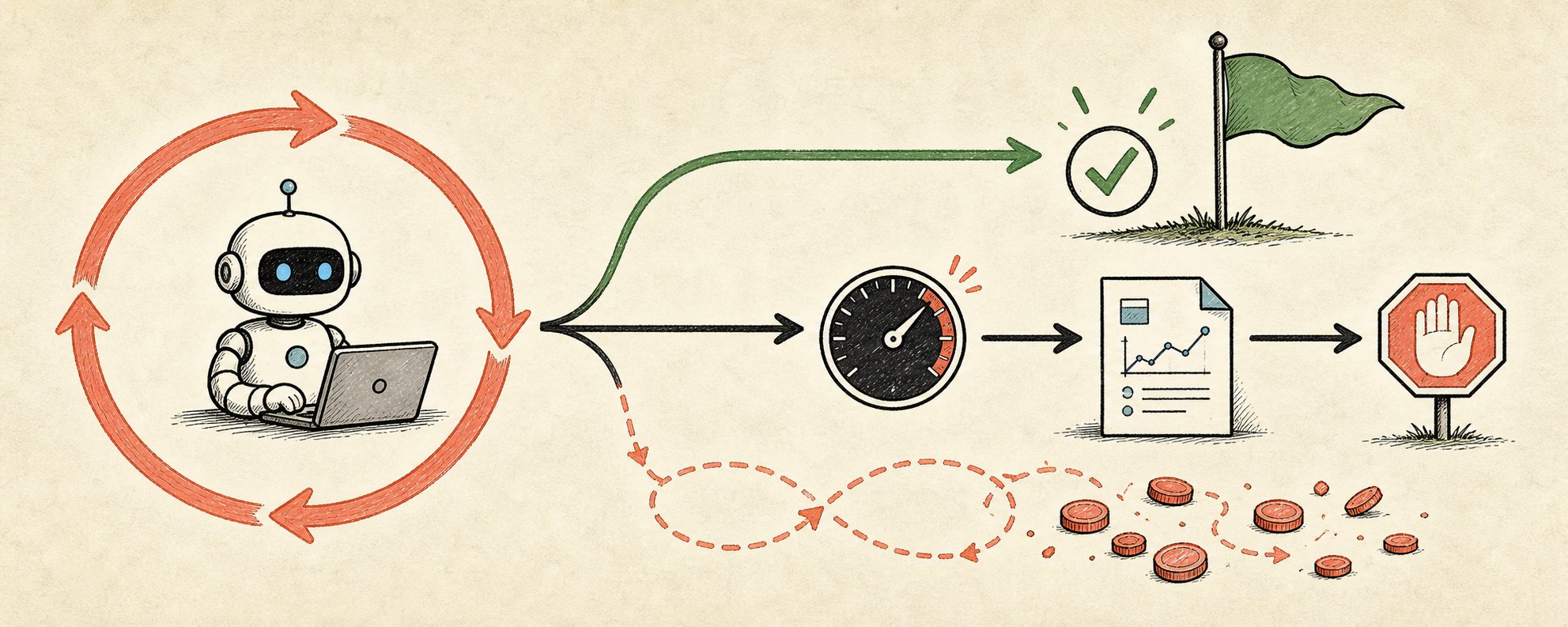
A loop without an exit will run until it succeeds, breaks, or empties your bank account. A proper loop has two ways to stop: when it succeeds, and a hard limit like "Stop and report if it fails after 8 attempts."
If you skip this, you end up with a machine that keeps moving all night without producing anything.
A prompt gives the AI an instruction. A loop gives the AI a job, a standard for judging completion, and rules for giving up.
But First: Should You Even Build a Loop?
Most articles recommend loops before telling you when not to build them. Here is the criteria used by people actually running them:
A loop is only worth creating when all four of the following conditions are met:
① It is a task repeated at least once a week
If it's less than that, the effort to build it won't pay off. For a one-off job, a single good prompt is faster.
② There is a mechanism to automatically reject bad results
Tests, type checks, builds, linters, or hard rules. If you can't filter anything out, the loop just spins its wheels.
③ The AI can complete it entirely on its own
If it has to come back to you halfway through, you'll spend more time waiting than working.
④ "Completion" is determined objectively
If quality is a matter of personal taste, humans still win.
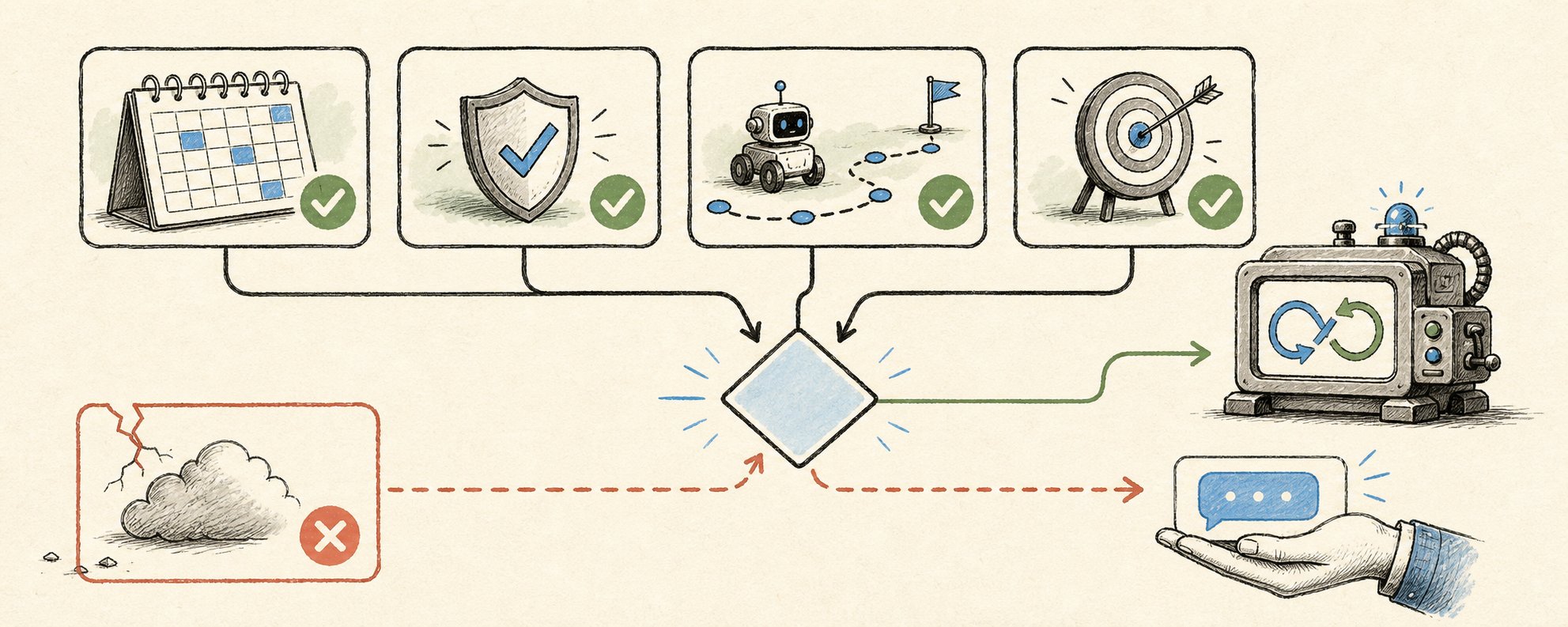
If even one of these is missing, stick to manual prompting.
Here is the most honest part of this discussion: The concept of a loop is real. However, most people don't need the "heavy" version yet. The version everyone can use is the "light" one, which I'll provide in the second half of this article. Still, you should know where the line is drawn.
Why It Exploded in the Coding World First: The 5 Components
Loops first spread in software development because code is the easiest thing in the world to pass or fail. A test either passes or it doesn't; there's no room for excuses. Therefore, the AI always knows if it's finished.
For code-oriented loops, a goal and a hard inspection are provided as a set.
▼Instructional text to paste into the AI chat▼
1Goal: All tests in /tests/auth pass, zero linter warnings, zero type errors.23To do every time:4① Run tests and read all failures5② Choose the single most impactful failure6③ Write the minimum change to fix it7④ Run tests, linter, and type check again89Passing conditions: All tests pass + zero warnings + zero type errors10Stopping conditions: When passed, or after 8 iterations11Upon stopping: Report a summary of what was changed and what is still failing
This loop is built from five components. Claude Code and Codex include all five.
① Automatic Trigger (The Heartbeat): This is what makes it a loop rather than a one-off. If you set the instructions, intervals, and goals, it will run even if you don't start it. In Claude Code, /loop runs the same instruction at set intervals, and /goal continues the session until conditions are truly met. If you put it on cron or GitHub Actions, it works even after you close your laptop. Results come to you, so you don't have to go looking for them.
▼Instructional text to paste into the AI chat▼
1/loop 1h Run the tests for this repository, fix exactly one failure, and report back.
② Skills (Reusable Instruction Sheets): Instead of pasting a wall of instructions every time, you save them once in a file. Rules to follow, patterns to mimic, and a list of things never to touch. The automatic execution just calls it by name, reducing accidents where instructions rot because no one updates them.
③ Separating the Creator and the Inspector: This is the most effective way to set up a loop. A model that writes code is lenient with its own homework. By bringing in a second model with different instructions—sometimes a stronger model—you can catch things the first one convinced itself were fine. The writer is a fast, cheap model; the inspector is a slow, strict model. This separation creates most of the quality.
④ Integration (Execution instead of Suggestion): The difference between an AI that says "You should fix it like this" and a loop that opens a PR, links a ticket, and sends a notification once the build passes is right here. Whether it can reach into the actual workspace is the dividing line.
⑤ The Inspector (The Gate): Tests or type checks that automatically reject bad work. This component alone determines whether the loop helps you or just spends your money. Everything else is just plumbing.
This is what large teams are doing now. Dozens or thousands of AIs looping simultaneously on the same task. In fact, one engineer rewrote an entire codebase into another language in 6 days using this method. Manually, it would have taken nearly a year.
It's a flashy story. But there is a price that never shows up in demos.
The Cost Story No One Tells You
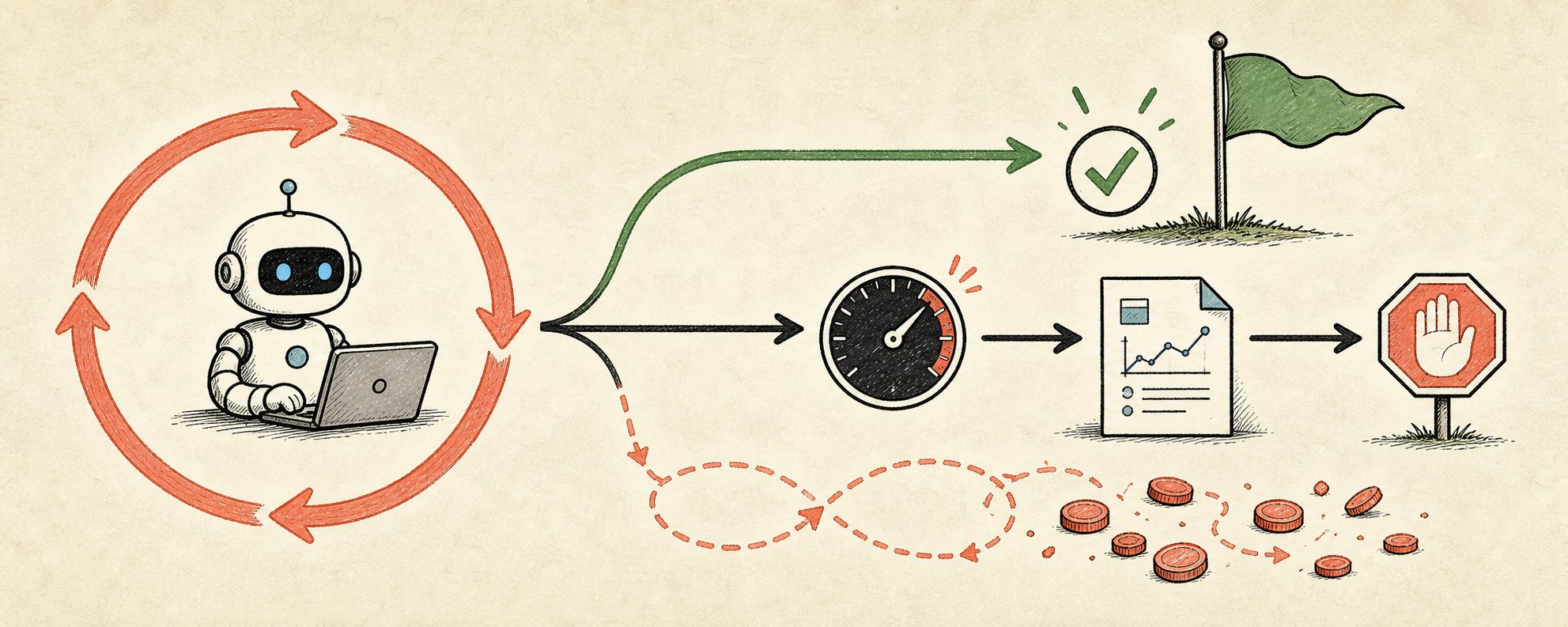
Loops run on tokens. Tokens are money. The problem isn't that every step costs money; it's how the cost increases.
With every turn of the loop, the AI re-reads the context: the goal, the code, the previous results, and the failures. That pile is sent to the model every time, and it grows with every iteration.
If it loops 10 times, the bill isn't for 10 prompts; it's for 10 increasingly bloated prompts. Furthermore, the "separation of creator and inspector" that improves quality doubles the bill because two models are reading the context.
Rough estimate:
1 AI / 1 medium task: 50,000 to 200,000 tokens
Re-reading context every loop: Increases per iteration
Running multiple AIs in parallel: Multiply the above by the number of AIs
Almost no one tracks the number that actually matters: Cost per accepted result. It's not about tokens used or iterations run.
If a loop produces 10 results and you discard 6, you are doing the inspection work yourself that you were supposed to save. If the acceptance rate drops below 50%, that loop is costing more than the value it returns.
Even worse, loops can fail silently. Engineer Geoffrey Huntley called this the "Ralph Wiggum Loop." The AI prematurely decides "I'm finished" and exits with half-done work. Or, the loop keeps spinning, producing nothing while the bill keeps growing.
A loop without a gate it can fail at will never fail. It will just silently charge you.
That's why the heavy version belongs to teams that can monitor iteration limits, token budgets, and performance. If that's not you, you haven't missed the boat. The core logic is available much cheaper and without preparation.
If You Get the Order Wrong, It Burns While You Sleep
If you're going to build one, the order is more important than the tools. People who release loops that survive in the field always build them in this order:
① First, succeed manually once with certainty
② Turn that into a "Skill" (save the instructions)
③ Wrap the skill in a loop (add gates and stop conditions)
④ Only then put it on automatic execution
Putting something on automatic execution before you've proven it works manually is exactly why loops burn through budgets while you sleep. Prove it once, solidify it, then automate it.
The Lightest Loop You Can Run Today
Even without coding-specific AI, you can experience the feel of a loop right now. You can run a manual loop with a single prompt.
The trick is to provide all three components at the start: the goal, strict passing conditions, and a procedure for the AI to inspect itself before stopping.
---Prompt (Instructional text to paste into the AI chat)---
1You will now work in a loop until the criteria are met.23【Task】 [Write specifically what you want created]45【Passing Conditions (No lenient grading allowed)】67[Condition 1]8[Condition 2]9[Condition 3]1011【Procedure for Each Iteration】12① Planning: Declare only the next single step to be taken.13② Work: Create or fix.14③ Inspection: Grade each condition on a scale of 1 to 10. Be ruthlessly strict. List all weak points.15④ Judgment: If all conditions are 8 or higher, output "FINAL" and stop. Otherwise, output "ITERATING," and repeat, starting by fixing the lowest-scored point.1617【Rules】1819Do not say "complete" until all conditions are 8 or higher.20In each iteration, you must fix the point that scored the lowest last time.21Do not ask me questions. Make reasonable assumptions, note them, and proceed.22Please begin. Loop until "FINAL" is output.
Try pasting it, and you'll see. The AI creates a draft, grades itself based on your conditions, finds weak points, and rewrites. It repeats this until it exceeds the standard. The usual behavior—where it just hands you the first thing that looks okay—disappears.
You can create this flow with a single paragraph.
However, Something is Still Missing
This loop has a critical flaw: You are the trigger.
You have to open the chat, paste it, and watch it. If you close the tab, it's gone. It won't run on a schedule, and it won't wake up the moment an email arrives. It only exists while you are watching, so it can't come to notify you.
When you want a loop that wakes up on its own, runs itself, and delivers results to you, you are standing at the entrance to the "heavy" world. Tools, hosting, code, gates, and invoices.
For truly heavy work, that is a correct investment. But for 90% of daily tasks, you don't need that much. For now, the scheduled execution features attached to the tools you already use are enough. Claude Code's /loop and /goal, or scheduled runs. These aren't new contracts; they are already in your hands.
Summary
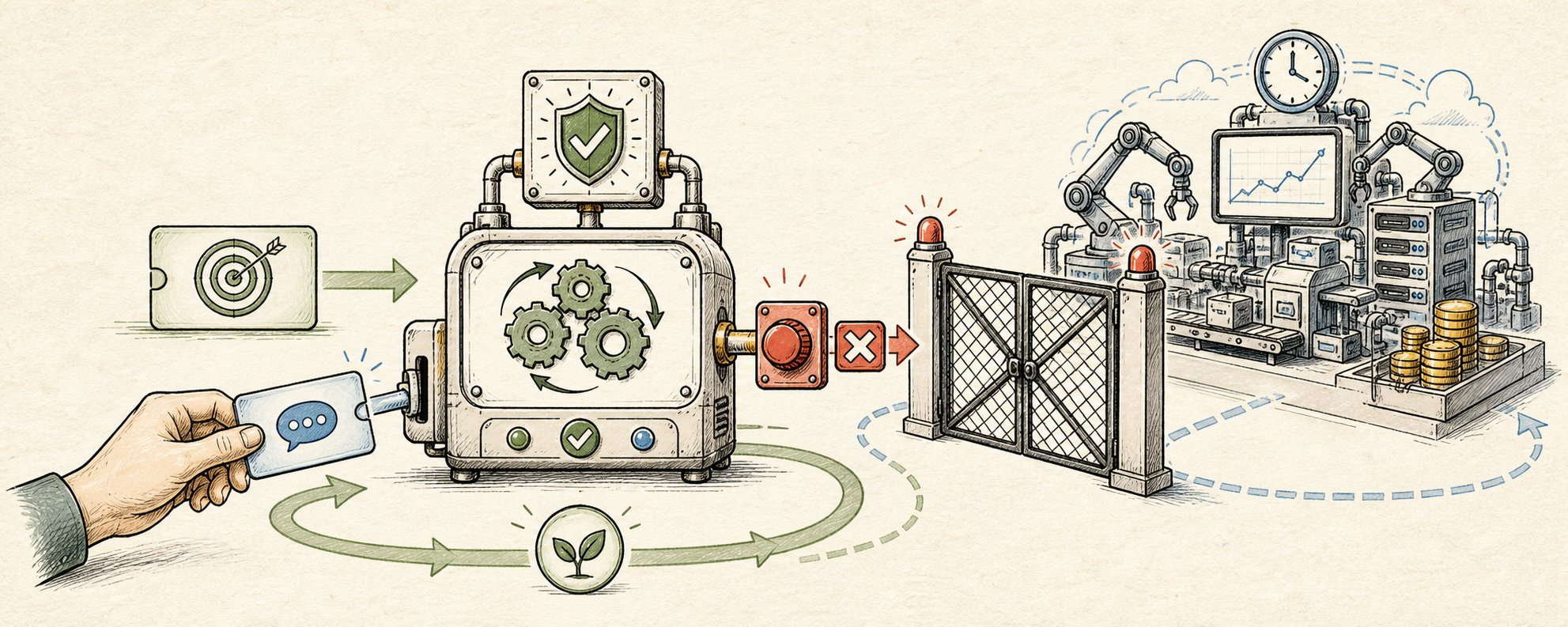
- A loop means giving the AI a goal, a judgment for completion, and rules for giving up.
- The heart is inspection. If there's no gate to fail at, it's not a loop.
- Don't build one unless it's: repeated weekly, automatically rejectable, AI-completable, and objectively verifiable.
- Costs bloat with every iteration. The metric to watch is cost per accepted result. An acceptance rate under 50% is a deficit.
- The order is: Manual Success → Skill → Loop → Automatic Execution.
- If you don't need the heavy version, starting with the single prompt above is enough.
Loops are not a fad; they are a shift in who does the work. However, they aren't something to be chased blindly. If forced into the wrong place, they just make money disappear. Run them with the free tools you already have, and only consider the next step when you personally feel that those aren't enough.
Reference Article
This article was reconstructed in Japanese based on the following:
Loops explained: Claude, GPT, Mira and what actually works
Anatoli Kopadze / 2026-06-20